
Gather
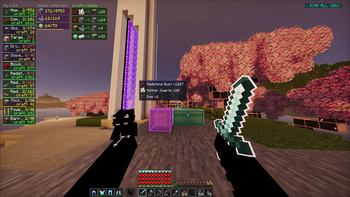
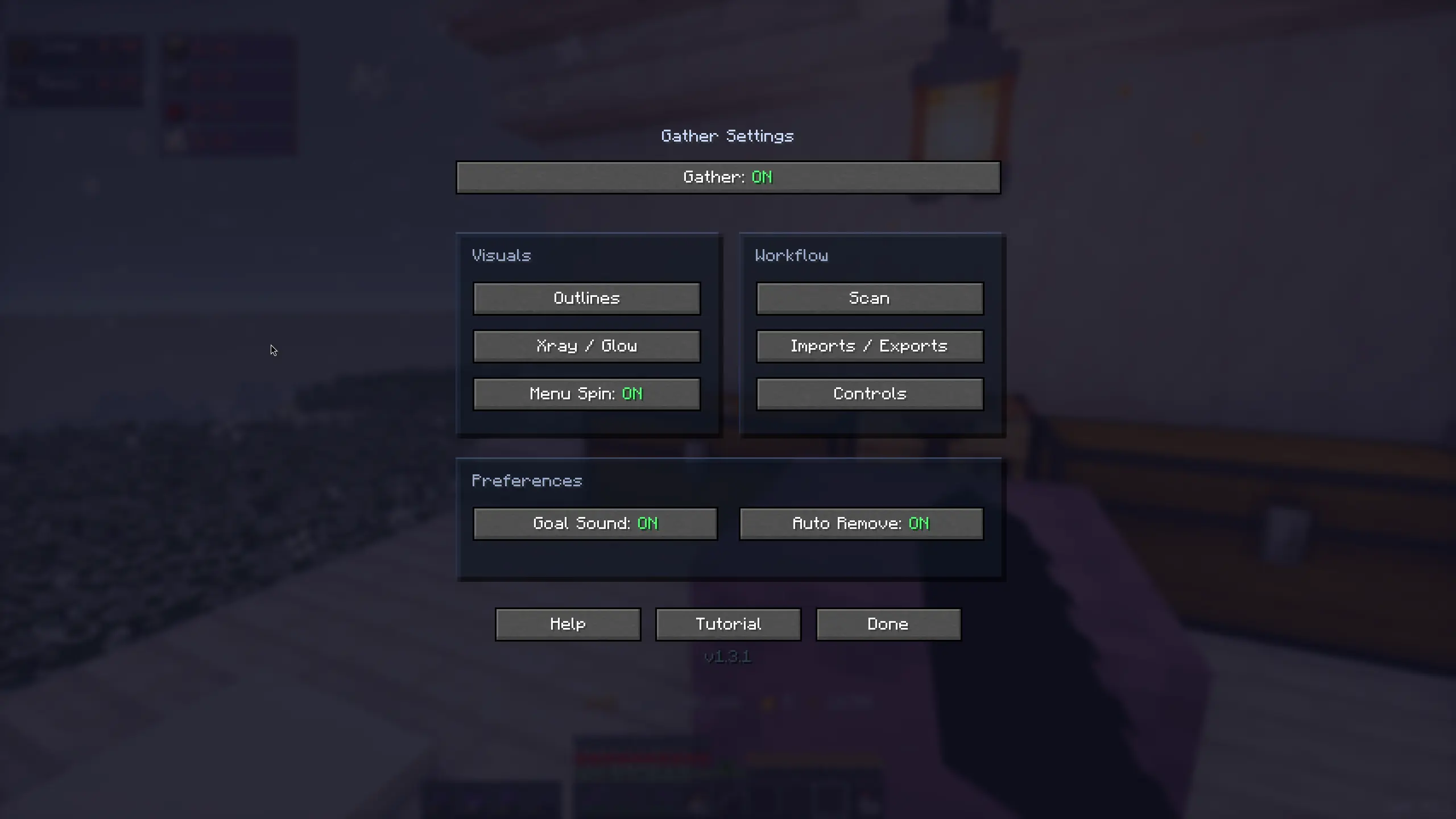
Material Gathering. The mod provides automatic base material calculation, HUD progress, needed blocks outlines and SO MUCH MORE
Screenshots
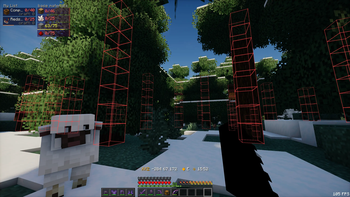
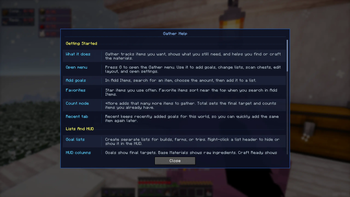
About this Mod
Gather is a mod that I decided to build when I found myself needing to collect materials for an automatic storage system. It goes without saying that the development of the mod delayed the storage system project quite a bit lol.
Current Features:
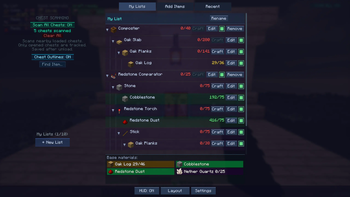
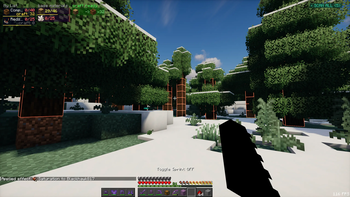
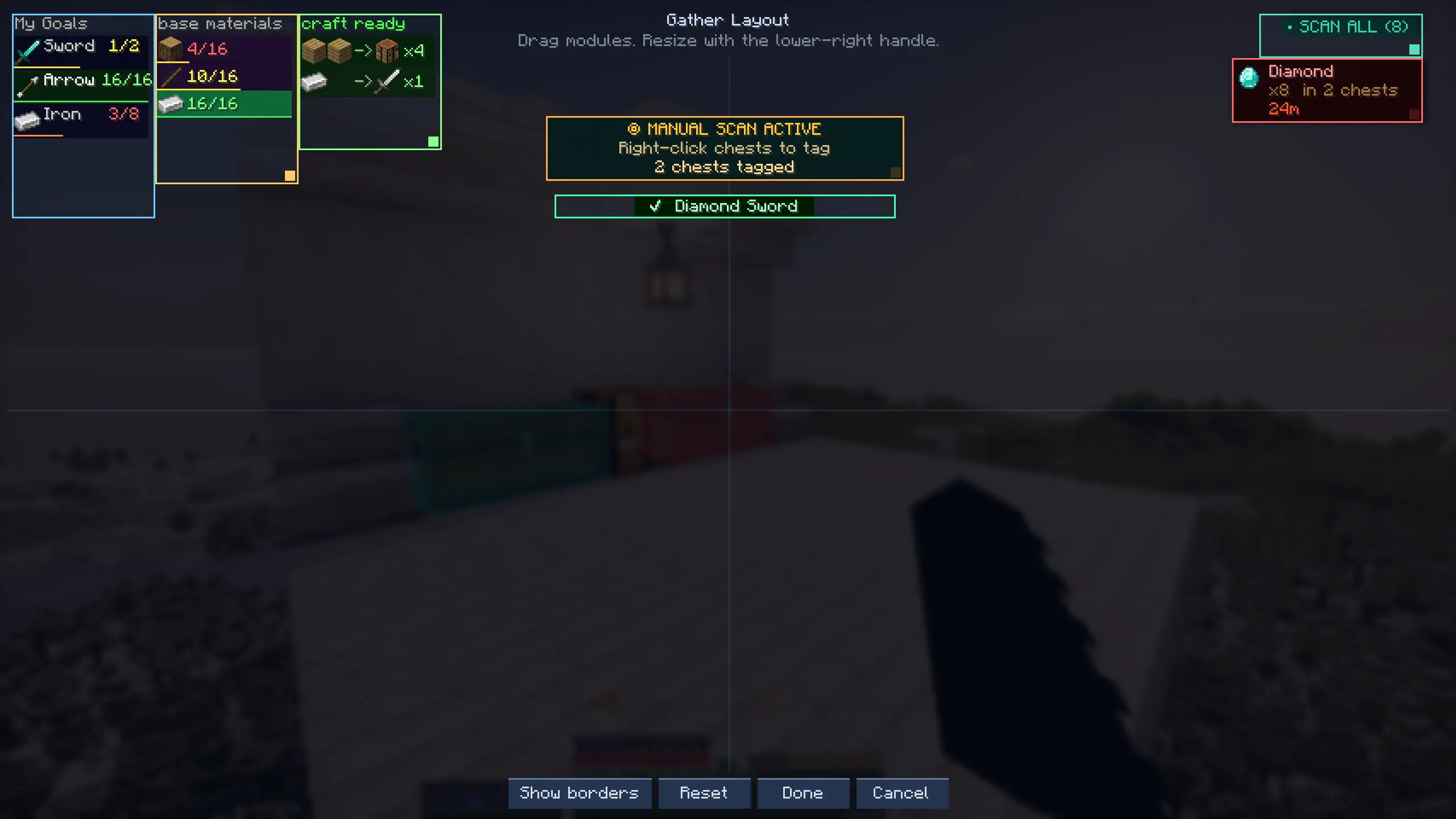
- HUD - shows base materials needed with have/need counts
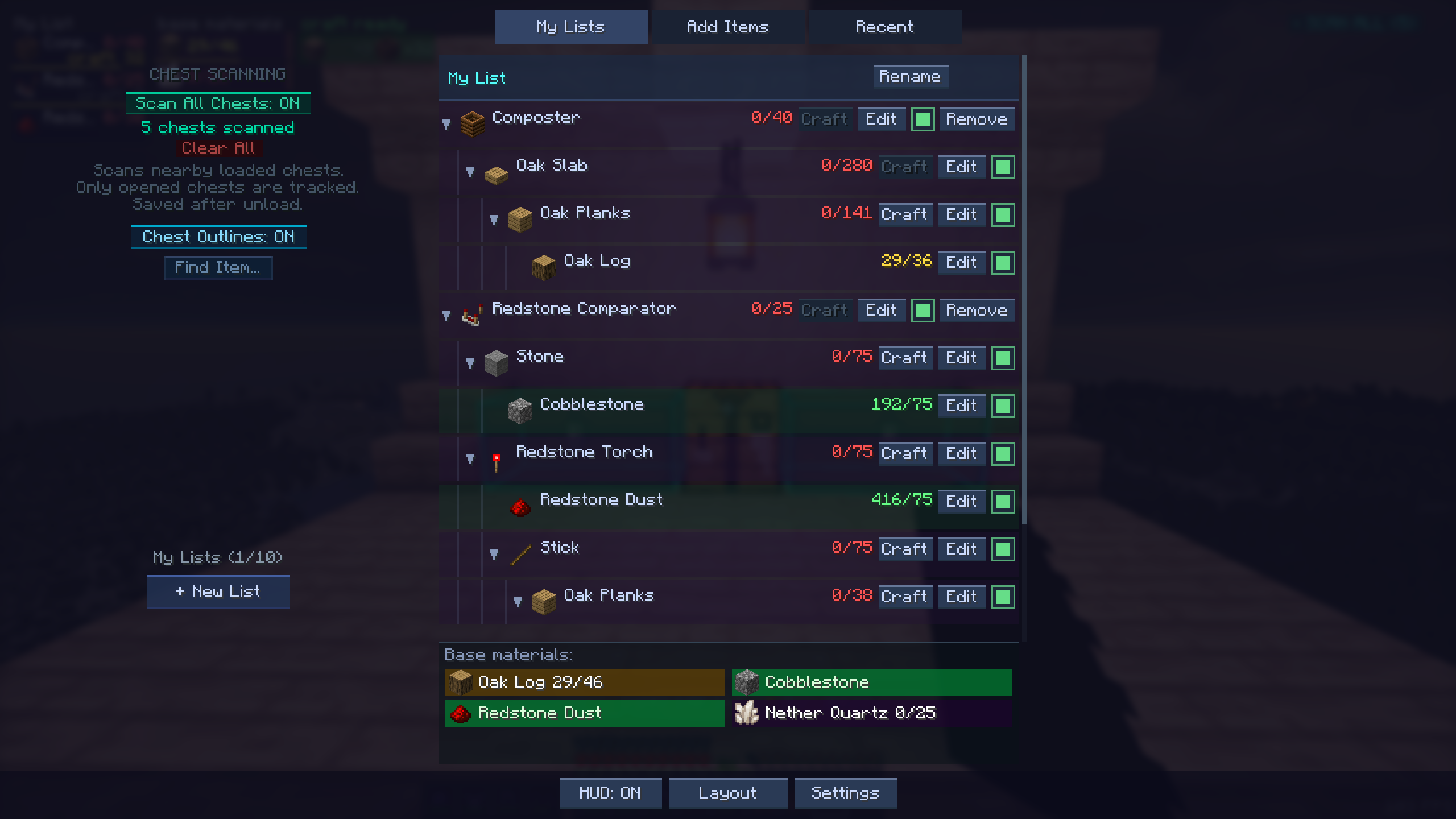
- Auto recipe breakdown - goals auto-break to leaf materials
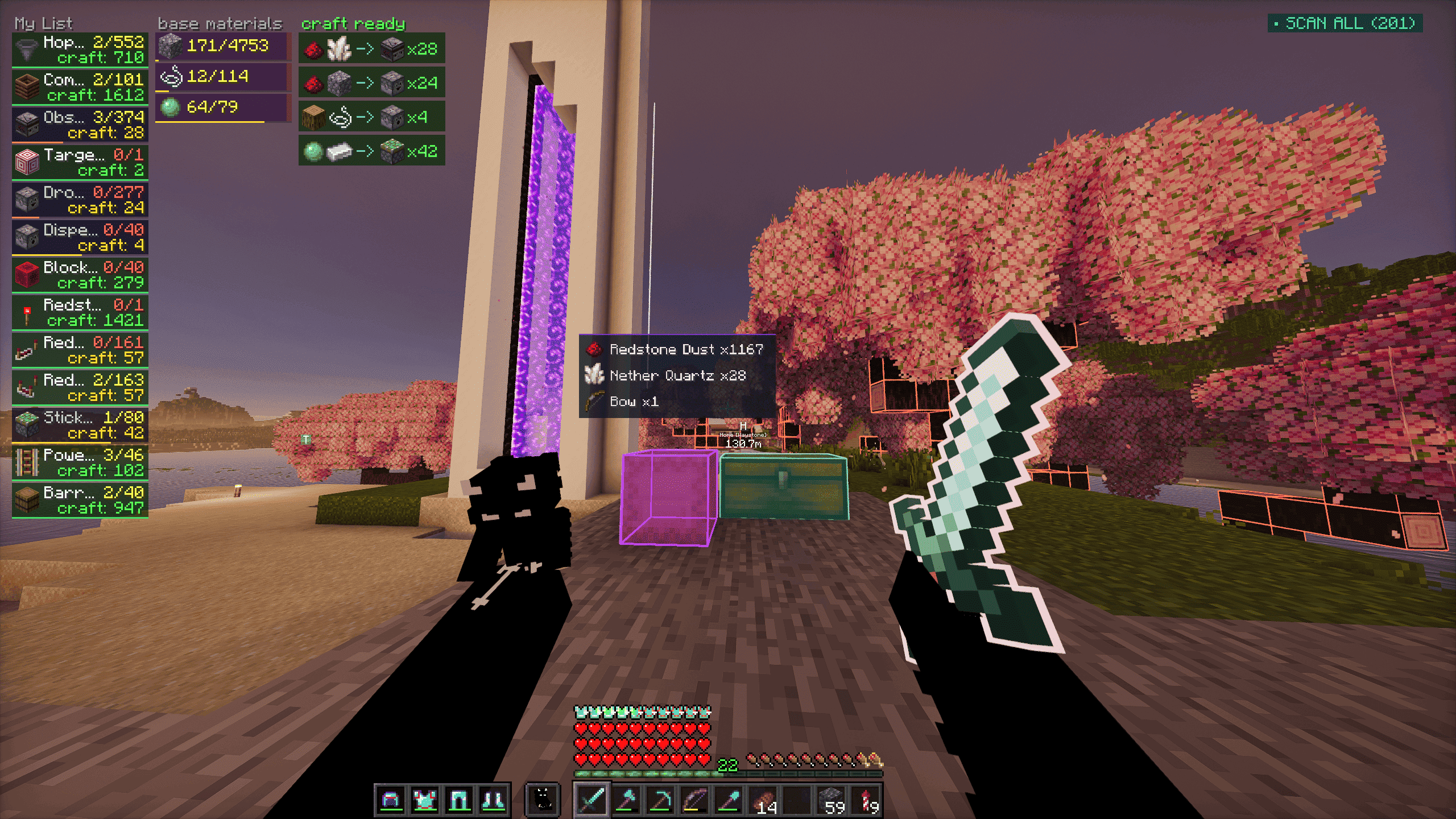
- World block outlines - highlights source blocks for needed materials
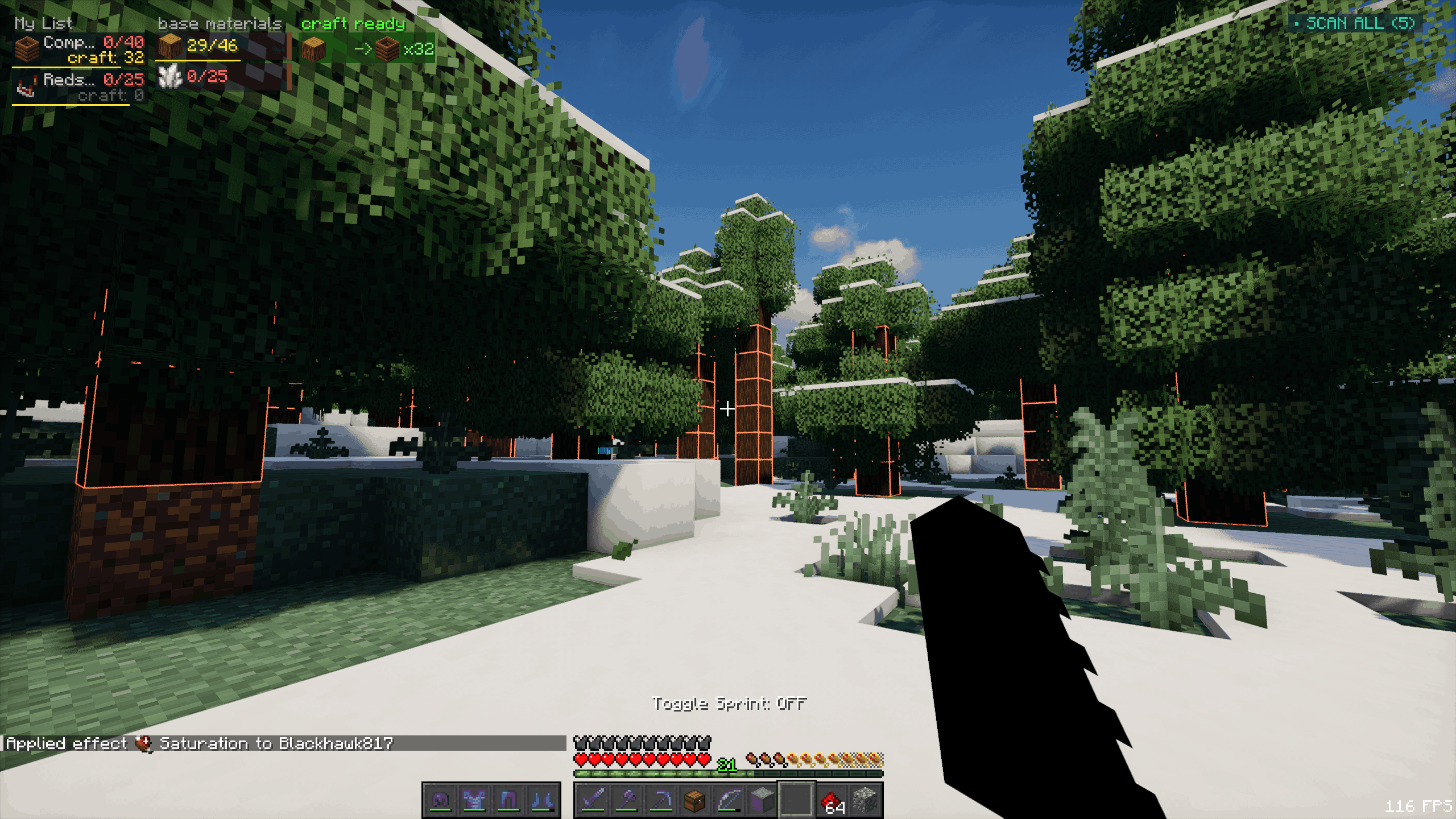
- Block xray (toggle) - see outlines through terrain to find needed ore/resource blocks
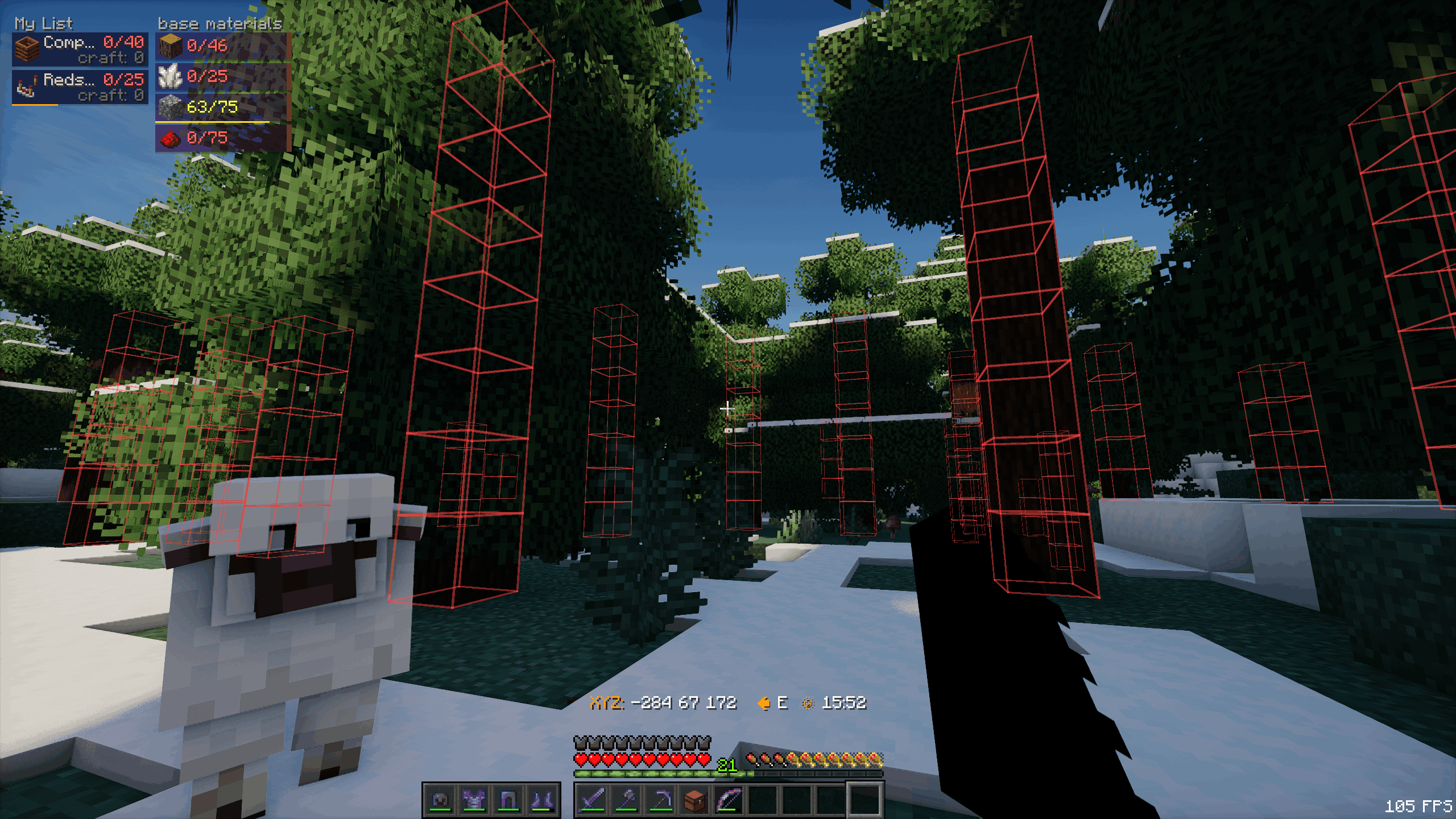
- The above feature is not accessible by default, turning it on requires an admin to use /gatherop xray on command
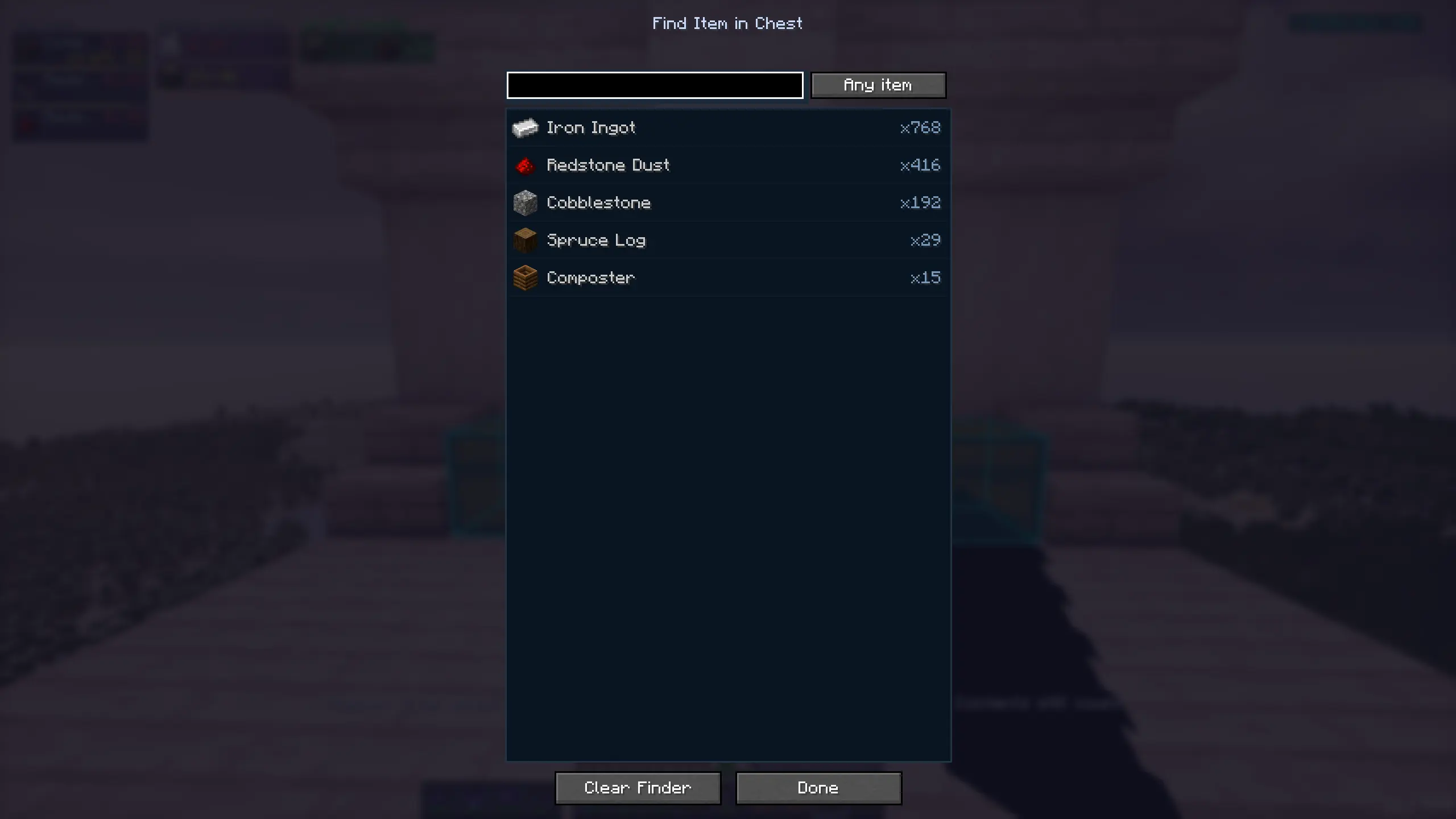
- Chest scanning - track nearby chests containing needed items
- Shulker collector - auto-pulls needed items into carried shulker
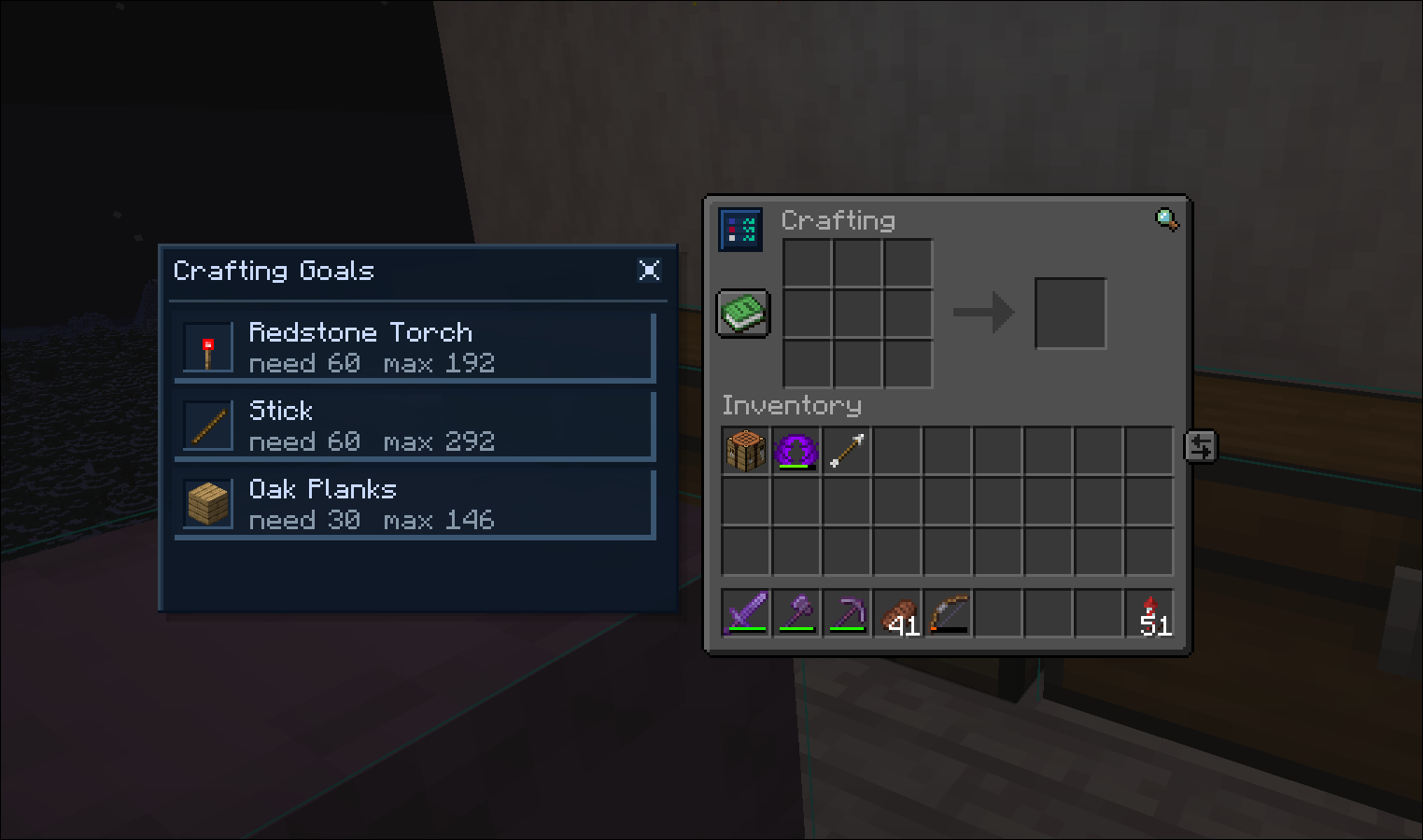
- Crafting overlay - crafting table panel showing craftable goals
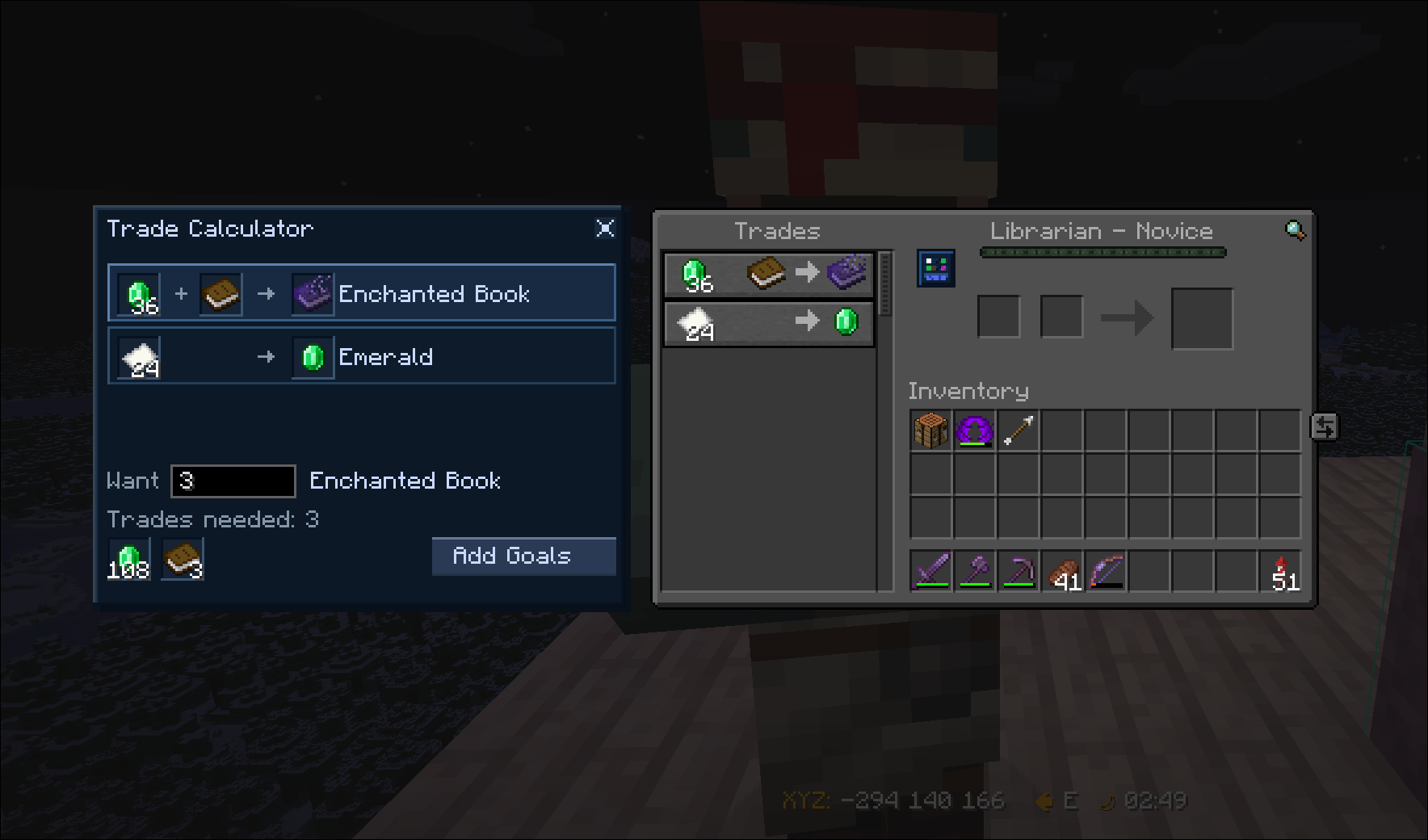
- Trade Calculator - trade calculator menu, calculate sell items needed to buy a certain amount of items
- Item finder - find any item inside of tracked chests
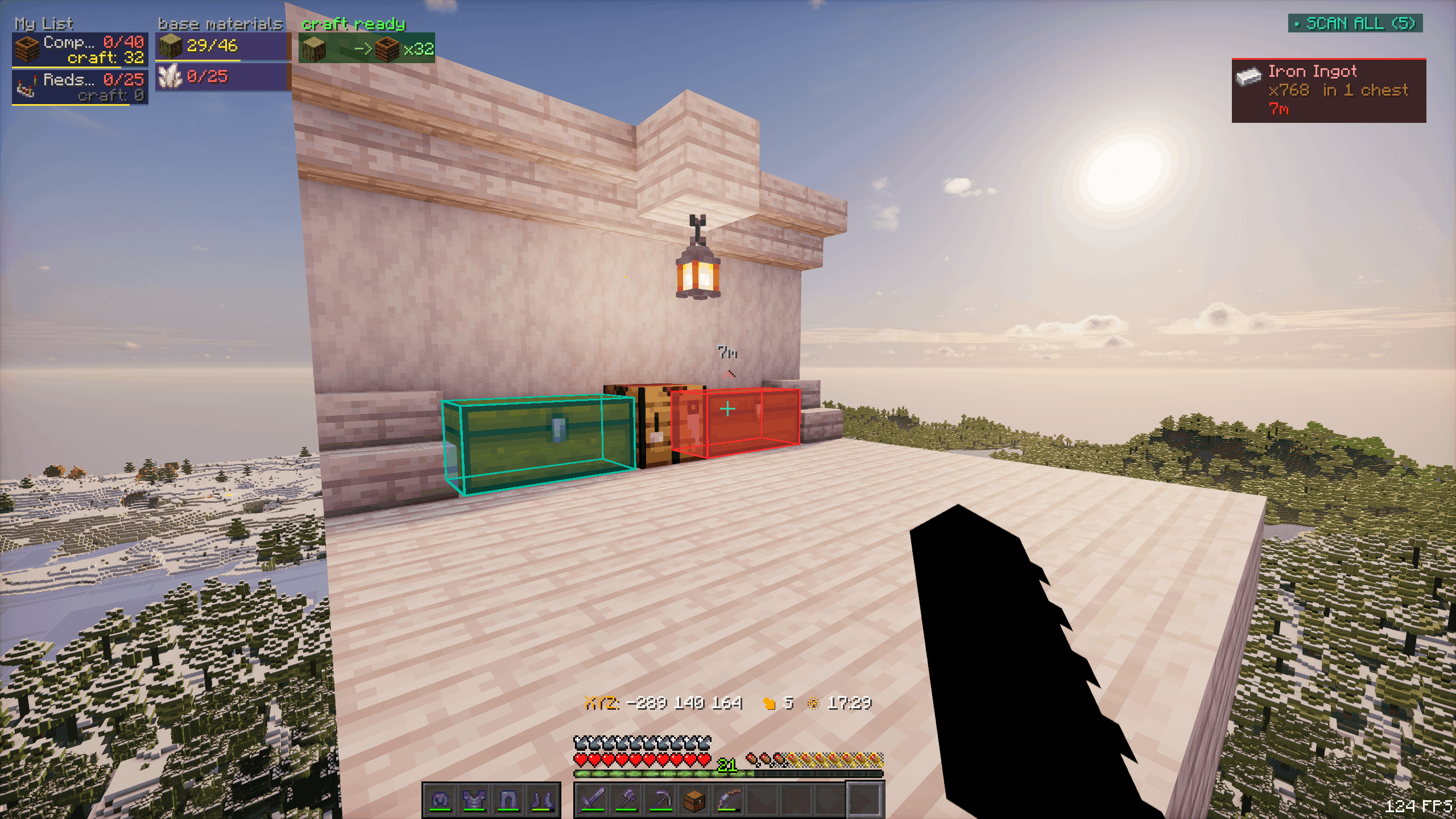
- G-menu - main functionalities menu
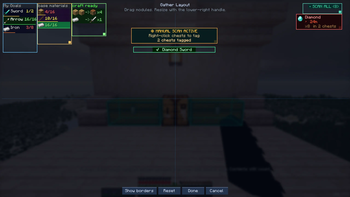
- HUD layout editor - drag/resize HUD modules
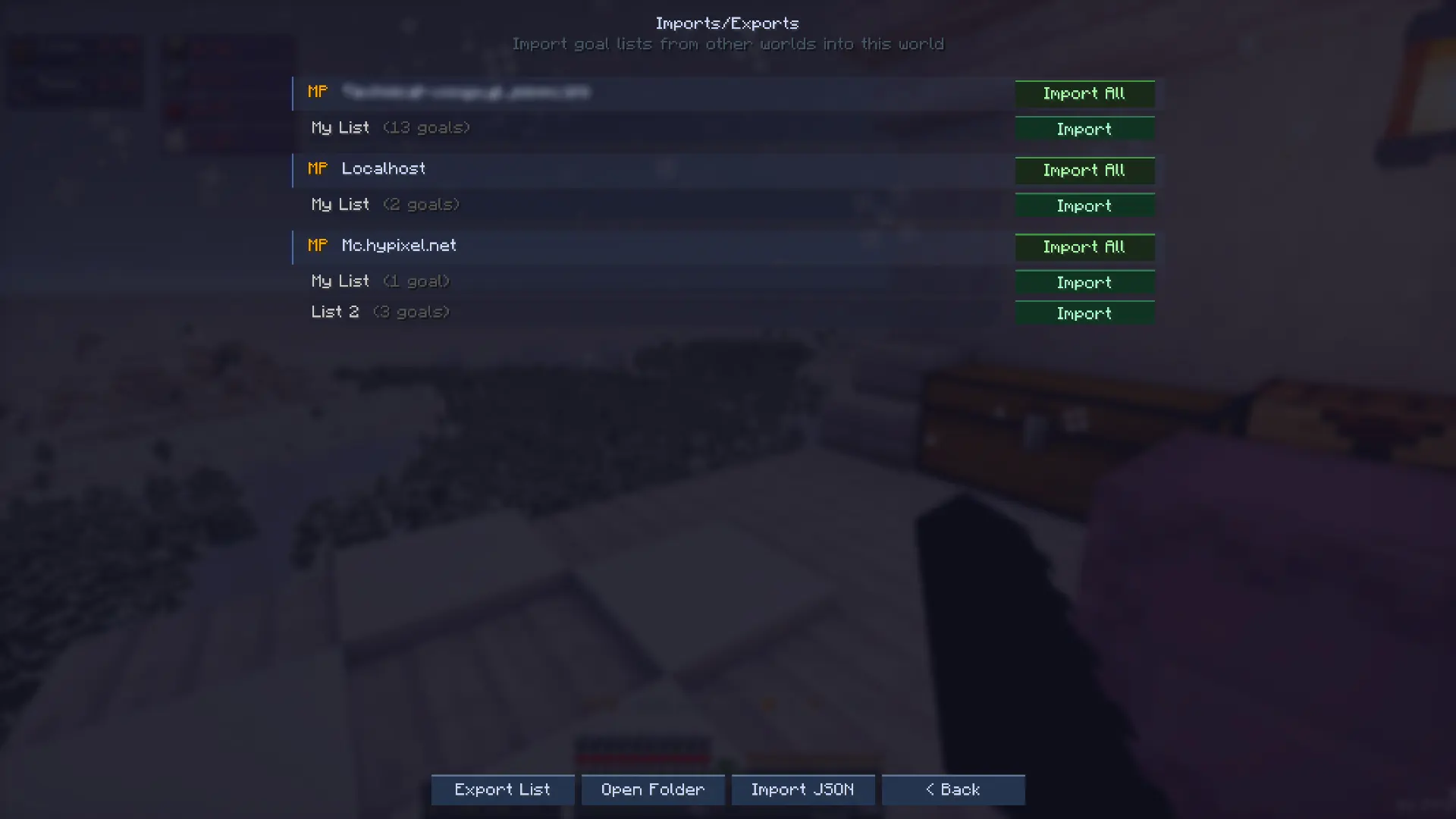
- Imports/Exports - copy goal lists across worlds and friends
- Settings screens - allows you to fully customize every inch of the mod
Requirements:
- Minecraft version: from 1.21.1 on
- Fabric loader: 0.19.2+
- Fabric API: Any version appropriate for the selected mc version
- Mod menu: Any (suggested for more settings customization)
- Where Is it: Any (required for Xray feature)
Possible environments
- Single player: install the mod on the client.
- Multiplayer / dedicated server: install the mod on both the server and each client.
Versioning
- From now on, unless requested, only 1.21.11+ versions will be updated with new features
What's coming:
- Mod UI themes: modern, vanilla feel, light/dark modes, ...
- Broader loaders support
- Import goals from schematics and litematica 👀
Notice:
Gather can check the official Gather website for the latest available version and show an in-game update notice. This check does not upload gameplay data and can be dismissed in-game.
Available Versions
How to Install Gather on Your Server
Order Server
Order a Minecraft Java server with at least 3 GB RAM (4 GB recommended).
Set fabric Loader
In the panel under "Egg", select the fabric loader and matching Minecraft version (26.1.2).
Install Mod
Open the mod browser in the dashboard and search for "Gather". Click "Install" – done! Alternatively, upload the .jar via SFTP to the /mods folder.
Compatibility
Mod Loaders
Minecraft Versions
26.1.2, 26.1.1, 26.1 (+11 more)
Server-side
✓ RequiredRecommended RAM
4 GB(min. 3 GB)Frequently Asked Questions
Gather server crashes on startup – what to do?
Most common cause: wrong fabric version or insufficient RAM. Check the server log (latest.log) for "OutOfMemoryError" or "Mixin" errors. With Mado Hosting: ensure at least 3 GB RAM is allocated and the loader matches the mod version (26.1.2). You can switch loaders with one click in the panel.
Is Gather compatible with fabric?
Gather officially supports fabric for Minecraft 26.1.2, 26.1.1, 26.1. The Mado dashboard automatically detects incompatible loader combinations.
Server lagging with Gather – how to optimize performance?
Recommended RAM: 4 GB (per 8 players). Use /spark profiler to check if Gather consumes the most tick time. Common fixes: reduce server view-distance to 8-10, install "performant" or "starlight" as supplementary mods on Forge. With Mado Hosting, your server runs on NVMe SSDs with dedicated CPU cores for minimal latency.
Similar Mods




![[ETF] Entity Texture Features](https://cdn.modrinth.com/data/BVzZfTc1/af683d206d50b05258d865b0d6e4aa2f2cee12f2_96.webp)

Rent Modded Server
Install Gather with just one click on your server.