
Geographicraft
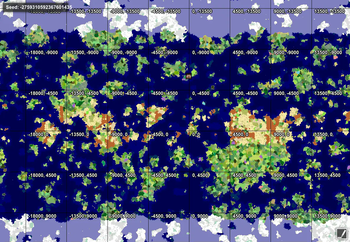
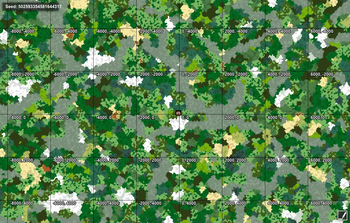
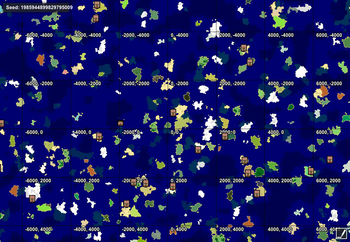
Climate control allows you control climate zones, ocean sizes, biome frequencies, and continent sizes. Make Minecraft worlds into Yourcraft worlds!
Screenshots
About this Mod
Set climate zones to smaller, more manageable sizes so you can find a variety of biomes more easily.
Prevent hot biome-cold biome transitions, if you want, or mix all the biomes together.
Change the frequencies of common biomes and climate zones to occur as often or as rarely as you want.
Restore true oceans to 1.7+, or keep a universal continent with large lakes.
Create a variety of land sizes, from giant continents tens of thousands of blocks across to islands that fit on a single map.
Make climate bands to mimic an earthlike world.
Set initial spawn area to any land area anywhere.
Increase sub-biome variety in vanilla biomes.
Link to more detailed discussion of landmass control towards the bottom of the MC Forum Thread. I am also journaling a world to show the combination of RTG and the new Geographicraft version here.
Available Versions
How to Install Geographicraft on Your Server
Order Server
Order a Minecraft Java server with at least 4 GB RAM (6 GB recommended).
Set forge Loader
In the panel under "Egg", select the forge loader and matching Minecraft version (1.12.2).
Install Mod
Open the mod browser in the dashboard and search for "Geographicraft". Click "Install" – done! Alternatively, upload the .jar via SFTP to the /mods folder.
Compatibility
Mod Loaders
Minecraft Versions
1.12.2, 1.12.1, 1.12
Server-side
✓ RequiredRecommended RAM
6 GB(min. 4 GB)Frequently Asked Questions
Geographicraft server crashes on startup – what to do?
Most common cause: wrong forge version or insufficient RAM. Check the server log (latest.log) for "OutOfMemoryError" or "Mixin" errors. With Mado Hosting: ensure at least 4 GB RAM is allocated and the loader matches the mod version (1.12.2). You can switch loaders with one click in the panel.
Is Geographicraft compatible with forge?
Geographicraft officially supports forge for Minecraft 1.12.2, 1.12.1, 1.12. The Mado dashboard automatically detects incompatible loader combinations.
Server lagging with Geographicraft – how to optimize performance?
Recommended RAM: 6 GB (per 5 players). Use /spark profiler to check if Geographicraft consumes the most tick time. Common fixes: reduce server view-distance to 8-10, install "performant" or "starlight" as supplementary mods on Forge. With Mado Hosting, your server runs on NVMe SSDs with dedicated CPU cores for minimal latency.
Similar Mods



Rent Modded Server
Install Geographicraft with just one click on your server.