
GeyserTPC
A teleportation mod for Geyser-Fabric servers, based on TeleportCommands
Screenshots
About this Mod
GeyserTPC
🌏 Need instructions in other languages? Please visit the GitHub
A teleportation utility mod designed specifically for Geyser-Fabric servers.
GeyserTPC is based on TeleportCommands, a teleportation mod that provides
homes, warps, teleport requests, spawn teleportation, and other quality-of-life commands for Minecraft servers.
This fork extends the original experience with Bedrock Edition support, offering Floodgate-powered graphical interfaces
and cross-platform usability improvements for players joining through Geyser.
Features
- Home management system
- Server-wide warps
- Teleport request (tpa) system
- Death location teleportation (/back)
- Overworld spawn teleportation (/worldspawn)
- Bedrock-friendly GUI interfaces
- Cross-platform gameplay support through Geyser
- Java Edition keyboard shortcuts (When installed on both server and client)
Bedrock Edition Support
When Floodgate is installed, Bedrock Edition players can access the Bedrock Edition native interface for:
- Home management (/ghome)
- Warp management (/gwarp)
- Teleport request management (/gtpa)
- Back / Worldspawn dialog
This provides a more user-friendly experience than command-only interaction on mobile and console devices.
*WARNING
Without Floodgate installed on the server, Bedrock Edition players must use the standard inventory-based interface
instead.
GUI
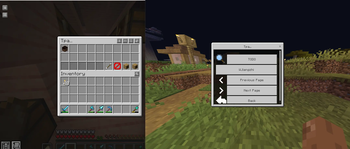
Tpa Menu (Java/Bedrock Edition)
The "/gtpa" command menu
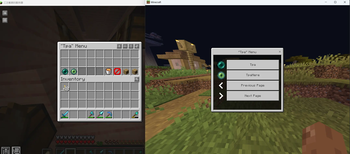
Tpa to... Menu (Java/Bedrock Edition)
The gui when you choose tpa player
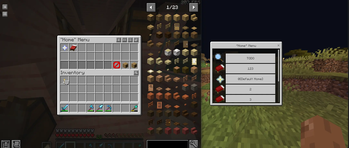
Home Menu (Java/Bedrock Edition)
The "/ghome" command menu
The '/gwarp' command is similar as well
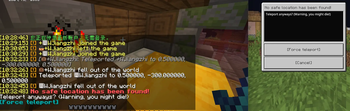
No safe location dialog
When you enter /back or /worldspawn, the target location is not safe
Commands
World & Utility Teleportation
/worldspawn [<skipSafetyCheck>]Teleports the player to the Overworld spawn point.
If set to
true, safety checks will be bypassed./back [<skipSafetyCheck>]Teleports the player to their last death location.
If set to
true, safety checks will be bypassed.
Home System
Homes are private teleport locations bound to individual players.
/sethome <name>Creates a new home at the current location.
/home [<name>]Teleports to the specified home.
If omitted, the default home will be used.
/ghomeOpens the home management GUI for teleportation and deletion.
/delhome <name>Deletes an existing home.
/renamehome <name> <new_name>Renames an existing home.
/homesLists all saved homes.
/defaulthome <name>Sets the default home.
Warp System
Warps are server-wide teleport points managed by administrators.
/warp <name>Teleports to a specified warp point.
/gwarpOpens the warp management GUI (admin only).
/warpsLists all available warps.
/setwarp <name>Creates a new warp point. Requires permission level 4.
/delwarp <name>Removes an existing warp point. Requires permission level 4.
/renamewarp <name> <new_name>Renames a warp point. Requires permission level 4.
Player Teleport Requests (TPA System)
/tpa <player>Sends a teleport request to another player.
/gtpaOpens the TPA request management GUI, allowing players to accept or deny requests.
/tpahere <player>Requests a player to teleport to your location.
/tpaaccept <player>Accepts an incoming teleport request.
/tpadeny <player>Denies an incoming teleport request.
Planned Features
- Search support in Bedrock Edition UI
Credits
Special thanks to the original author MrSnowy.
This project is heavily inspired by TeleportCommands, which provided the
foundation for this fork.
License
This project is licensed under
the MIT License.
The original Teleport Commands project is also licensed under
the MIT License.
Available Versions
How to Install GeyserTPC on Your Server
Order Server
Order a Minecraft Java server with at least 3 GB RAM (4 GB recommended).
Set fabric Loader
In the panel under "Egg", select the fabric loader and matching Minecraft version (26.1.2).
Install Mod
Open the mod browser in the dashboard and search for "GeyserTPC". Click "Install" – done! Alternatively, upload the .jar via SFTP to the /mods folder.
Compatibility
Mod Loaders
Minecraft Versions
26.1.2, 26.1.1, 26.1
Server-side
✓ RequiredRecommended RAM
4 GB(min. 3 GB)Frequently Asked Questions
GeyserTPC server crashes on startup – what to do?
Most common cause: wrong fabric version or insufficient RAM. Check the server log (latest.log) for "OutOfMemoryError" or "Mixin" errors. With Mado Hosting: ensure at least 3 GB RAM is allocated and the loader matches the mod version (26.1.2). You can switch loaders with one click in the panel.
Is GeyserTPC compatible with fabric and quilt?
GeyserTPC officially supports fabric, quilt for Minecraft 26.1.2, 26.1.1, 26.1. The Mado dashboard automatically detects incompatible loader combinations.
Server lagging with GeyserTPC – how to optimize performance?
Recommended RAM: 4 GB (per 8 players). Use /spark profiler to check if GeyserTPC consumes the most tick time. Common fixes: reduce server view-distance to 8-10, install "performant" or "starlight" as supplementary mods on Forge. With Mado Hosting, your server runs on NVMe SSDs with dedicated CPU cores for minimal latency.
Similar Mods




![[ETF] Entity Texture Features](https://cdn.modrinth.com/data/BVzZfTc1/af683d206d50b05258d865b0d6e4aa2f2cee12f2_96.webp)
![[EMF] Entity Model Features](https://cdn.modrinth.com/data/4I1XuqiY/6e5bbd0d06b1741bfdab6c0cfab6de8fdaf0064c_96.webp)
Rent Modded Server
Install GeyserTPC with just one click on your server.