
Glowcase
Creative-only blocks designed for adventure maps, server spawns, and virtual events. Show text, give out items, and link webpages!
Screenshots
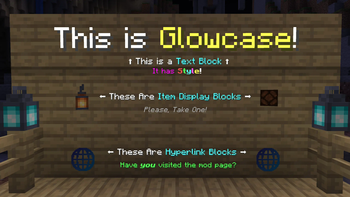
About this Mod
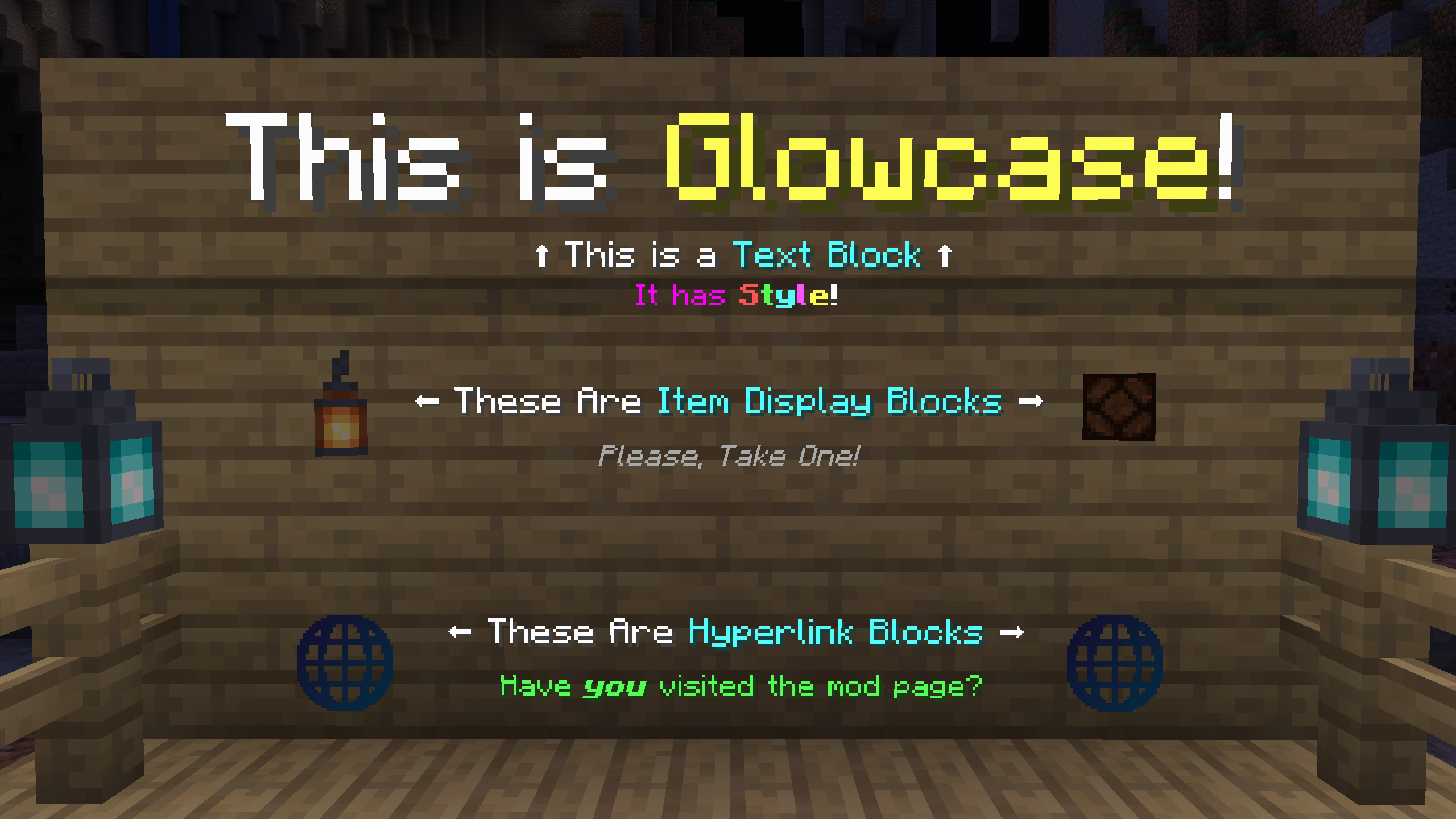
Maintained for use at ModFest events.
Requires Connector and FFAPI on (neo)forge.
Glowcase adds creative-only blocks designed for adventure maps, server spawns, and virtual events.
All blocks can be found in the glowcase creative tab, and modified by right-clicking while holding a similar item.
Text Block
An empty space with floating text that:
- Can display large bodies of text over many lines, far beyond the borders of the block
- Is editable via a multiline text editor with copy+paste support
- Allows setting an arbitrary text scale, for large signs etc.
- Allows setting a custom hex color for contained text
- Displays text with a shadow, no shadow, or a tinted backdrop (toggleable)
- Has support for inline text formatting, including colors, bold, italic, underline, strikethrough, and fonts
- See Text Placeholder API's QuickText format documentation for more details
Item Display Block
An empty space with a floating item stack that:
- Displays the stack display name on hover (toggleable)
- Dispenses a copy of the stack on use (toggleable)
- Rotates towards the player (toggleable)
To set the item stack, use the desired stack on an empty display block.
To modify other settings, use the same item on the block again.
Hyperlink Block
An empty space with a floating 🌐 symbol that:
- Displays a custom title on hover
- Requests to open a custom external link on use
This mod was originally created by Haven King as part of ModFest 1.16.
Feel free to contribute bugfixes and improvements!
Available Versions
How to Install Glowcase on Your Server
Order Server
Order a Minecraft Java server with at least 3 GB RAM (4 GB recommended).
Set fabric Loader
In the panel under "Egg", select the fabric loader and matching Minecraft version (26.1.2).
Install Mod
Open the mod browser in the dashboard and search for "Glowcase". Click "Install" – done! Alternatively, upload the .jar via SFTP to the /mods folder.
Compatibility
Mod Loaders
Minecraft Versions
26.1.2, 26.1.1, 26.1 (+12 more)
Server-side
✓ RequiredRecommended RAM
4 GB(min. 3 GB)Frequently Asked Questions
Glowcase server crashes on startup – what to do?
Most common cause: wrong fabric version or insufficient RAM. Check the server log (latest.log) for "OutOfMemoryError" or "Mixin" errors. With Mado Hosting: ensure at least 3 GB RAM is allocated and the loader matches the mod version (26.1.2). You can switch loaders with one click in the panel.
Is Glowcase compatible with fabric and neoforge and quilt?
Glowcase officially supports fabric, neoforge, quilt for Minecraft 26.1.2, 26.1.1, 26.1. The Mado dashboard automatically detects incompatible loader combinations.
Server lagging with Glowcase – how to optimize performance?
Recommended RAM: 4 GB (per 8 players). Use /spark profiler to check if Glowcase consumes the most tick time. Common fixes: reduce server view-distance to 8-10, install "performant" or "starlight" as supplementary mods on Forge. With Mado Hosting, your server runs on NVMe SSDs with dedicated CPU cores for minimal latency.
Similar Mods

![[ETF] Entity Texture Features](https://cdn.modrinth.com/data/BVzZfTc1/af683d206d50b05258d865b0d6e4aa2f2cee12f2_96.webp)
![[EMF] Entity Model Features](https://cdn.modrinth.com/data/4I1XuqiY/6e5bbd0d06b1741bfdab6c0cfab6de8fdaf0064c_96.webp)



Rent Modded Server
Install Glowcase with just one click on your server.