
Grand-Builder
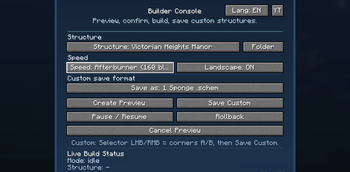
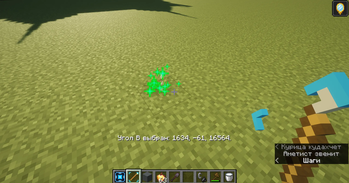
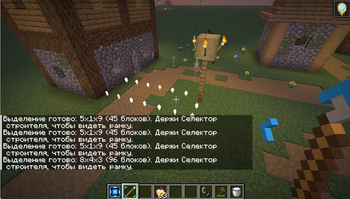
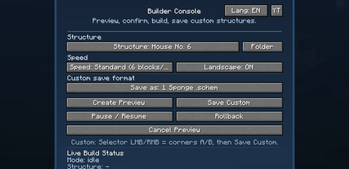
A visual Fabric mod for Minecraft 1.21.11 that lets you build large structures with animated placement, previews, speed control, pause, rollback, and custom structure saving.
Screenshots

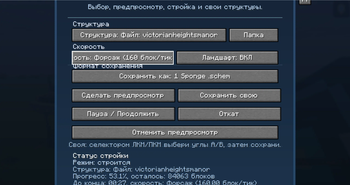
About this Mod
Grand Builder
Grand Builder is a visual Fabric mod for Minecraft 1.21.11 that makes building large structures from schematics and custom templates easier and more impressive.
The mod keeps the main “wow effect” of animated structure building, while making the mechanic practical for normal gameplay, survival worlds, and servers.
Main features
- Animated construction of large structures
- Preview before starting the build
- Confirmation before launching construction
- Construction speed switching
- Pause and resume at any moment
- Safe rollback of the last build
- Saving custom structures
- Support for external structure files
- Works in singleplayer and on dedicated servers
Supported formats
Grand Builder can work with structures in the following formats:
.nbt.schem.schematic
What the mod is for
Grand Builder is useful for players who want to place large builds in a more visual and controlled way instead of instantly pasting them into the world.
It is suitable for creative building, survival projects, server events, map making, and testing large structures before placing them permanently.
Compatibility
- Minecraft: Java Edition 1.21.11
- Mod loader: Fabric
- Environment: Client and server
Available Versions
How to Install Grand-Builder on Your Server
Order Server
Order a Minecraft Java server with at least 3 GB RAM (4 GB recommended).
Set fabric Loader
In the panel under "Egg", select the fabric loader and matching Minecraft version (1.21.11).
Install Mod
Open the mod browser in the dashboard and search for "Grand-Builder". Click "Install" – done! Alternatively, upload the .jar via SFTP to the /mods folder.
Compatibility
Mod Loaders
Minecraft Versions
1.21.11
Server-side
✓ RequiredRecommended RAM
4 GB(min. 3 GB)Frequently Asked Questions
Grand-Builder server crashes on startup – what to do?
Most common cause: wrong fabric version or insufficient RAM. Check the server log (latest.log) for "OutOfMemoryError" or "Mixin" errors. With Mado Hosting: ensure at least 3 GB RAM is allocated and the loader matches the mod version (1.21.11). You can switch loaders with one click in the panel.
Is Grand-Builder compatible with fabric?
Grand-Builder officially supports fabric for Minecraft 1.21.11. The Mado dashboard automatically detects incompatible loader combinations.
Server lagging with Grand-Builder – how to optimize performance?
Recommended RAM: 4 GB (per 8 players). Use /spark profiler to check if Grand-Builder consumes the most tick time. Common fixes: reduce server view-distance to 8-10, install "performant" or "starlight" as supplementary mods on Forge. With Mado Hosting, your server runs on NVMe SSDs with dedicated CPU cores for minimal latency.
Similar Mods




Rent Modded Server
Install Grand-Builder with just one click on your server.