
Graveling Zombies
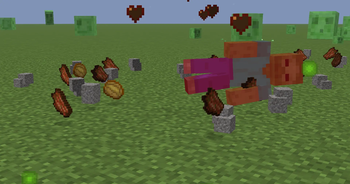
Zombies now drop gravel when killed, letting you double dirt easily and speed up your Skyblock builds!
Screenshots


About this Mod
Graveling Zombies – English
Collecting gravel has never been this rewarding! With Graveling Zombies, every Zombie you kill can drop gravel, making Skyblock farms, dirt doubling, and resource gathering faster and more efficient.
How it works:
- Each Zombie can drop 0 to 2 gravel per kill.
- Looting enchantments increase the maximum amount dropped.
Probabilities of getting gravel from Zombies at different Looting levels:
No Looting:
- 0 Gravel → 33%
- 1 Gravel → 33%
- 2 Gravel → 33%
- Average Gravel/Kill: 1
Looting I:
- 0 Gravel → 25%
- 1 Gravel → 37.5%
- 2 Gravel → 25%
- 3 Gravel → 12.5%
- Average Gravel/Kill: 1.25
Looting II:
- 0 Gravel → 18.75%
- 1 Gravel → 31.25%
- 2 Gravel → 31.25%
- 3 Gravel → 15.625%
- 4 Gravel → 3.125%
- Average Gravel/Kill: 1.5
Looting III:
- 0 Gravel → 12.5%
- 1 Gravel → 25%
- 2 Gravel → 31.25%
- 3 Gravel → 25%
- 4 Gravel → 6.25%
- 5 Gravel → 0.78125%
- Average Gravel/Kill: 1.75
Why use it?
- Perfect for Skyblock worlds where gravel is needed for dirt doubling and other builds.
- Allows you to double dirt easily: 2 normal dirt + 2 gravel → 4 coarse dirt, then convert back to regular dirt using hoe or shovel.
- Saves time collecting gravel manually.
- Makes fighting Zombies rewarding and adds depth to survival gameplay.
- Easy installation and seamless integration with your world.
✨ Turn every Zombie into a valuable gravel and dirt source!
Graveling Zombies – عربي
جمع الحصى لم يكن بهذه المكافأة من قبل! مع Graveling Zombies، كل مرة تقتل فيها Zombie يمكن أن يسقط لك الحصى، مما يجعل مزارع سكاي بلوك، مضاعفة الديرت، وجمع الموارد أسرع وأكثر كفاءة.
كيف يعمل:
- كل Zombie يمكن أن يسقط 0 إلى 2 حصى لكل قتل.
- يزداد الحد الأقصى مع Looting.
احتمالات الحصول على الحصى من Zombies حسب مستوى Looting:
بدون Looting:
- 0 Gravel → 33%
- 1 Gravel → 33%
- 2 Gravel → 33%
- متوسط الحصى لكل قتل: 1
Looting I:
- 0 Gravel → 25%
- 1 Gravel → 37.5%
- 2 Gravel → 25%
- 3 Gravel → 12.5%
- متوسط الحصى لكل قتل: 1.25
Looting II:
- 0 Gravel → 18.75%
- 1 Gravel → 31.25%
- 2 Gravel → 31.25%
- 3 Gravel → 15.625%
- 4 Gravel → 3.125%
- متوسط الحصى لكل قتل: 1.5
Looting III:
- 0 Gravel → 12.5%
- 1 Gravel → 25%
- 2 Gravel → 31.25%
- 3 Gravel → 25%
- 4 Gravel → 6.25%
- 5 Gravel → 0.78125%
- متوسط الحصى لكل قتل: 1.75
ليش تحمله؟
- مثالي لعوالم سكاي بلوك حيث الحصى مهم لمضاعفة الديرت أو مشاريع البناء.
- يمكنك تضاعف الديرت بسهولة: 2 ديرت عادي + 2 حصى → 4 Coarse Dirt، ثم بالـHoe أو Shovel تحوّلها مرة ثانية إلى ديرت عادي.
- يوفر وقتك وجهدك في جمع الحصى يدويًا.
- يجعل معارك Zombies أكثر مكافأة ويضيف عمق لتجربة البقاء.
- تثبيت سهل ويعمل بسلاسة مع عالم ماينكرافت الخاص بك.
✨ حول كل Zombie إلى مصدر قيم للحصى والديرت!
Available Versions
How to Install Graveling Zombies on Your Server
Order Server
Order a Minecraft Java server with at least 3 GB RAM (4 GB recommended).
Set datapack Loader
In the panel under "Egg", select the datapack loader and matching Minecraft version (1.21.11).
Install Mod
Open the mod browser in the dashboard and search for "Graveling Zombies". Click "Install" – done! Alternatively, upload the .jar via SFTP to the /mods folder.
Compatibility
Mod Loaders
Minecraft Versions
1.21.11, 1.21.10, 1.21.9 (+9 more)
Server-side
✓ RequiredRecommended RAM
4 GB(min. 3 GB)Frequently Asked Questions
Graveling Zombies server crashes on startup – what to do?
Most common cause: wrong datapack version or insufficient RAM. Check the server log (latest.log) for "OutOfMemoryError" or "Mixin" errors. With Mado Hosting: ensure at least 3 GB RAM is allocated and the loader matches the mod version (1.21.11). You can switch loaders with one click in the panel.
Is Graveling Zombies compatible with datapack and fabric and forge and neoforge and quilt?
Graveling Zombies officially supports datapack, fabric, forge, neoforge, quilt for Minecraft 1.21.11, 1.21.10, 1.21.9. Note: Forge and Fabric mods are NOT cross-compatible – pick one loader and stick with it. The Mado dashboard automatically detects incompatible loader combinations.
Server lagging with Graveling Zombies – how to optimize performance?
Recommended RAM: 4 GB (per 8 players). Use /spark profiler to check if Graveling Zombies consumes the most tick time. Common fixes: reduce server view-distance to 8-10, install "performant" or "starlight" as supplementary mods on Forge. With Mado Hosting, your server runs on NVMe SSDs with dedicated CPU cores for minimal latency.
Similar Mods




Rent Modded Server
Install Graveling Zombies with just one click on your server.