Gray’s Veins: Customizable Ore Visuals
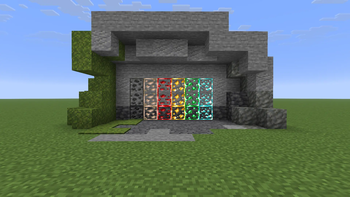
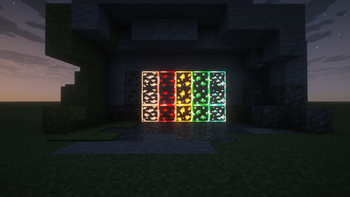
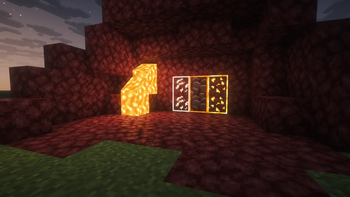
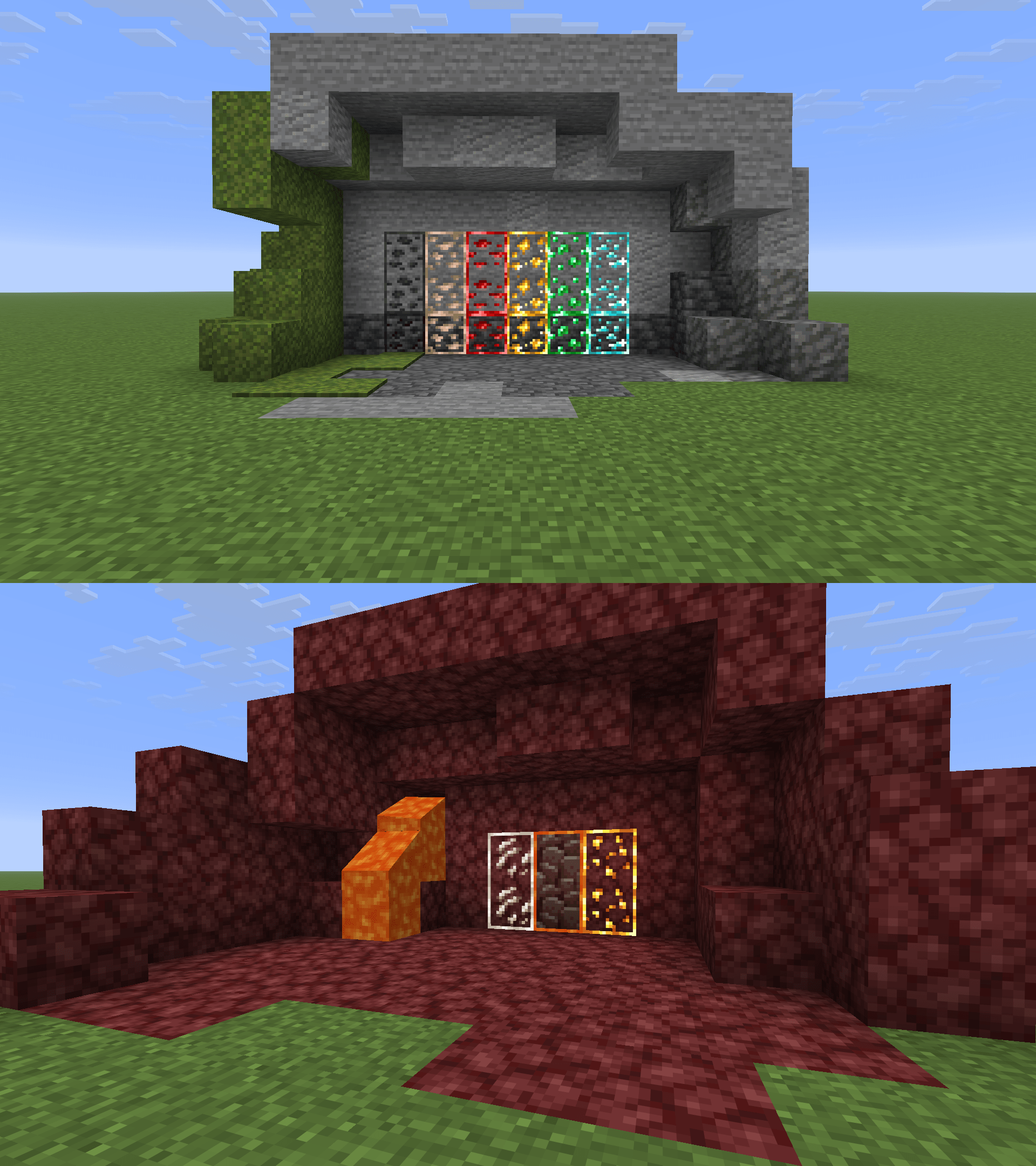
This mod adds customizable ore visuals meant to help with mining, such as adding Outlines, Glowing, and Animation!
Screenshots
About this Mod

Gray’s Veins: Customizable Ore Visuals
Gray’s Veins is a client-side Fabric mod that lets you customize ore visibility textures using outlines, animation, glow, and per-ore controls.
Instead of forcing one ore style on everything, Gray’s Veins lets you choose how visible each ore should be. Use one global setup for all supported ores, or switch to custom mode and tune each ore individually.
Features
- Toggleable ore outlines
- Toggleable animated ore textures
- Toggleable glow/emissive-style textures
- Glow strength slider
- Global All mode for quick setup
- Custom mode for per-ore control
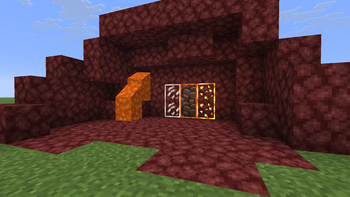
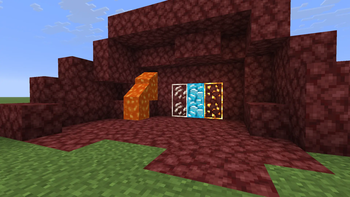
- Separate settings for Gold Ore and Nether Gold Ore
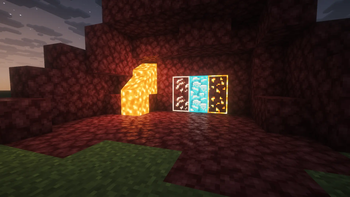
- Blue Netherite option for Ancient Debris
- In-game warning when the generated resource pack is not enabled
- Mod Menu support
Supported Ores
Gray’s Veins currently supports:
- Coal Ore
- Iron Ore
- Copper Ore
- Gold Ore
- Nether Gold Ore
- Redstone Ore
- Emerald Ore
- Lapis Ore
- Diamond Ore
- Nether Quartz Ore
- Ancient Debris
- Gilded Blackstone
How It Works
Gray’s Veins generates a resource pack based on your settings.
After changing settings:
- Open Gray’s Veins settings through Mod Menu.
- Choose All or Custom mode.
- Adjust outlines, animation, glow, and glow strength.
- Click Apply Textures.
- Make sure Gray’s Veins Generated is enabled in Resource Packs.
If the generated resource pack is not enabled, Gray’s Veins will warn you in the config screen.
Important: Enable Continuity Resource Packs
Gray’s Veins requires Continuity for connected textures and glow/emissive effects.
After installing Continuity, make sure Continuity’s built-in resource packs are enabled in Minecraft’s Resource Packs menu. Gray’s Veins may not show connected outlines or glow correctly unless Continuity’s resource packs are active.
Blue Netherite
Ancient Debris has an extra Blue Netherite option.
When enabled, Ancient Debris uses a blue visual style to make it much easier to spot.
Blue Netherite automatically forces glow on because the style looks best with glow enabled.
Recommended With
Gray’s Veins works best with:
- Fabric API
- Mod Menu
- Continuity — required for connected textures and glow/emissive effects
Continuity is recommended if you want connected outline effects similar to connected texture resource packs.
Credits
Texture assets used in this mod are credited to:
- gitq — base ore texture assets
- ThatCuteOne — Blue Netherite asset(s)
Gray’s Veins mod, config system, generated resource pack workflow, UI, and release packaging by GrayscaleRGB.
Some texture assets are credited to their original creators. If you are an asset creator and want credit adjusted or an asset changed, please contact me.
Notes
If glow or connected outlines are not working, check that Continuity is installed and its resource packs are enabled.
Glow uses the current emissive ore assets, which include framed ore pixels. Because of that, enabling Glow also keeps Outline enabled. Outlines can still be used without Glow.
This is a client-side visual mod. It does not change ore generation, loot tables, mining behavior, or server gameplay.
It is designed to make ores easier to see while still keeping the look configurable.
Available Versions
How to Install Gray’s Veins: Customizable Ore Visuals on Your Server
Order Server
Order a Minecraft Java server with at least 3 GB RAM (4 GB recommended).
Set fabric Loader
In the panel under "Egg", select the fabric loader and matching Minecraft version (26.1.2).
Install Mod
Open the mod browser in the dashboard and search for "Gray’s Veins: Customizable Ore Visuals". Click "Install" – done! Alternatively, upload the .jar via SFTP to the /mods folder.
Compatibility
Mod Loaders
Minecraft Versions
26.1.2, 26.1.1, 26.1
Server-side
✗ UnsupportedRecommended RAM
4 GB(min. 3 GB)Frequently Asked Questions
Gray’s Veins: Customizable Ore Visuals server crashes on startup – what to do?
Most common cause: wrong fabric version or insufficient RAM. Check the server log (latest.log) for "OutOfMemoryError" or "Mixin" errors. With Mado Hosting: ensure at least 3 GB RAM is allocated and the loader matches the mod version (26.1.2). You can switch loaders with one click in the panel.
Is Gray’s Veins: Customizable Ore Visuals compatible with fabric?
Gray’s Veins: Customizable Ore Visuals officially supports fabric for Minecraft 26.1.2, 26.1.1, 26.1. The Mado dashboard automatically detects incompatible loader combinations.
Server lagging with Gray’s Veins: Customizable Ore Visuals – how to optimize performance?
Recommended RAM: 4 GB (per 8 players). Use /spark profiler to check if Gray’s Veins: Customizable Ore Visuals consumes the most tick time. Common fixes: reduce server view-distance to 8-10, install "performant" or "starlight" as supplementary mods on Forge. With Mado Hosting, your server runs on NVMe SSDs with dedicated CPU cores for minimal latency.
Similar Mods




![[ETF] Entity Texture Features](https://cdn.modrinth.com/data/BVzZfTc1/af683d206d50b05258d865b0d6e4aa2f2cee12f2_96.webp)
![[EMF] Entity Model Features](https://cdn.modrinth.com/data/4I1XuqiY/6e5bbd0d06b1741bfdab6c0cfab6de8fdaf0064c_96.webp)
Rent Modded Server
Install Gray’s Veins: Customizable Ore Visuals with just one click on your server.