
Green Screen Photography
Green Screen Photography adds clean green-screen tools to Minecraft, making it easy to capture characters, builds, items, and scenes for screenshots, thumbnails, and creative editing.
Screenshots
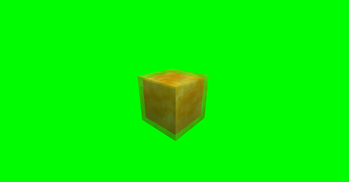
About this Mod
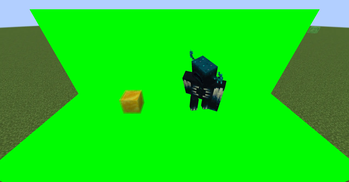
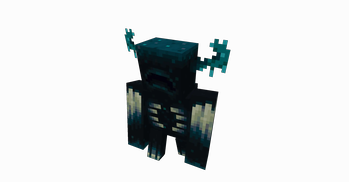
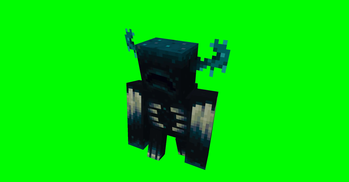
GreenScreenPhotography is a NeoForge mod for Minecraft scene capture and compositing. It provides a green screen block, a free camera, world freeze controls, and transparent screenshot export, making it suitable for character showcases, scene screenshots, footage capture, and post-production keying and compositing.
To use it, first build a solid-color background around and behind the subject with green screen blocks, and try to cover the areas in the frame that should be made transparent. After setting up the scene, use the free camera to choose the right angle and world freeze to keep the image stable. Once the framing is ready, use the transparent screenshot feature to export the image. When free camera is enabled, the world is frozen automatically, and the freeze function can only be used while in free camera mode.
Default key bindings, which can be changed in Minecraft’s key settings:
- N: toggle free camera on or off
- P: freeze or restore the world
- H: export a transparent screenshot
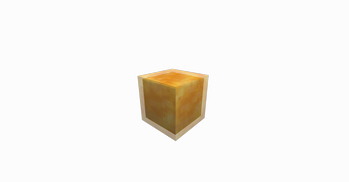
Transparent screenshots are saved in the green_screen_photography folder under the current game version directory. Each export generates two images: a transparent PNG and a matching matte image. The transparent image can be used directly in image editors, video editors, or compositing software.
Note that transparent screenshot export uses a two-pass capture process. If a mob or player moves during the capture passes, the exported image may show slight ghosting or trailing. For the cleanest result, freeze the world first or wait until the subject is still before exporting.
Available Versions
How to Install Green Screen Photography on Your Server
Order Server
Order a Minecraft Java server with at least 3 GB RAM (4 GB recommended).
Set neoforge Loader
In the panel under "Egg", select the neoforge loader and matching Minecraft version (1.21.1).
Install Mod
Open the mod browser in the dashboard and search for "Green Screen Photography". Click "Install" – done! Alternatively, upload the .jar via SFTP to the /mods folder.
Compatibility
Mod Loaders
Minecraft Versions
1.21.1
Server-side
✓ RequiredRecommended RAM
4 GB(min. 3 GB)Frequently Asked Questions
Green Screen Photography server crashes on startup – what to do?
Most common cause: wrong neoforge version or insufficient RAM. Check the server log (latest.log) for "OutOfMemoryError" or "Mixin" errors. With Mado Hosting: ensure at least 3 GB RAM is allocated and the loader matches the mod version (1.21.1). You can switch loaders with one click in the panel.
Is Green Screen Photography compatible with neoforge?
Green Screen Photography officially supports neoforge for Minecraft 1.21.1. The Mado dashboard automatically detects incompatible loader combinations.
Server lagging with Green Screen Photography – how to optimize performance?
Recommended RAM: 4 GB (per 8 players). Use /spark profiler to check if Green Screen Photography consumes the most tick time. Common fixes: reduce server view-distance to 8-10, install "performant" or "starlight" as supplementary mods on Forge. With Mado Hosting, your server runs on NVMe SSDs with dedicated CPU cores for minimal latency.
Similar Mods




![[ETF] Entity Texture Features](https://cdn.modrinth.com/data/BVzZfTc1/af683d206d50b05258d865b0d6e4aa2f2cee12f2_96.webp)
![[EMF] Entity Model Features](https://cdn.modrinth.com/data/4I1XuqiY/6e5bbd0d06b1741bfdab6c0cfab6de8fdaf0064c_96.webp)
Rent Modded Server
Install Green Screen Photography with just one click on your server.