
GTExpertCore
This is a mod for GregTech Expert 2, a ModPack from GregTech CE Unofficial. But it can also be used for other purposes!!
Screenshots
About this Mod
TODO
- Add cfg to further increase difficulty by integrating non-GT wood creation. -> Supported in v1.3.2
- Added cfg to GT for AE tools and EIO tools and EIO armor. -> Supported in v1.3.3
- Remove dependence on AE2, EIO, DE and DA for implementation. -> Supported in v1.5.2
- All ULV parts (Motor, Piston, etc.) added. -> Supported in v1.5.8
- Add HV and IV Chainsaw. -> Supported in v2.1.4
- Electric Implosion Compressor is converted to no explosive items. -> Supported in v2.2.8
- Separate Electric Implosion Compressor changes to ImplosionNoBomb. -> Supported in v2.3.0
- Separate Sawmill changes to GTWoodProcessing. -> Supported in v2.4.0
- Separate AutoChise changes to GTMoreTools -> Supported in v2.7.0
Some of the changes include:
- By installing the mods listed below, you can receive various linkages.
- These major changes can also be controlled by CEu and mod cfg
Vanilla
- Added recipe for making flint from gravel blocks
GregTech CE: Unofficial
- Nether Star Dust can be created with Chemical Reactor
- Ender Eye can be created with Mixer
- Add HV and IV Chainsaw
- Addition of a new fuel called Naquadah Rocket Fuel
- Added Battery Buffer and Turbo Charger recipes for UHV
- Additional Solar Panel recipes from ULV to UV
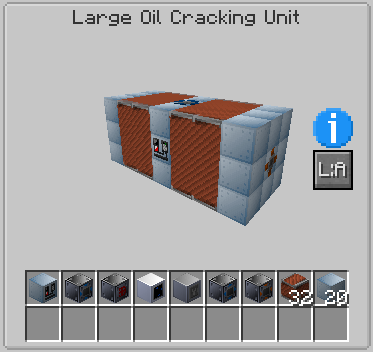
- Several new machines will also be added
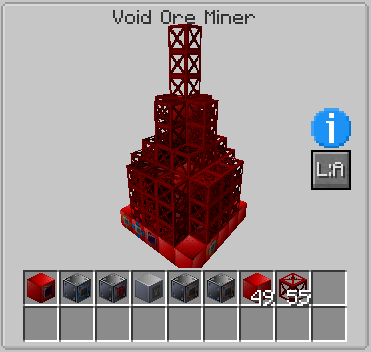
- Addition of Void Ore Miner
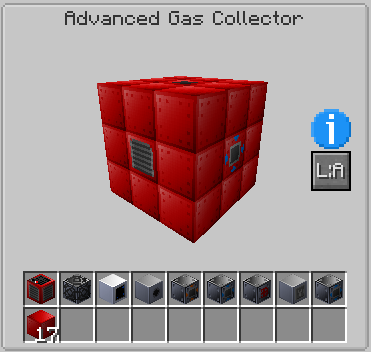
- Addition of Advanced Gas Collector
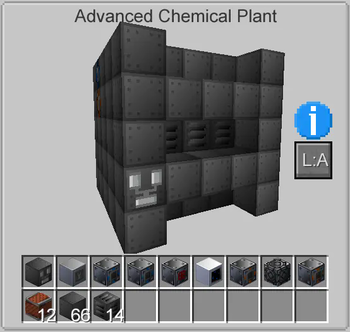
- Addition of Advanced Chemical Plant
- Addition of Large Rock Breaker
- Addition of Primitive Parts
- Motor
- Pump
- Conveyor Module
- Piston
- Robot Arm
- Fluid Regulator
- Field Generator
- Emitter
- Sensor
- Vacuum Freezer has more recipes other than Ingot
- Creative machines can be created!!
EnderIO
- All materials are converted to GT
- Several new machines will also be added
- Addition of Vial Extractor
- Addition of Slice'N'Splice
- Addition of Soul Binder
- Addition of Electric Spawner
AE2(AE2 Unofficial Extended Life)
- All materials are converted to GT
- CEu versions of various molds added
- Additional molds made by GT to be paired with AE2 molds
- Craft of interface with NBT
- Numerous QoL recipes also added
AE Additions
- Numerous QoL recipes also added
NAE2(Neeve's AE2: Extended Life Additions)
- Numerous QoL recipes also added
Extra CPUs
- Numerous QoL recipes also added
Draconic Evolution / Draconic Additions
- All materials are converted to GT
- Fusion Crafting can now be done with GT recipes
- Addition of Awakened Draconium Coil Block
Avaritia 1.1x Kedition
- All materials are converted to GT
Thaumcraft
- All materials are converted to GT
Available Versions
How to Install GTExpertCore on Your Server
Order Server
Order a Minecraft Java server with at least 3 GB RAM (4 GB recommended).
Set forge Loader
In the panel under "Egg", select the forge loader and matching Minecraft version (1.12.2).
Install Mod
Open the mod browser in the dashboard and search for "GTExpertCore". Click "Install" – done! Alternatively, upload the .jar via SFTP to the /mods folder.
Compatibility
Mod Loaders
Minecraft Versions
1.12.2
Server-side
✓ RequiredRecommended RAM
4 GB(min. 3 GB)Frequently Asked Questions
GTExpertCore server crashes on startup – what to do?
Most common cause: wrong forge version or insufficient RAM. Check the server log (latest.log) for "OutOfMemoryError" or "Mixin" errors. With Mado Hosting: ensure at least 3 GB RAM is allocated and the loader matches the mod version (1.12.2). You can switch loaders with one click in the panel.
Is GTExpertCore compatible with forge?
GTExpertCore officially supports forge for Minecraft 1.12.2. The Mado dashboard automatically detects incompatible loader combinations.
Server lagging with GTExpertCore – how to optimize performance?
Recommended RAM: 4 GB (per 8 players). Use /spark profiler to check if GTExpertCore consumes the most tick time. Common fixes: reduce server view-distance to 8-10, install "performant" or "starlight" as supplementary mods on Forge. With Mado Hosting, your server runs on NVMe SSDs with dedicated CPU cores for minimal latency.
Similar Mods
![[EMF] Entity Model Features](https://cdn.modrinth.com/data/4I1XuqiY/6e5bbd0d06b1741bfdab6c0cfab6de8fdaf0064c_96.webp)


Rent Modded Server
Install GTExpertCore with just one click on your server.