
Halo
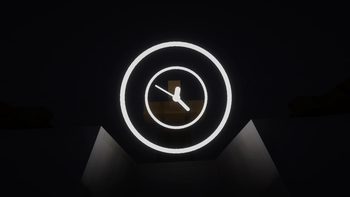
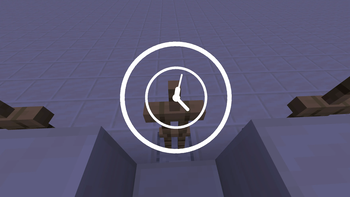
Floating decorative halos above entity heads — multi-layered, fully animated, highly configurable. Give every player their own glowing crown.
Screenshots



About this Mod
Description
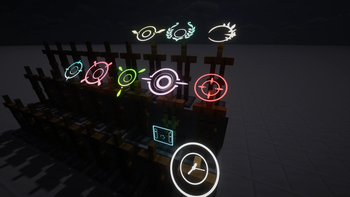
Inspired by the iconic halos from Blue Archive.
Some of the BA halos displayed in the gallery must be obtained here.
Halo adds configurable floating halos above entity heads. Each halo is defined by a JSON file and can stack multiple textured layers with independent position, rotation, scale, and glowing settings. A flexible animation system drives per-layer motion via sine, cosine, and linear terms on any axis, from subtle idle bobbing to staggered clock-ring rotation.
Usage
- Use
/halo show <entity selector> <halo definition>to show halo above target entity - Use
/halo hide <entity selector>to hide its halo - Use
/halo listto list halo loaded - Other command are used for debug
How to add Halo
Check Doc in English or Chinese
Or Download resource pack from Ba-Halo-Definition
Features
- Multi-layer halos — stack multiple layers with per-layer transform and glowing toggle
- Per-layer animation — sin, cos, and linear function terms on any offset or rotation axis; multiple terms on the same axis are summed
- Orientation modes — locked (follows entity yaw), free (floats loose), sync (hybrid)
- Data-driven — all definitions are JSON files under
data/halo/halo_definitions/; compatible with data packs and resource packs - Ingame commands —
/halofor real-time preview and management
Built-in definitions
ring_default— a 7-layer clock-ring designhud— a hud like design
Compatibility
- Minecraft 1.20.1
- Fabric Loader 0.15+
- Requires Fabric API
Available Versions
How to Install Halo on Your Server
Order Server
Order a Minecraft Java server with at least 3 GB RAM (4 GB recommended).
Set fabric Loader
In the panel under "Egg", select the fabric loader and matching Minecraft version (1.20.1).
Install Mod
Open the mod browser in the dashboard and search for "Halo". Click "Install" – done! Alternatively, upload the .jar via SFTP to the /mods folder.
Compatibility
Mod Loaders
Minecraft Versions
1.20.1
Server-side
✓ RequiredRecommended RAM
4 GB(min. 3 GB)Frequently Asked Questions
Halo server crashes on startup – what to do?
Most common cause: wrong fabric version or insufficient RAM. Check the server log (latest.log) for "OutOfMemoryError" or "Mixin" errors. With Mado Hosting: ensure at least 3 GB RAM is allocated and the loader matches the mod version (1.20.1). You can switch loaders with one click in the panel.
Is Halo compatible with fabric?
Halo officially supports fabric for Minecraft 1.20.1. The Mado dashboard automatically detects incompatible loader combinations.
Server lagging with Halo – how to optimize performance?
Recommended RAM: 4 GB (per 8 players). Use /spark profiler to check if Halo consumes the most tick time. Common fixes: reduce server view-distance to 8-10, install "performant" or "starlight" as supplementary mods on Forge. With Mado Hosting, your server runs on NVMe SSDs with dedicated CPU cores for minimal latency.
Similar Mods

![[ETF] Entity Texture Features](https://cdn.modrinth.com/data/BVzZfTc1/af683d206d50b05258d865b0d6e4aa2f2cee12f2_96.webp)
![[EMF] Entity Model Features](https://cdn.modrinth.com/data/4I1XuqiY/6e5bbd0d06b1741bfdab6c0cfab6de8fdaf0064c_96.webp)



Rent Modded Server
Install Halo with just one click on your server.