
Happy Ghast Scaffolding
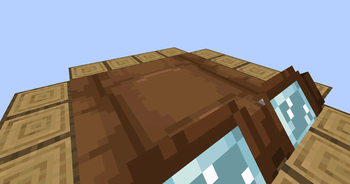
Place blocks on the sides of happy ghasts while you're riding on them!
Screenshots
About this Mod
If a happy ghast has a player standing on their back, they will move to align themself with the coordinate grid. Once they do, right click an empty space next to the ghast in order to place a block from either your mainhand or your offhand. Since happy ghasts are exactly 4 blocks across, there's a total of 16 spaces wherein you can place a block.
While in survival or adventure mode, placing blocks will remove them from your inventory. If you're in creative mode, your inventory will be unaffected.
Compatibility:
This datapack supports both vanilla and modded blocks, however, the item ID and the block ID have to match. For example, a water bucket won't place a water block since its item ID is "minecraft:water_bucket" instead of "minecraft:water".
Sounds:
When placing blocks, the sound played won't correspond to the block type. Instead, it will always use the sound for placing scaffolding. Unfortunately, I couldn't find a good way to connect the sound played to the type of block placed.
If preferred, you can use "/function hgs:toggle_sound" to disable the scaffolding sounds.
Installing / Uninstalling:
Install As Mod
Download the ".jar" file and drop it into your mods folder, or use Modrinth's big green "Install" button. Simple as that!
Install As Datapack
To add this pack to a pre-existing world...
- Select the world
- Click on "Edit"
- Then click "Open World Folder"
- Go into the "datapacks" sub-folder
- Place the datapack ZIP file inside
To add this pack to a new world...
- Select "Create New World"
- Click on "More"
- Then "Data Packs"
- And then "Open Pack Folder"
- Place the datapack ZIP file inside (the pack should then appear under "Available")
- Hover over the datapack icon and click the arrow to enable it
Uninstall Mod/Datapack
To fully uninstall this mod/datapack and remove all traces of it...
- Type in this command: "/function hgs:uninstall"
- Remove the mod/datapack from the folder you put it in during installation, or uninstall it via Modrinth.
Available Versions
How to Install Happy Ghast Scaffolding on Your Server
Order Server
Order a Minecraft Java server with at least 3 GB RAM (4 GB recommended).
Set datapack Loader
In the panel under "Egg", select the datapack loader and matching Minecraft version (1.21.8).
Install Mod
Open the mod browser in the dashboard and search for "Happy Ghast Scaffolding". Click "Install" – done! Alternatively, upload the .jar via SFTP to the /mods folder.
Compatibility
Mod Loaders
Minecraft Versions
1.21.8, 1.21.7, 1.21.6
Server-side
✓ RequiredRecommended RAM
4 GB(min. 3 GB)Frequently Asked Questions
Happy Ghast Scaffolding server crashes on startup – what to do?
Most common cause: wrong datapack version or insufficient RAM. Check the server log (latest.log) for "OutOfMemoryError" or "Mixin" errors. With Mado Hosting: ensure at least 3 GB RAM is allocated and the loader matches the mod version (1.21.8). You can switch loaders with one click in the panel.
Is Happy Ghast Scaffolding compatible with datapack and fabric and forge and neoforge and quilt?
Happy Ghast Scaffolding officially supports datapack, fabric, forge, neoforge, quilt for Minecraft 1.21.8, 1.21.7, 1.21.6. Note: Forge and Fabric mods are NOT cross-compatible – pick one loader and stick with it. The Mado dashboard automatically detects incompatible loader combinations.
Server lagging with Happy Ghast Scaffolding – how to optimize performance?
Recommended RAM: 4 GB (per 8 players). Use /spark profiler to check if Happy Ghast Scaffolding consumes the most tick time. Common fixes: reduce server view-distance to 8-10, install "performant" or "starlight" as supplementary mods on Forge. With Mado Hosting, your server runs on NVMe SSDs with dedicated CPU cores for minimal latency.
Similar Mods




Rent Modded Server
Install Happy Ghast Scaffolding with just one click on your server.