
Harmonize – UI Overhaul
Harmonize transforms your Minecraft experience with a unified visual design. Every container interface now features a consistent layout that perfectly aligns with your hotbar. No more jarring visual jumps between different workstations!
Screenshots


About this Mod
✨ Harmonize
A mod that unifies and enhances all Minecraft interfaces, making them consistent, polished, and pleasant to use.
Harmonize transforms your Minecraft GUI experience with a sleek, unified visual design. Every container interface—from crafting tables to enchanting stations—now features a consistent layout that perfectly aligns with your hotbar. No more jarring visual jumps between different workstations!
🎯 What does this mod do?
Ever noticed that Minecraft's menus feel… inconsistent? Different spacing, misaligned elements, behaviors that vary from one menu to another. Harmonize fixes all of that.
Simple. Clean. Harmonized.
✨ Key Features
| ✨ | Standardized container GUIs with premium alignment |
| 🎯 | Unified hotbar and inventory slot positioning across ALL workstations |
| 🎨 | Custom hotbar sprite with a refined, modern look |
| 🖼️ | Adjusted item textures for visual consistency |
| 🔧 | HUD elements that move in perfect harmony |
| 🖐️ | Offhand slot accessible from every single menu |
| 🎭 | Consistent hover feedback across all interfaces |
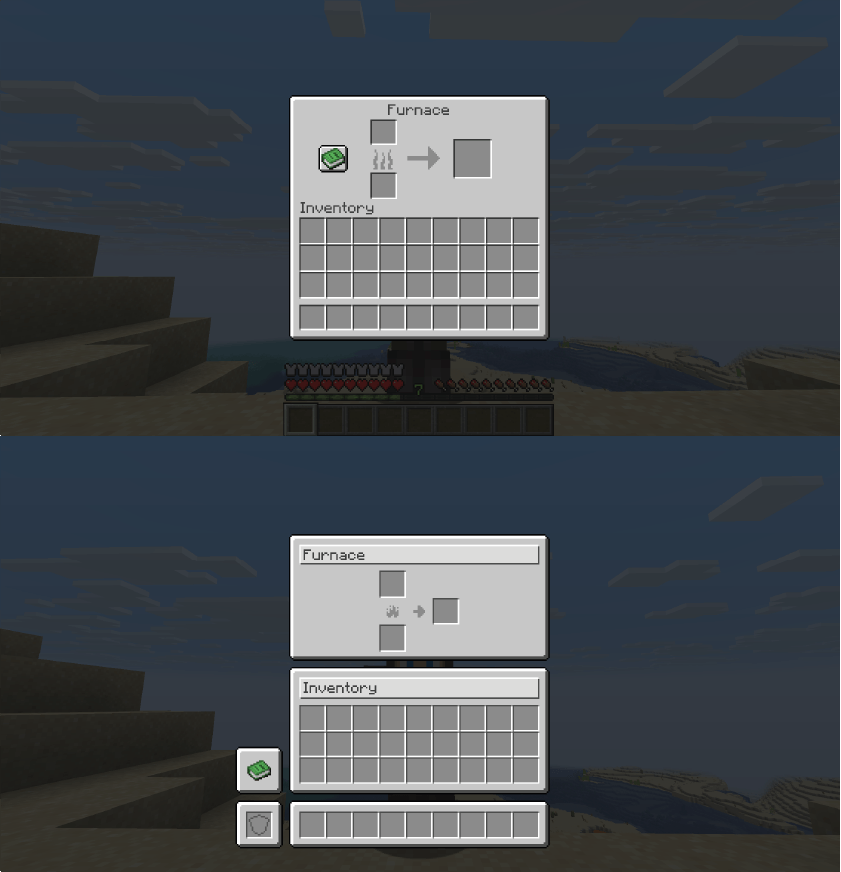
🖼️ Before & After
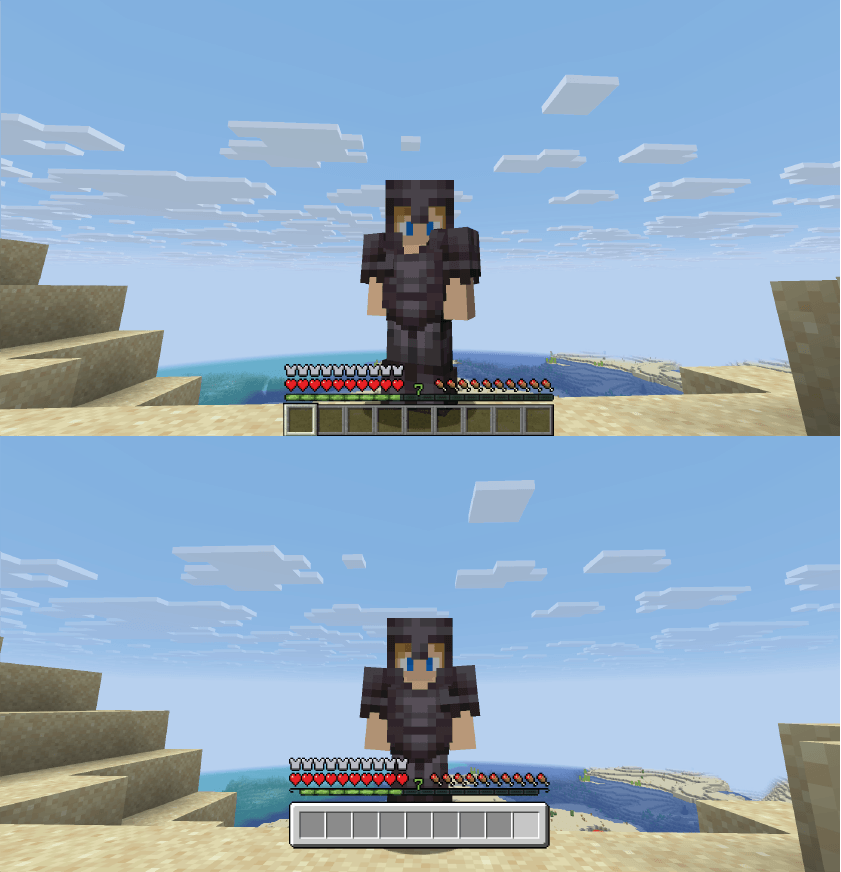
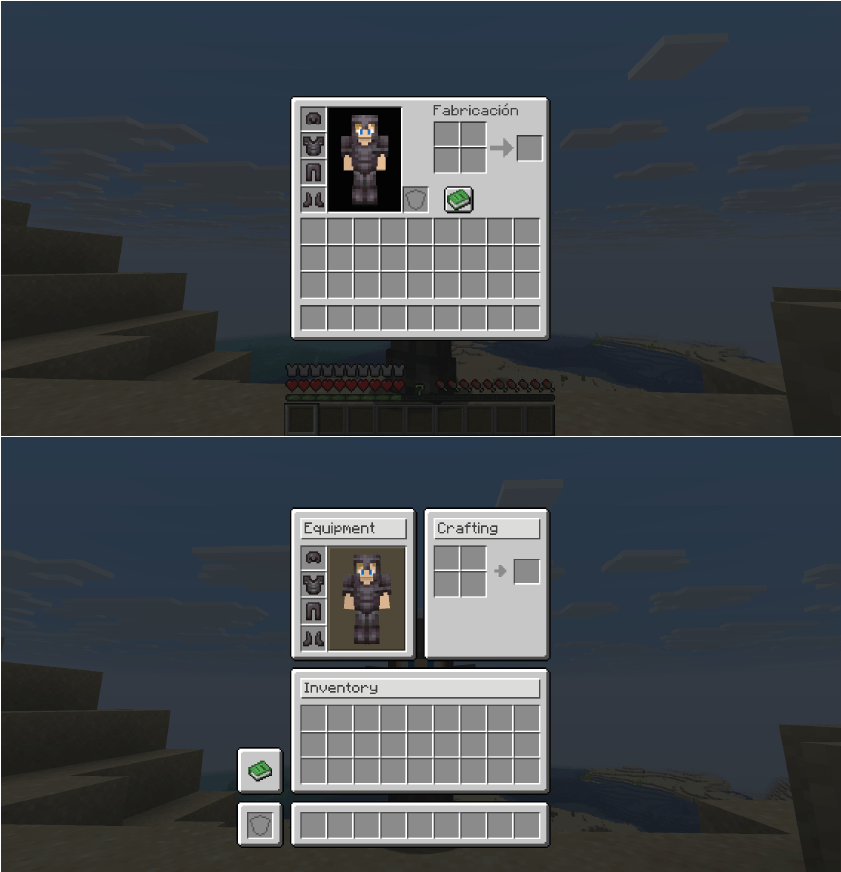
🖐️ Universal Offhand Slot
One of the most useful improvements: your off-hand slot is now available in ALL menus.
No more closing the chest to switch your torch or shield.
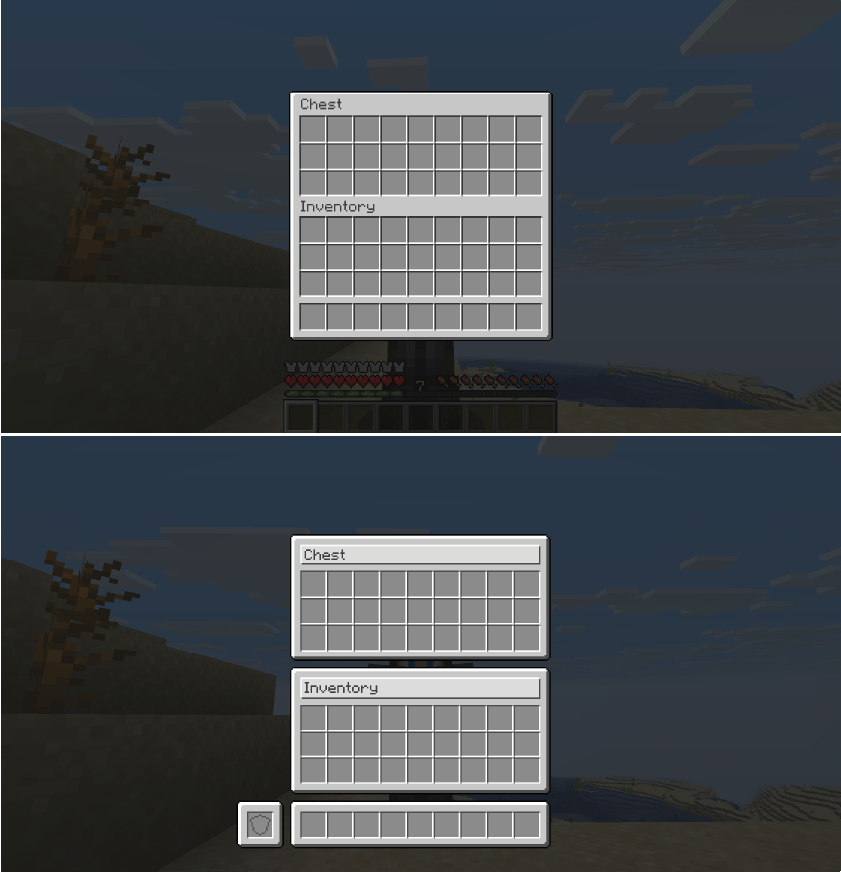
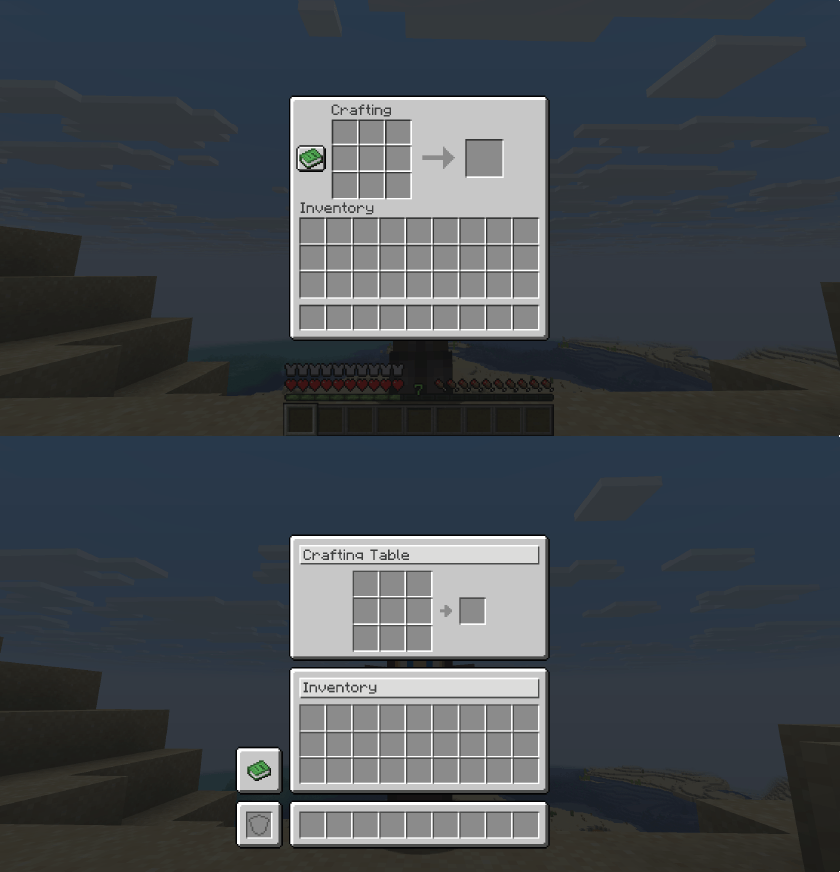
📋 Improved Menus
✅ Completed
Storage:
- ✅ Chest (Single & Double)
- ✅ Ender Chest
- ✅ Shulker Box
- ✅ Dispenser / Dropper
- ✅ Hopper
Crafting & Processing:
- ✅ Crafting Table
- ✅ Furnace / Blast Furnace / Smoker
- ✅ Brewing Stand
- ✅ Crafter
Equipment Upgrade:
- ✅ Anvil
- ✅ Smithing Table
- ✅ Grindstone
- ✅ Enchanting Table
- ✅ Beacon
Decoration:
- ✅ Loom
- ✅ Cartography Table
- ✅ Stonecutter
Mounts:
- ✅ Horse / Donkey / Mule / Llama
Player:
- ✅ Player Inventory
- ✅ Villager Trading
❌ Coming Soon
- ❌ Creative Menu
🔍 Category Details
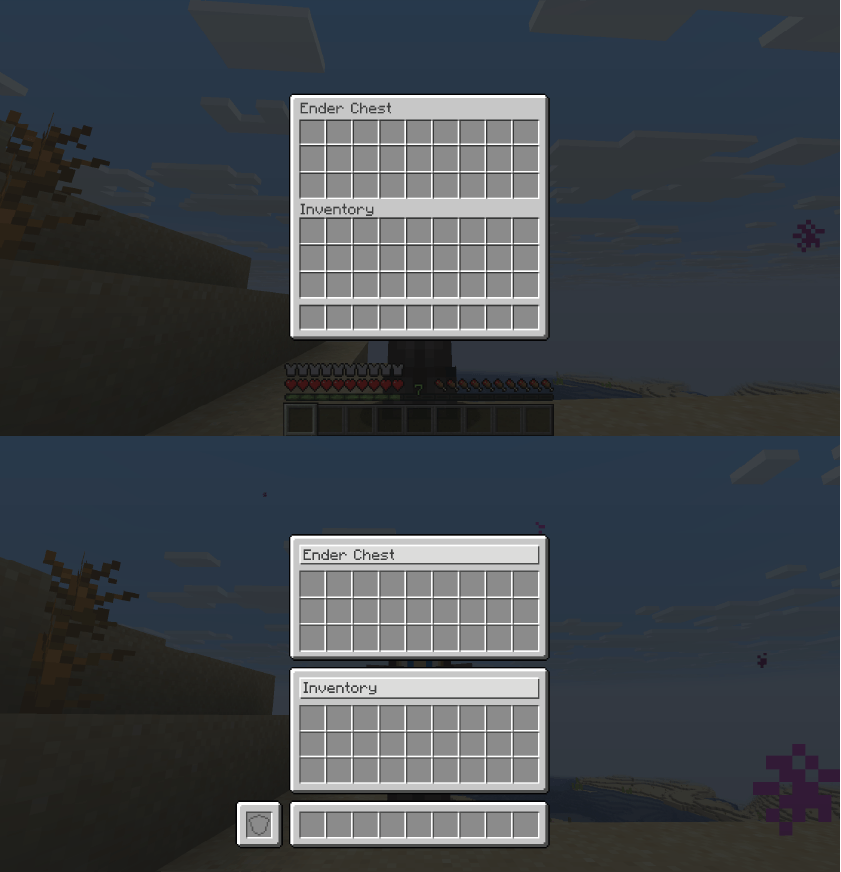
📦 Storage
All containers now have the offhand slot visible and perfectly aligned inventory.
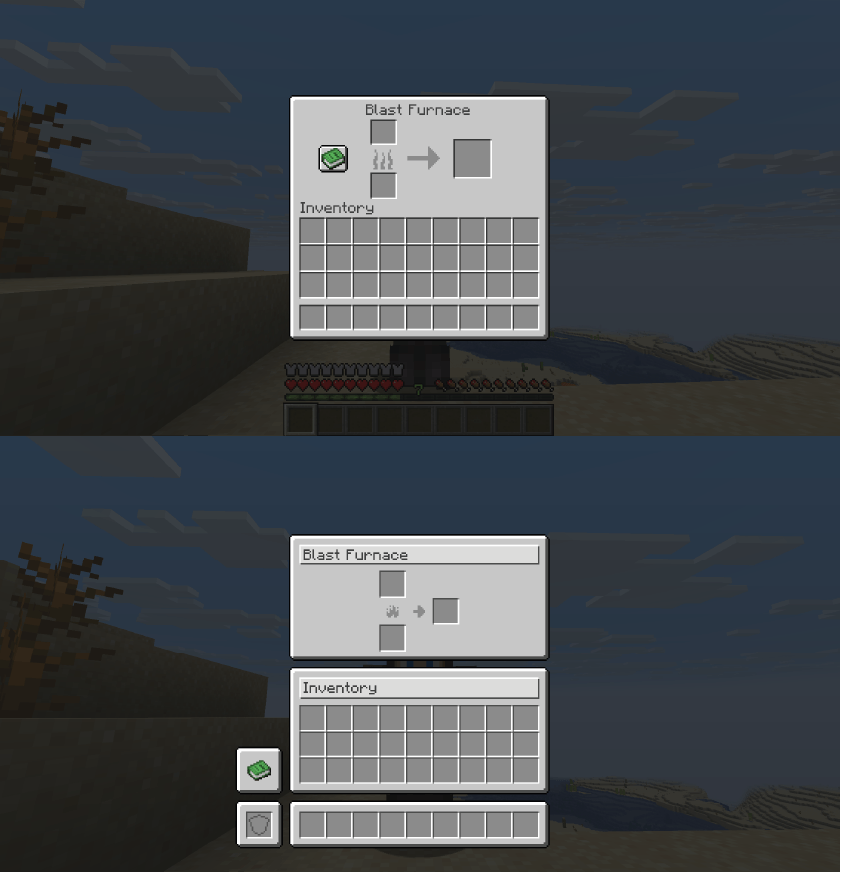
🔥 Furnaces
All three furnace types share the same clean, consistent design.
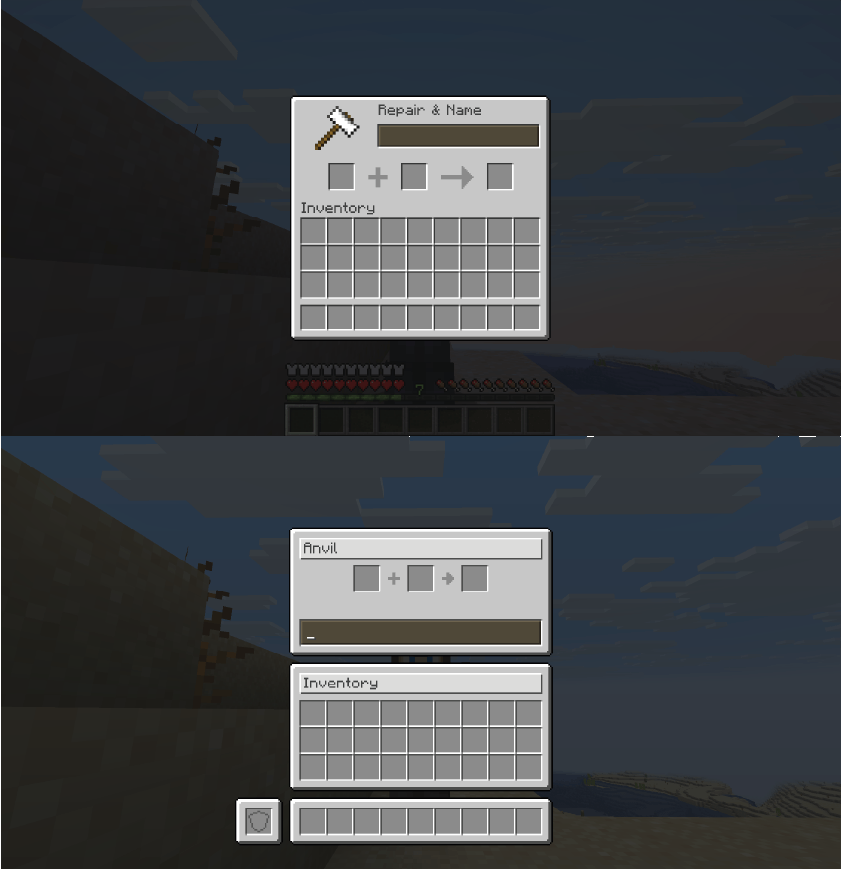
⚔️ Equipment Upgrade Tables
Anvil, Smithing Table and Grindstone with improved slot distribution and integrated offhand.
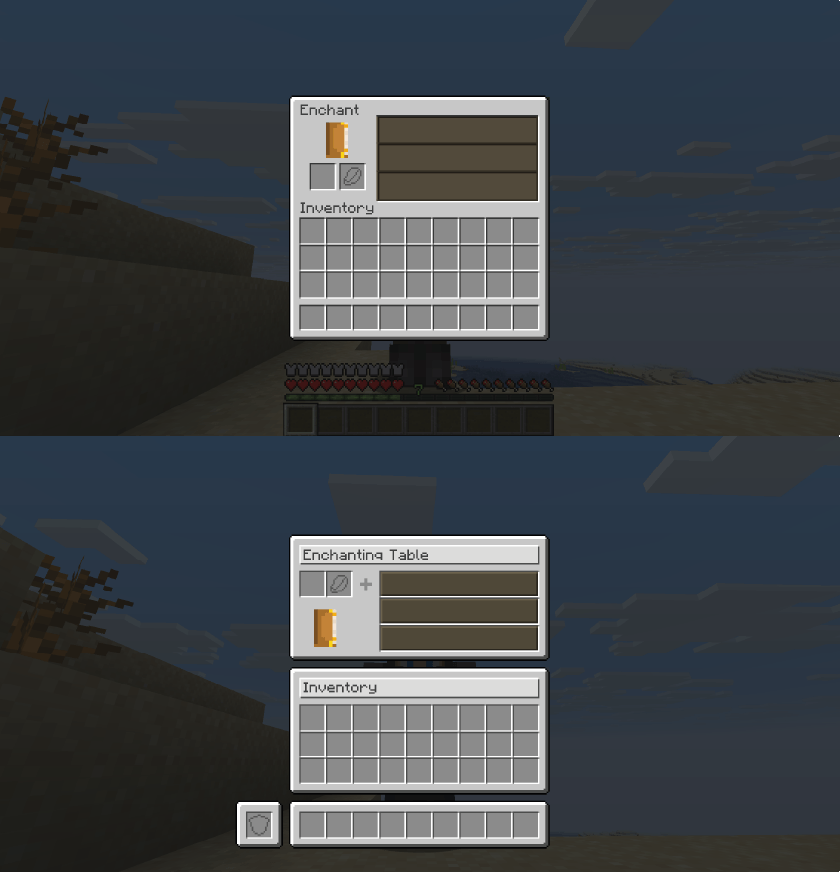
✨ Enchanting Table
Enchantment buttons with precise click areas and improved visual feedback.
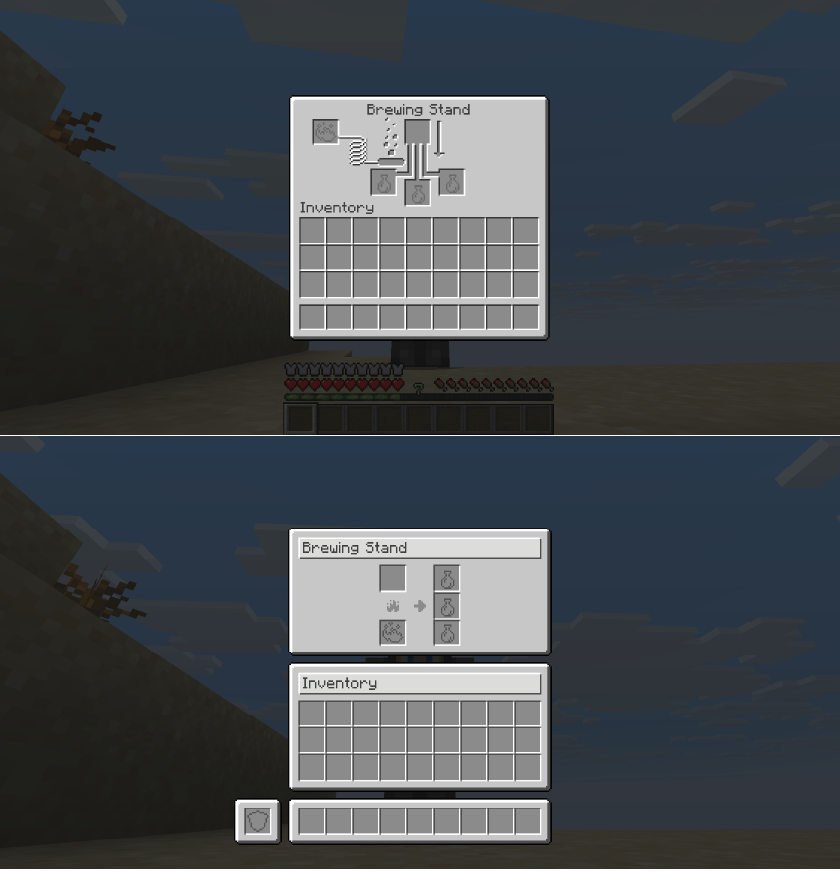
🧪 Brewing Stand
Reorganized slots for better visual clarity. The offhand lets you keep extra ingredients handy.
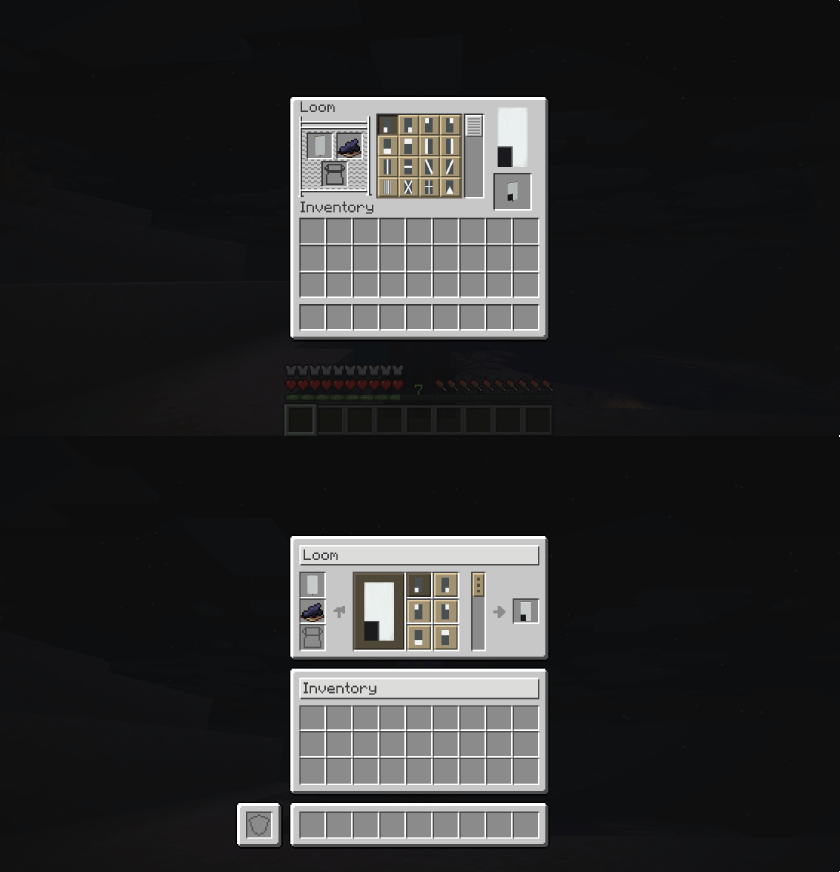
🎨 Decoration Tables
Loom, Cartography and Stonecutter with clean, consistent interfaces.
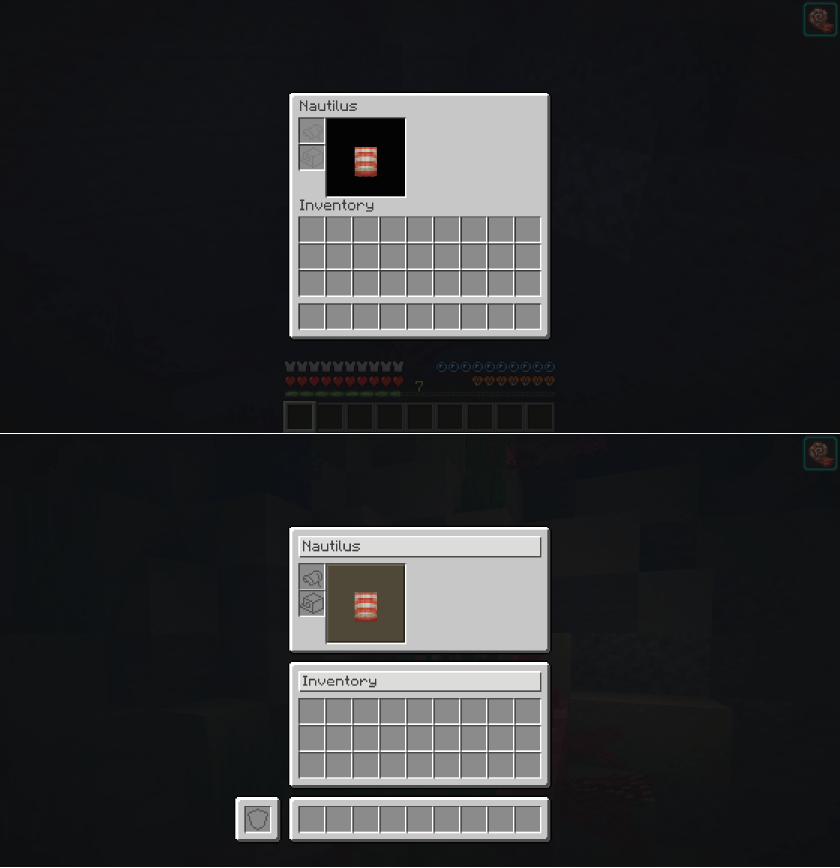
🐴 Mounts
Horse, donkey, mule, llama and nautilus inventories with better organization and offhand access.
🎮 Compatibility
| Minecraft | 1.21.11 |
| Mod Loader | Fabric |
| Requires | Fabric API |
***~~~~
📥 Installation
- Download and install Fabric Loader
- Download Fabric API
- Download Harmonize
- Place both
.jarfiles in yourmodsfolder - Done!
❓ FAQ
Does it affect performance?
No. It only modifies interface appearance, no extra load.
Is it compatible with other mods?
Yes, in most cases. Minor visual conflicts may occur with mods that modify the same interfaces.
Does it work on servers?
Yes. It’s mainly a client-side visual mod, but it will only work fully if it is also integrated on the server.
"Consistency is the foundation of trust, in relationships and in interface design."
Version: 0.3
Developer: © 2025 Shamy]™ Creative Studio
License: CC0-1.0
Available Versions
How to Install Harmonize – UI Overhaul on Your Server
Order Server
Order a Minecraft Java server with at least 3 GB RAM (4 GB recommended).
Set fabric Loader
In the panel under "Egg", select the fabric loader and matching Minecraft version (26.1.2).
Install Mod
Open the mod browser in the dashboard and search for "Harmonize – UI Overhaul". Click "Install" – done! Alternatively, upload the .jar via SFTP to the /mods folder.
Compatibility
Mod Loaders
Minecraft Versions
26.1.2, 26.1.1, 26.1 (+1 more)
Server-side
✓ RequiredRecommended RAM
4 GB(min. 3 GB)Frequently Asked Questions
Harmonize – UI Overhaul server crashes on startup – what to do?
Most common cause: wrong fabric version or insufficient RAM. Check the server log (latest.log) for "OutOfMemoryError" or "Mixin" errors. With Mado Hosting: ensure at least 3 GB RAM is allocated and the loader matches the mod version (26.1.2). You can switch loaders with one click in the panel.
Is Harmonize – UI Overhaul compatible with fabric?
Harmonize – UI Overhaul officially supports fabric for Minecraft 26.1.2, 26.1.1, 26.1. The Mado dashboard automatically detects incompatible loader combinations.
Server lagging with Harmonize – UI Overhaul – how to optimize performance?
Recommended RAM: 4 GB (per 8 players). Use /spark profiler to check if Harmonize – UI Overhaul consumes the most tick time. Common fixes: reduce server view-distance to 8-10, install "performant" or "starlight" as supplementary mods on Forge. With Mado Hosting, your server runs on NVMe SSDs with dedicated CPU cores for minimal latency.
Similar Mods

![[ETF] Entity Texture Features](https://cdn.modrinth.com/data/BVzZfTc1/af683d206d50b05258d865b0d6e4aa2f2cee12f2_96.webp)
![[EMF] Entity Model Features](https://cdn.modrinth.com/data/4I1XuqiY/6e5bbd0d06b1741bfdab6c0cfab6de8fdaf0064c_96.webp)



Rent Modded Server
Install Harmonize – UI Overhaul with just one click on your server.