
HarmonyLinkMC
This mod integrates the HarmonyLink API into Minecraft, providing an enhanced gaming experience on handheld devices, including the Steam Deck.
Screenshots
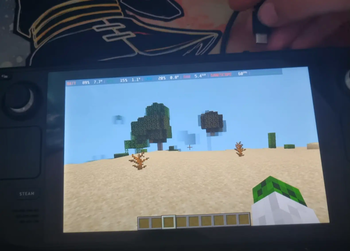
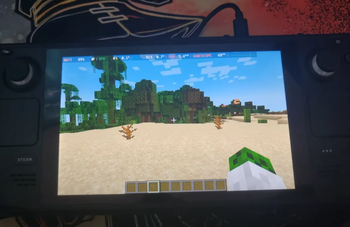
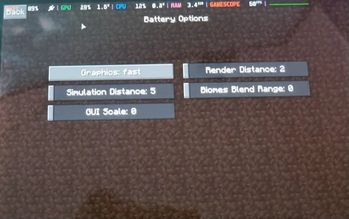
About this Mod

Welcome to the HarmonyLink Minecraft Mod! This mod provides an enhanced gaming experience on handheld devices, including the Steam Deck, by allowing you to adapt your game settings based on power and docking status, creating a tailored experience that suits your preferences and device capabilities.
Watch a YouTube video of it in action here 👇

Getting Started
To get started with the HarmonyLink Minecraft Mod, follow these steps:
- Install Minecraft Forge / Fabric: Make sure you have Minecraft Forge or Fabric installed on your device.
- Download HarmonyLink Mod: Download the latest version of the HarmonyLink Minecraft Mod.
- Install HarmonyLink Mod: Place the downloaded mod file into the "mods" folder in your Minecraft directory.
- Download and Install HarmonyLinkServer: Download the HarmonyLinkServer installer by clicking here. After the download is complete, locate the downloaded file (harmonylink_installer.desktop) and double-click it to run the installer. Follow the provided instructions to complete the installation of HarmonyLinkServer.
- Launch Minecraft: Start Minecraft with the HarmonyLink Mod installed.
- Enjoy the Enhanced Experience: You're all set! Enjoy a more personalized Minecraft gaming experience with adaptive gameplay settings provided by HarmonyLink.
⚠️ Note: The HarmonyLink Minecraft Mod requires HarmonyLinkServer to be running in order to function properly. Make sure HarmonyLinkServer is running before launching Minecraft with the HarmonyLink Mod installed.
Download HarmonyLinkServer:

Frequently Asked Questions (FAQ)
Does this work in gamemode?
A: yes
Does this work with other devices like laptops?
A: yes, HarmonyLinkMC will work on any device.
Will this mod work with other optimisation mods like sodium?
A: yes
Why does this need HarmonyLinkServer?
A: See the FAQ section in HarmonyLinkServer.
Contributing
We welcome contributions from the Minecraft and programming community to further improve the HarmonyLink Minecraft Mod. If you have any suggestions, bug reports, or feature requests, please open an issue in the GitHub repository.
License
The HarmonyLink Minecraft Mod is released under the MIT License. Feel free to fork, modify, and distribute the mod according to the terms of the license.
Contact
If you have any further questions or inquiries regarding the HarmonyLink Minecraft Mod, please contact me at [email protected].
Happy gaming and enjoy the optimized Minecraft experience with HarmonyLink!
Available Versions
How to Install HarmonyLinkMC on Your Server
Order Server
Order a Minecraft Java server with at least 3 GB RAM (4 GB recommended).
Set fabric Loader
In the panel under "Egg", select the fabric loader and matching Minecraft version (1.19.4).
Install Mod
Open the mod browser in the dashboard and search for "HarmonyLinkMC". Click "Install" – done! Alternatively, upload the .jar via SFTP to the /mods folder.
Compatibility
Mod Loaders
Minecraft Versions
1.19.4, 1.19.3, 1.19.2 (+2 more)
Server-side
✗ UnsupportedRecommended RAM
4 GB(min. 3 GB)Frequently Asked Questions
HarmonyLinkMC server crashes on startup – what to do?
Most common cause: wrong fabric version or insufficient RAM. Check the server log (latest.log) for "OutOfMemoryError" or "Mixin" errors. With Mado Hosting: ensure at least 3 GB RAM is allocated and the loader matches the mod version (1.19.4). You can switch loaders with one click in the panel.
Is HarmonyLinkMC compatible with fabric and forge?
HarmonyLinkMC officially supports fabric, forge for Minecraft 1.19.4, 1.19.3, 1.19.2. Note: Forge and Fabric mods are NOT cross-compatible – pick one loader and stick with it. The Mado dashboard automatically detects incompatible loader combinations.
Server lagging with HarmonyLinkMC – how to optimize performance?
Recommended RAM: 4 GB (per 8 players). Use /spark profiler to check if HarmonyLinkMC consumes the most tick time. Common fixes: reduce server view-distance to 8-10, install "performant" or "starlight" as supplementary mods on Forge. With Mado Hosting, your server runs on NVMe SSDs with dedicated CPU cores for minimal latency.
Similar Mods


Rent Modded Server
Install HarmonyLinkMC with just one click on your server.