
Fooductive: Additions
New Ways to Cook with my own style?
Screenshots
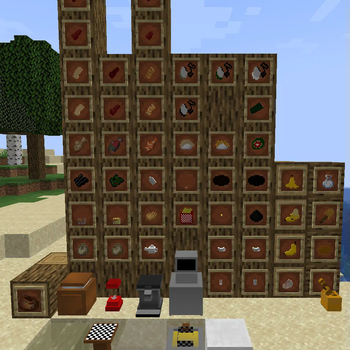
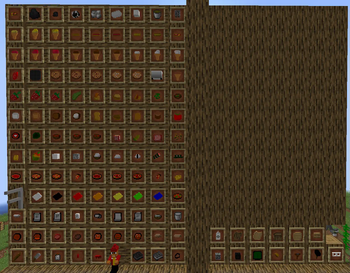
About this Mod
Optional Mods
Firstly, I want to apologize, that it took so long but, Im a single man doing this, but its here. Fooductive 2.2, a revolutionary update in this mod, ones we all needed.
FIXED in 2.2.1
BTW, if the game can't load any worlds, I found the solution, you need to install my other mod, idk why :(
What's new?
Blocks
Mango Block
Pear Block
Orange Block
Tea can - block side
Pear leaves
Orange leaves
Items
- Key
- Blocked Rice
- Corn seeds
- Chilli seeds
- Chilli
- Tomato seeds
- Strawberry seeds
- Banana seeds
Important
- New Features
- Removed Dreams
- New ways of making Food
- Updated languages - means English and German are more grammar
So why do I find this Update so important?
Spoiler
- because, the plants work now how they should,
- because, I updated the models, textures and the functions of the mod
- update things :)
Let me explain, what Mango Block, Pear or Orange Block means, it means, when u find a tree, it has a fruit on it, a fruit block.

You want to know how to get rice?
smack a fern or a block tagged under "minecraft:grass "into a stone
Let me also explain what the new feautres are, they are:
- automated recipes
- when u try to fry something, (only cut potato rn), its starts a timer that counts from 100 down to 0, but if you try to pull out at at least under 20, you get it, but if not :(
- ok that's it for the feautres :(
hehe
jk, added blending and mixing the teas and honey in the tea can block ;)
Next Update is 2.3.1
Available Versions
How to Install Fooductive: Additions on Your Server
Order Server
Order a Minecraft Java server with at least 3 GB RAM (4 GB recommended).
Set forge Loader
In the panel under "Egg", select the forge loader and matching Minecraft version (1.20.1).
Install Mod
Open the mod browser in the dashboard and search for "Fooductive: Additions". Click "Install" – done! Alternatively, upload the .jar via SFTP to the /mods folder.
Compatibility
Mod Loaders
Minecraft Versions
1.20.1, 1.19.4
Server-side
~ OptionalRecommended RAM
4 GB(min. 3 GB)Frequently Asked Questions
Fooductive: Additions server crashes on startup – what to do?
Most common cause: wrong forge version or insufficient RAM. Check the server log (latest.log) for "OutOfMemoryError" or "Mixin" errors. With Mado Hosting: ensure at least 3 GB RAM is allocated and the loader matches the mod version (1.20.1). You can switch loaders with one click in the panel.
Is Fooductive: Additions compatible with forge?
Fooductive: Additions officially supports forge for Minecraft 1.20.1, 1.19.4. The Mado dashboard automatically detects incompatible loader combinations.
Server lagging with Fooductive: Additions – how to optimize performance?
Recommended RAM: 4 GB (per 8 players). Use /spark profiler to check if Fooductive: Additions consumes the most tick time. Common fixes: reduce server view-distance to 8-10, install "performant" or "starlight" as supplementary mods on Forge. With Mado Hosting, your server runs on NVMe SSDs with dedicated CPU cores for minimal latency.
Similar Mods

![[ETF] Entity Texture Features](https://cdn.modrinth.com/data/BVzZfTc1/af683d206d50b05258d865b0d6e4aa2f2cee12f2_96.webp)
![[EMF] Entity Model Features](https://cdn.modrinth.com/data/4I1XuqiY/6e5bbd0d06b1741bfdab6c0cfab6de8fdaf0064c_96.webp)



Rent Modded Server
Install Fooductive: Additions with just one click on your server.