
Healt Alert Tweaks
Customizable low-health vignette and heartbeat alerts.
Screenshots
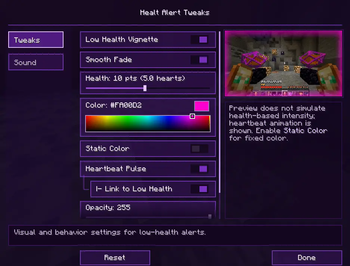
About this Mod
Healt Alert Tweaks
Healt Alert Tweaks is a client-side Fabric mod that helps you react faster when your health gets low by adding configurable visual and audio alerts.
The main feature is a customizable low-health vignette that fades onto your screen when your health drops below a configurable threshold. You can choose the color, transparency, size, intensity behavior, and animation style directly from the Mod Menu configuration screen.
The mod also includes heartbeat effects. The vignette can pulse like a heartbeat, and an optional heartbeat sound can play when your health is low. Both the visual pulse and the sound speed can react to your current health, becoming more intense as your health gets lower, or they can stay static if you prefer a calmer alert.
Everything is configurable through a custom Mod Menu screen with separated tabs for visual tweaks and sound settings.
Features
- Custom low-health vignette.
- Custom vignette color picker.
- Adjustable health threshold.
- Adjustable vignette transparency.
- Adjustable vignette size.
- Smooth vignette fade animation.
- Static Color mode.
- Static color intensity slider.
- Heartbeat-style vignette pulse.
- Optional low-health heartbeat scaling.
- Heartbeat sound alert.
- Adjustable heartbeat sound volume.
- Adjustable heartbeat sound intensity.
- Sound preview player.
- Vignette preview panel.
- Mod Menu support.
- Client-side only.
Low Health Vignette
The vignette appears when your health goes below the value you choose in the config menu.
You can customize its color, transparency, size, and how strongly it reacts to your health.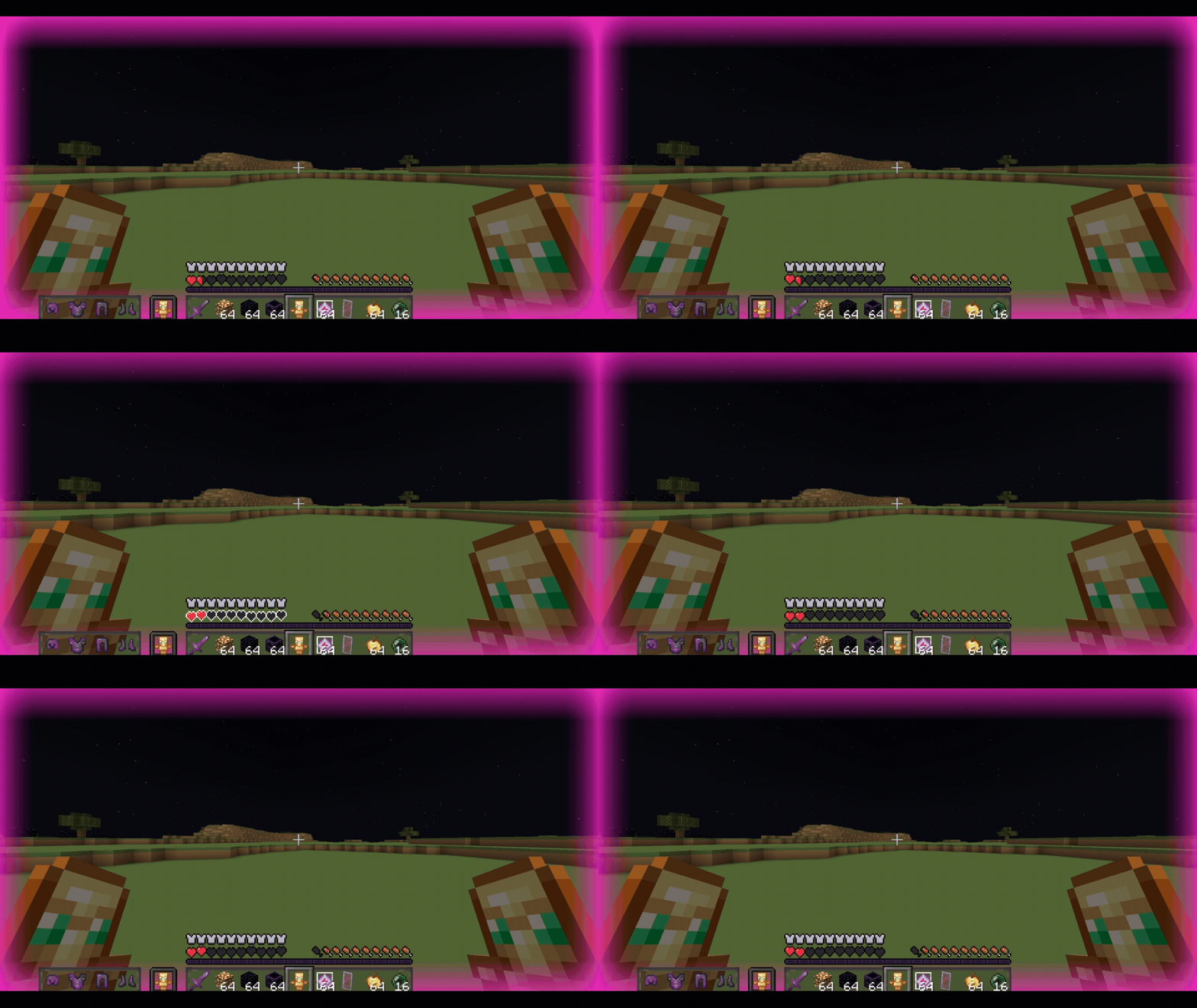
Custom Color Picker
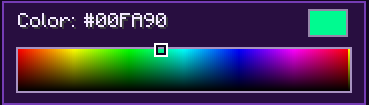
Choose the vignette color directly from a palette-style selector.
This lets you make the alert subtle, intense, dark, bright, or matching your own style.
Static Color Mode
By default, the vignette becomes stronger as your health gets lower.
If you prefer a fixed intensity, enable Static Color and adjust the intensity slider.
Smooth Fade
The vignette can appear and disappear smoothly instead of popping onto the screen suddenly.
Heartbeat Vignette
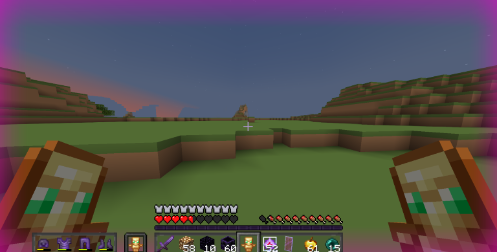
The vignette can pulse like a heartbeat.
When low-health integration is enabled, the pulse becomes faster as your health gets lower.
Heartbeat Sound
The mod can also play a heartbeat sound when your health is low.
You can adjust the volume and the heartbeat intensity from the Sound tab.
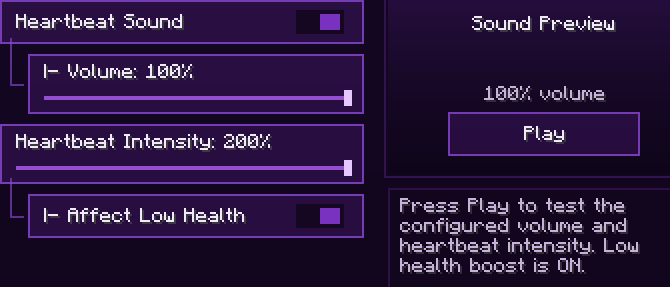
Mod Menu Configuration
All options are available from a custom Mod Menu screen with tabs for visual tweaks and sound settings.
Requires:
- Fabric Loader
- Fabric API
- Mod Menu is recommended for configuration
Available Versions
How to Install Healt Alert Tweaks on Your Server
Order Server
Order a Minecraft Java server with at least 3 GB RAM (4 GB recommended).
Set fabric Loader
In the panel under "Egg", select the fabric loader and matching Minecraft version (1.21.11).
Install Mod
Open the mod browser in the dashboard and search for "Healt Alert Tweaks". Click "Install" – done! Alternatively, upload the .jar via SFTP to the /mods folder.
Compatibility
Mod Loaders
Minecraft Versions
1.21.11, 1.21.10, 1.21.9 (+9 more)
Server-side
✗ UnsupportedRecommended RAM
4 GB(min. 3 GB)Frequently Asked Questions
Healt Alert Tweaks server crashes on startup – what to do?
Most common cause: wrong fabric version or insufficient RAM. Check the server log (latest.log) for "OutOfMemoryError" or "Mixin" errors. With Mado Hosting: ensure at least 3 GB RAM is allocated and the loader matches the mod version (1.21.11). You can switch loaders with one click in the panel.
Is Healt Alert Tweaks compatible with fabric?
Healt Alert Tweaks officially supports fabric for Minecraft 1.21.11, 1.21.10, 1.21.9. The Mado dashboard automatically detects incompatible loader combinations.
Server lagging with Healt Alert Tweaks – how to optimize performance?
Recommended RAM: 4 GB (per 8 players). Use /spark profiler to check if Healt Alert Tweaks consumes the most tick time. Common fixes: reduce server view-distance to 8-10, install "performant" or "starlight" as supplementary mods on Forge. With Mado Hosting, your server runs on NVMe SSDs with dedicated CPU cores for minimal latency.
Similar Mods




![[ETF] Entity Texture Features](https://cdn.modrinth.com/data/BVzZfTc1/af683d206d50b05258d865b0d6e4aa2f2cee12f2_96.webp)

Rent Modded Server
Install Healt Alert Tweaks with just one click on your server.