
Hero Statue
Adds the Hero Statue block, which can hold an item, and be posed using redstone.
Screenshots
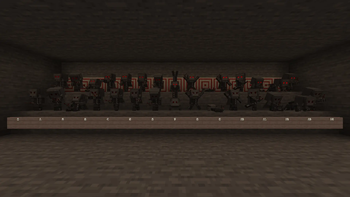
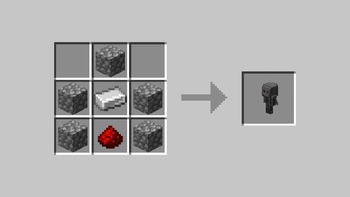
About this Mod
Hero Statue
Adds a new block called the Hero Statue, which can hold an item, and be posed using redstone.
Important
If you have a slower computer, have a lot of statues placed down, or are using a resource intensive shader pack, you may want to change your statue render type config toBasic. See Config.
This renders statues using block models, which is a lot faster, however it does disable visual posing.If you use Shaders, read Known Issues: Shader Rendering Pipelines, and check Tested Shader Packs below.
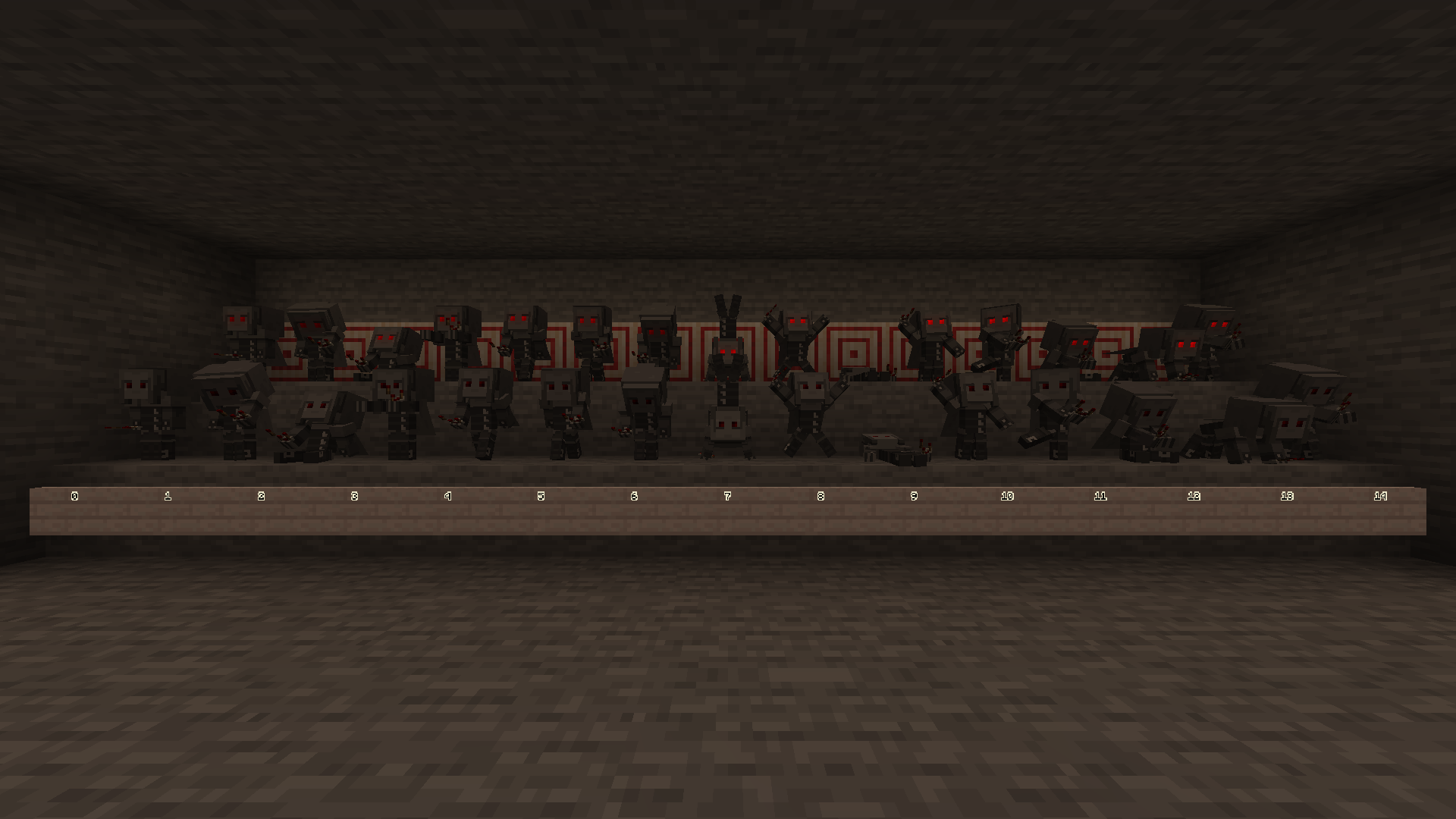
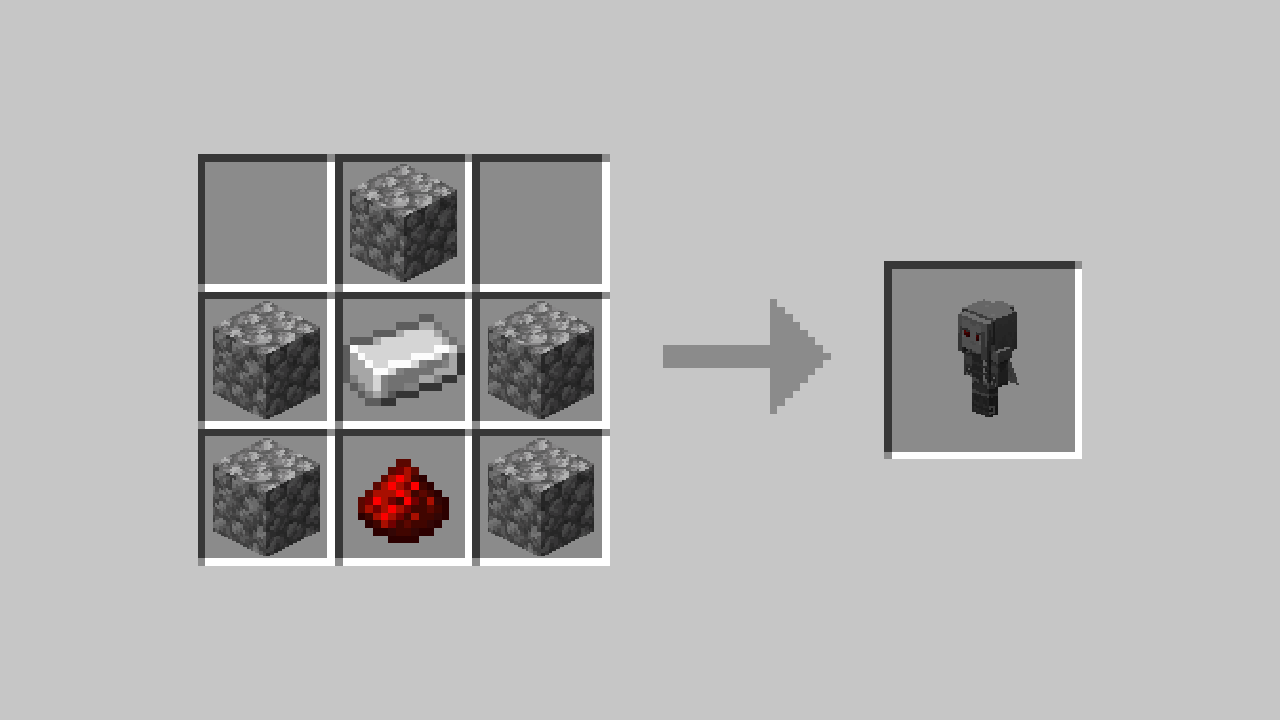
Features
Hero Statue
- Holds an item
- You can give the statue an item to display by interacting with it whilst holding the item.
- Posable
- You can pose the statue using redstone.
- This is configurable via a gamerule, which is ON by default. (
hero-statue$allowRedstoneChangeStatuePose)
- This is configurable via a gamerule, which is ON by default. (
- The statue remembers the last set pose when turned off.
- You can pose the statue by interacting with empty hands or when the statue already has an item, if the gamerule is active.
- This is configurable via a gamerule, which is OFF by default. (
hero-statue$allowPlayerChangeStatuePose)
- This is configurable via a gamerule, which is OFF by default. (
- You can pose the statue using redstone.
- Comparators output the level of redstone required to set the current pose.
- rainbows
and unicorns- You can make the statues eyes cycle through the rainbow by giving the statue an item named
jeb_, or by turning theRAINBOW MODEconfig on. - You can also enable this in creative, by setting the
hero_statue_rainbowblockstate with a debug stick or with commands. - This only works with the
Defaultrender type, and if you are not using shaders.
- You can make the statues eyes cycle through the rainbow by giving the statue an item named
- ¿sᴉɥʇ pɐǝɹ noʎ uɐɔ
- You can make the statue render upside down by giving the statue an item named
Dinnerbone,Grumm,legotaylor, ordannnytaylor. - This only works with the
DefaultandVanillarender types.
- You can make the statue render upside down by giving the statue an item named
Config
You can edit the config by using ModMenu, or our Open Config keybinding (defaulted to Home).
If you are using the Open Config keybinding, you will need to be in a world.
Known Issues
Shader Rendering Pipelines
Iris Shaders
Iris overrides core shader pipelines when rendering shader packs, and doesn't provide any documentation for how to add new overrides.
As a workaround, we've copied the ENTITY_CUTOUT and ENTITY_EYES pipeline overrides. We picked these pipelines as they provide a similar effect to our custom pipelines, however it's not 1:1 and some features such as the jeb_ easter egg won't be rendered when a shader pack is active. This functionality matches the Vanilla render type. See Hero-Statue#1.
Rendering should work as intended when no shader packs are in use.
Developer's Note
You may encounter z-fighting with some shader packs.
You can disable our eyes layer using our config if desired. See Config.
Tested Shader Packs
| Shader Pack | |
|---|---|
| Complementary Unbound/Reimagined | No visual issues found.¹ |
| Euphoria Patches | No visual issues found.¹ |
| BSL Shaders | No visual issues found.¹ |
| Rudimentary | Our eyes layer is offset when Vertex Snapping is enabled² and the current render type is set to default or vanilla. This does cause flickering when the player moves. Interestingly, this shader also renders the eyes layer over the player's hand. |
| VECTOR | No visual issues found.¹ |
| Super Duper Vanilla | Resource Intensive when rendering using Default/Vanilla render types, otherwise no visual issues found.¹ |
¹ Except for the above-mentioned render pipeline workaround.
² You can disable Vertex Snapping in the shader pack settings, under Style.
Basic Render Type Poses
The basic render type doesn't render the poses, rainbow, and upside down easter eggs.
I would love to update this in the future to add the poses to the basic render type, however this is easier said than done due to how block model elements rotate.
Technical
For technical details see here.

Available Versions
How to Install Hero Statue on Your Server
Order Server
Order a Minecraft Java server with at least 3 GB RAM (4 GB recommended).
Set fabric Loader
In the panel under "Egg", select the fabric loader and matching Minecraft version (1.21.8).
Install Mod
Open the mod browser in the dashboard and search for "Hero Statue". Click "Install" – done! Alternatively, upload the .jar via SFTP to the /mods folder.
Compatibility
Mod Loaders
Minecraft Versions
1.21.8
Server-side
✓ RequiredRecommended RAM
4 GB(min. 3 GB)Frequently Asked Questions
Hero Statue server crashes on startup – what to do?
Most common cause: wrong fabric version or insufficient RAM. Check the server log (latest.log) for "OutOfMemoryError" or "Mixin" errors. With Mado Hosting: ensure at least 3 GB RAM is allocated and the loader matches the mod version (1.21.8). You can switch loaders with one click in the panel.
Is Hero Statue compatible with fabric and quilt?
Hero Statue officially supports fabric, quilt for Minecraft 1.21.8. The Mado dashboard automatically detects incompatible loader combinations.
Server lagging with Hero Statue – how to optimize performance?
Recommended RAM: 4 GB (per 8 players). Use /spark profiler to check if Hero Statue consumes the most tick time. Common fixes: reduce server view-distance to 8-10, install "performant" or "starlight" as supplementary mods on Forge. With Mado Hosting, your server runs on NVMe SSDs with dedicated CPU cores for minimal latency.
Similar Mods

![[ETF] Entity Texture Features](https://cdn.modrinth.com/data/BVzZfTc1/af683d206d50b05258d865b0d6e4aa2f2cee12f2_96.webp)
![[EMF] Entity Model Features](https://cdn.modrinth.com/data/4I1XuqiY/6e5bbd0d06b1741bfdab6c0cfab6de8fdaf0064c_96.webp)



Rent Modded Server
Install Hero Statue with just one click on your server.