
HexHopper
Place hoppers in all 6 directions and rotate both push and pull independently with a compass. Six faces, full control.
About this Mod
HexHopper
Place hoppers in all 6 directions. Rotate push and pull independently with a compass.
Vanilla hoppers are locked: they always pull from above and can only push downward or sideways. HexHopper removes that restriction. When you place a hopper, it faces the surface you clicked — including up. Use a compass to reconfigure any hopper after placement without breaking it.
How it works
Placement
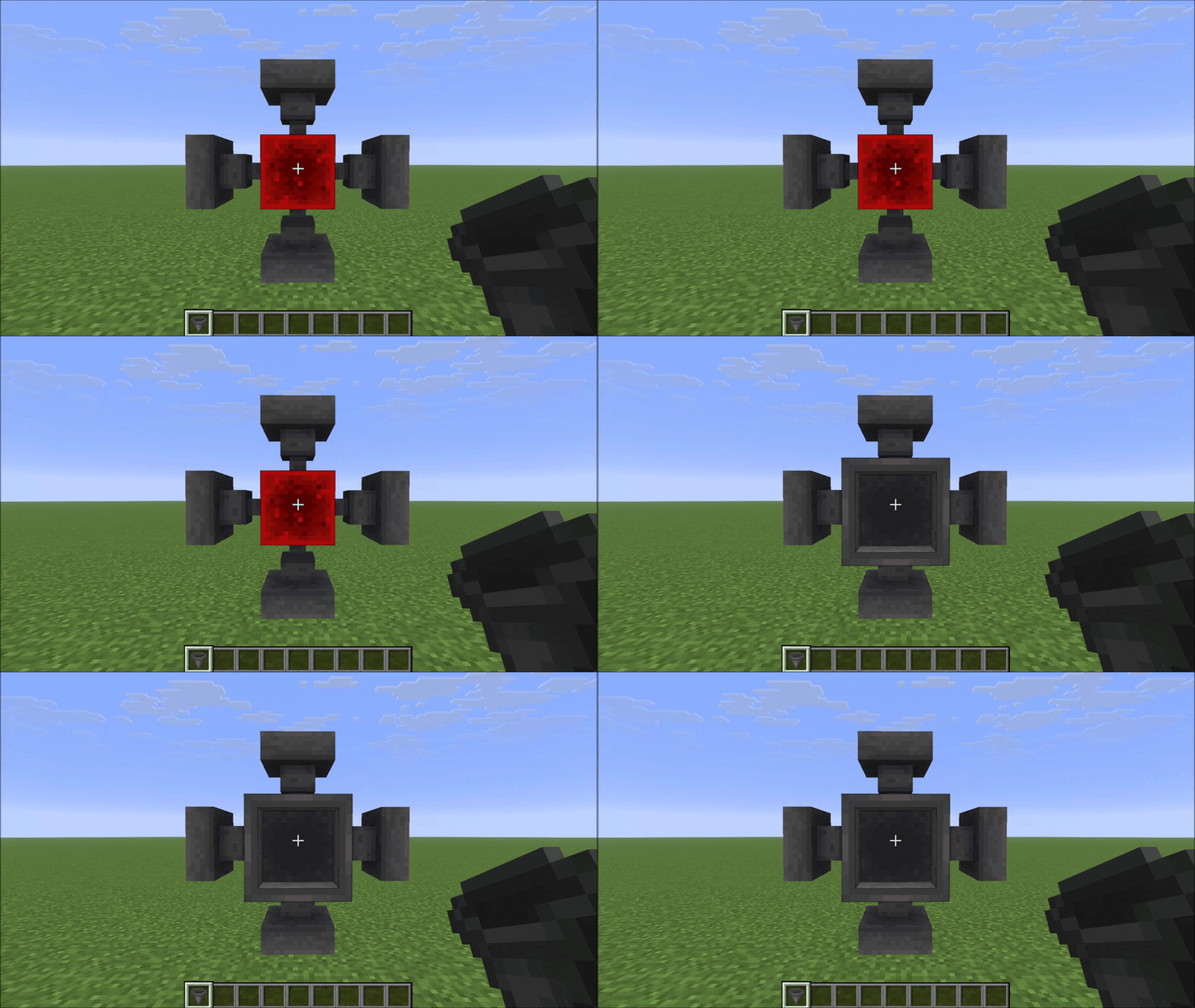
Hold a hopper and click any face of a block. The hopper's push direction (the spout) will face the surface you clicked. The pull direction (the funnel opening) is set automatically based on where you're looking — it picks the closest direction that isn't already taken by the push.
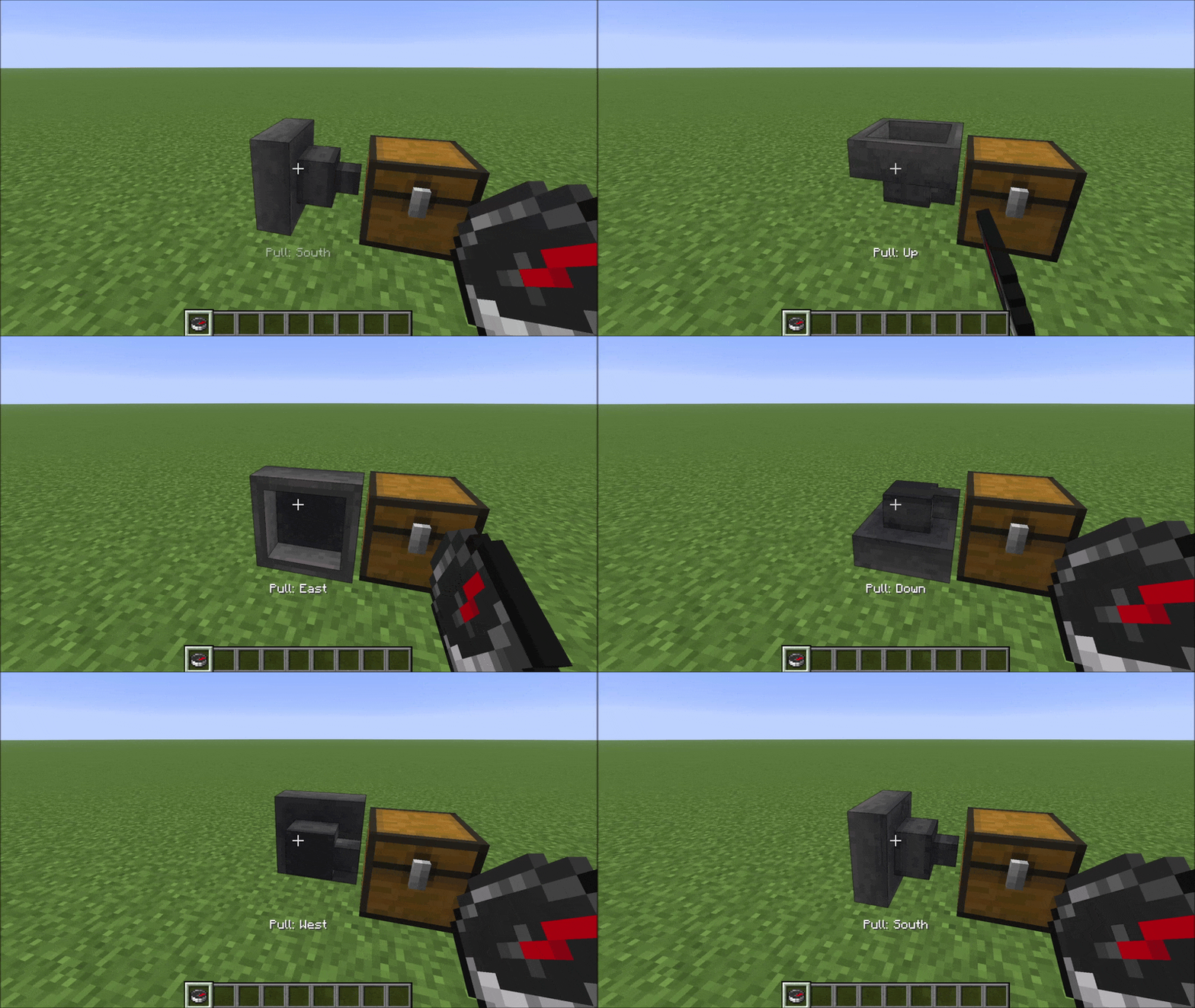
Compass: right-click rotates pull direction
Hold a compass and right-click a hopper to cycle its pull direction (funnel) through the five valid options. A message appears in the action bar after each click showing the current pull direction.
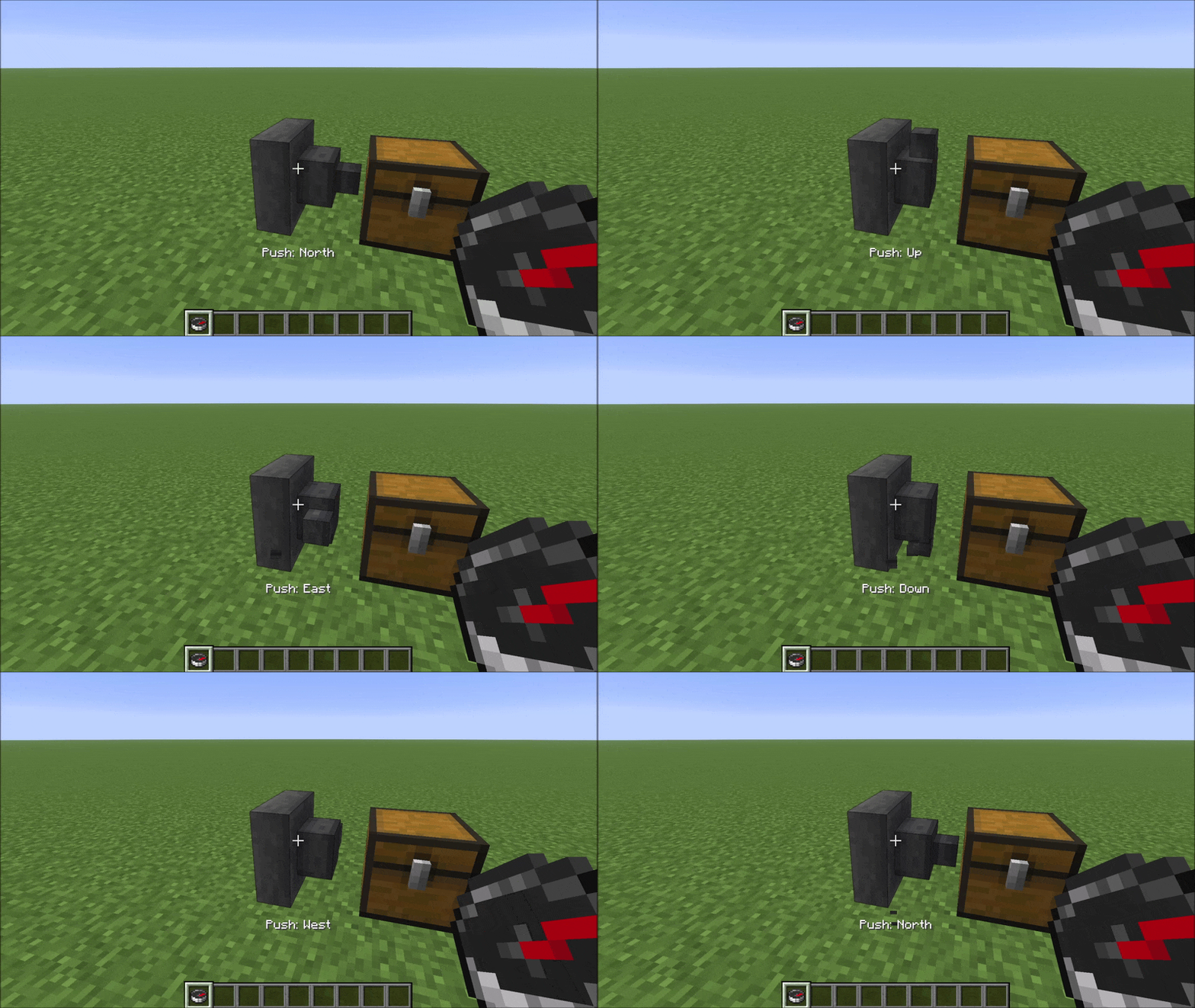
Compass: left-click rotates push direction
Hold a compass and left-click a hopper to cycle its push direction (spout) through the five valid options. The same action bar message appears confirming the new push direction.
Compatibility
HexHopper modifies vanilla HopperBlock and HopperBlockEntity using Mixins. It is compatible with:
- Existing worlds — hoppers placed before installing the mod default to pull=Up, which matches vanilla behaviour exactly
- MinecartHoppers — fall back to vanilla pull=Up behaviour
- Mods that don't touch hopper logic — storage mods, visual mods, etc.
Not compatible with mods that also modify HopperBlock or HopperBlockEntity (other hopper-direction mods, some deep storage mods). HexHopper also overrides assets/minecraft/blockstates/hopper.json — resource packs or mods that replace the same file will conflict visually.
Available Versions
How to Install HexHopper on Your Server
Order Server
Order a Minecraft Java server with at least 3 GB RAM (4 GB recommended).
Set fabric Loader
In the panel under "Egg", select the fabric loader and matching Minecraft version (26.2).
Install Mod
Open the mod browser in the dashboard and search for "HexHopper". Click "Install" – done! Alternatively, upload the .jar via SFTP to the /mods folder.
Compatibility
Mod Loaders
Minecraft Versions
26.2, 26.2-snapshot-6
Server-side
✓ RequiredRecommended RAM
4 GB(min. 3 GB)Frequently Asked Questions
HexHopper server crashes on startup – what to do?
Most common cause: wrong fabric version or insufficient RAM. Check the server log (latest.log) for "OutOfMemoryError" or "Mixin" errors. With Mado Hosting: ensure at least 3 GB RAM is allocated and the loader matches the mod version (26.2). You can switch loaders with one click in the panel.
Is HexHopper compatible with fabric?
HexHopper officially supports fabric for Minecraft 26.2, 26.2-snapshot-6. The Mado dashboard automatically detects incompatible loader combinations.
Server lagging with HexHopper – how to optimize performance?
Recommended RAM: 4 GB (per 8 players). Use /spark profiler to check if HexHopper consumes the most tick time. Common fixes: reduce server view-distance to 8-10, install "performant" or "starlight" as supplementary mods on Forge. With Mado Hosting, your server runs on NVMe SSDs with dedicated CPU cores for minimal latency.
Similar Mods




Rent Modded Server
Install HexHopper with just one click on your server.