
HexLands
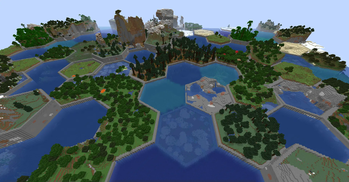
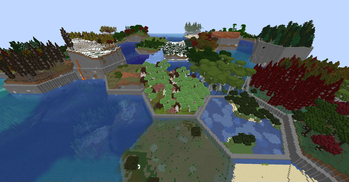
Hexagonal world generation, Settlers of Catan style!
Screenshots
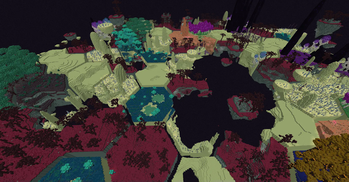
About this Mod
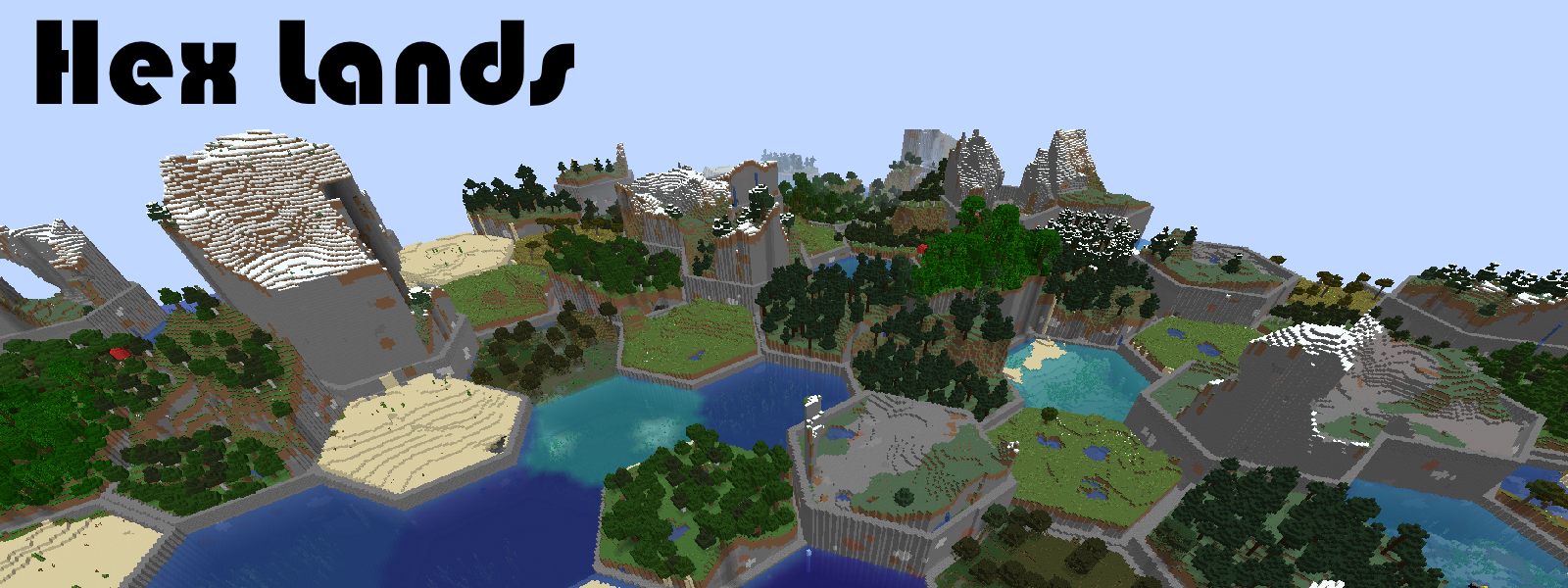
This mod is an updated and rewritten version of the original Hex Lands mod by superfluke, et. al. It has been rewritten completely for new Minecraft versions.
Features
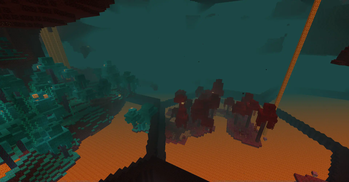
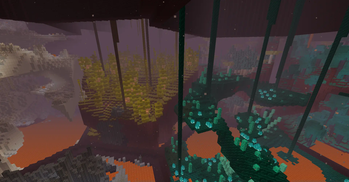
- Adds two world type presets: "HexLands", and "HexLands (Overworld)". The former which enables hexagonal terrain generation in both the overworld and the nether, the latter which only enables it in the overworld.
- Each hex contains a single biome. Hexes of different types are bordered by walls.
- Automatic compatibility with mods that add biomes to the overworld or other world generation.
- Many options for world customization via data packs.
Configuration (Data Packs - 1.19.x - 1.20.x)
Note: Due to Mojang's changes to world generation, configuration will be different depending on which Minecraft version you are using! See the 1.18.x, 1.17.x, or 1.16.x versions of this documentation instead.
Worlds are now specified by World Presets due to a change from Mojang. HexLands can be customized by adding a new world preset. The default HexLands world presets can be found here, for HexLands, and HexLands (Overworld Only). They both make use of the hexlands:hexlands chunk generator.
In order to use a HexLands world for a specific dimension, you must change the generator field. It must be an object with the following properties:
typeis a string identifying what generator to use. It should behexlands:hexlands.settingsis a Noise Settings used by the dimension.biome_sourceis the biome source, as in vanilla. It can be a known preset, such as"minecraft:overworld", or"minecraft:nether", or it can be a JSON object following the vanilla biome source format.hex_settingsis an object with parameters defining how the hexagonal grid works. It can either be a known preset, which must be one of"hexlands:overworld","hexlands:nether", or"hexlands:the_end", or it can be an object with the following fields:biome_scale(Default: 8) is the scale at which biomes are sampled to create hexes. Higher values create more random biome layouts.hex_size(Default: 40) is the size of an individual hex.hex_border_threshold(Default: 0.92) is a number between0and1representing how much of a hex should be covered by the border. Larger values will lead to thinner borders.top_borderandbottom_borderare both border settings which define how the top and bottom borders of the world are built. The borders between hexes consist of a bottom border, air, and a top border. If not present, this section of the border will consist entirely of air. If present, it must have the following fields:min_height: The minimum height of the border.max_height: The maximum height of the border.state: A block state to generate as the border state. As in vanilla formats, this must be an object with aNameandPropertiesfield. ThePropertiesmust be an object containing all possible block state properties in key-value pairs, and theNamefield must be the name of the block.
Example
Below is an example object which can be used in the generator field of a world preset.
// Below is an example object which can be used in the `generator` field of a world preset.
{
    "type": "hexlands:hexlands",
    "settings": "minecraft:overworld",
    "biome_source": {
      "type": "minecraft:multi_noise",
      "preset": "minecraft:overworld"
    },
    "hex_settings": "hexlands:overworld"
}
Available Versions
How to Install HexLands on Your Server
Order Server
Order a Minecraft Java server with at least 4 GB RAM (6 GB recommended).
Set fabric Loader
In the panel under "Egg", select the fabric loader and matching Minecraft version (1.21.1).
Install Mod
Open the mod browser in the dashboard and search for "HexLands". Click "Install" – done! Alternatively, upload the .jar via SFTP to the /mods folder.
Compatibility
Mod Loaders
Minecraft Versions
1.21.1, 1.21, 1.20.1 (+6 more)
Server-side
✓ RequiredRecommended RAM
6 GB(min. 4 GB)Frequently Asked Questions
HexLands server crashes on startup – what to do?
Most common cause: wrong fabric version or insufficient RAM. Check the server log (latest.log) for "OutOfMemoryError" or "Mixin" errors. With Mado Hosting: ensure at least 4 GB RAM is allocated and the loader matches the mod version (1.21.1). You can switch loaders with one click in the panel.
Is HexLands compatible with fabric and forge and neoforge?
HexLands officially supports fabric, forge, neoforge for Minecraft 1.21.1, 1.21, 1.20.1. Note: Forge and Fabric mods are NOT cross-compatible – pick one loader and stick with it. The Mado dashboard automatically detects incompatible loader combinations.
Server lagging with HexLands – how to optimize performance?
Recommended RAM: 6 GB (per 5 players). Use /spark profiler to check if HexLands consumes the most tick time. Common fixes: reduce server view-distance to 8-10, install "performant" or "starlight" as supplementary mods on Forge. With Mado Hosting, your server runs on NVMe SSDs with dedicated CPU cores for minimal latency.
Similar Mods



Rent Modded Server
Install HexLands with just one click on your server.