
hiirosakura
Client-side auxiliary mods and GUI-based item editor
Screenshots
About this Mod
HiiroSakura Mod


HiiroSakura is a versatile mod dedicated to enhancing the Minecraft gaming experience. It offers gameplay enhancements, chat feature expansions, rendering optimizations, and a flexible configuration management interface.
📦 Dependencies


All features of the mod are disabled by default.
Open the mod settings interface:
- Press the shortcut H + S.
- Adjust mod settings in the interface to enable or disable different features.
✨ Main Features
1. Rendering Modifications
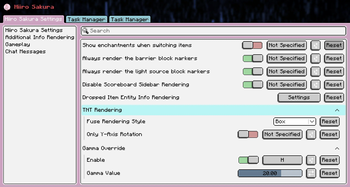
- Always render blocks (barriers, light sources).
- Disable text obfuscation effects.
- Disable sidebar scoreboards.
- Gamma value override.
- Render TNT and creeper fuse timers.
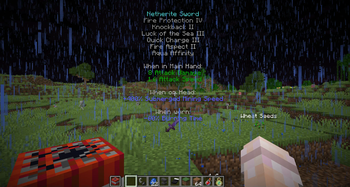
- Handheld Item Additional Information Rendering.
- Render item drop information.
2. Gameplay Enhancements
- Auto planting.
- Item use intercept.
- Block destruction protection.
- Automatic chestplate and Elytra switching.
- Auto respawn.
- Sound effect filtering.
- Switch client-side camera entity.
3. Chat Feature Extensions
- Message filtering.
- Message injection.
- Chat bubbles.
🌟 Custom Tasks
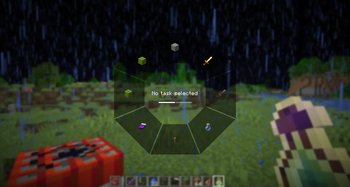
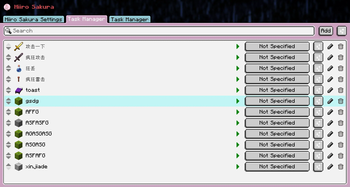
- Support sending messages, commands, or writing
Jexlfor custom tasks. - Execute tasks quickly via hotkeys or a Gui execution interface.
📌 Event Subscription
Provides support for subscribing to multiple types of events:
- Player events (chat, game login, logout, etc.).
- World events (block destruction, etc.).
Events can trigger multiple actions:
- Send messages.
- Execute commands.
- Run scripts.
- Trigger custom tasks.
🌟 Enjoy a More Elegant Minecraft Gaming Experience!
Available Versions
How to Install hiirosakura on Your Server
Order Server
Order a Minecraft Java server with at least 3 GB RAM (4 GB recommended).
Set fabric Loader
In the panel under "Egg", select the fabric loader and matching Minecraft version (1.21.11).
Install Mod
Open the mod browser in the dashboard and search for "hiirosakura". Click "Install" – done! Alternatively, upload the .jar via SFTP to the /mods folder.
Compatibility
Mod Loaders
Minecraft Versions
1.21.11, 1.21.10, 1.21.4
Server-side
✗ UnsupportedRecommended RAM
4 GB(min. 3 GB)Frequently Asked Questions
hiirosakura server crashes on startup – what to do?
Most common cause: wrong fabric version or insufficient RAM. Check the server log (latest.log) for "OutOfMemoryError" or "Mixin" errors. With Mado Hosting: ensure at least 3 GB RAM is allocated and the loader matches the mod version (1.21.11). You can switch loaders with one click in the panel.
Is hiirosakura compatible with fabric and neoforge?
hiirosakura officially supports fabric, neoforge for Minecraft 1.21.11, 1.21.10, 1.21.4. The Mado dashboard automatically detects incompatible loader combinations.
Server lagging with hiirosakura – how to optimize performance?
Recommended RAM: 4 GB (per 8 players). Use /spark profiler to check if hiirosakura consumes the most tick time. Common fixes: reduce server view-distance to 8-10, install "performant" or "starlight" as supplementary mods on Forge. With Mado Hosting, your server runs on NVMe SSDs with dedicated CPU cores for minimal latency.
Similar Mods




![[ETF] Entity Texture Features](https://cdn.modrinth.com/data/BVzZfTc1/af683d206d50b05258d865b0d6e4aa2f2cee12f2_96.webp)
![[EMF] Entity Model Features](https://cdn.modrinth.com/data/4I1XuqiY/6e5bbd0d06b1741bfdab6c0cfab6de8fdaf0064c_96.webp)
Rent Modded Server
Install hiirosakura with just one click on your server.