
HoloMobInfo
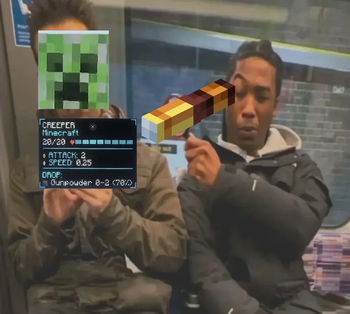
A clean high-tech mob info overlay with animated holographic panels, health bars, stats, and drop previews.
Screenshots
About this Mod
HoloMobInfo
HoloMobInfo adds clean holographic information panels above mobs, turning simple health bars into a compact high-tech overlay.
Instead of opening menus or guessing mob stats, you can see the most important information directly in the world: health, name, mod source, combat stats, movement speed, and optional drop information.


Features
- Holographic mob health panels
- Compact and expanded panel states
- Smooth animated transitions
- Optional attack damage, armor, and movement speed stats
- Optional server-backed mob drop scanning
- Lightweight and readable high-tech visual style
Drop Information
When supported by the server, HoloMobInfo can scan a mob's loot table and display possible drops directly in the expanded panel.
On multiplayer servers, install the mod on both the client and the server to enable full drop syncing.
Configuration
The mod includes options for:
- Max display distance
- Attack damage visibility
- Armor visibility
- Movement speed visibility
- Drop visibility
- Mod source visibility
- Panel scale
- Animation speed
- Collapse delay
- Color theme
Available themes:
- Cyan
- Green
- Red
- Minimal
Compatibility
HoloMobInfo is designed as a lightweight information overlay. It does not change mob behavior, combat mechanics, loot tables, world generation, or progression.
It is suitable for vanilla-style playthroughs, RPG modpacks, tech modpacks, adventure packs, and client-side quality-of-life setups.
Notes
Fabric versions require Fabric API.
For the best multiplayer experience, install HoloMobInfo on both the client and the server. Client-only usage is still useful for basic mob information, but server-backed drop scanning requires server support.
Available Versions
How to Install HoloMobInfo on Your Server
Order Server
Order a Minecraft Java server with at least 3 GB RAM (4 GB recommended).
Set fabric Loader
In the panel under "Egg", select the fabric loader and matching Minecraft version (1.21.1).
Install Mod
Open the mod browser in the dashboard and search for "HoloMobInfo". Click "Install" – done! Alternatively, upload the .jar via SFTP to the /mods folder.
Compatibility
Mod Loaders
Minecraft Versions
1.21.1, 1.20.1, 1.19.2
Server-side
~ OptionalRecommended RAM
4 GB(min. 3 GB)Frequently Asked Questions
HoloMobInfo server crashes on startup – what to do?
Most common cause: wrong fabric version or insufficient RAM. Check the server log (latest.log) for "OutOfMemoryError" or "Mixin" errors. With Mado Hosting: ensure at least 3 GB RAM is allocated and the loader matches the mod version (1.21.1). You can switch loaders with one click in the panel.
Is HoloMobInfo compatible with fabric and forge and neoforge?
HoloMobInfo officially supports fabric, forge, neoforge for Minecraft 1.21.1, 1.20.1, 1.19.2. Note: Forge and Fabric mods are NOT cross-compatible – pick one loader and stick with it. The Mado dashboard automatically detects incompatible loader combinations.
Server lagging with HoloMobInfo – how to optimize performance?
Recommended RAM: 4 GB (per 8 players). Use /spark profiler to check if HoloMobInfo consumes the most tick time. Common fixes: reduce server view-distance to 8-10, install "performant" or "starlight" as supplementary mods on Forge. With Mado Hosting, your server runs on NVMe SSDs with dedicated CPU cores for minimal latency.
Similar Mods

![[ETF] Entity Texture Features](https://cdn.modrinth.com/data/BVzZfTc1/af683d206d50b05258d865b0d6e4aa2f2cee12f2_96.webp)
![[EMF] Entity Model Features](https://cdn.modrinth.com/data/4I1XuqiY/6e5bbd0d06b1741bfdab6c0cfab6de8fdaf0064c_96.webp)



Rent Modded Server
Install HoloMobInfo with just one click on your server.