
Hopper The Hedgehog (Faster Hoppers/Dispensers)
Increase the Transfer Speed or Amount of Hoppers, Dispensers & Droppers. Quick and configurable
Screenshots
About this Mod
Hopper The Hedgehog
What does it do? Well very simply, it allows you to increase the speed at which items are transferred through, into and out of Hoppers as well as transferring up to a stack (64) at a time.
It also allows you to change how many items a Dispenser or Dropper shoot out, with it's own toggle and amount, tired of all those ender pearls taking hours to get yeeted into the void? Well this will help clear those out!
Requirements (1.20 & above)
Requires Fabric API + oωo (owo-lib)
Mod Menu for easy Config editing
Requirements (1.19.4 & below)
Requires Fabric API + CompleteConfig
Requirement for Configuration Screen: Mod Menu + Cloth Config
Important Troubleshooting
Recommend Usage
Auto-sorters
If you wish to use this mod in combination with auto-sorters, these are the recommended settings.
Item Transfer speed of 4
- This will let both hopper logic and redstone ticks keep up with the items. Going below 4 will increase the chance a hopper is ignored (I don't know why this is a thing, but there is nothing I can do to fix this without major changes to vanilla hoppers)
Item Transfer amounts of 1 to 5
- Using these amounts should allow redstone ticks to keep up and lock the hoppers fast enough before they emptied, ruining the filter. If you are worried about it, it's best to just leave this option as 1.
Dispensers & Droppers shouldn't have any real game breaking functions so Amounts can be which ever you prefer.

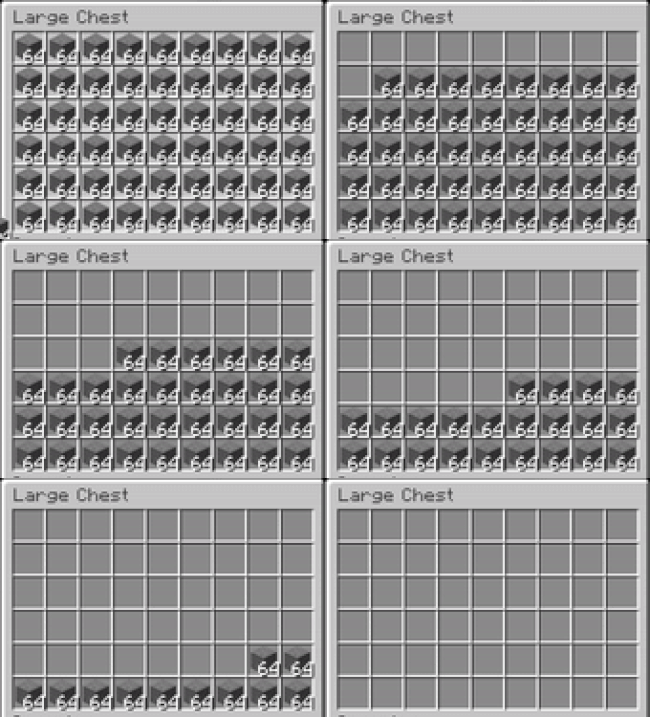
This displays the chance of skipping a hopper with speeds between 1 and 4. Soul Torches displaying the skipped hoppers
Lithium Users
If you encounter issues with the Transfer Amount and you are also using Lithium you will need to disable the Hopper fixes to use the different amounts however the speed should work just fine.
To disable, locate your games Config Folder and add mixin.block.hopper=false to the lithium.properties file. (this is done for you in v2.0.0+)
Transfer Amounts can break many functions
Using Transfer Amounts above 1 will break many functions, this includes mainly Auto-sorting systems.
Commands
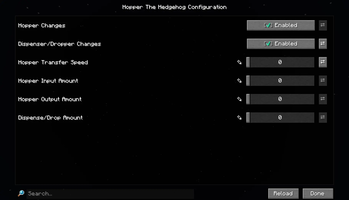
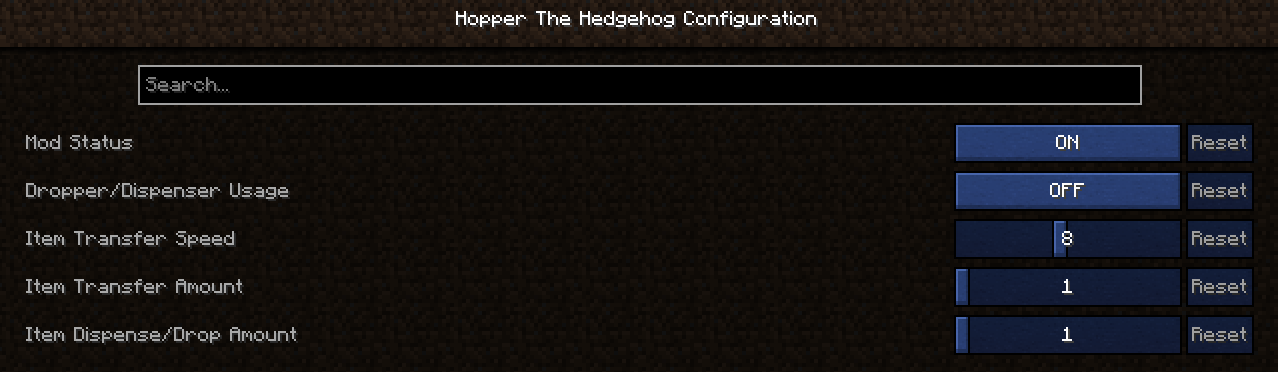
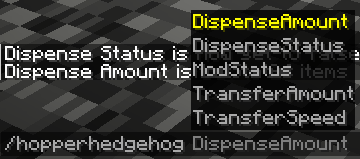
- You can adjust the Mod Settings using Mod Menu or by Commands
/hopperhedgehog HopperFunctions [true/false]
/hopperhedgehog DispenseFunctions [true/false]
/hopperhedgehog DispenseAmount [1-64]
/hopperhedgehog TransferAmount in [1-64]/hopperhedgehog TransferAmount out [1-64]
/hopperhedgehog TransferSpeed [1-16]
This mod was requested by Shadowstone
Feel free to use this mod in other modpacks but keep the download within the Modrinth Ecosystem and do not reupload
Other Mods




Available Versions
How to Install Hopper The Hedgehog (Faster Hoppers/Dispensers) on Your Server
Order Server
Order a Minecraft Java server with at least 3 GB RAM (4 GB recommended).
Set fabric Loader
In the panel under "Egg", select the fabric loader and matching Minecraft version (26.1.2).
Install Mod
Open the mod browser in the dashboard and search for "Hopper The Hedgehog (Faster Hoppers/Dispensers)". Click "Install" – done! Alternatively, upload the .jar via SFTP to the /mods folder.
Compatibility
Mod Loaders
Minecraft Versions
26.1.2, 26.1.1, 26.1 (+24 more)
Server-side
✓ RequiredRecommended RAM
4 GB(min. 3 GB)Frequently Asked Questions
Hopper The Hedgehog (Faster Hoppers/Dispensers) server crashes on startup – what to do?
Most common cause: wrong fabric version or insufficient RAM. Check the server log (latest.log) for "OutOfMemoryError" or "Mixin" errors. With Mado Hosting: ensure at least 3 GB RAM is allocated and the loader matches the mod version (26.1.2). You can switch loaders with one click in the panel.
Is Hopper The Hedgehog (Faster Hoppers/Dispensers) compatible with fabric?
Hopper The Hedgehog (Faster Hoppers/Dispensers) officially supports fabric for Minecraft 26.1.2, 26.1.1, 26.1. The Mado dashboard automatically detects incompatible loader combinations.
Server lagging with Hopper The Hedgehog (Faster Hoppers/Dispensers) – how to optimize performance?
Recommended RAM: 4 GB (per 8 players). Use /spark profiler to check if Hopper The Hedgehog (Faster Hoppers/Dispensers) consumes the most tick time. Common fixes: reduce server view-distance to 8-10, install "performant" or "starlight" as supplementary mods on Forge. With Mado Hosting, your server runs on NVMe SSDs with dedicated CPU cores for minimal latency.
Similar Mods




Rent Modded Server
Install Hopper The Hedgehog (Faster Hoppers/Dispensers) with just one click on your server.