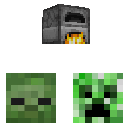
Hostile Mobs
Hostile mobs hear and attack blocks that are active
About this Mod
Hostile Mobs
This server side mod increases the hostility of mobs by making them detect "sounds" through walls such as open chests and lit furnaces.
Creeper will also blow up walls in order to get to and destroy these blocks, there's a long timer before they blow up and they make sounds in the mean while. If a creeper hears a block through a wall it will try a new path every 10 seconds after the default of 5 tries if will explode or else once a creeper is within a one block range of a targeted block it will explode in approximately 3 seconds.
It is worth noting that there's a setting to choose which days the mod should be activated. As default it is only active every 7 days which makes it more like an event on which you have to focus on defending your valuables or make sure that you don't light your furnaces.
If the Create mod is loaded mobs will also detects spinning components and they will flock toward them.
Here's a list of the configuration options that can be found in the hostilemobs.toml file within the configuration directory.
| Name | Value | Description |
|---|---|---|
| activeNthDay | Number | A number 3 means that this behavior will only be active every 3rd day |
| triesBeforeBlowingUp | Number | Relevant for creepers, a try triggers everytime it tries finding a new path to a block, if it stays in the same area for N amount of times it will explode |
| detectionDistance | Number | At what range can mobs "hear" blocks through walls |
Available Versions
How to Install Hostile Mobs on Your Server
Order Server
Order a Minecraft Java server with at least 3 GB RAM (4 GB recommended).
Set fabric Loader
In the panel under "Egg", select the fabric loader and matching Minecraft version (1.20.1).
Install Mod
Open the mod browser in the dashboard and search for "Hostile Mobs". Click "Install" – done! Alternatively, upload the .jar via SFTP to the /mods folder.
Compatibility
Mod Loaders
Minecraft Versions
1.20.1
Server-side
✓ RequiredRecommended RAM
4 GB(min. 3 GB)Frequently Asked Questions
Hostile Mobs server crashes on startup – what to do?
Most common cause: wrong fabric version or insufficient RAM. Check the server log (latest.log) for "OutOfMemoryError" or "Mixin" errors. With Mado Hosting: ensure at least 3 GB RAM is allocated and the loader matches the mod version (1.20.1). You can switch loaders with one click in the panel.
Is Hostile Mobs compatible with fabric?
Hostile Mobs officially supports fabric for Minecraft 1.20.1. The Mado dashboard automatically detects incompatible loader combinations.
Server lagging with Hostile Mobs – how to optimize performance?
Recommended RAM: 4 GB (per 8 players). Use /spark profiler to check if Hostile Mobs consumes the most tick time. Common fixes: reduce server view-distance to 8-10, install "performant" or "starlight" as supplementary mods on Forge. With Mado Hosting, your server runs on NVMe SSDs with dedicated CPU cores for minimal latency.
Similar Mods




Rent Modded Server
Install Hostile Mobs with just one click on your server.