Hotswap
Quick-swap your hotbar with the first inventory row (V), or cycle through three pre-arranged loadouts stored in rows 1-3 (B). Setup once, switch instantly.
Screenshots
About this Mod
Hotswap turns the three rows of your main inventory into three preset hotbars. Pre-arrange them once - mining tools in row 1, combat gear in row 2, food and utilities in row 3 - and switch between them with a single keypress instead of dragging items around mid-fight.
Controls
- V - swap your current hotbar with row 1 of the inventory (toggle: press again to swap back).
- B - cycle the hotbar through rows 1 -> 2 -> 3 -> 1 -> ... each press swaps the hotbar with the next stored loadout.
A subtle action-bar message confirms each swap so you always know which setup you're on.
How it works
Hotswap performs real inventory clicks under the hood (ClientPlayerInteractionManager.clickSlot), the same way you'd swap items by hand - just faster. No server-side mod required, no protocol changes, no item duplication. Items that are identical in both rows are skipped to keep the operation snappy.
Example workflow
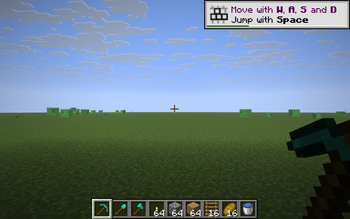
- Row 1 - pickaxe, shovel, axe, torches, cobblestone (the mining kit).
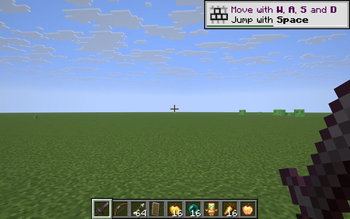
- Row 2 - sword, bow, arrows, shield, food, totem (the combat kit).
- Row 3 - wheat, bone meal, seeds, beds, lantern (the farming kit).
Tap V to flip to mining instantly. Tap B twice to jump straight to farming. Your previous hotbar slides safely into the row it came from.
Compatibility
Works on Minecraft 1.21.8, 1.21.9, 1.21.10, and 1.21.11 (Fabric Loader 0.16+). One JAR for all four versions.
- Pure client-side - install only on your client, works on any vanilla server.
- Keys are read via raw GLFW polling, so no rebind UI is needed and the mod stays cross-version.
- Won't trigger while a text field is focused (chat / sign / anvil etc.).
Why
Vanilla's swap-with-offhand (F) only moves a single item. Mods that auto-sort the inventory rearrange but don't preserve intent. Hotswap respects the layout you set up and lets you switch contexts with the speed of a number-key press.
Available Versions
How to Install Hotswap on Your Server
Order Server
Order a Minecraft Java server with at least 3 GB RAM (4 GB recommended).
Set fabric Loader
In the panel under "Egg", select the fabric loader and matching Minecraft version (1.21.11).
Install Mod
Open the mod browser in the dashboard and search for "Hotswap". Click "Install" – done! Alternatively, upload the .jar via SFTP to the /mods folder.
Compatibility
Mod Loaders
Minecraft Versions
1.21.11, 1.21.10, 1.21.9 (+1 more)
Server-side
✗ UnsupportedRecommended RAM
4 GB(min. 3 GB)Frequently Asked Questions
Hotswap server crashes on startup – what to do?
Most common cause: wrong fabric version or insufficient RAM. Check the server log (latest.log) for "OutOfMemoryError" or "Mixin" errors. With Mado Hosting: ensure at least 3 GB RAM is allocated and the loader matches the mod version (1.21.11). You can switch loaders with one click in the panel.
Is Hotswap compatible with fabric?
Hotswap officially supports fabric for Minecraft 1.21.11, 1.21.10, 1.21.9. The Mado dashboard automatically detects incompatible loader combinations.
Server lagging with Hotswap – how to optimize performance?
Recommended RAM: 4 GB (per 8 players). Use /spark profiler to check if Hotswap consumes the most tick time. Common fixes: reduce server view-distance to 8-10, install "performant" or "starlight" as supplementary mods on Forge. With Mado Hosting, your server runs on NVMe SSDs with dedicated CPU cores for minimal latency.
Similar Mods




![[ETF] Entity Texture Features](https://cdn.modrinth.com/data/BVzZfTc1/af683d206d50b05258d865b0d6e4aa2f2cee12f2_96.webp)
![[EMF] Entity Model Features](https://cdn.modrinth.com/data/4I1XuqiY/6e5bbd0d06b1741bfdab6c0cfab6de8fdaf0064c_96.webp)
Rent Modded Server
Install Hotswap with just one click on your server.