
Hovering Hotbar
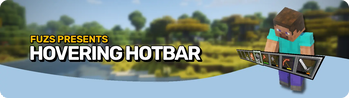
Makes your hotbar seemingly float in place by shifting it a few pixels upward.
Screenshots
About this Mod
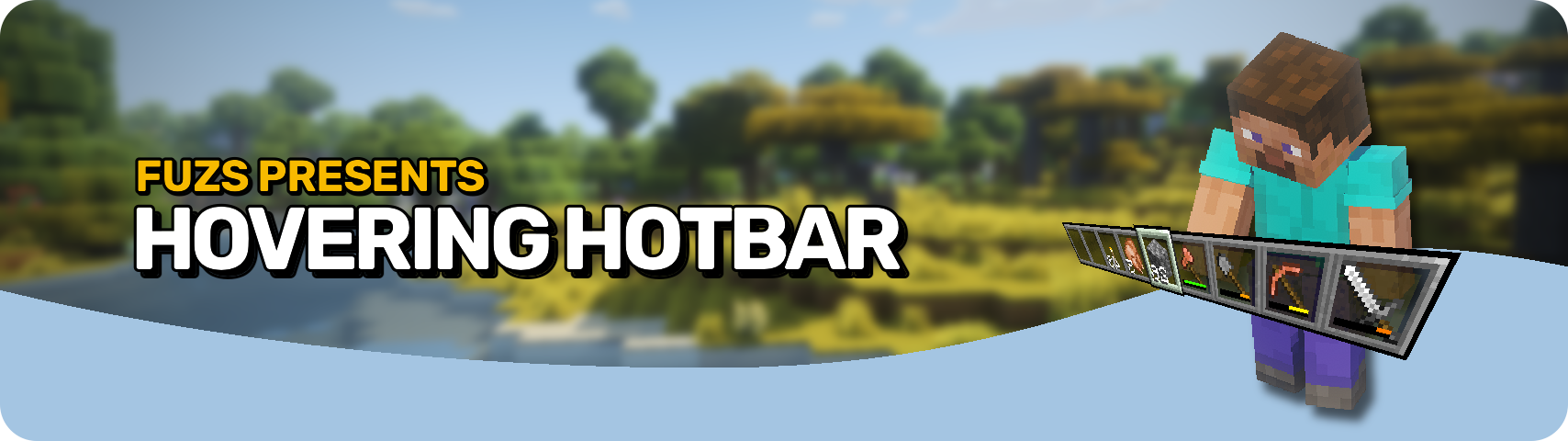








Hovering Hotbar brings the elevated hotbar style from Bedrock Edition and Legacy Console Edition to Java Edition. 🎮
By moving the hotbar away from the bottom edge of the screen, it appears to float in place, creating a cleaner and more modern HUD layout. This also allows the full selection highlight to be rendered instead of being partially cut off by the screen border. ✨
The hotbar offset is fully configurable, letting you position it exactly where you want it. To complete the console-inspired look, the experience level display can also be moved above the experience bar. ⚙️

- 🎮 Console-Inspired Layout: Recreates the elevated hotbar style found in Bedrock Edition and Legacy Console Edition.
- ✨ Floating Hotbar Appearance: Moves the hotbar away from the bottom screen edge, making it appear to hover in place.
- 🖼️ Fully Visible Selection Highlight: Allows the complete hotbar selection sprite to render instead of being partially cut off by the screen border.
- 🎛️ Adjustable Positioning: Freely configure the hotbar offset to create your preferred HUD layout.
- 📈 Improved Experience Display: Optionally moves the experience level indicator above the experience bar, matching the console-style interface.
- 🔧 Mod Compatibility: Supports shifting additional modded hotbar overlays together with the hotbar.


⏩ INSTALLATION REQUIRED ON CLIENT
⏩ REQUIRES PUZZLES LIB TO BE INSTALLED (FABRIC & NEOFORGE)
⏩ REQUIRES FABRIC API TO BE INSTALLED (FABRIC)
⏩ REQUIRES FORGE CONFIG API PORT TO BE INSTALLED (FABRIC)

If available for a mod, configuration is possible directly from in-game using the mod menu (requires Mod Menu by Prospector to be installed on Fabric).
For manual configuration using an external text editor all files are found at .minecraft/config, named as MOD_ID-client.toml, MOD_ID-common.toml, or MOD_ID-server.toml, depending on the type of config. Not all types might exist for a mod, if any at all.

Available Versions
How to Install Hovering Hotbar on Your Server
Order Server
Order a Minecraft Java server with at least 3 GB RAM (4 GB recommended).
Set fabric Loader
In the panel under "Egg", select the fabric loader and matching Minecraft version (26.1.2).
Install Mod
Open the mod browser in the dashboard and search for "Hovering Hotbar". Click "Install" – done! Alternatively, upload the .jar via SFTP to the /mods folder.
Compatibility
Mod Loaders
Minecraft Versions
26.1.2, 26.1.1, 26.1
Server-side
✗ UnsupportedRecommended RAM
4 GB(min. 3 GB)Frequently Asked Questions
Hovering Hotbar server crashes on startup – what to do?
Most common cause: wrong fabric version or insufficient RAM. Check the server log (latest.log) for "OutOfMemoryError" or "Mixin" errors. With Mado Hosting: ensure at least 3 GB RAM is allocated and the loader matches the mod version (26.1.2). You can switch loaders with one click in the panel.
Is Hovering Hotbar compatible with fabric and neoforge?
Hovering Hotbar officially supports fabric, neoforge for Minecraft 26.1.2, 26.1.1, 26.1. The Mado dashboard automatically detects incompatible loader combinations.
Server lagging with Hovering Hotbar – how to optimize performance?
Recommended RAM: 4 GB (per 8 players). Use /spark profiler to check if Hovering Hotbar consumes the most tick time. Common fixes: reduce server view-distance to 8-10, install "performant" or "starlight" as supplementary mods on Forge. With Mado Hosting, your server runs on NVMe SSDs with dedicated CPU cores for minimal latency.
Similar Mods




![[ETF] Entity Texture Features](https://cdn.modrinth.com/data/BVzZfTc1/af683d206d50b05258d865b0d6e4aa2f2cee12f2_96.webp)
![[EMF] Entity Model Features](https://cdn.modrinth.com/data/4I1XuqiY/6e5bbd0d06b1741bfdab6c0cfab6de8fdaf0064c_96.webp)
Rent Modded Server
Install Hovering Hotbar with just one click on your server.