
HrdaTools
Useful Commands for Servers and Scripted SMPs
Screenshots
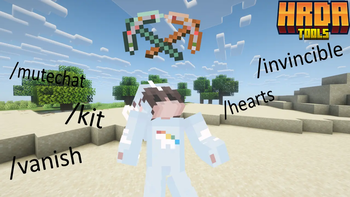
About this Mod
HrdaTools

HrdaTools is a versatile utility plugin designed for SMP servers and content creators who need advanced control over their world, items, and player interactions. Originally inspired by the "Unstable SMP" style of gameplay, it offers a unique mix of administration tools and immersive features.
 (https://www.neyhost.com/?ref=HRDA)
✨ Key Features
👤 Player Management & Stealth
/vanish– Become completely invisible. This hides you from the world, removes you from the TAB list, blocks your name from Tab-Complete, and sends a fake "left the game" message to others./hearts <player> <amount>– Set a player's maximum health (e.g.,/hearts Hrda 10for 10 hearts)./invincible [player]– Toggle a special "Fake Immortality" mode. Players stay at 0.5 hearts and cannot die from standard damage./invsee <player> [armor]– Peek into any player's inventory. Use thearmorargument to open a protected preview of their equipment and off-hand./ec [player]– Access your own or someone else's Ender Chest./freeze <player> [time]– Freezes or Unfreezes specific player.
📦 Kit System
/kit save <name>– Save your current inventory (including armor and off-hand) as a kit./kit gui- Opens GUI with all kits and their previews/kit <name> <player|all>– Give a saved kit to a specific player or everyone online./kit delete <name>– Remove a kit from the database.
⚔️ Item & Enchantment Overdrive
/enchant <target> <enchantment> <level>– Apply any enchantment up to level 255. Bypass all standard limits! Supports selectors (@a,@p,@s,@r)./durability <value>– Precisely set the durability of the item in your hand./book <sign|unsign|author|title>– Advanced book editing. Change authors, revert signed books to editable drafts, or change titles with color support.
🔊 Immersive Proximity System
- Proximity Messages – Join, quit, and death messages are only shown to players within a certain range (configurable).
- Death Effects – Adds a visual lightning bolt (no damage) and optional Wither spawn sound at the player's death location.
/proximity– Quickly toggle the proximity system on or off.
🛡️ Server Administration
/mutechat– Instantly lock the chat for everyone except players with bypass permissions./toggletab– Instantly shows/hides player names in the TAB list for ultimate anonymity./clearall [survival|creative|adventure|offline|permission]– Clears inventory (including armor and off-hand) for specified players or based on their gamemode/permissions. Useofflineto wipe all player data files./kickall [survival|creative|adventure|permission] [reason]– Kicks all specified players from the server with an optional custom reason./banall [survival|creative|adventure|permission] [reason]– Permanently bans all specified players and kicks them from the server./hrdatools reload– Reload the configuration file without restarting the server.
⚙️ Configuration
The plugin comes with a config.yml that allows you to customize:
- Proximity distance (default: 50 blocks).
- Toggle for proximity chat features.
- Toggle for death sound effects and lightning summons.
- Kit storage and management in
kits.db
🔑 Permissions
hrdatools.admin– Access to all commands (default: OP).hrdatools.mutechat.bypass– Ability to speak when chat is muted.hrdatools.kickall.bypass- Bypass for/kickall permissionhrdatools.banall.bypass- Bypass for/banall permissionhrdatools.clearall.bypass- Bypass for/clearall permission
Placeholders
For working placeholders you need to have PAPI Installed.
%hrdatools_chat_muted%- Shows if chat is muted or not.%hrdatools_is_frozen%- Shows if you are frozen or not.%hrdatools_is_vanished%- Shows if you are vanished or not.%hrdatools_is_invincible%- Shows if you have invinciblity on or off.
Contact
If you have any problems with the plugin, just message me on my Discord server: https://dsc.gg/hrda-plugins
Thanks for downloading!
Available Versions
How to Install HrdaTools on Your Server
Order Server
Order a Minecraft Java server with at least 3 GB RAM (4 GB recommended).
Set bukkit Loader
In the panel under "Egg", select the bukkit loader and matching Minecraft version (26.1.2).
Install Mod
Open the mod browser in the dashboard and search for "HrdaTools". Click "Install" – done! Alternatively, upload the .jar via SFTP to the /mods folder.
Compatibility
Mod Loaders
Minecraft Versions
26.1.2, 26.1.1, 26.1 (+12 more)
Server-side
✗ UnsupportedRecommended RAM
4 GB(min. 3 GB)Frequently Asked Questions
HrdaTools server crashes on startup – what to do?
Most common cause: wrong bukkit version or insufficient RAM. Check the server log (latest.log) for "OutOfMemoryError" or "Mixin" errors. With Mado Hosting: ensure at least 3 GB RAM is allocated and the loader matches the mod version (26.1.2). You can switch loaders with one click in the panel.
Is HrdaTools compatible with bukkit and fabric and paper and purpur and spigot?
HrdaTools officially supports bukkit, fabric, paper, purpur, spigot for Minecraft 26.1.2, 26.1.1, 26.1. The Mado dashboard automatically detects incompatible loader combinations.
Server lagging with HrdaTools – how to optimize performance?
Recommended RAM: 4 GB (per 8 players). Use /spark profiler to check if HrdaTools consumes the most tick time. Common fixes: reduce server view-distance to 8-10, install "performant" or "starlight" as supplementary mods on Forge. With Mado Hosting, your server runs on NVMe SSDs with dedicated CPU cores for minimal latency.
Similar Mods




Rent Modded Server
Install HrdaTools with just one click on your server.