
HighTide's Hypixel SkyBlock Commands Forge
A mod for Hypixel Skyblock that adds a bunch of useful clientside commands to the game.
Screenshots
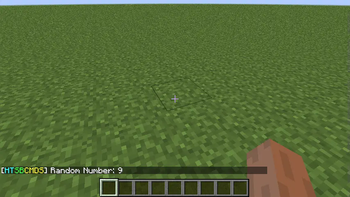
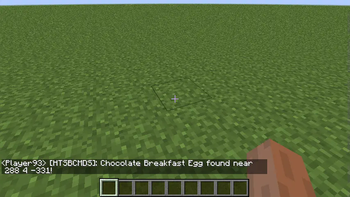
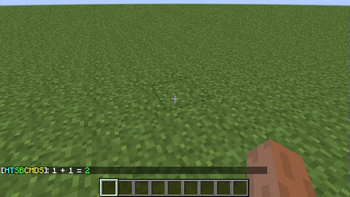
About this Mod
HighTide's Hypixel SkyBlock Commands
HighTide's Hypixel Skyblock Commands is a clientside mod for Minecraft (specifically for Hypixel) that adds a bunch of useful commands for skyblock. The commands that this mod adds are all legal to use in the server and the mod itself is completely in compliance with Hypixel's TOS and guidelines. Right now the mod is in very early development so very little of all the features planned are in this build.
Hy Scammer API
HighTide's Hypixel Skyblock Commands uses its own API that allows users to check if others have been reported for scamming in Hypixel. This is external and can be accessed VIA commands in-game.
Hypixel skyblock itself doesn't do a great job at helping players learn about items and info about an item which is where this mod comes in. This mod is almost like a guide, it can help you when you get stuck or at least thats the goal of this mod.
In the future, I plan on adding many features like a /whatdoido type command or a command that you can use if you don't know about something or your next steps in progression. Hopefully this mod becomes something extremely helpful someday.
If things don't work as expected, please contact me via my Discord server linked to this page as it will really help with the development of the mod.
For some more info on the mod, you can check out the gallery tab for some images of the mod doing its work :D
Original Mod
This version of the mod is an official port to work with forge 1.8.9. A lot of the features are missing from this version with the hope of everything being the same in the future. If you want access to all the available features. Please check out the original mod via the link below.
ORIGINAL MOD
Available Versions
How to Install HighTide's Hypixel SkyBlock Commands Forge on Your Server
Order Server
Order a Minecraft Java server with at least 3 GB RAM (4 GB recommended).
Set forge Loader
In the panel under "Egg", select the forge loader and matching Minecraft version (1.8.9).
Install Mod
Open the mod browser in the dashboard and search for "HighTide's Hypixel SkyBlock Commands Forge". Click "Install" – done! Alternatively, upload the .jar via SFTP to the /mods folder.
Compatibility
Mod Loaders
Minecraft Versions
1.8.9
Server-side
✗ UnsupportedRecommended RAM
4 GB(min. 3 GB)Frequently Asked Questions
HighTide's Hypixel SkyBlock Commands Forge server crashes on startup – what to do?
Most common cause: wrong forge version or insufficient RAM. Check the server log (latest.log) for "OutOfMemoryError" or "Mixin" errors. With Mado Hosting: ensure at least 3 GB RAM is allocated and the loader matches the mod version (1.8.9). You can switch loaders with one click in the panel.
Is HighTide's Hypixel SkyBlock Commands Forge compatible with forge?
HighTide's Hypixel SkyBlock Commands Forge officially supports forge for Minecraft 1.8.9. The Mado dashboard automatically detects incompatible loader combinations.
Server lagging with HighTide's Hypixel SkyBlock Commands Forge – how to optimize performance?
Recommended RAM: 4 GB (per 8 players). Use /spark profiler to check if HighTide's Hypixel SkyBlock Commands Forge consumes the most tick time. Common fixes: reduce server view-distance to 8-10, install "performant" or "starlight" as supplementary mods on Forge. With Mado Hosting, your server runs on NVMe SSDs with dedicated CPU cores for minimal latency.
Similar Mods




Rent Modded Server
Install HighTide's Hypixel SkyBlock Commands Forge with just one click on your server.