
Hunger Plus
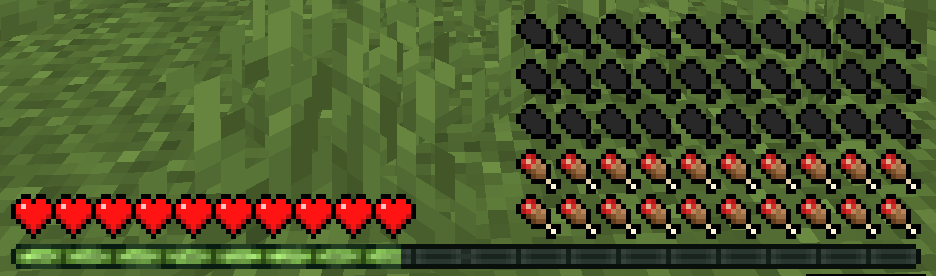
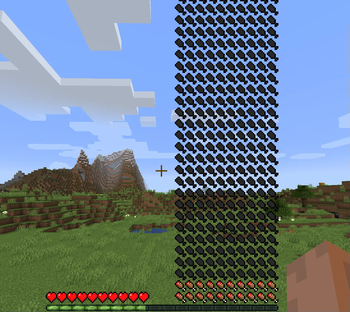
Breakthrough the maximum limit of vanilla hunger value!Can be larger or smaller than vanilla limit.
Screenshots



About this Mod
This is a modified mod of the Vanilla, breaking through the maximum hunger limit of the Vanilla! Can be larger or smaller than the Vanilla. Also provides commands and configuration files for setup.

Two items have been added: "eatable dirt" and "big stomach potion". The former can be obtained by decomposing a single piece of soil, and eating it will remove two points of your maximum hunger value; drinking the latter will increase your maximum hunger value.
The newly added command "/hunger" can modify the maximum hunger value, minimum healing hunger value, hunger value, and saturation value, and their values can also be get by it
For example, "/hunger setMaxFoodLevel @a 40 true" sets the current maximum hunger value of all players to 40 and does not reset it to the default value after death.
In the configuration file "hunger_plus-common.toml" under the "config" file, you can modify the default maximum hunger value and minimum heal hunger value.
这是一款对原版修改的模组,突破了原版饥饿值的最大上限!可以比原版更大或更小。也提供指令和配置文件去设置。
添加了两种物品:“食用土”和“大胃药水”。前者可以通过单个泥土分解获得,食用将扣除自己的两点最大饥饿值;后者饮用将增加自己的最大饥饿值。
新添加了指令“/hunger”,可以修改最大饥饿值、最小治愈饥饿值、饥饿值、饱和值并且也可以通过指令获取相应的值。
比如“/hunger setMaxFoodLevel @a 40 true”该指令设置当前所有玩家的最大饥饿值为40并且死后不重置为默认值。
在“config”文件下的配置文件“hunger_plus-common.toml”,可以修改默认的最大饥饿值和最小治愈饥饿值


Available Versions
How to Install Hunger Plus on Your Server
Order Server
Order a Minecraft Java server with at least 3 GB RAM (4 GB recommended).
Set forge Loader
In the panel under "Egg", select the forge loader and matching Minecraft version (1.16.5).
Install Mod
Open the mod browser in the dashboard and search for "Hunger Plus". Click "Install" – done! Alternatively, upload the .jar via SFTP to the /mods folder.
Compatibility
Mod Loaders
Minecraft Versions
1.16.5
Server-side
✓ RequiredRecommended RAM
4 GB(min. 3 GB)Frequently Asked Questions
Hunger Plus server crashes on startup – what to do?
Most common cause: wrong forge version or insufficient RAM. Check the server log (latest.log) for "OutOfMemoryError" or "Mixin" errors. With Mado Hosting: ensure at least 3 GB RAM is allocated and the loader matches the mod version (1.16.5). You can switch loaders with one click in the panel.
Is Hunger Plus compatible with forge?
Hunger Plus officially supports forge for Minecraft 1.16.5. The Mado dashboard automatically detects incompatible loader combinations.
Server lagging with Hunger Plus – how to optimize performance?
Recommended RAM: 4 GB (per 8 players). Use /spark profiler to check if Hunger Plus consumes the most tick time. Common fixes: reduce server view-distance to 8-10, install "performant" or "starlight" as supplementary mods on Forge. With Mado Hosting, your server runs on NVMe SSDs with dedicated CPU cores for minimal latency.
Similar Mods




Rent Modded Server
Install Hunger Plus with just one click on your server.