
Hyperbox
Adds a box that's bigger on the inside than it is on the outside
Screenshots
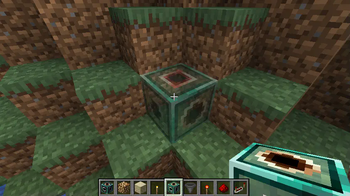
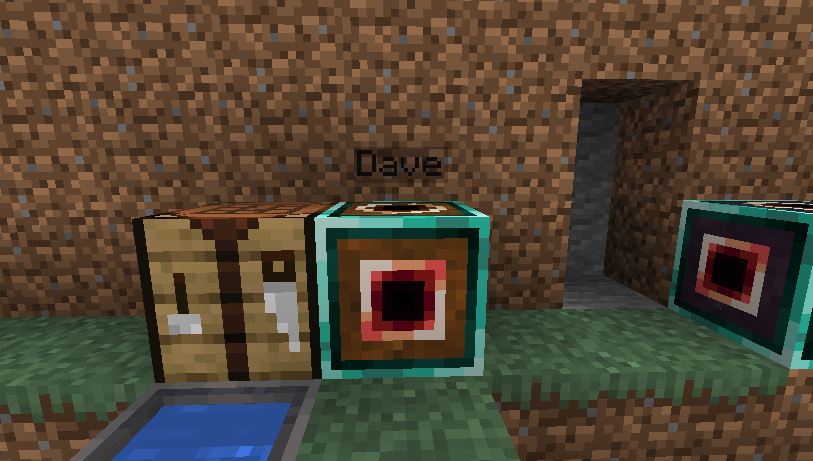
About this Mod
The Hyperbox block acts as a portal to another dimension. Each hyperbox has its own dimension stored within; should the block be mined and placed somewhere else, the dimension will remain linked to that block.
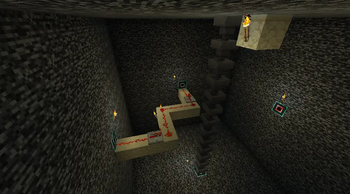
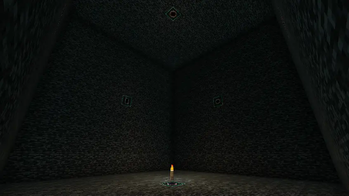
Activating the block sends the player inside this dimension; within the block's dimension are apertures on the walls, which can be activated to return to the overworld.
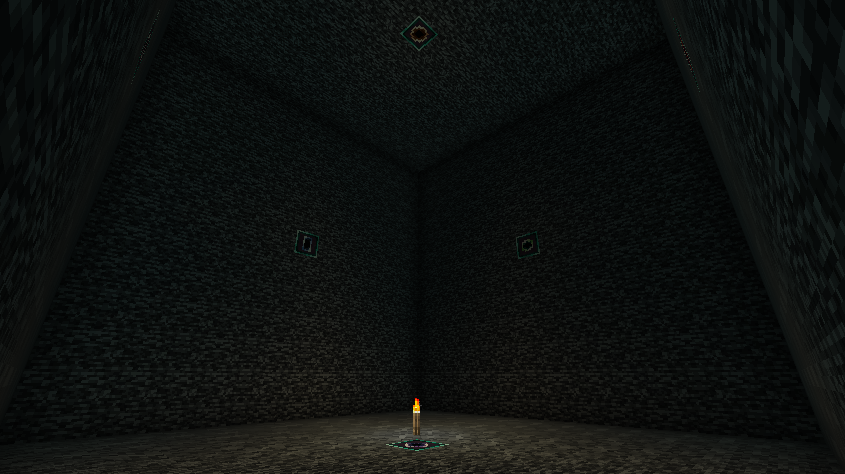
The apertures transmit redstone power and forge capabilities (such as items being inserted or extracted from hoppers) between the inside and the outside faces of the box, allowing large machines to be constructed in tiny spaces.
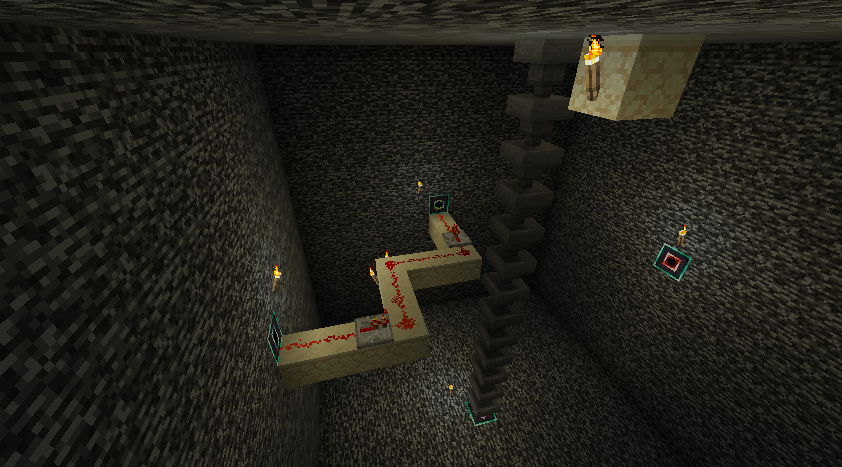
The hyperbox is intended to be compatible with anything from other mods that uses standard redstone power or forge's capability system.

Technical details:
The hyperbox world's chunk is a single chunk at chunk position 0,0. The size of the space useable by the player is 13x13x13, excluding the walls.
World borders are not currently supported, as worldborders currently occupy the same size and positions in all dimensions simultaneously. Creating a world border far from the 0,0 chunk may make hyperboxes unuseable until the world border is removed.
The single chunk within the hyperbox dimension will remain loaded while the chunk containing the hyperbox block is loaded. This can be disabled via the common config.
Hyperbox worlds will be unloaded and stop ticking if their parent block is removed; the world will be loaded again when the block is placed again.
To reduce the file size of hyperbox worlds, only the single primary chunk of hyperbox worlds is saved to disk.
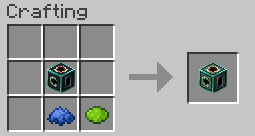
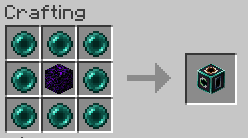
The default recipes are viewable in the "Images" link at the top of this page.
If a copy of an existing hyperbox is made (such as by using the creative mode ctrl-pickblock to copy block entity data into a blockitem), using this hyperbox blockitem will move the original hyperbox to the new location rather than place a new one; this prevents two hyperbox blocks from being linked to the same dimension.
Available Versions
How to Install Hyperbox on Your Server
Order Server
Order a Minecraft Java server with at least 3 GB RAM (4 GB recommended).
Set forge Loader
In the panel under "Egg", select the forge loader and matching Minecraft version (1.20.4).
Install Mod
Open the mod browser in the dashboard and search for "Hyperbox". Click "Install" – done! Alternatively, upload the .jar via SFTP to the /mods folder.
Compatibility
Mod Loaders
Minecraft Versions
1.20.4, 1.20.3, 1.20.2 (+1 more)
Server-side
✓ RequiredRecommended RAM
4 GB(min. 3 GB)Frequently Asked Questions
Hyperbox server crashes on startup – what to do?
Most common cause: wrong forge version or insufficient RAM. Check the server log (latest.log) for "OutOfMemoryError" or "Mixin" errors. With Mado Hosting: ensure at least 3 GB RAM is allocated and the loader matches the mod version (1.20.4). You can switch loaders with one click in the panel.
Is Hyperbox compatible with forge and neoforge?
Hyperbox officially supports forge, neoforge for Minecraft 1.20.4, 1.20.3, 1.20.2. The Mado dashboard automatically detects incompatible loader combinations.
Server lagging with Hyperbox – how to optimize performance?
Recommended RAM: 4 GB (per 8 players). Use /spark profiler to check if Hyperbox consumes the most tick time. Common fixes: reduce server view-distance to 8-10, install "performant" or "starlight" as supplementary mods on Forge. With Mado Hosting, your server runs on NVMe SSDs with dedicated CPU cores for minimal latency.
Similar Mods





Rent Modded Server
Install Hyperbox with just one click on your server.