Hypercollider
A mod geared around optimizing collision performance
About this Mod
NOTE
Hypercollider's impact is unlikely to be noticed in standard gameplay.
It is optimizing for a relatively niche case, that only happens in modded games, and even then is relatively uncommon.
Lithium compat
Lithium is incompatible with hypercollider under default configs.
However, the hypercollider configuration file comes with comments on what to do to make them work with eachother.
I do recommend using lithium with hypercollider.
Client-sided?
Hypercollider makes optimizations to both server and client side logic. I have not tested hypercollider on a vanilla/actual server, so I do not know how anticheats will respond to it.
Here be dragons; an anticheat may be able to flag it.
About
Hypercollider is a mod designed specifically to optimize Minecraft's collision logic
It may change behavior, but for the most part it shouldn't be noticeable
Hypercollider is meant to optimize for large scale entities, such as a 64x scale player with pehkui
Funnily enough, achievements are a massive part of player collision lag, so I actually had to optimize some achievement logic in order to get the game to perform well.
Hypercollider is still early in development, and I know I still have stuff to optimize.
Performance Graphs
The screenshots below are for a 64x scale player.
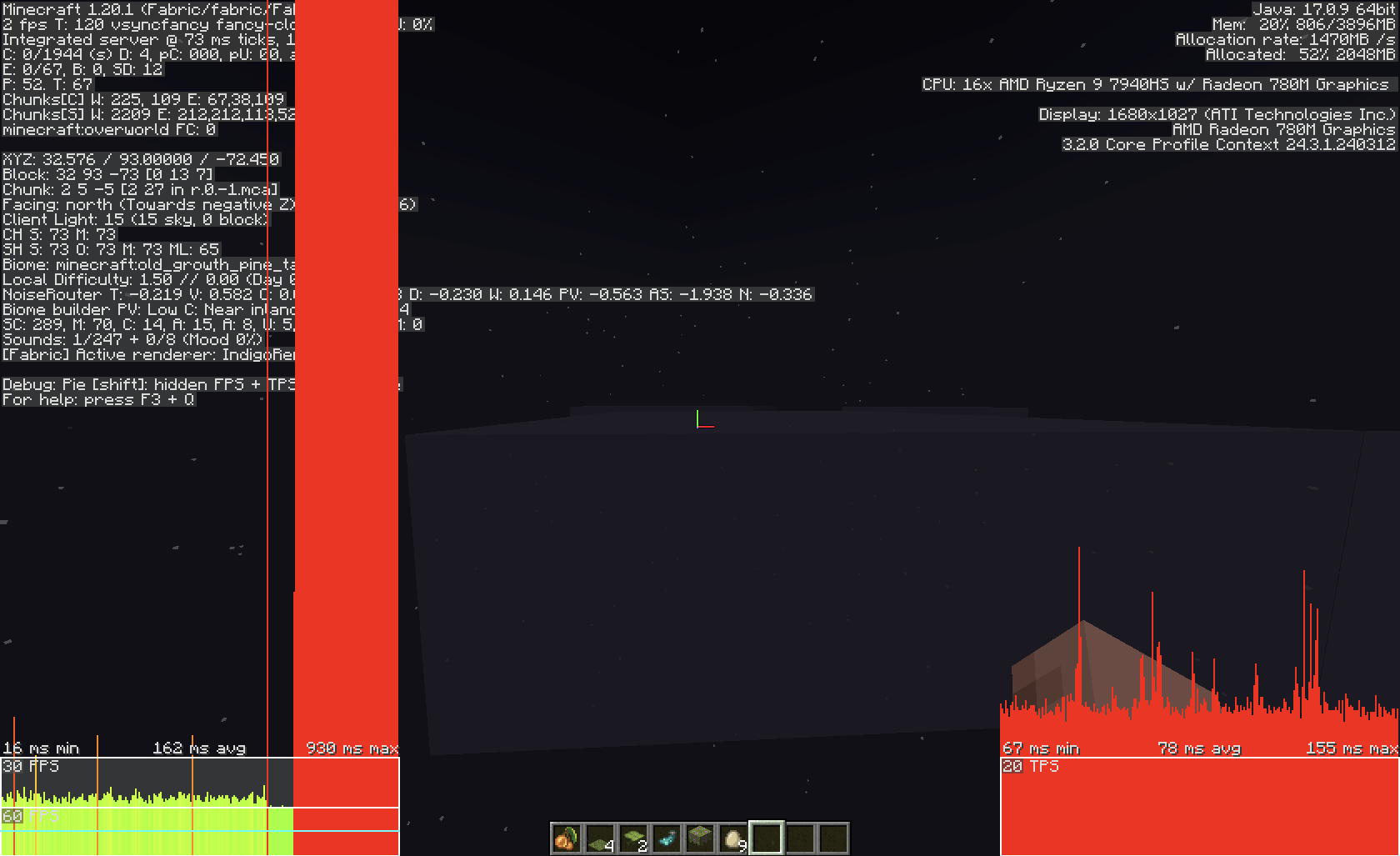
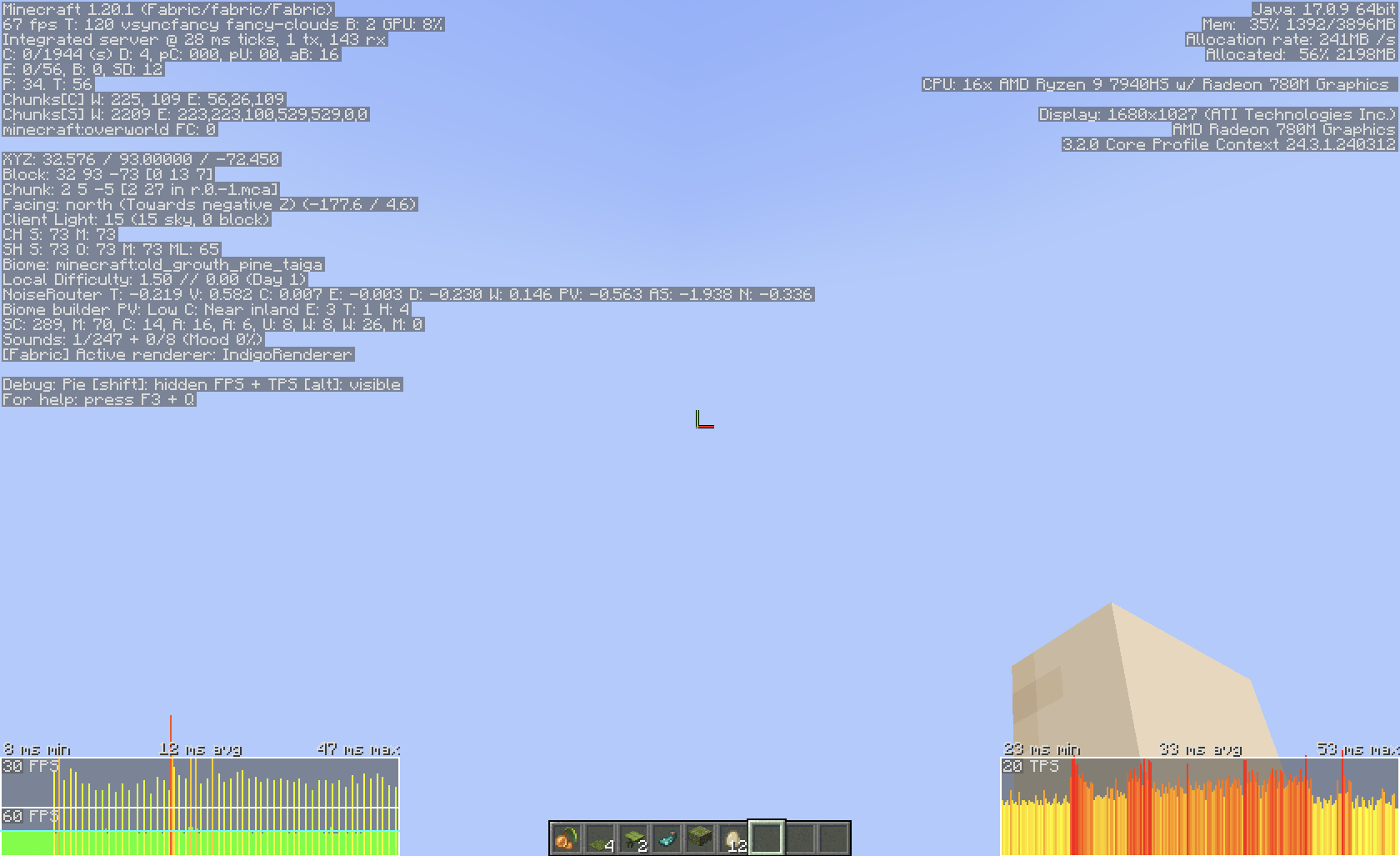
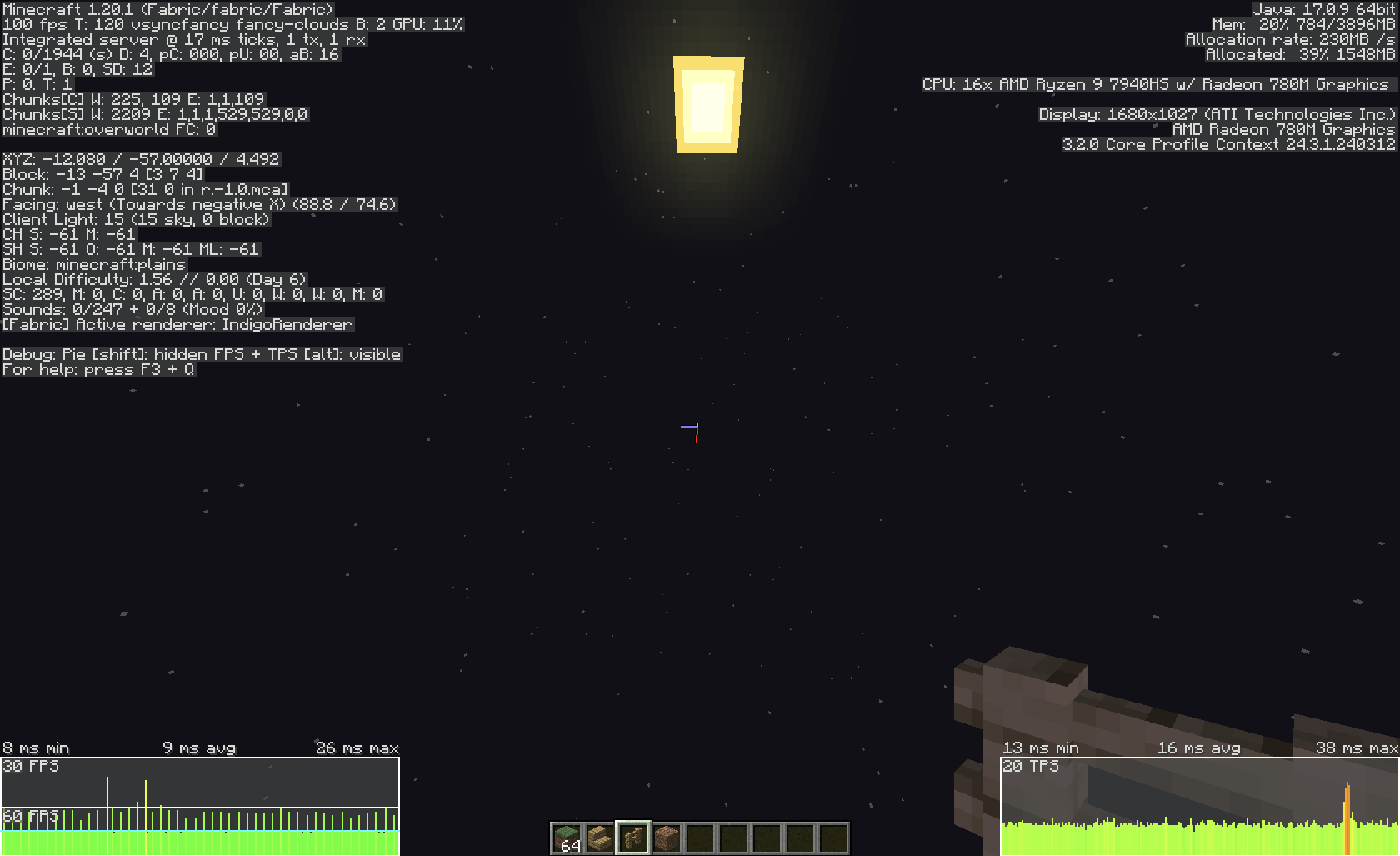
The reason I'm not including lithium on its own, is because it seems to have done so little on its own that I'm not even actually confident I had it installed.
Available Versions
How to Install Hypercollider on Your Server
Order Server
Order a Minecraft Java server with at least 3 GB RAM (4 GB recommended).
Set fabric Loader
In the panel under "Egg", select the fabric loader and matching Minecraft version (1.20.1).
Install Mod
Open the mod browser in the dashboard and search for "Hypercollider". Click "Install" – done! Alternatively, upload the .jar via SFTP to the /mods folder.
Compatibility
Mod Loaders
Minecraft Versions
1.20.1
Server-side
✓ RequiredRecommended RAM
4 GB(min. 3 GB)Frequently Asked Questions
Hypercollider server crashes on startup – what to do?
Most common cause: wrong fabric version or insufficient RAM. Check the server log (latest.log) for "OutOfMemoryError" or "Mixin" errors. With Mado Hosting: ensure at least 3 GB RAM is allocated and the loader matches the mod version (1.20.1). You can switch loaders with one click in the panel.
Is Hypercollider compatible with fabric?
Hypercollider officially supports fabric for Minecraft 1.20.1. The Mado dashboard automatically detects incompatible loader combinations.
Server lagging with Hypercollider – how to optimize performance?
Recommended RAM: 4 GB (per 8 players). Use /spark profiler to check if Hypercollider consumes the most tick time. Common fixes: reduce server view-distance to 8-10, install "performant" or "starlight" as supplementary mods on Forge. With Mado Hosting, your server runs on NVMe SSDs with dedicated CPU cores for minimal latency.
Similar Mods


Rent Modded Server
Install Hypercollider with just one click on your server.