
ImageFrame Client
Complementary client mod for servers with ImageFrame to display HD and full color images!
About this Mod
About
This is the complementary client mod for players on servers using the plugin ImageFrame*! Having this mod enables you to see image maps in their native resolution and in full colors!
*Subject to the preconditions and requirements below.
Preconditions & Requirements
For Players:
- Main features work with static images only (not GIFs)
- Support is subject to the version of ImageFrame installed on the server
- Depends on whether the server disabled the client mod support feature
- Some features only work with newly created images
When in doubt, ask your server admins.
For Server Admins:
Currently, there are some limitations with the main features of the mod
- Main features work with static images only (not GIFs)
- Server must be running ImageFrame version 1.8.7.1 or above
- Check that the feature is not disabled on the server
- Full color works with existing images but native resolution only works with newly created images
Features
1. Native Resolution and Full Color
Just look at this comparison with and without the mod, no explaination needed.
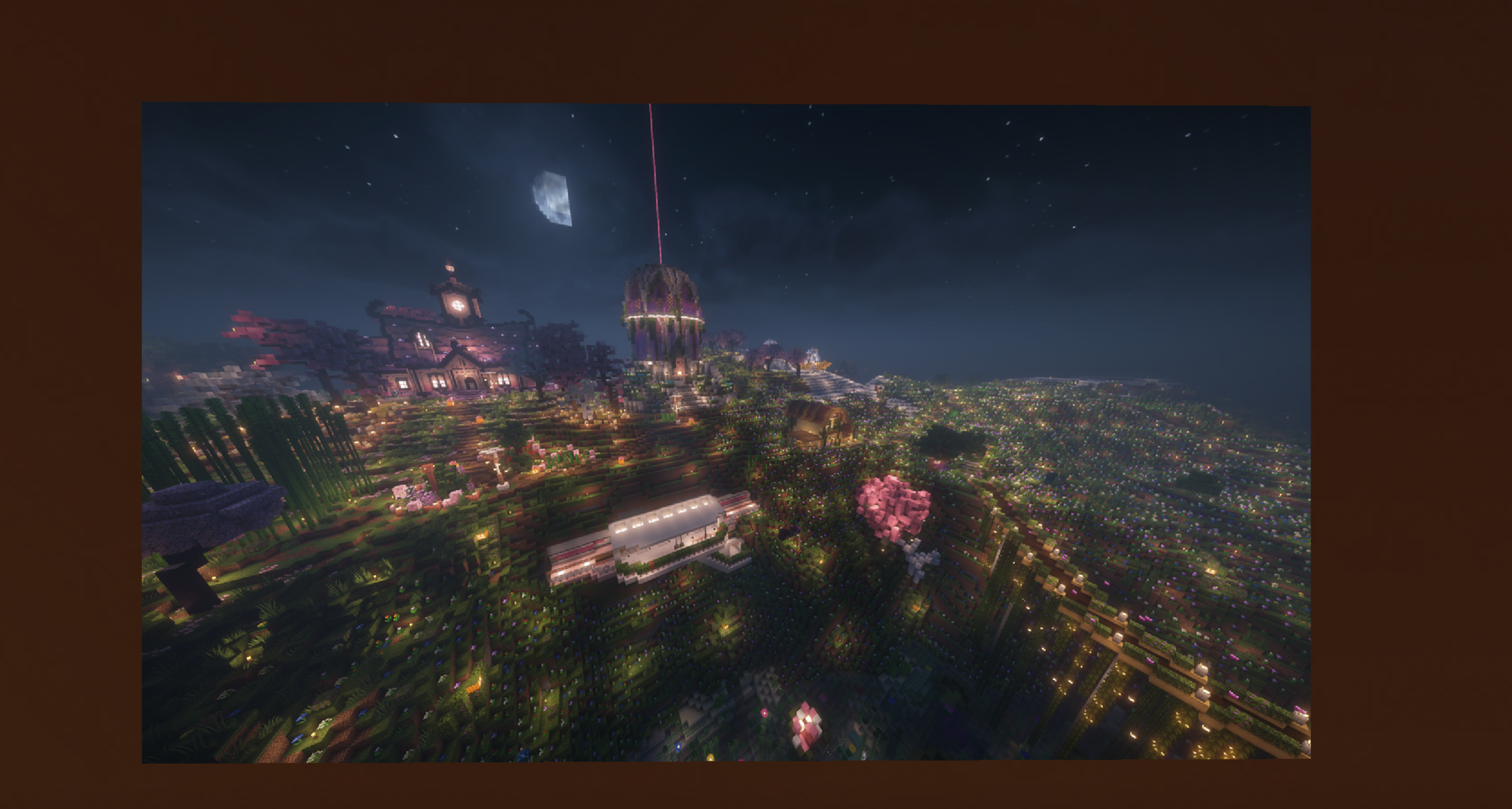
^With the mod
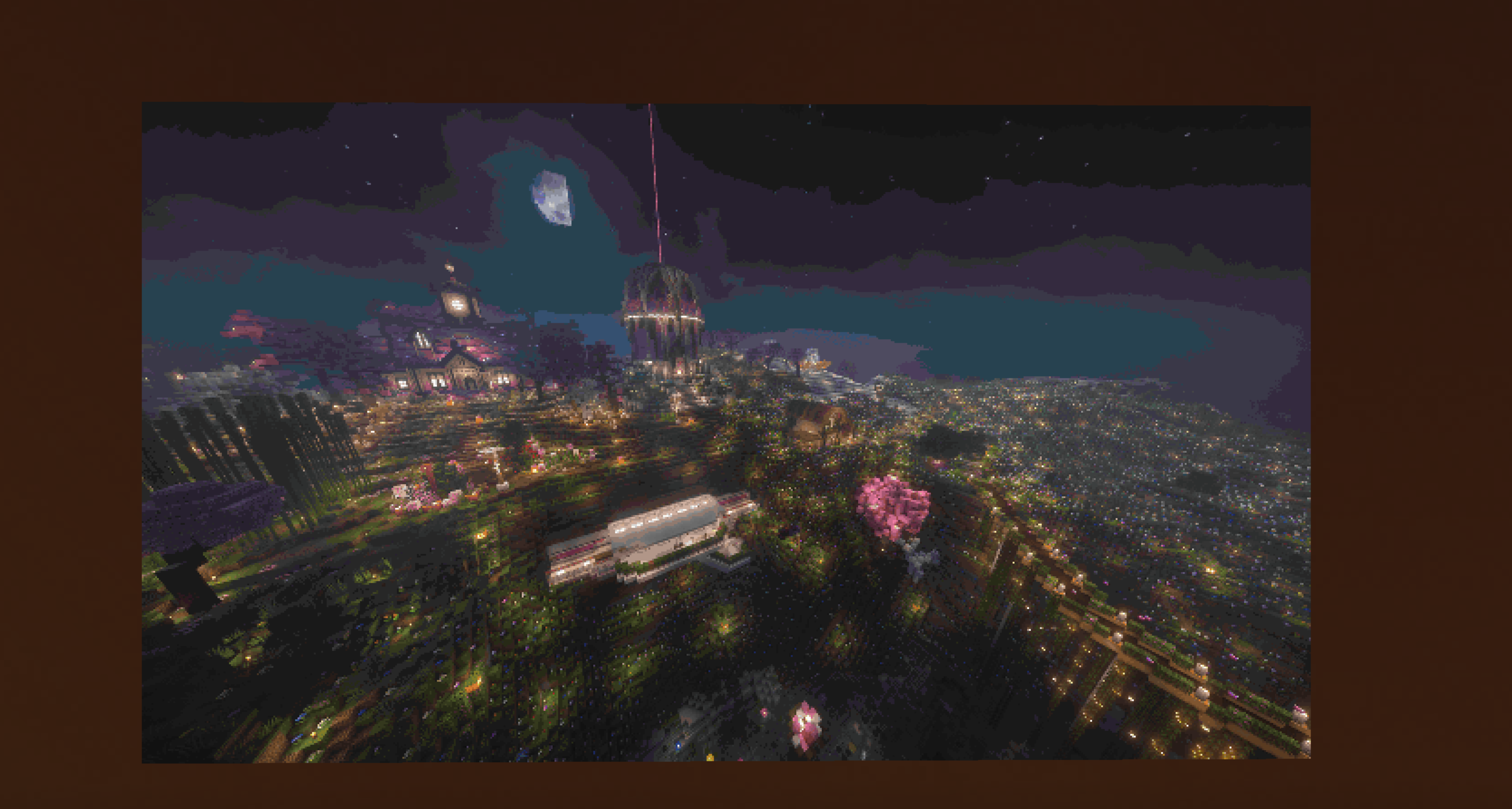
^Without the mod
Also works for maps while holding in hand!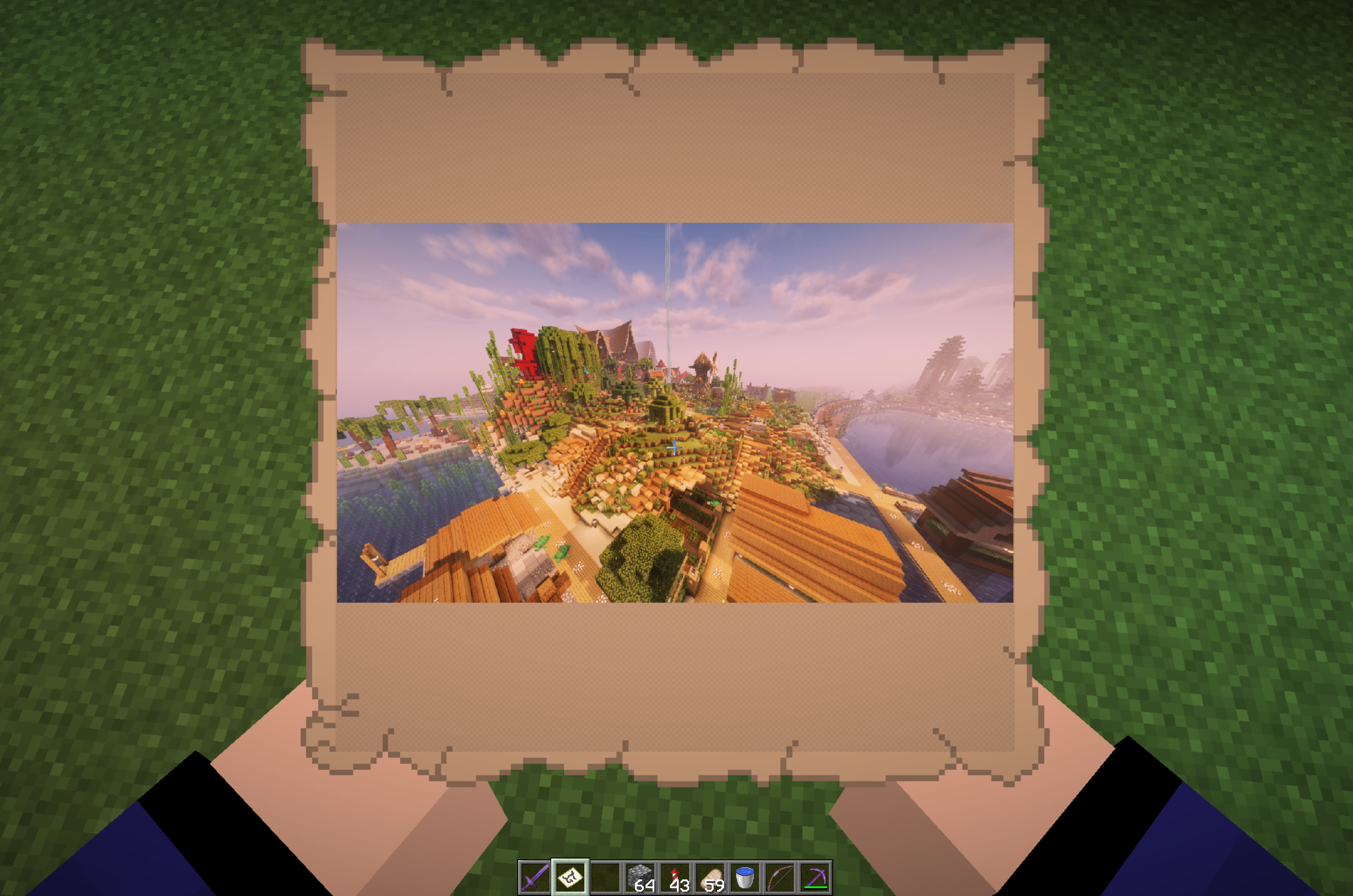
2. Tooltip Preview
Preview maps and combined images in tooltips!
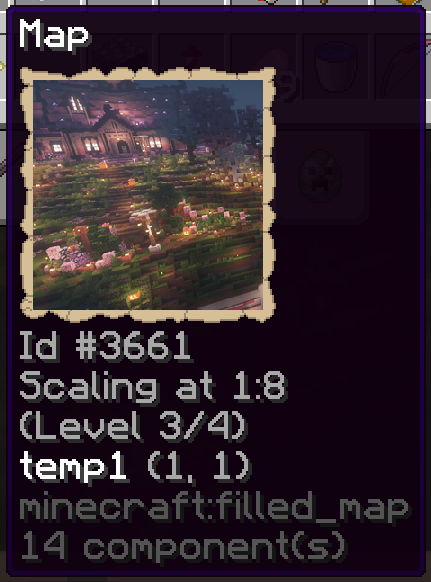
^Tooltip for filled maps (Also works for vanilla maps)
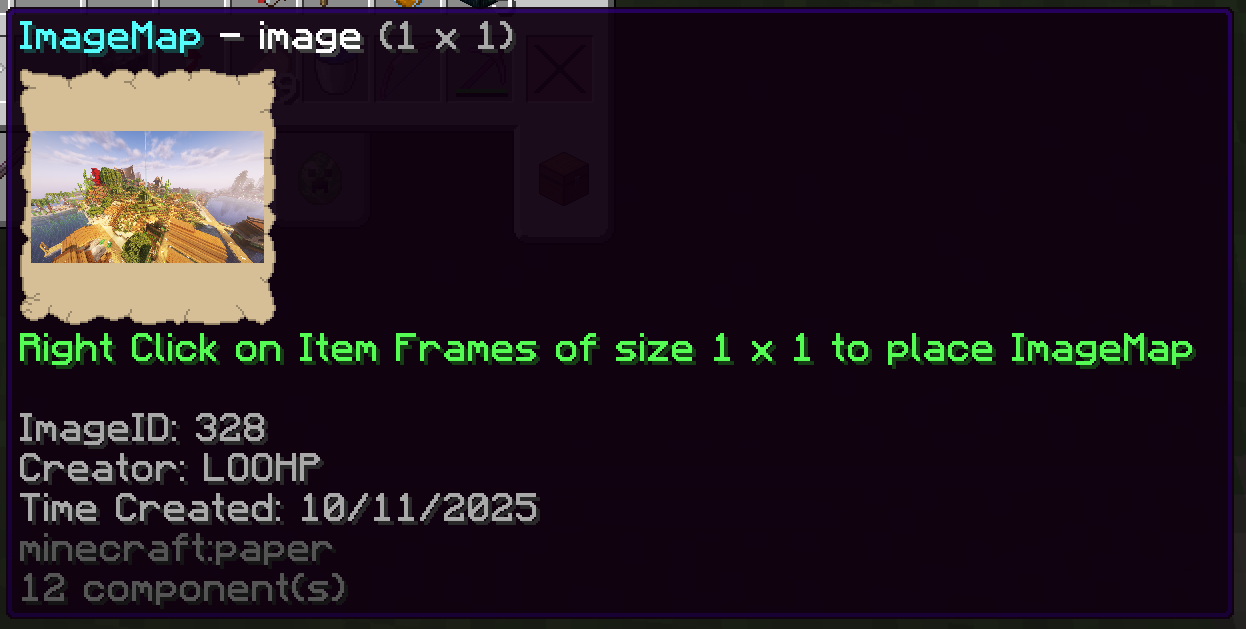
^Tooltip for combined images (The piece of enchanted paper you get)
3. Customization
The above features can be enabled or disabled via Mod Menu.
Showcase Server
Want a server to try this mod in?
IP: mc.loohpjames.com

Contribution
If other developers are interested in using this mod on other Minecraft versions or mod loaders, you are welcome to help port this. Would really appreciate it!
Available Versions
How to Install ImageFrame Client on Your Server
Order Server
Order a Minecraft Java server with at least 3 GB RAM (4 GB recommended).
Set fabric Loader
In the panel under "Egg", select the fabric loader and matching Minecraft version (26.1.2).
Install Mod
Open the mod browser in the dashboard and search for "ImageFrame Client". Click "Install" – done! Alternatively, upload the .jar via SFTP to the /mods folder.
Compatibility
Mod Loaders
Minecraft Versions
26.1.2, 26.1.1, 26.1 (+4 more)
Server-side
✗ UnsupportedRecommended RAM
4 GB(min. 3 GB)Frequently Asked Questions
ImageFrame Client server crashes on startup – what to do?
Most common cause: wrong fabric version or insufficient RAM. Check the server log (latest.log) for "OutOfMemoryError" or "Mixin" errors. With Mado Hosting: ensure at least 3 GB RAM is allocated and the loader matches the mod version (26.1.2). You can switch loaders with one click in the panel.
Is ImageFrame Client compatible with fabric and quilt?
ImageFrame Client officially supports fabric, quilt for Minecraft 26.1.2, 26.1.1, 26.1. The Mado dashboard automatically detects incompatible loader combinations.
Server lagging with ImageFrame Client – how to optimize performance?
Recommended RAM: 4 GB (per 8 players). Use /spark profiler to check if ImageFrame Client consumes the most tick time. Common fixes: reduce server view-distance to 8-10, install "performant" or "starlight" as supplementary mods on Forge. With Mado Hosting, your server runs on NVMe SSDs with dedicated CPU cores for minimal latency.
Similar Mods

![[ETF] Entity Texture Features](https://cdn.modrinth.com/data/BVzZfTc1/af683d206d50b05258d865b0d6e4aa2f2cee12f2_96.webp)
![[EMF] Entity Model Features](https://cdn.modrinth.com/data/4I1XuqiY/6e5bbd0d06b1741bfdab6c0cfab6de8fdaf0064c_96.webp)



Rent Modded Server
Install ImageFrame Client with just one click on your server.