Improved Sign Editing
🪵 Better sign editing functionality. Shift to the next and previous line during typing.
About this Mod


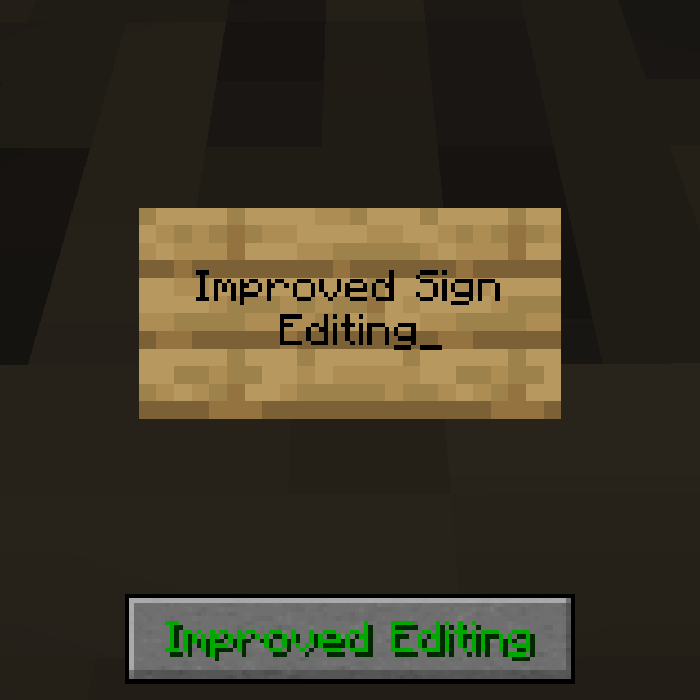
Improved Sign Editing is a client-side mod which adds some QoL changes to the process of writing text on signs in-game. Whenever text is typed on a sign, and the next word doesn't fit, it automatically shifts to the next line. No need for guessing whether the next part fits. Also works the other way around, when using backspace, it goes back to the previous line. Functionality can be toggled in the config or in-game via the button.


All available config options:
Show Spoiler
enableImprovedEditing default true
A global toggle whether the improved editing functionality should be enabled.
showImprovedEditingButton default true
Whether the Improved/Normal Editing button should be visible on the sign edit screen.

When typing the text on a sign, it automatically shifts to the next line when the current word doesn't fit:
Show Spoiler

Similarly, when using backspace, it goes to the previous line:
Show Spoiler

There is a button on the screen to enable/disable the improved editing for finer control. Can be disabled in the config:
Show Spoiler


You may freely use this mod in any modpack, as long as the download remains hosted within the CurseForge or Modrinth ecosystem.
Serilum.com contains an overview and more information on all mods available.
For issues, ideas, suggestions or anything else there is the Github repo. Thanks!
Available Versions
How to Install Improved Sign Editing on Your Server
Order Server
Order a Minecraft Java server with at least 3 GB RAM (4 GB recommended).
Set fabric Loader
In the panel under "Egg", select the fabric loader and matching Minecraft version (26.1.2).
Install Mod
Open the mod browser in the dashboard and search for "Improved Sign Editing". Click "Install" – done! Alternatively, upload the .jar via SFTP to the /mods folder.
Compatibility
Mod Loaders
Minecraft Versions
26.1.2, 26.1.1, 26.1 (+18 more)
Server-side
✗ UnsupportedRecommended RAM
4 GB(min. 3 GB)Frequently Asked Questions
Improved Sign Editing server crashes on startup – what to do?
Most common cause: wrong fabric version or insufficient RAM. Check the server log (latest.log) for "OutOfMemoryError" or "Mixin" errors. With Mado Hosting: ensure at least 3 GB RAM is allocated and the loader matches the mod version (26.1.2). You can switch loaders with one click in the panel.
Is Improved Sign Editing compatible with fabric and forge and neoforge and quilt?
Improved Sign Editing officially supports fabric, forge, neoforge, quilt for Minecraft 26.1.2, 26.1.1, 26.1. Note: Forge and Fabric mods are NOT cross-compatible – pick one loader and stick with it. The Mado dashboard automatically detects incompatible loader combinations.
Server lagging with Improved Sign Editing – how to optimize performance?
Recommended RAM: 4 GB (per 8 players). Use /spark profiler to check if Improved Sign Editing consumes the most tick time. Common fixes: reduce server view-distance to 8-10, install "performant" or "starlight" as supplementary mods on Forge. With Mado Hosting, your server runs on NVMe SSDs with dedicated CPU cores for minimal latency.
Similar Mods

![[ETF] Entity Texture Features](https://cdn.modrinth.com/data/BVzZfTc1/af683d206d50b05258d865b0d6e4aa2f2cee12f2_96.webp)
![[EMF] Entity Model Features](https://cdn.modrinth.com/data/4I1XuqiY/6e5bbd0d06b1741bfdab6c0cfab6de8fdaf0064c_96.webp)



Rent Modded Server
Install Improved Sign Editing with just one click on your server.