
Improved Sleep
Sleep skips, tuned to your server — custom thresholds, day and storm rules, and sleeper rewards.
Screenshots



About this Mod
Improved Sleep




Improved Sleep puts your server's night, storm, and nap rules exactly where you want them.
- Skip on your terms — a percentage or a fixed number of sleepers, not everyone.
- Night, day, and storms each get their own rules — separate thresholds and wake times.
- Reward the sleepers — optional buffs after a successful skip.
- Server-first — all the mechanics run on the server.
- Pairs with Sleep Wake-Up Notifier — add player-facing sleep progress and morning messages.
Features
Thresholds that fit your server
Choose a percentage threshold or a fixed sleeper count instead of requiring every eligible player in bed. This keeps larger servers moving without forcing full attendance every night.


Separate night, day, and thunderstorm rules
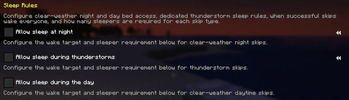
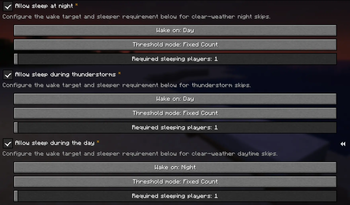
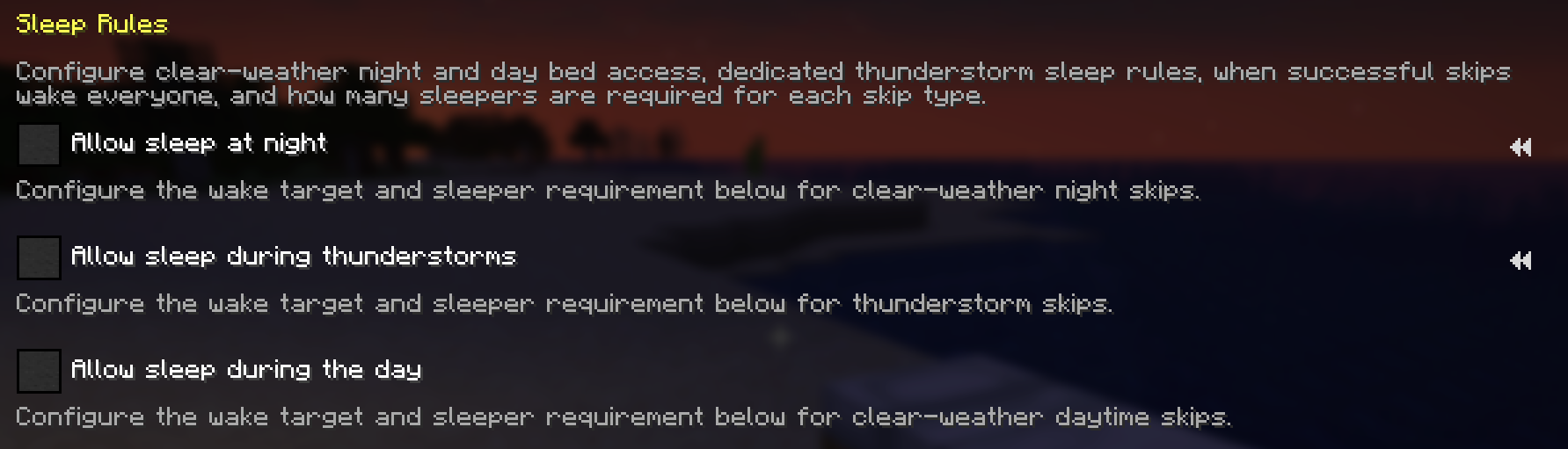
Keep normal nighttime sleeping, optionally allow daytime sleeping, decide whether thunderstorms can use beds, and give night, storm, and daytime skips their own thresholds and wake times.
Optional buffs for players who actually sleep
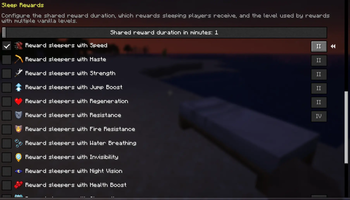
Sleepers can earn a configurable set of buffs after a successful sleep skip. Every buff is off by default, the shared duration is configurable, and effects with multiple vanilla levels keep a level setting that defaults to that effect's vanilla maximum.
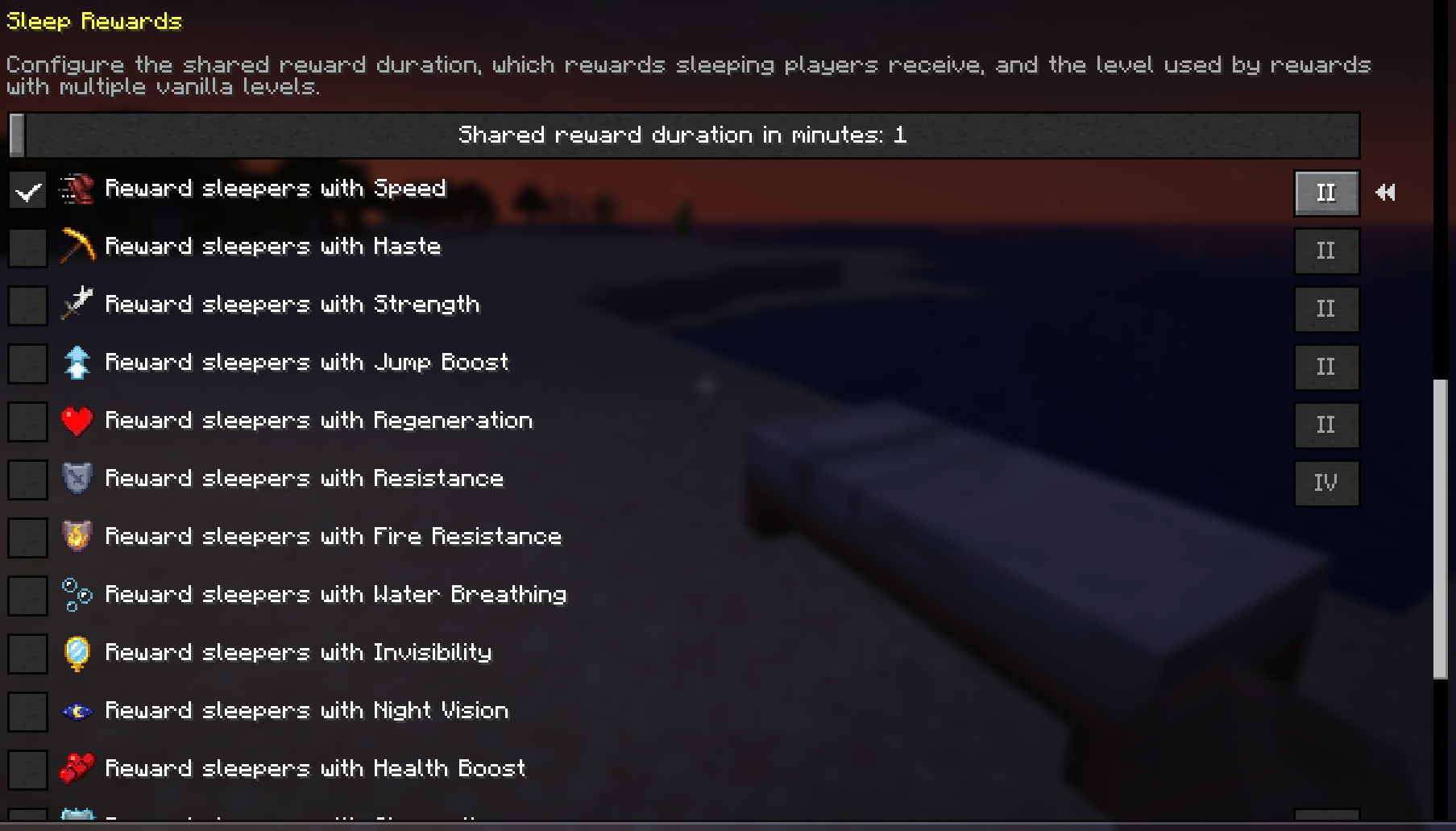
Server settings in Mod Menu
With Mod Menu installed, singleplayer worlds and permission-gated servers can edit the Server Config sleep rules, wake times, and sleep buff settings.

Quickstart
- Install Fabric Loader and Fabric API on your server.
- Drop Improved Sleep into the server's
mods/folder and start it. Your custom sleep rules apply right away — no client install required. - Set thresholds, wake times, and rewards in Mod Menu (Server Config needs operator permission) or in the config file below.
- Want players to see sleep progress and morning messages? Add Sleep Wake-Up Notifier — it picks up these thresholds automatically.
Compatibility
Improved Sleep is server-first and owns sleep mechanics only. Here is where each piece runs and what it needs.
- Dedicated server (required): custom night, thunderstorm, and daytime thresholds, wake times, and sleep rewards.
- Client (optional): Mod Menu Server Config access in singleplayer or on servers where you have operator permission.
- Required dependency: Fabric API, wherever the mod is installed.
- Optional dependency: Mod Menu on clients for permission-gated Server Config screens.
- Optional companion: Sleep Wake-Up Notifier for player-facing sleep progress action bars and chat summaries.
| Feature | Singleplayer | Multiplayer with server mod | Client-only install |
|---|---|---|---|
| Custom sleep thresholds | This world | Everyone follows the server threshold | Not available |
| Night, day, and thunderstorm rules | This world | Everyone follows the server sleep rules | Not available |
| Sleep buffs | Sleepers in this world | Sleepers on the server | Not available |
| Mod Menu Server Config | This world | Operator-permission edits | Not available |
Make it yours
Improved Sleep owns mechanics only. It changes sleep rules and sleep rewards; it does not send player-facing sleep action bars or chat summaries. Pair it with Sleep Wake-Up Notifier for those.
- Night, thunderstorm, and daytime threshold modes can each use a percentage of eligible players or a fixed player count.
- Thunderstorms have their own wake time and threshold instead of reusing the clear-weather day or night rules.
- Night, thunderstorm, and daytime skips can each wake players on the day or night marker.
- Fixed-count thresholds cap to the number of eligible non-spectator players in the Overworld.
- Sleep buffs apply only to players who are sleeping when a configured sleep skip succeeds.
- Rewards with multiple vanilla levels keep an inline level that cycles from I up to that effect's current vanilla maximum, with the maximum selected by default.
- In singleplayer, Server Config edits the local file. On remote servers, Server Config is editable only with operator permission.
- Missing or invalid JSON values fall back to the latest defaults and are rewritten automatically.
Config file
After first launch, edit config/improved-sleep.json. File edits need a game or server restart; Mod Menu changes apply immediately where editable.
Show the default improved-sleep.json
{
  "schema_version": 1,
  "server": {
    "enabled": true,
    "sleep_rules": {
      "night": {
        "allow_sleep": true,
        "wake_target": "day",
        "threshold": {
          "mode": "fixed_count",
          "percentage": 50,
          "fixed_count": 1
        }
      },
      "thunderstorm": {
        "allow_sleep": true,
        "wake_target": "day",
        "threshold": {
          "mode": "fixed_count",
          "percentage": 50,
          "fixed_count": 1
        }
      },
      "day": {
        "allow_sleep": false,
        "wake_target": "night",
        "threshold": {
          "mode": "fixed_count",
          "percentage": 50,
          "fixed_count": 1
        }
      }
    },
    "rewards": {
      "shared_duration_minutes": 1,
      "entries": {
        "speed": {
          "enabled": false
        },
        "haste": {
          "enabled": false
        },
        "strength": {
          "enabled": false
        },
        "jump_boost": {
          "enabled": false
        },
        "regeneration": {
          "enabled": false
        },
        "resistance": {
          "enabled": false
        },
        "fire_resistance": {
          "enabled": false
        },
        "water_breathing": {
          "enabled": false
        },
        "invisibility": {
          "enabled": false
        },
        "night_vision": {
          "enabled": false
        },
        "health_boost": {
          "enabled": false
        },
        "absorption": {
          "enabled": false
        },
        "luck": {
          "enabled": false
        },
        "slow_falling": {
          "enabled": false
        },
        "conduit_power": {
          "enabled": false
        },
        "dolphins_grace": {
          "enabled": false
        },
        "hero_of_the_village": {
          "enabled": false
        },
        "breath_of_the_nautilus": {
          "enabled": false
        }
      }
    }
  }
}
More from bearaujus
More server-first Fabric mods in the same family:
- Dimension Notifier — Never ask 'where are you?' again — live dimension cues in the action bar, chat, and Tab list.
- Death Respawn Notifier — Die less lost — death coordinates, respawn broadcasts, and a dead-player marker in the Tab list.
- Sleep Wake-Up Notifier — Watch the night skip in real time — sleep progress, bed messages, and morning broadcasts.
Support & license
Report issues at [email protected].
Improved Sleep is distributed under the Bearaujus Proprietary License v1.0. Full terms ship inside the downloaded jar as LICENSE.txt.
Improved Sleep is not official Minecraft content and is not endorsed by or associated with Mojang or Microsoft.
Available Versions
How to Install Improved Sleep on Your Server
Order Server
Order a Minecraft Java server with at least 3 GB RAM (4 GB recommended).
Set fabric Loader
In the panel under "Egg", select the fabric loader and matching Minecraft version (26.1.2).
Install Mod
Open the mod browser in the dashboard and search for "Improved Sleep". Click "Install" – done! Alternatively, upload the .jar via SFTP to the /mods folder.
Compatibility
Mod Loaders
Minecraft Versions
26.1.2
Server-side
✓ RequiredRecommended RAM
4 GB(min. 3 GB)Frequently Asked Questions
Improved Sleep server crashes on startup – what to do?
Most common cause: wrong fabric version or insufficient RAM. Check the server log (latest.log) for "OutOfMemoryError" or "Mixin" errors. With Mado Hosting: ensure at least 3 GB RAM is allocated and the loader matches the mod version (26.1.2). You can switch loaders with one click in the panel.
Is Improved Sleep compatible with fabric?
Improved Sleep officially supports fabric for Minecraft 26.1.2. The Mado dashboard automatically detects incompatible loader combinations.
Server lagging with Improved Sleep – how to optimize performance?
Recommended RAM: 4 GB (per 8 players). Use /spark profiler to check if Improved Sleep consumes the most tick time. Common fixes: reduce server view-distance to 8-10, install "performant" or "starlight" as supplementary mods on Forge. With Mado Hosting, your server runs on NVMe SSDs with dedicated CPU cores for minimal latency.
Similar Mods




Rent Modded Server
Install Improved Sleep with just one click on your server.