
ImproveMyMenus
A collection of small improvements to various aspects of Minecraft's menus.
Screenshots

About this Mod
A collection of small improvements to various aspects of Minecraft's menus.
Why?
My aim with this mod was to improve the user experience of Minecraft's menus
while preserving the Vanilla feel and look.
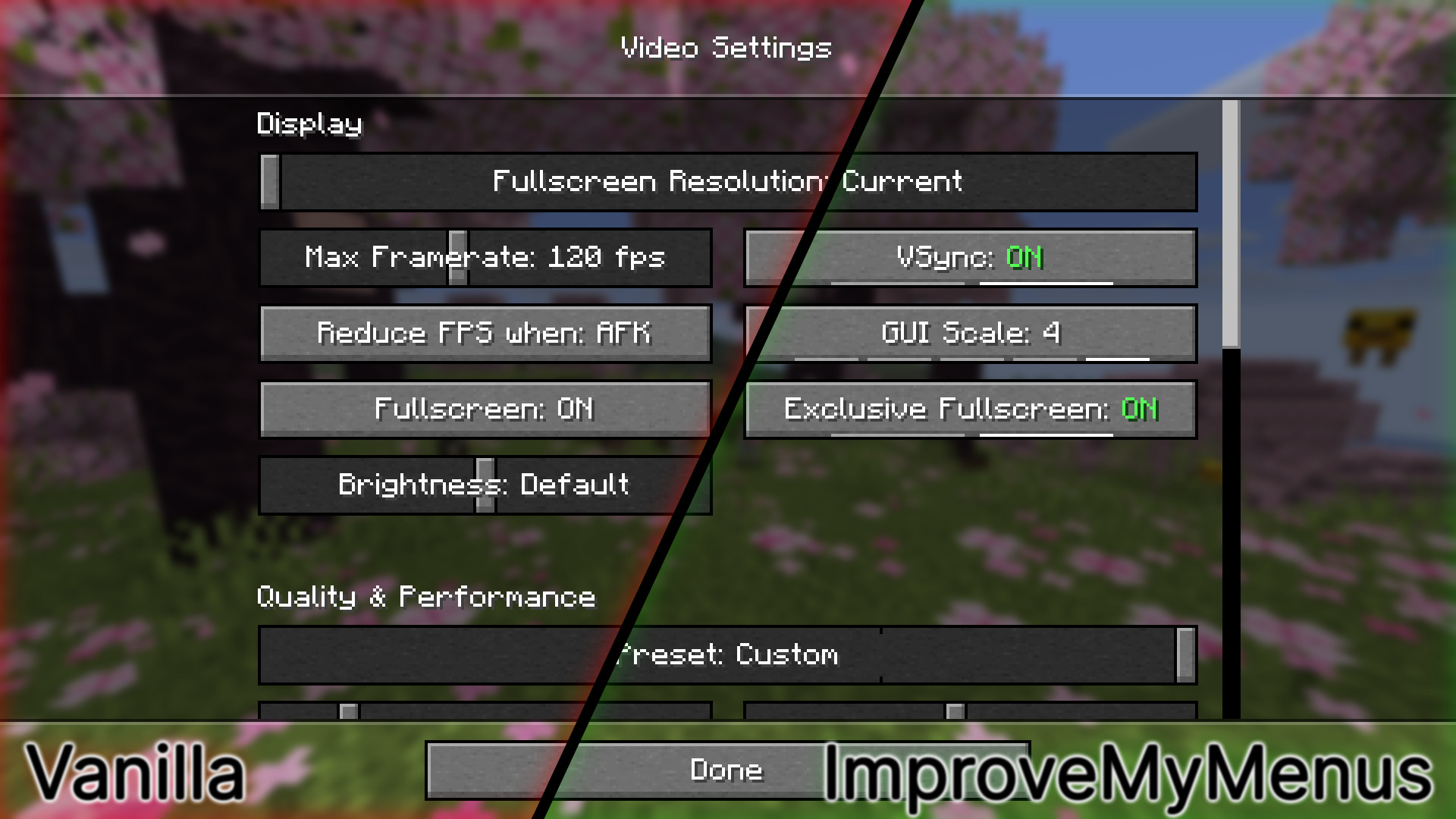
Most features added by this mod only slightly tweak Vanilla behavior to feel smoother and more responsive.
There are also some bigger additions like indicators, but I tried to avoid big changes away from Vanilla.
Finally, I also added the ability to customize some normally hard-coded key bindings.
Features
This mod contains a variety of features split into different categories.
Feel free to create a Feature Request if you want to request something new,
or alternatively you can create a Bug Report if something's broken.
Cycle Button
Indicators
These allow you to instantly gauge the number of possible options and
additionally provide a way to quickly navigate when pressed.

Colored On/Off text
Helps you to immediately recognize the value of an On/Off button.

Switches
Transforms buttons that only contain the word ON or OFF into simpler, more recognizable switches.

Sliders
Indicators
Sliders with few values will have indicators, helping you use them.

Snapping
Vanilla has a 600ms delay before snapping for some sliders.
ImproveMyMenus removes that delay making sliders feel more responsive.
| Comparison | |
|---|---|
| Vanilla |  |
| ImproveMyMenus |  |
Spacing
Vanilla leaves big gaps at the edges of sliders, which can act unintuitively.
| Comparison | |
|---|---|
| Vanilla |  |
| ImproveMyMenus |  |
Cursor
The cursor doesn't lose its arrow shape when dragging a slider or scrollbar outside its area.
Improved Debug Options
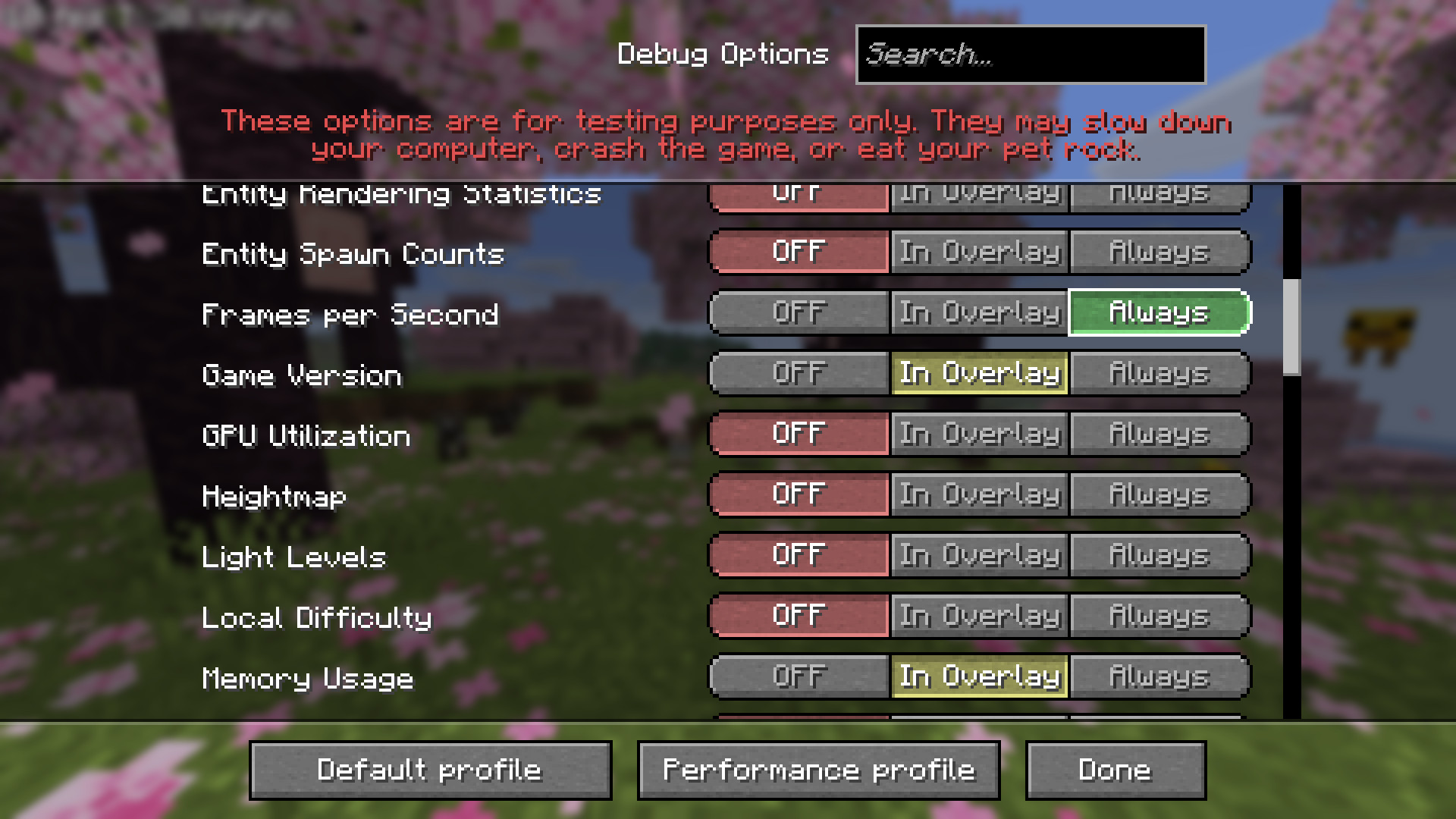
Added translations for debug options,
redesigned the tri-state toggle and
restores the previous screen upon closing the settings.
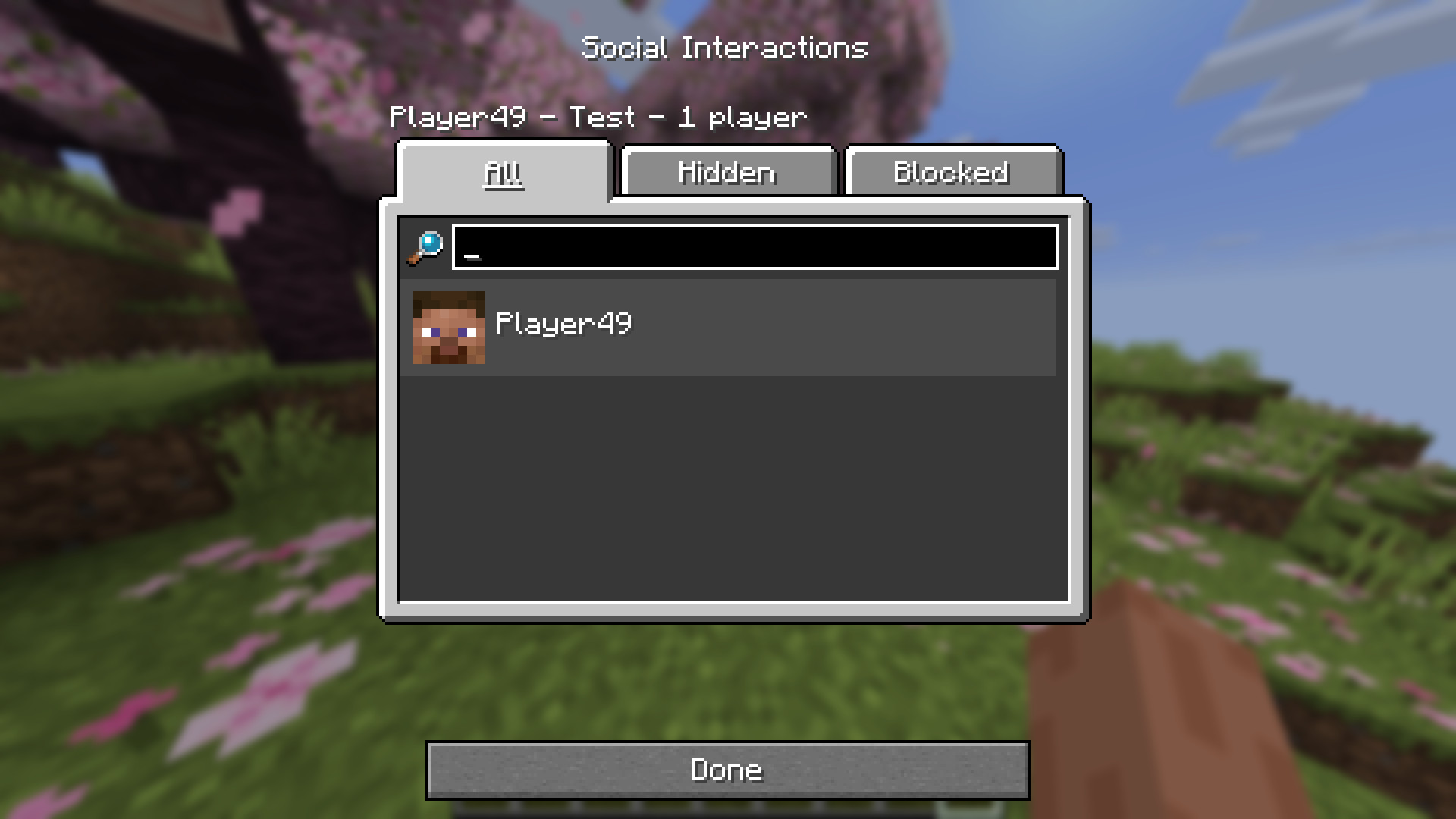
Improved Social Interactions
Replaced buttons emulating tabs with proper tabs.
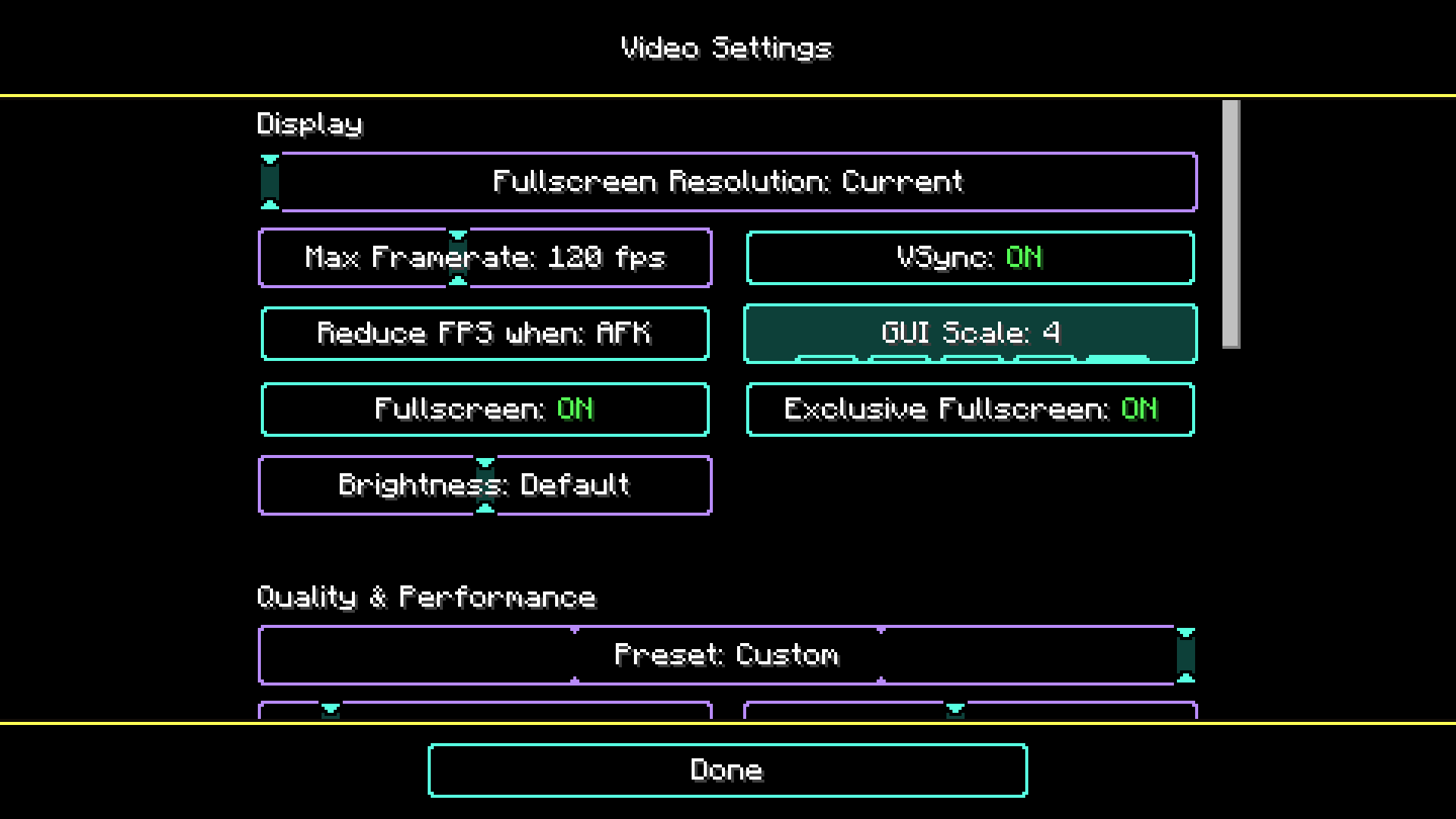
High Contrast Support
Built-in support for the "High Contrast" Vanilla resource pack.
Customization
Every visual change can be modified using a resource pack. None of them are hard-coded.
The "Debug Options" translations are extendable using a resource pack, which means,
you can add additional translations specific to other mods.
Furthermore, tooltips are supported.
Check out the Resource Packs for more information,
on how to customize ImproveMyMenus.
And a lot more..
Configuration
It's recommended to install Mod Menu in order to access the mod's configuration screen.
Without Mod Menu you can also access the config by running the command /improvemymenus-config.
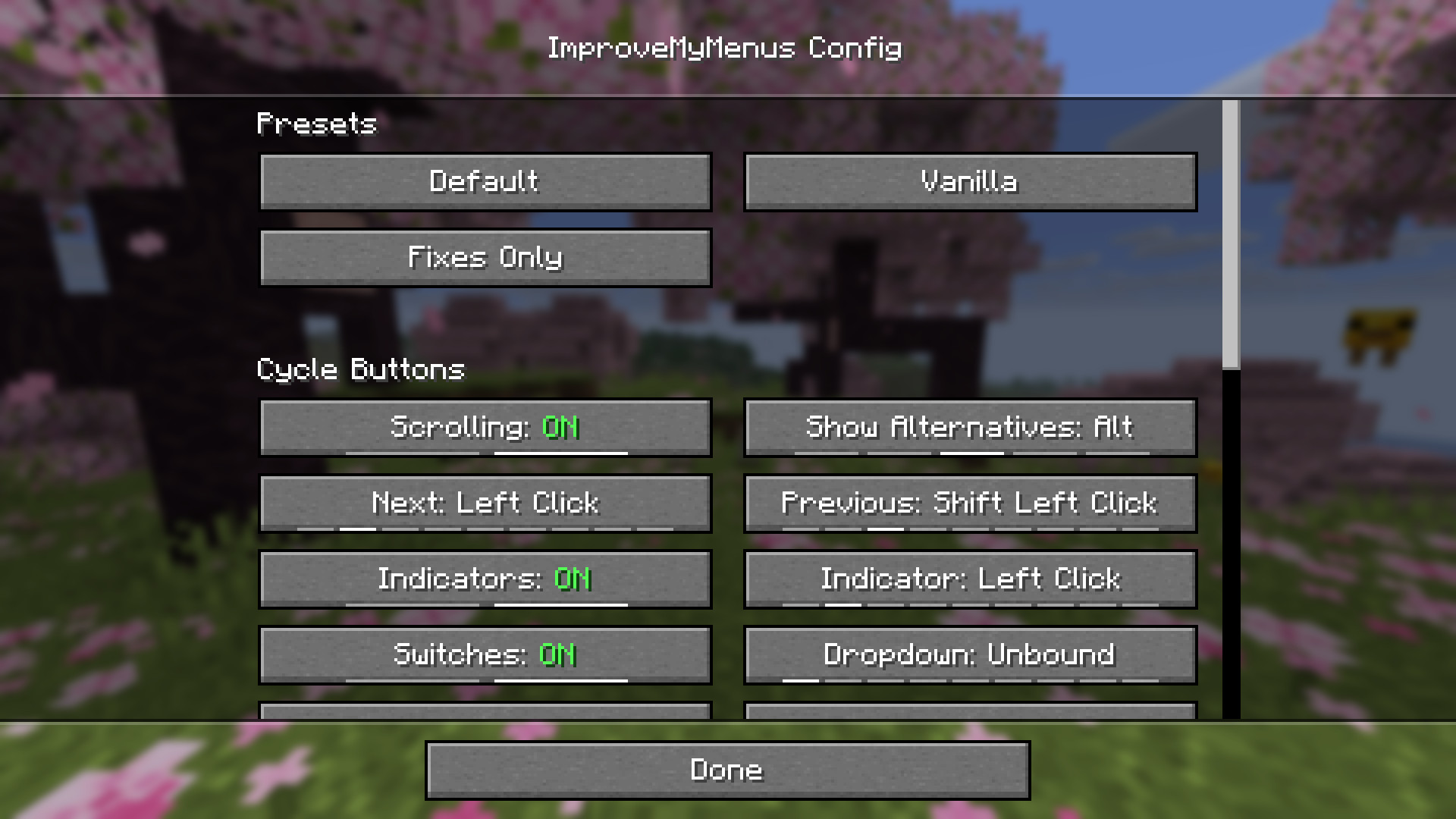
Check out Configuration,
if you are interested in detailed explanations of every config option.
Feedback
Since my goal is to improve user experience with Minecraft's menus,
I would greatly appreciate feedback.
Feel free to fill out this short form if you're interested in providing feedback.

Available Versions
How to Install ImproveMyMenus on Your Server
Order Server
Order a Minecraft Java server with at least 3 GB RAM (4 GB recommended).
Set fabric Loader
In the panel under "Egg", select the fabric loader and matching Minecraft version (26.1.2).
Install Mod
Open the mod browser in the dashboard and search for "ImproveMyMenus". Click "Install" – done! Alternatively, upload the .jar via SFTP to the /mods folder.
Compatibility
Mod Loaders
Minecraft Versions
26.1.2
Server-side
✗ UnsupportedRecommended RAM
4 GB(min. 3 GB)Frequently Asked Questions
ImproveMyMenus server crashes on startup – what to do?
Most common cause: wrong fabric version or insufficient RAM. Check the server log (latest.log) for "OutOfMemoryError" or "Mixin" errors. With Mado Hosting: ensure at least 3 GB RAM is allocated and the loader matches the mod version (26.1.2). You can switch loaders with one click in the panel.
Is ImproveMyMenus compatible with fabric?
ImproveMyMenus officially supports fabric for Minecraft 26.1.2. The Mado dashboard automatically detects incompatible loader combinations.
Server lagging with ImproveMyMenus – how to optimize performance?
Recommended RAM: 4 GB (per 8 players). Use /spark profiler to check if ImproveMyMenus consumes the most tick time. Common fixes: reduce server view-distance to 8-10, install "performant" or "starlight" as supplementary mods on Forge. With Mado Hosting, your server runs on NVMe SSDs with dedicated CPU cores for minimal latency.
Similar Mods




![[ETF] Entity Texture Features](https://cdn.modrinth.com/data/BVzZfTc1/af683d206d50b05258d865b0d6e4aa2f2cee12f2_96.webp)
![[EMF] Entity Model Features](https://cdn.modrinth.com/data/4I1XuqiY/6e5bbd0d06b1741bfdab6c0cfab6de8fdaf0064c_96.webp)
Rent Modded Server
Install ImproveMyMenus with just one click on your server.