
In Combat
Detect when the player is in combat and prevent actions! Highly configurable & with mod integrations!
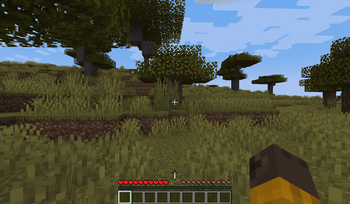
Screenshots
About this Mod
In Combat




Installation
Requires
Features ✨
Becoming "In Combat"
There are a few ways the player can become in combat
- Receiving damage
- Dealing damage
- Having a specific status effect
When "In Combat"
The player will have HUD element indicating that they are in combat.
When the player is in combat the following rules may apply.
- Death on disconnect
- Disable natural regeneration (disabled by default)
- Disable block breaking/placing (disabled by default)
Configuration ⚙️
Basically everything is configurable inside the mod.
General
- "In Combat" duration (default = 300 ticks -> 15 seconds)
- Player should die on disconnect (default = true)
- Disable natural regeneration (default = false)
- Disable block breaking (default = false)
- Block breaking whitelist
- Disable block placing (default = false)
- Block placing whitelist
- Always "In Combat" (default = false)
- Can become "In Combat" while in creative (default = false)
- Which damage sources should set the player "In Combat"
- All (default = false)
- Player (default = true)
- Any Entity (default = true)
- Fire (default = true)
- Fall Damage (default = false)
- Dragon Breath (default = true)
- If effects should set the player "In Combat" (default = true)
- A list of all the effects that set the player "In Combat"
- Additional effects that the player gets when "In Combat"
- Attacking sets the player "In Combat"
- Attacked entities that do not set the player "In Combat"
HUD Renderer
- Should the HUD render (default = true)
- X Offset (default = 0)
- Y Offset (default = 0)
Mod Integrations
- A config option to enable/disable each mod integration
Mod Integrations
- Prevents teleporting while in combat
- Spells are cost free to cast while out of combat
Suggest integrations in the Discord!
Technical Info
Anyone can check if the player is in combat using the in combat API. Add this project to your mod with
the Modrinth Maven. Once added checks can be done
like following
if(CombatCheck.isPlayerInCombat(PlayerEntity)){
  //Your code goes here...
}
Available Versions
How to Install In Combat on Your Server
Order Server
Order a Minecraft Java server with at least 3 GB RAM (4 GB recommended).
Set fabric Loader
In the panel under "Egg", select the fabric loader and matching Minecraft version (1.20.1).
Install Mod
Open the mod browser in the dashboard and search for "In Combat". Click "Install" – done! Alternatively, upload the .jar via SFTP to the /mods folder.
Compatibility
Mod Loaders
Minecraft Versions
1.20.1
Server-side
✓ RequiredRecommended RAM
4 GB(min. 3 GB)Frequently Asked Questions
In Combat server crashes on startup – what to do?
Most common cause: wrong fabric version or insufficient RAM. Check the server log (latest.log) for "OutOfMemoryError" or "Mixin" errors. With Mado Hosting: ensure at least 3 GB RAM is allocated and the loader matches the mod version (1.20.1). You can switch loaders with one click in the panel.
Is In Combat compatible with fabric?
In Combat officially supports fabric for Minecraft 1.20.1. The Mado dashboard automatically detects incompatible loader combinations.
Server lagging with In Combat – how to optimize performance?
Recommended RAM: 4 GB (per 8 players). Use /spark profiler to check if In Combat consumes the most tick time. Common fixes: reduce server view-distance to 8-10, install "performant" or "starlight" as supplementary mods on Forge. With Mado Hosting, your server runs on NVMe SSDs with dedicated CPU cores for minimal latency.
Similar Mods




Rent Modded Server
Install In Combat with just one click on your server.