
Inferno
A mod that rekindles features related to fire
Screenshots
About this Mod
Inferno


Makes several changes to how fire works in order to create a more dynamic experience, as well as adding some shiny new content to reward you for aiding in environmental restoration.
Smoke
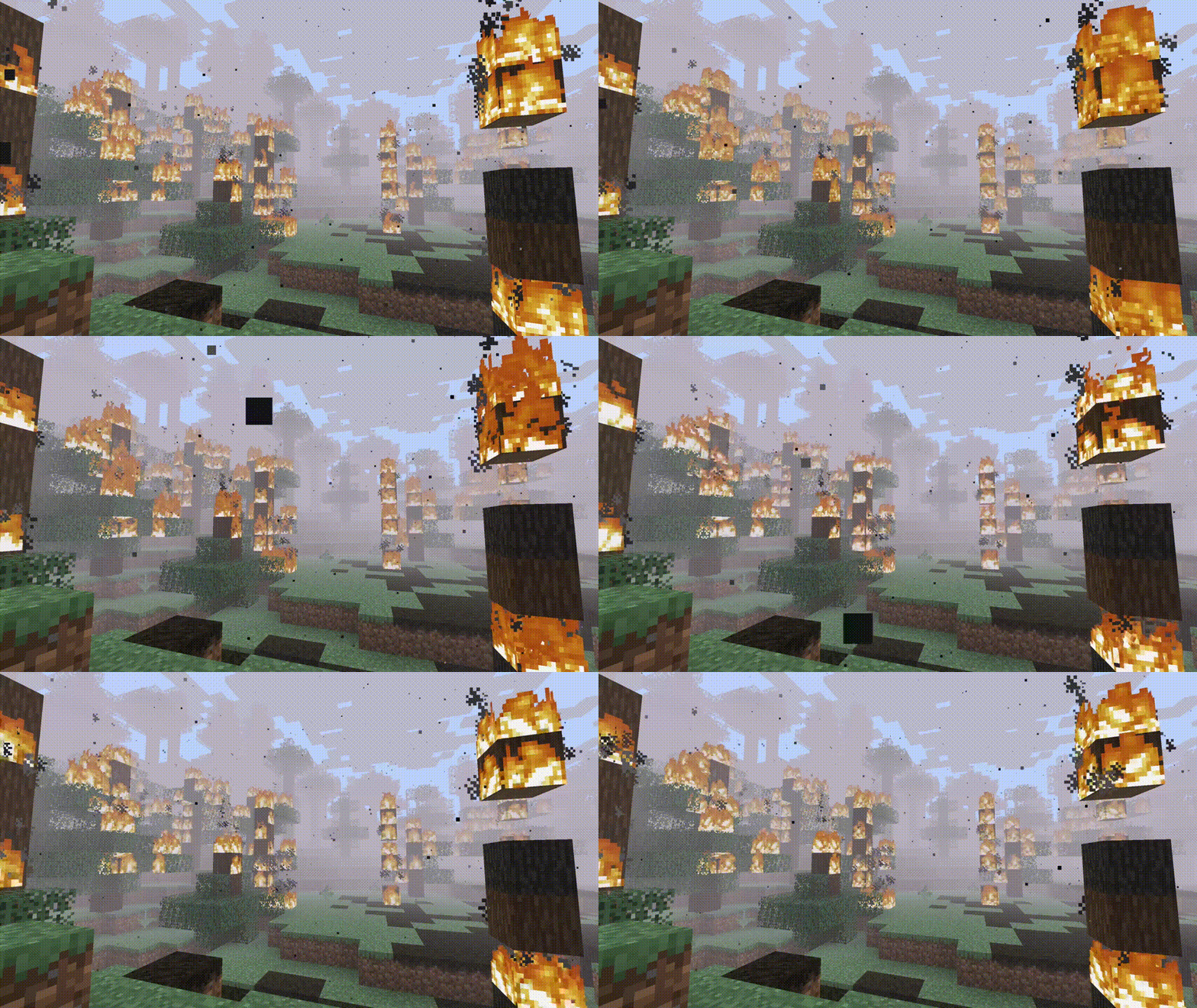
- The more fire is nearby, the more intense smoke will be.

Remains
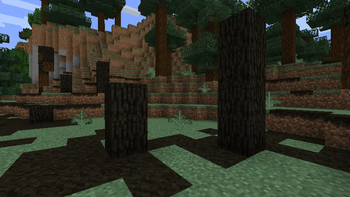
- When logs burn, they have a chance to turn into Charred Logs - these will drop 1-4 Charcoal when broken, or if broken with Silk Touch, can be used to smelt 40 items.
- Grass Blocks are now flammable and turn into Scorched Earth, which can be fertilized with Bone Meal to grow a host of new plants. Scorched Earth will also heal naturally in the rain.

Plants
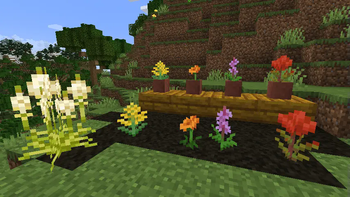
- When fertilized, Scorched Earth will grow into a variety of new plants. As long as 5 or more Scorched Earth are fertilized, 2 plants will always grow from the remains.
- Beargrass, Goldenrod, Golden Poppy, Fireweed, and Prairie Fire are shown below.

Shining Oak
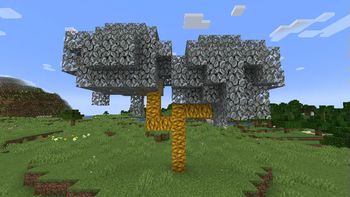
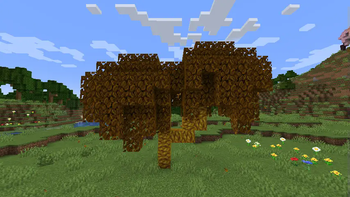
- Scorched Earth also has a rare chance to spawn a Shining Oak Sapling, which will grow into a beautiful new fireproof tree, with its own dedicated wood set.
- The leaves will be either iron or golden, and are randomly chosen when the sapling grows into a tree.
- Placing Iron or Gold blocks (ore, raw block, or block) beneath the ground the sapling grows on will guarantee the type of tree you want!


On Soul Fire
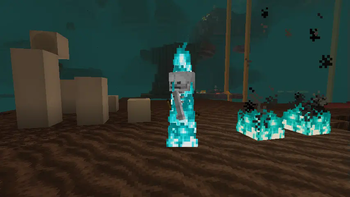
- Entities caught on fire from Soul Fire will be set on soul fire, taking double damage.

Copper Fire
- Blocks made out of Copper will burn with a green fire. Raw Copper Blocks will burn forever. Also adds Copper Campfires!

Lower Hud Fire
- Fire is lowered in the game HUD automatically, and works with resource packs that change the fire texture.

Entity Fire Spread
- Entities will spread fire while ignited. Projectiles have a significantly lower chance to do this, and entities that were set on fire from the sun will not spread fire at all.
Torch Ignition
- Attacking an entity with a Torch or Soul Torch will destroy the torch and ignite them appropriately.
Available Versions
How to Install Inferno on Your Server
Order Server
Order a Minecraft Java server with at least 4 GB RAM (6 GB recommended).
Set fabric Loader
In the panel under "Egg", select the fabric loader and matching Minecraft version (26.1.2).
Install Mod
Open the mod browser in the dashboard and search for "Inferno". Click "Install" – done! Alternatively, upload the .jar via SFTP to the /mods folder.
Compatibility
Mod Loaders
Minecraft Versions
26.1.2, 26.1.1, 26.1 (+7 more)
Server-side
✓ RequiredRecommended RAM
6 GB(min. 4 GB)Frequently Asked Questions
Inferno server crashes on startup – what to do?
Most common cause: wrong fabric version or insufficient RAM. Check the server log (latest.log) for "OutOfMemoryError" or "Mixin" errors. With Mado Hosting: ensure at least 4 GB RAM is allocated and the loader matches the mod version (26.1.2). You can switch loaders with one click in the panel.
Is Inferno compatible with fabric and quilt?
Inferno officially supports fabric, quilt for Minecraft 26.1.2, 26.1.1, 26.1. The Mado dashboard automatically detects incompatible loader combinations.
Server lagging with Inferno – how to optimize performance?
Recommended RAM: 6 GB (per 5 players). Use /spark profiler to check if Inferno consumes the most tick time. Common fixes: reduce server view-distance to 8-10, install "performant" or "starlight" as supplementary mods on Forge. With Mado Hosting, your server runs on NVMe SSDs with dedicated CPU cores for minimal latency.
Similar Mods

![[ETF] Entity Texture Features](https://cdn.modrinth.com/data/BVzZfTc1/af683d206d50b05258d865b0d6e4aa2f2cee12f2_96.webp)
![[EMF] Entity Model Features](https://cdn.modrinth.com/data/4I1XuqiY/6e5bbd0d06b1741bfdab6c0cfab6de8fdaf0064c_96.webp)



Rent Modded Server
Install Inferno with just one click on your server.