
Infinity Item Editor
Custom UIs to edit nearly all vanilla nbt tags. Usable on any Creative Server!
Screenshots
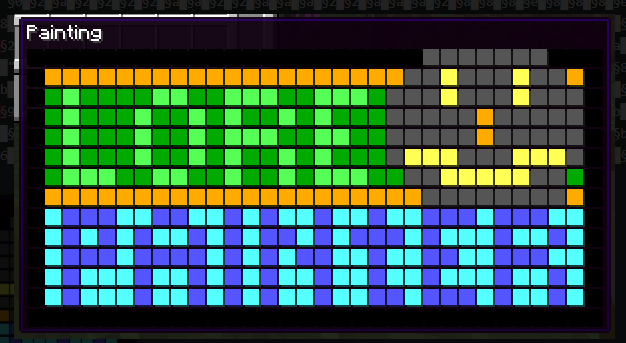
About this Mod
Please note that the version for 1.12.2 is the most feature complete. I am not currently working on the project. See the bottom for my recommended alternatives.
Description
Infinity Item Editor editor is a mod for server admins, map makers, modpack makers, and creative players. It aims to allow you to customize items down to the smallest details, such as the inventory of the chest on the mule in your spawnegg. Even if you don't need to edit to such a degree, the ability to quickly rename items and their lore might be useful.
Features
Completely clientside, which means you can use it on most servers, as long as you have creative mode.
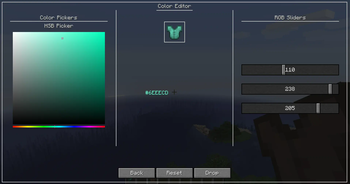
Customized GUIs for nearly every item. You won't have to edit any NBT manually.
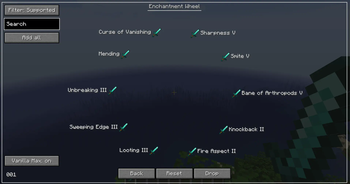
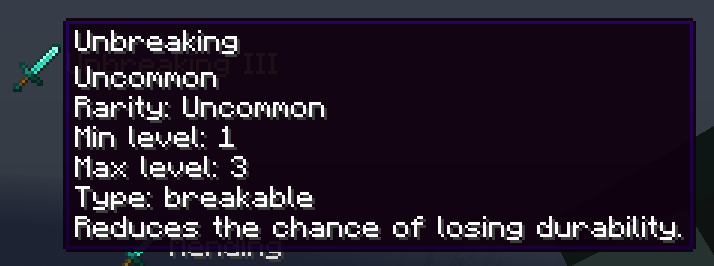
Attribute, Enchantment, and Potion editors, which allows you to make items that surpass the limits of vanilla
crafting.
Dynamic Interface. The GUI changes based on the item you are editing, just press the button and you'll see which
options are available for that item.
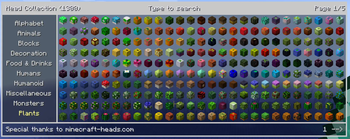
Head Collection. Spawn a head from the collection of more than 20.000 heads. (Thanks to minecraft-heads.com API)
Custom Creative Tabs. Items that aren't normally available in any creative tab, such as barriers and commands
blocks. Supports modded items too.
Copy Equipment Keybinding. Will copy the armor and items in the hand of the player, you are targeting.
NBT Browser, even if you don't have creative or don't want to edit any items, you can use the mod to explore the
NBT data of an item.


FAQ
How do I edit an item
Press U to edit the selected hotbar item or the inventory slot under your mouse. (Can be changed in controls)
Does the mod use commands?
No. Creative mode let's the client spawn item directly into their inventory. However, the request must be accepted by the server. For example the server will deny any requests for stack over 64.
The head collection is not loading
Make sure the mod is up to date, and that your launcher is using a recent version of Java. Some launchers force an old java version, and are unsupported. The F3 debug screen will show which Java version the game is using.
Will the mod be updated?
I don't have enough time to port the mod in its current state. I will, however, fix any game-breaking bugs that come up. A lot of things are hardcoded specifically for that minecraft version, which makes it difficult to support more versions. A rewrite from scratch would also take too much time. I might work on an editor in a less time-consuming format.
How can I disable this mod on my server?
The mod doesn't let you do anything that you couldn't do by spawning edited items in singleplayer, saving them to your vanilla "saved toolbars" and then spawning them on your server. Most non-vanilla servers come built-in with protection against some potentially malicious items like books and signs that can trigger commands on right click.
If you want to restrict creative mode and/or protect against unwanted items you have the following options:
- Use plugins like: ItemFixer, Restricted Creative, Strict Creative. I don't know the best ones, but I know there are some available.
- For developers: Modify how your server handles the packet.
- Don't give users creative - find other methods of giving them access to items.
Recommended mods and alternatives
- Advanced Creative Tab - Similar goal to this mod
- FZMM - A mod with inspirations from IIE and some pretty cool unique features.
- NBT Void - Collects and saves items you encounter on servers, inspired by my feature of the same name.
- Simple Item Editor - A command based item editor by the same author as NBT Void.
- IBE Editor - A different take on an item editor with some of the same features.
- NBT Editor
- Jacks Server Side Tweaks - Server Side item editor and more.
Available Versions
How to Install Infinity Item Editor on Your Server
Order Server
Order a Minecraft Java server with at least 3 GB RAM (4 GB recommended).
Set forge Loader
In the panel under "Egg", select the forge loader and matching Minecraft version (1.16.5).
Install Mod
Open the mod browser in the dashboard and search for "Infinity Item Editor". Click "Install" – done! Alternatively, upload the .jar via SFTP to the /mods folder.
Compatibility
Mod Loaders
Minecraft Versions
1.16.5, 1.12.2
Server-side
✗ UnsupportedRecommended RAM
4 GB(min. 3 GB)Frequently Asked Questions
Infinity Item Editor server crashes on startup – what to do?
Most common cause: wrong forge version or insufficient RAM. Check the server log (latest.log) for "OutOfMemoryError" or "Mixin" errors. With Mado Hosting: ensure at least 3 GB RAM is allocated and the loader matches the mod version (1.16.5). You can switch loaders with one click in the panel.
Is Infinity Item Editor compatible with forge?
Infinity Item Editor officially supports forge for Minecraft 1.16.5, 1.12.2. The Mado dashboard automatically detects incompatible loader combinations.
Server lagging with Infinity Item Editor – how to optimize performance?
Recommended RAM: 4 GB (per 8 players). Use /spark profiler to check if Infinity Item Editor consumes the most tick time. Common fixes: reduce server view-distance to 8-10, install "performant" or "starlight" as supplementary mods on Forge. With Mado Hosting, your server runs on NVMe SSDs with dedicated CPU cores for minimal latency.
Similar Mods

![[ETF] Entity Texture Features](https://cdn.modrinth.com/data/BVzZfTc1/af683d206d50b05258d865b0d6e4aa2f2cee12f2_96.webp)
![[EMF] Entity Model Features](https://cdn.modrinth.com/data/4I1XuqiY/6e5bbd0d06b1741bfdab6c0cfab6de8fdaf0064c_96.webp)



Rent Modded Server
Install Infinity Item Editor with just one click on your server.