
Interaction Manager
Customize how you interact with blocks, mobs and items to prevent accidents and improve your Minecraft experience!
Screenshots
About this Mod
Interaction Manager
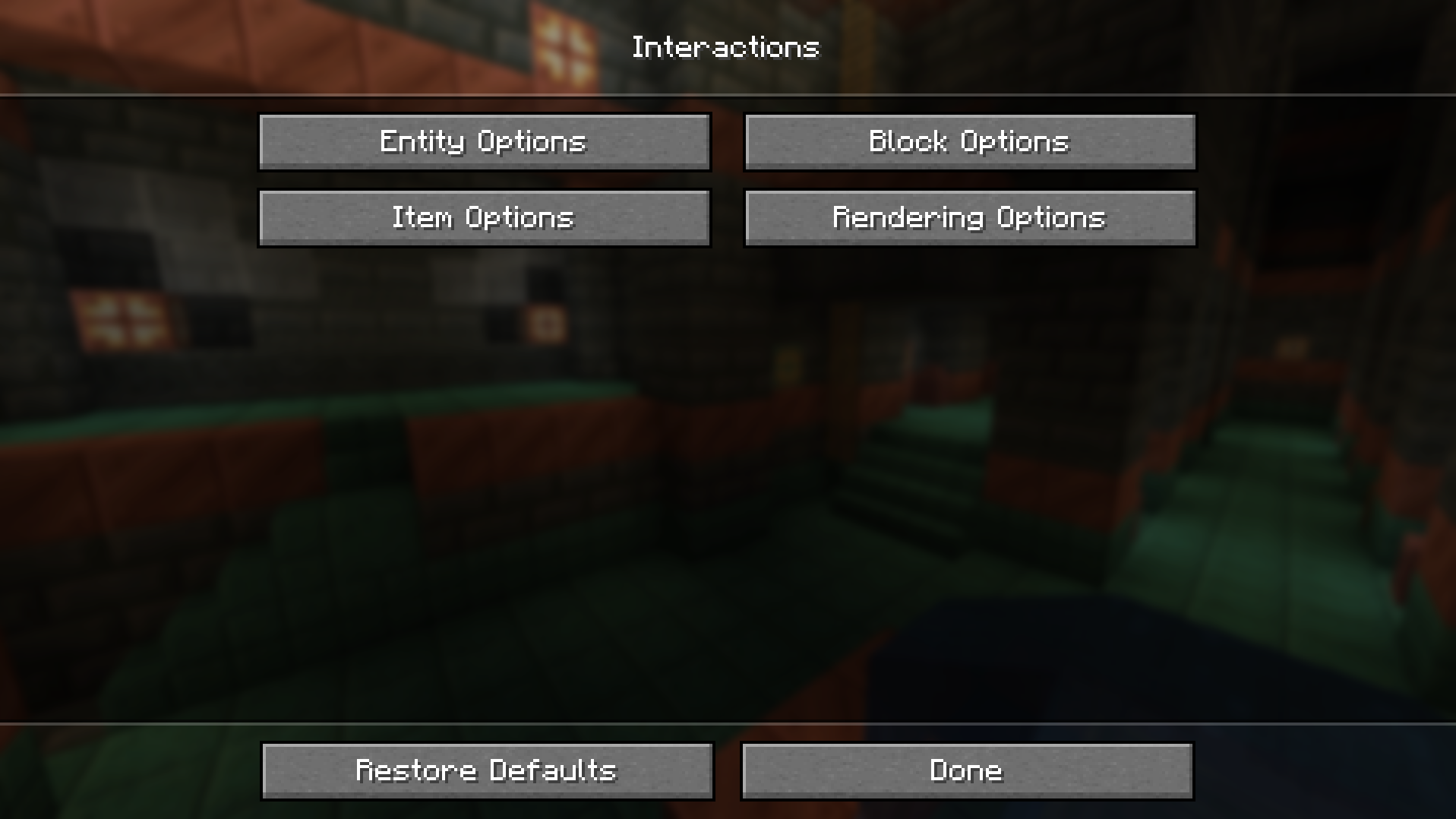
Interaction Manager is a client side mod allowing you to toggle certain block, item and mob interactions.
This mod aims to streamline the player experience, as some may find many vanilla features annoying or unnecessary.
By default, vanilla behavior is preserved.
Entity Options
- Attacking players
- Attacking hostile mobs
- Attacking passive mobs
- Attacking villagers
- Attacking vehicles
- Attacking pets
- Sweeping-edge protection
- Interacting with mobs
- Villager trading
- Entity deny list (Deny listed entities can't be attacked)
Block Options
- Breaking blocks
- Placing blocks
- Opening (block) GUIs
- Opening doors
- Replacing blocks (with offhand)
- Block deny list (Deny listed blocks can't be broken)
Item Options
- Shovels creating paths
- Axes striping
- Allow eating
- Allow drinking potions
- Dropping items
- Locking hot bar
- Item interactions
- Search for an item and select it
- Toggle interacting with it on blocks or 'in the air,' as in not on blocks
Rendering Options/Misc
- Drawing Protected Mobs
- Draw Protected Blocks
- Add (
Interactions) Button - Render items, in mod options
- Animate block replace
- Draw denied block placement
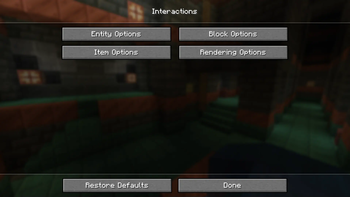
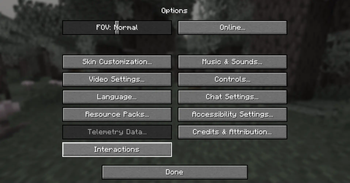
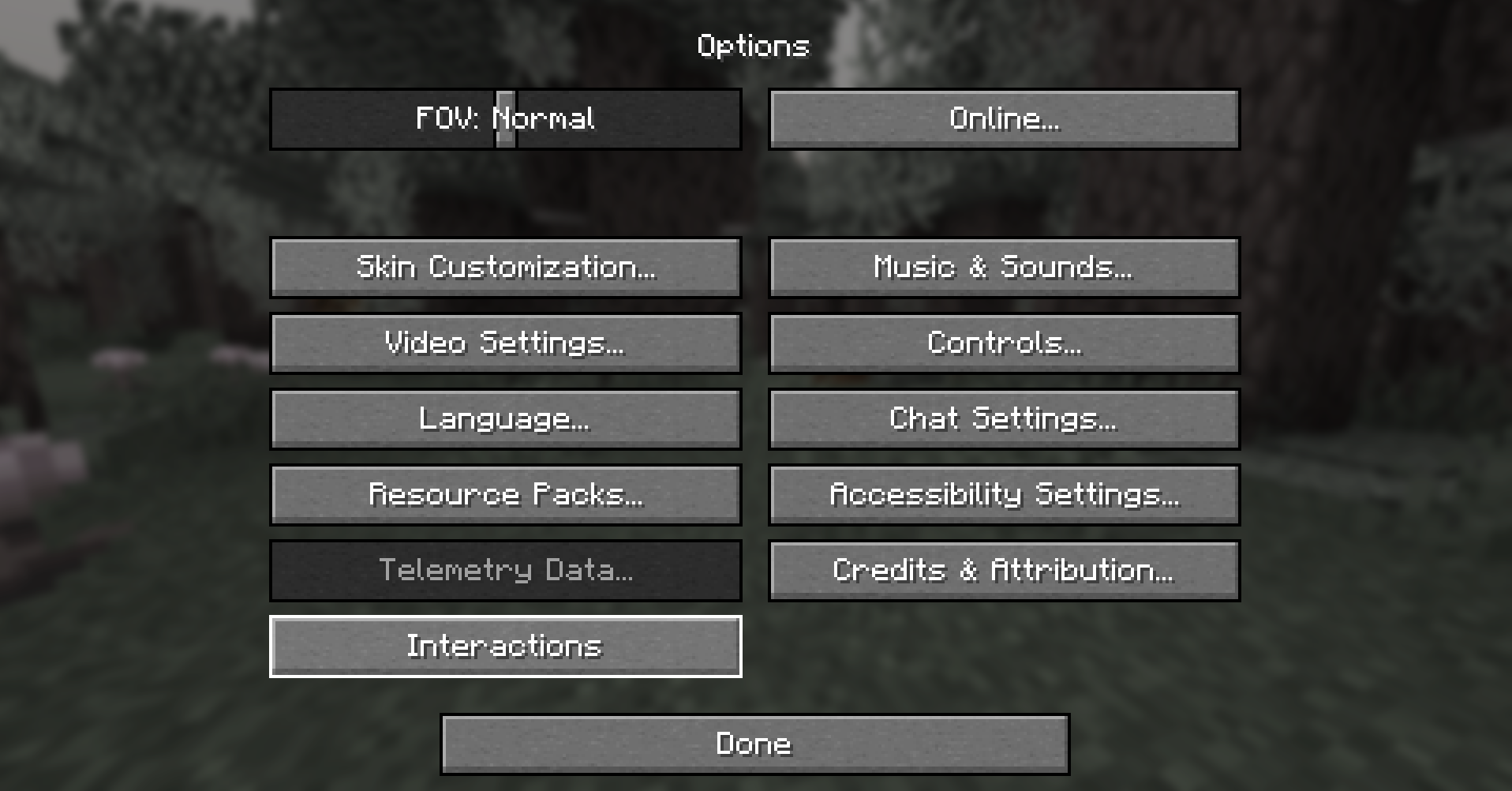
These options are easily found in the in game Interactions menu.
To access them, go to Options>Interactions
If Mod Menu is installed, by default the Interactions button is hidden. And the settings can be accessed using Mod Menu.
To show the Interacions button if Mod Menu is installed see the Config Section.
Show Image
Config
Expand Configuration Information
If you don't intend to change more advanced options, feel free to skip this section.
Options related to player behavior (block and mob interactions) are accessible in the in game options menu.
The configuration file allows for more fine-tuning and isn't strictly necessary to edit.
It's located in config/interactionmanager.json.
It's stored in JSON, which is straightforward to read and modify.
Currently, all config options are accessible through the in-game menu.
See Change Log
Suggestions and Issues
If you have any suggestions or run into some issues please create a new ticket on the Issue Tracker. If the issue is a bug or a crash please include game logs alongside a description of how to reproduce the issue.
Credits and Attribution
Special thanks to EvarikaArkana for a lot of feedback and ideas.
Checkout their Mod, it's fully compatible with Interaction Manager.
Config inspired by Mod Menu
Search inspired by JustEnoughItems and Alessandro Bahgat Shehata
Available Versions
How to Install Interaction Manager on Your Server
Order Server
Order a Minecraft Java server with at least 3 GB RAM (4 GB recommended).
Set fabric Loader
In the panel under "Egg", select the fabric loader and matching Minecraft version (1.21.8).
Install Mod
Open the mod browser in the dashboard and search for "Interaction Manager". Click "Install" – done! Alternatively, upload the .jar via SFTP to the /mods folder.
Compatibility
Mod Loaders
Minecraft Versions
1.21.8, 1.21.7, 1.21.6 (+6 more)
Server-side
✗ UnsupportedRecommended RAM
4 GB(min. 3 GB)Frequently Asked Questions
Interaction Manager server crashes on startup – what to do?
Most common cause: wrong fabric version or insufficient RAM. Check the server log (latest.log) for "OutOfMemoryError" or "Mixin" errors. With Mado Hosting: ensure at least 3 GB RAM is allocated and the loader matches the mod version (1.21.8). You can switch loaders with one click in the panel.
Is Interaction Manager compatible with fabric?
Interaction Manager officially supports fabric for Minecraft 1.21.8, 1.21.7, 1.21.6. The Mado dashboard automatically detects incompatible loader combinations.
Server lagging with Interaction Manager – how to optimize performance?
Recommended RAM: 4 GB (per 8 players). Use /spark profiler to check if Interaction Manager consumes the most tick time. Common fixes: reduce server view-distance to 8-10, install "performant" or "starlight" as supplementary mods on Forge. With Mado Hosting, your server runs on NVMe SSDs with dedicated CPU cores for minimal latency.
Similar Mods




Rent Modded Server
Install Interaction Manager with just one click on your server.