
Invariable Paintings: Collector's Stockbook
Keep your painting collection neatly packed in a single stack.
Screenshots
About this Mod
Invariable Paintings: Collector's Stockbook
Overview
An addon for Invariable Paintings.
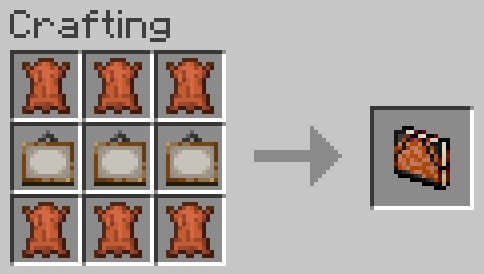
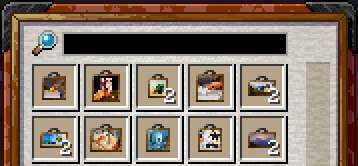
This adds a new item to help declutter the inventory: the Stockbook. A portable container somewhat similar to a bundle, but strictly limited to painting items, and with some added functionality.
This addon requires Invariable Paintings to be installed on both client and server.
Functionalities
Storage
Use the item in either hand in order to open its inventory screen.
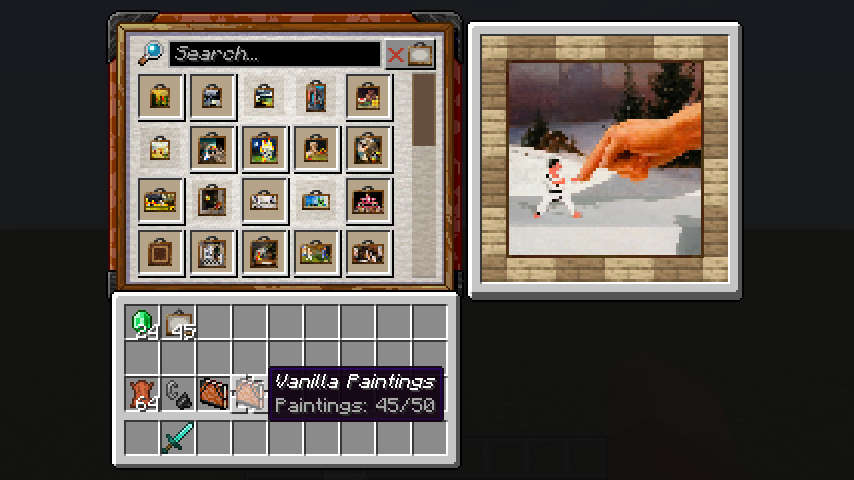
The stockbook's inventory can hold up to one full stack of every painting variant. Stored paintings are always sorted by id and cannot be rearranged.
Currently, no empty slots are exposed, so shift-clicking is the only way to insert new paintings into the stockbook.
Preview
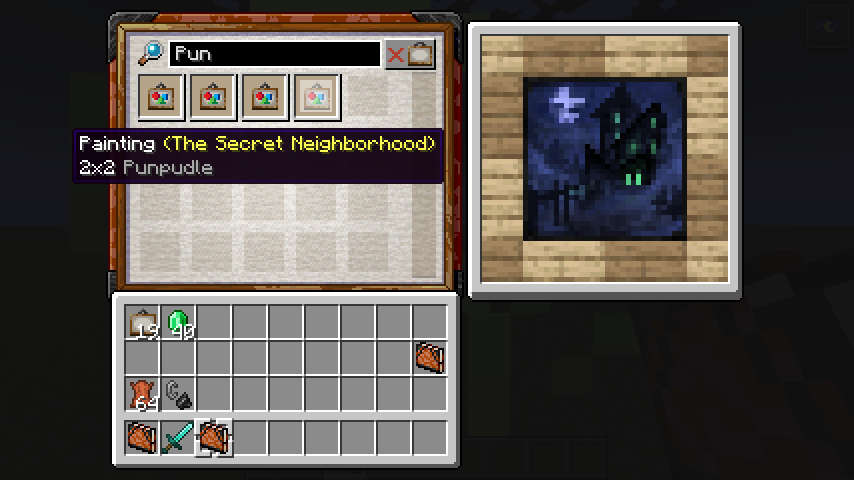
Hovering a painting item with the mouse cursor shows what the actual painting looks like when hanged.
Search
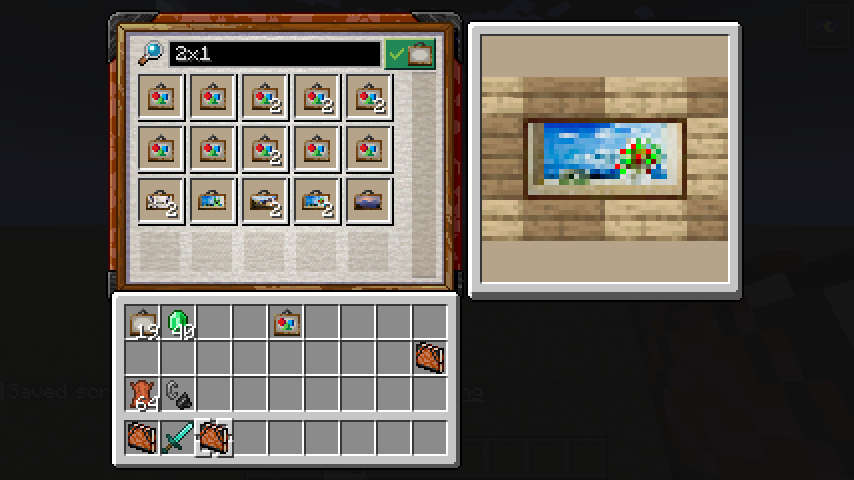
Paintings can be filtered based on title, size, id and author using the search bar at the top of the inventory. Enter and Esc can be used to quickly select and deselect the search bar without using the mouse.
Placeholders
The container keeps track of the paintings that have been discovered.
Even after a painting is removed, it will leave a placeholder behind.
Both the number of painting stored and discovered are displayed on the sotckbook's tooltip.
Caveats
When stored into the stockbook, painting items are reduced to nothing but their variant. Any other custom data (like names) will be discarded. This behaves similarly to painting items being hanged up then dropped down in the base mod.
Related Mods
 Invariable Paintings
Turns paintings into collectibles.
Available Versions
How to Install Invariable Paintings: Collector's Stockbook on Your Server
Order Server
Order a Minecraft Java server with at least 3 GB RAM (4 GB recommended).
Set fabric Loader
In the panel under "Egg", select the fabric loader and matching Minecraft version (1.21.10).
Install Mod
Open the mod browser in the dashboard and search for "Invariable Paintings: Collector's Stockbook". Click "Install" – done! Alternatively, upload the .jar via SFTP to the /mods folder.
Compatibility
Mod Loaders
Minecraft Versions
1.21.10, 1.21.9, 1.21.8 (+11 more)
Server-side
✓ RequiredRecommended RAM
4 GB(min. 3 GB)Frequently Asked Questions
Invariable Paintings: Collector's Stockbook server crashes on startup – what to do?
Most common cause: wrong fabric version or insufficient RAM. Check the server log (latest.log) for "OutOfMemoryError" or "Mixin" errors. With Mado Hosting: ensure at least 3 GB RAM is allocated and the loader matches the mod version (1.21.10). You can switch loaders with one click in the panel.
Is Invariable Paintings: Collector's Stockbook compatible with fabric?
Invariable Paintings: Collector's Stockbook officially supports fabric for Minecraft 1.21.10, 1.21.9, 1.21.8. The Mado dashboard automatically detects incompatible loader combinations.
Server lagging with Invariable Paintings: Collector's Stockbook – how to optimize performance?
Recommended RAM: 4 GB (per 8 players). Use /spark profiler to check if Invariable Paintings: Collector's Stockbook consumes the most tick time. Common fixes: reduce server view-distance to 8-10, install "performant" or "starlight" as supplementary mods on Forge. With Mado Hosting, your server runs on NVMe SSDs with dedicated CPU cores for minimal latency.
Similar Mods

![[ETF] Entity Texture Features](https://cdn.modrinth.com/data/BVzZfTc1/af683d206d50b05258d865b0d6e4aa2f2cee12f2_96.webp)
![[EMF] Entity Model Features](https://cdn.modrinth.com/data/4I1XuqiY/6e5bbd0d06b1741bfdab6c0cfab6de8fdaf0064c_96.webp)



Rent Modded Server
Install Invariable Paintings: Collector's Stockbook with just one click on your server.