
Inventory Extended
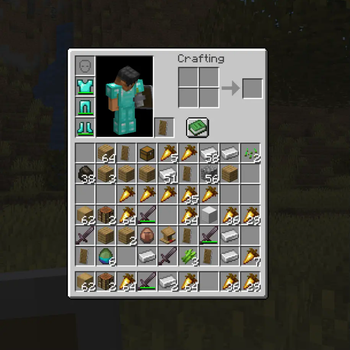
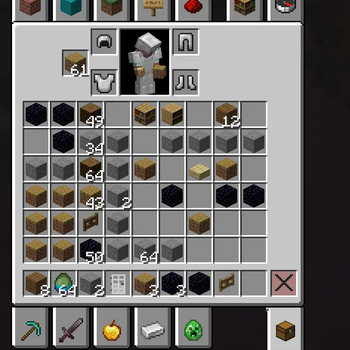
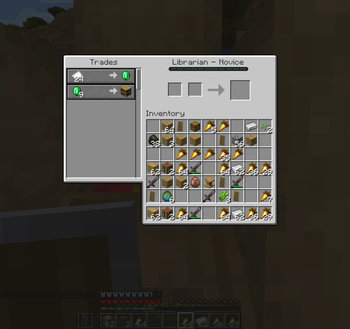
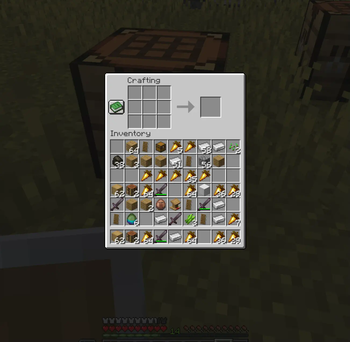
📥 Adds 3 rows of player inventory! Extends storage in a vanilla way.
Screenshots
About this Mod
The default Minecraft inventory was designed when the game had far fewer items. Nowadays, it feels restrictive as it's quickly filling up with junk and making inventory management a hassle.
Shulker boxes and bundles aren’t practical alternatives—they require constant placement, breaking, and micromanagement, disrupting the flow rather than improving it.
Features:
- Expands the inventory in a vanilla way by adding 3 more slot rows
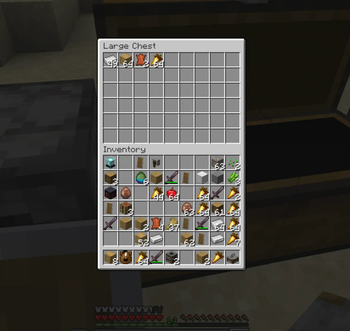
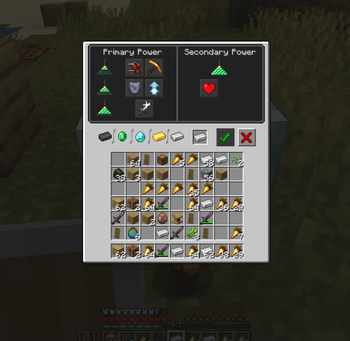
- The extended inventory is usable in all in-game inventory screens
- Works seamlessly with the
KeepInventorygame rule
Notes:
- Vanilla
offHandandequipmentslot mappings are modified and may break mod-compatibility - Quick-SHIFT-Click sort may not sort to the expanded slots
This is a WIP version and may contain other bugs and glitches! Use at your own risk!
Want to help improve the mod? Report any bugs by opening an issue on GitHub :)
Uninstalling the mod deletes your extra inventory and its contents permanently. I’m not responsible for lost items or data corruption. Back up your items/player data before removing or upgrading the mod or Minecraft version.
Available Versions
How to Install Inventory Extended on Your Server
Order Server
Order a Minecraft Java server with at least 3 GB RAM (4 GB recommended).
Set fabric Loader
In the panel under "Egg", select the fabric loader and matching Minecraft version (26.1.2).
Install Mod
Open the mod browser in the dashboard and search for "Inventory Extended". Click "Install" – done! Alternatively, upload the .jar via SFTP to the /mods folder.
Compatibility
Mod Loaders
Minecraft Versions
26.1.2, 1.21.11, 1.21.10 (+5 more)
Server-side
~ OptionalRecommended RAM
4 GB(min. 3 GB)Frequently Asked Questions
Inventory Extended server crashes on startup – what to do?
Most common cause: wrong fabric version or insufficient RAM. Check the server log (latest.log) for "OutOfMemoryError" or "Mixin" errors. With Mado Hosting: ensure at least 3 GB RAM is allocated and the loader matches the mod version (26.1.2). You can switch loaders with one click in the panel.
Is Inventory Extended compatible with fabric?
Inventory Extended officially supports fabric for Minecraft 26.1.2, 1.21.11, 1.21.10. The Mado dashboard automatically detects incompatible loader combinations.
Server lagging with Inventory Extended – how to optimize performance?
Recommended RAM: 4 GB (per 8 players). Use /spark profiler to check if Inventory Extended consumes the most tick time. Common fixes: reduce server view-distance to 8-10, install "performant" or "starlight" as supplementary mods on Forge. With Mado Hosting, your server runs on NVMe SSDs with dedicated CPU cores for minimal latency.
Similar Mods




Rent Modded Server
Install Inventory Extended with just one click on your server.