
Inventory Visual Enhancer
Inventory Visual Enhancer is a client-side mod that improves Minecraft inventories with rarity glows, stack rings, and animated icons, making item management clear, stylish, and lightweight.
Screenshots
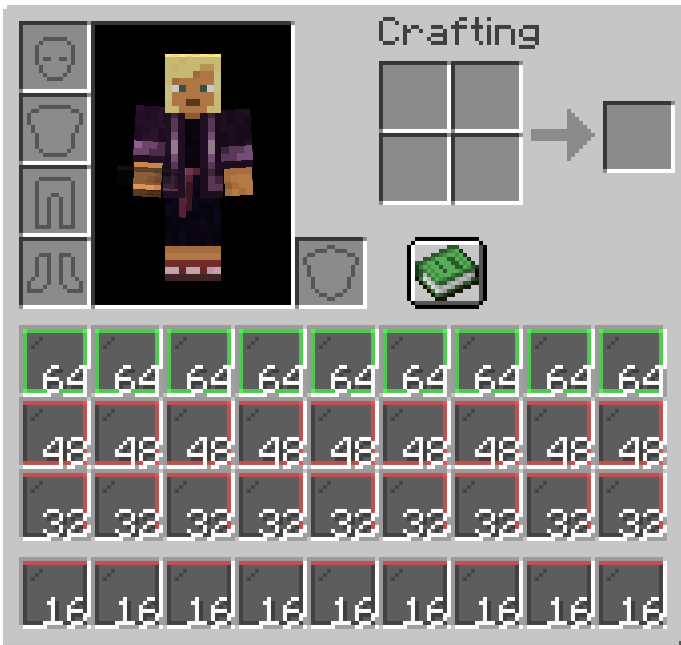
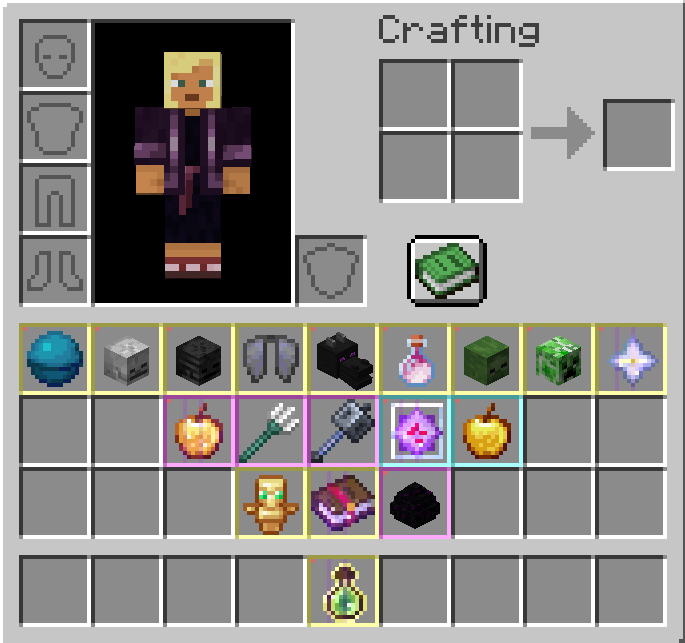
About this Mod
🌟 Inventory Visual Enhancer 🌟
Give your Minecraft inventory a stylish upgrade without sacrificing performance. This lightweight client-side Fabric mod makes item management clearer, smoother, and more visually engaging.
✨ Features
Item Rarity Glows: Subtle colored borders highlight rarity tiers from common to legendary. Fully configurable via enchantments, JSON, or datapacks.
Stack Progress Rings: Thin circular rings show stack fullness at a glance, with optional pulsing animations when stacks are maxed.
Animated Enchanted Icons: Replace the default shimmer with sparkles, gradients, or custom overlays—tweak speed and style to your liking.
⚙️ Functionality
Client-side only, no server communication needed.
Customization menu for toggling features, adjusting glow intensity, ring styles, and rarity definitions.
Optimized rendering hooks for smooth performance, even on low-end systems.
🌈 Enhancements
Tooltip rarity highlights for quick recognition.
Accessibility mode with shapes/patterns for colorblind players.
Theme support with skins like minimalist, fantasy, and neon.
🚀 Use Case
Open your inventory mid-game:
Your enchanted sword sparkles with animated effects.
Cobblestone stacks show fullness with elegant rings.
Rare items shine with golden borders, standing out instantly in clutter.
Available Versions
How to Install Inventory Visual Enhancer on Your Server
Order Server
Order a Minecraft Java server with at least 3 GB RAM (4 GB recommended).
Set fabric Loader
In the panel under "Egg", select the fabric loader and matching Minecraft version (1.21.11).
Install Mod
Open the mod browser in the dashboard and search for "Inventory Visual Enhancer". Click "Install" – done! Alternatively, upload the .jar via SFTP to the /mods folder.
Compatibility
Mod Loaders
Minecraft Versions
1.21.11, 1.21.10, 1.21.9 (+8 more)
Server-side
✗ UnsupportedRecommended RAM
4 GB(min. 3 GB)Frequently Asked Questions
Inventory Visual Enhancer server crashes on startup – what to do?
Most common cause: wrong fabric version or insufficient RAM. Check the server log (latest.log) for "OutOfMemoryError" or "Mixin" errors. With Mado Hosting: ensure at least 3 GB RAM is allocated and the loader matches the mod version (1.21.11). You can switch loaders with one click in the panel.
Is Inventory Visual Enhancer compatible with fabric?
Inventory Visual Enhancer officially supports fabric for Minecraft 1.21.11, 1.21.10, 1.21.9. The Mado dashboard automatically detects incompatible loader combinations.
Server lagging with Inventory Visual Enhancer – how to optimize performance?
Recommended RAM: 4 GB (per 8 players). Use /spark profiler to check if Inventory Visual Enhancer consumes the most tick time. Common fixes: reduce server view-distance to 8-10, install "performant" or "starlight" as supplementary mods on Forge. With Mado Hosting, your server runs on NVMe SSDs with dedicated CPU cores for minimal latency.
Similar Mods




Rent Modded Server
Install Inventory Visual Enhancer with just one click on your server.