
MT Inventory Weight
Weight mechanics! Manage your load, balance inventory, and enhance survival or RPG-like gameplay.
Screenshots

About this Mod

MT Inventory Weight
MT Inventory Weight adds a configurable weight system to Minecraft. Your inventory is no longer just limited by slots — every item has weight, and carrying too much can slow you down, weaken combat, and apply the Overload effect.
The mod is made for survival, RPG, and modpack gameplay where choosing what to carry actually matters.

Features
Automatic item weights
Most vanilla and modded items receive calculated weights automatically.Datapack custom weights
Item weights and armor pocket values are now data-driven through datapacks.fzzy_config support
Configure server and client settings in-game. Server settings can update live.Mod Menu support
Optional easy access to config screens through Mod Menu.Armor pockets
Armor can increase max carry weight through pockets.Overload effect
Carrying too much weight applies penalties. Strength and Haste can reduce overload severity.HUD display
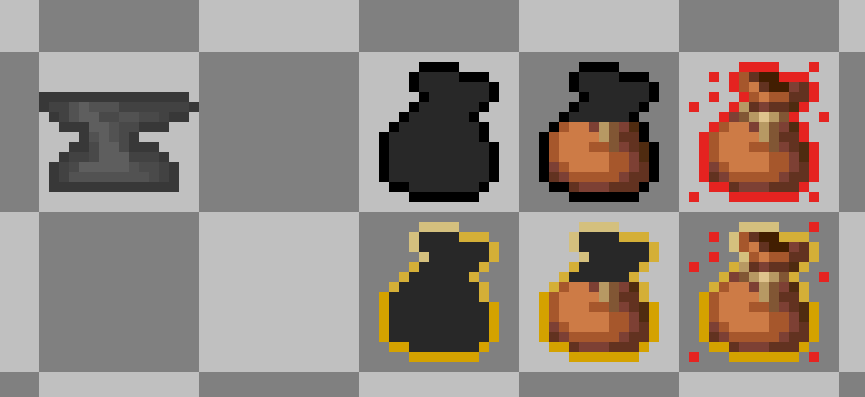
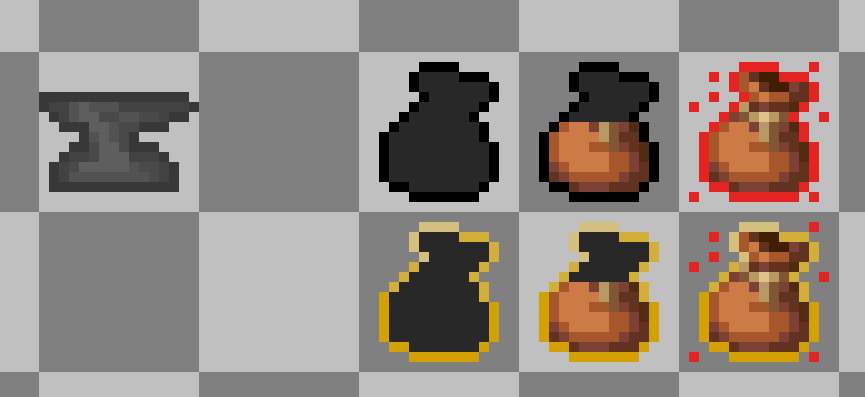
Choose between the classic sprite HUD or a simple bar HUD.Item tooltips
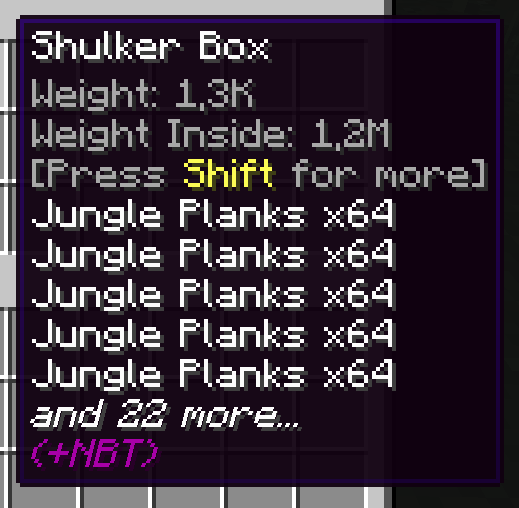
Tooltips show item weight, stack weight, armor pockets, and container contents weight.Backpack and shulker support
Supported containers count stored items with reduced effective weight.Trinkets compatibility
Equipped Trinkets items can count toward carried weight when Trinkets is installed.Multiplayer support
Works in singleplayer, LAN, and dedicated servers with synced server values.Add-on API
Developers can add compatibility through the publiccom.megatrex4.api.v1API.
HUD preview
Configuration
MT Inventory Weight uses fzzy_config.
You can configure:
- max carry weight
- item category weights
- pocket capacity
- overload penalty strength
- realistic mode
- HUD style and position
- tooltip visibility
Specific item weights are configured with datapacks:
data/<namespace>/inventory_weight/items/*.json
Pocket values are configured with datapacks:
data/<namespace>/inventory_weight/pockets/*.json
Cloth Config is no longer required.
Useful Links
Thank you for your support and interest in MT Inventory Weight!
Available Versions
How to Install MT Inventory Weight on Your Server
Order Server
Order a Minecraft Java server with at least 3 GB RAM (4 GB recommended).
Set fabric Loader
In the panel under "Egg", select the fabric loader and matching Minecraft version (26.1.2).
Install Mod
Open the mod browser in the dashboard and search for "MT Inventory Weight". Click "Install" – done! Alternatively, upload the .jar via SFTP to the /mods folder.
Compatibility
Mod Loaders
Minecraft Versions
26.1.2, 26.1.1, 26.1 (+19 more)
Server-side
✓ RequiredRecommended RAM
4 GB(min. 3 GB)Frequently Asked Questions
MT Inventory Weight server crashes on startup – what to do?
Most common cause: wrong fabric version or insufficient RAM. Check the server log (latest.log) for "OutOfMemoryError" or "Mixin" errors. With Mado Hosting: ensure at least 3 GB RAM is allocated and the loader matches the mod version (26.1.2). You can switch loaders with one click in the panel.
Is MT Inventory Weight compatible with fabric and forge and neoforge?
MT Inventory Weight officially supports fabric, forge, neoforge for Minecraft 26.1.2, 26.1.1, 26.1. Note: Forge and Fabric mods are NOT cross-compatible – pick one loader and stick with it. The Mado dashboard automatically detects incompatible loader combinations.
Server lagging with MT Inventory Weight – how to optimize performance?
Recommended RAM: 4 GB (per 8 players). Use /spark profiler to check if MT Inventory Weight consumes the most tick time. Common fixes: reduce server view-distance to 8-10, install "performant" or "starlight" as supplementary mods on Forge. With Mado Hosting, your server runs on NVMe SSDs with dedicated CPU cores for minimal latency.
Similar Mods




Rent Modded Server
Install MT Inventory Weight with just one click on your server.