
Iron Wolf Armor
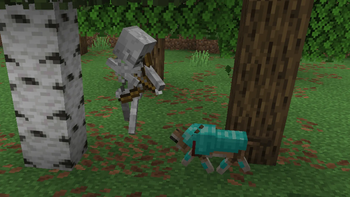
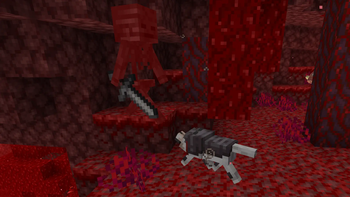
Give your loyal companions the protection they deserve with new tiers of armor!
Screenshots
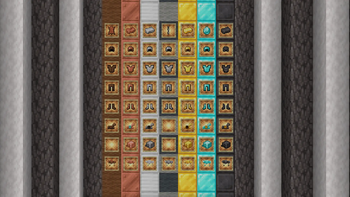
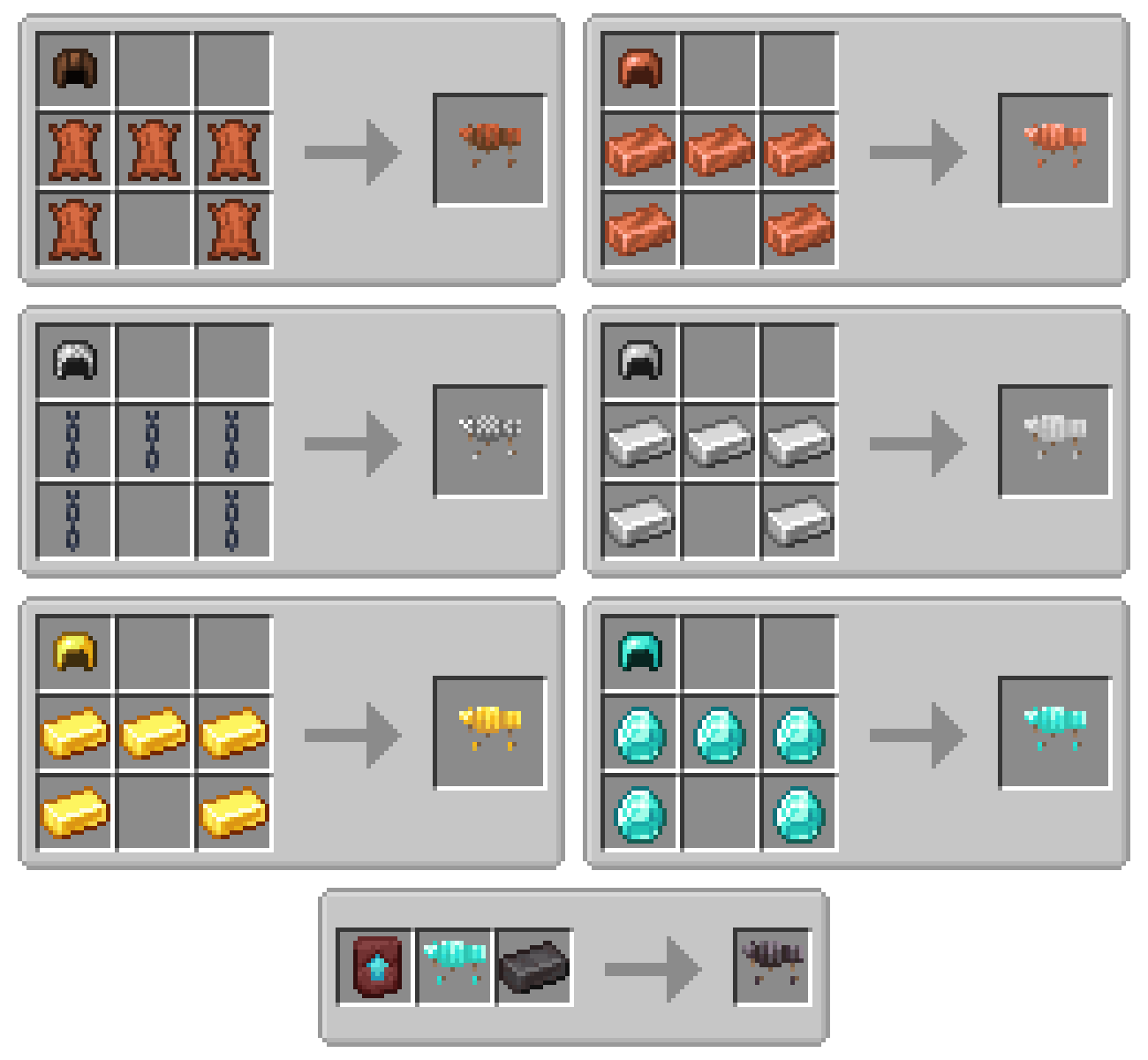
About this Mod
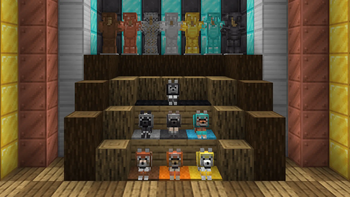
The Iron Wolf Armor mod expands wolf armor progression across the entire material system, from early game leather, al the way up to end-game netherite!
Features
- Adds leather, copper, chainmail, iron, gold, diamond, and netherite wolf armor!
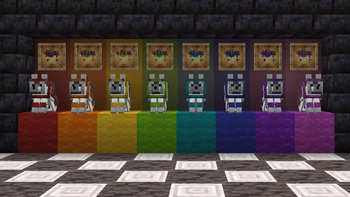
- All wolf armor tiers can be dyed at the crafting table! Wash the dyes off with a cauldron if you change your mind.
- Repair all armor tiers using standard ingredients. Right click a wolf wearing damaged armor with the right material to repair it directly!
- Copper, Chainmail, Iron, and Gold wolf armor can be recycled back into nuggets using a furnace or blast furnace.
- Fully configure the properties of each armor tier, including armor points, armor toughness, knockback resistance, durability, and enchantability!
Questions & Answers
Does this mod replace vanilla wolf armor?
No, this mod expands upon vanilla wolf armor by adding different tiers. Vanilla wolf armor still exists, and works exactly like normal.
Can I repair the wolf armor?
Yes, all armor added by this mod can be repaired using the corresponding vanilla material, just like player armor. Leather for leather armor, copper ingots for copper armor, iron ingots for chainmail and iron armor, gold ingots for gold armor, diamonds for diamond armor, and netherite ingots for netherite armor.
How can I dye wolf armor?
This mod allows you to dye all new tiers of wolf armor, not just leather! Dying wolf armor applies an accent color to the trim and edges of the armor. To dye wolf armor, simply craft it with the dye items you want to apply. Like other dyable items, you can use multiple dyes at once to get nearly 6 million different colors!
How do I configure this mod?
After running the game at least once, an ironwolfarmor folder will be generated inside of your config folder. Inside this folder, you can find files that control each of the different material tiers. These files are simple JSON files, and you can edit them with any text editor. When you're done, save the file and restart the game/server.
Does this require any other mods?
Yes, you must install Bookshelf and the Prickle mod. Bookshelf is a library mod that helps create mods for different mod loaders easily. Prickle is a cross-platform config library that provides useful features like default values, examples, and comments.
Can you (back)port this mod to support other Minecraft versons?
There are no plans to backport this mod to older versions of Minecraft at this time, but I will update the mod to newer versions of the game when I have time.

This project is sponsored by Nodecraft. Use code DARKHAX for 30% off your first month of service!
Available Versions
How to Install Iron Wolf Armor on Your Server
Order Server
Order a Minecraft Java server with at least 3 GB RAM (4 GB recommended).
Set fabric Loader
In the panel under "Egg", select the fabric loader and matching Minecraft version (26.2).
Install Mod
Open the mod browser in the dashboard and search for "Iron Wolf Armor". Click "Install" – done! Alternatively, upload the .jar via SFTP to the /mods folder.
Compatibility
Mod Loaders
Minecraft Versions
26.2, 26.1.2, 26.1.1 (+1 more)
Server-side
✓ RequiredRecommended RAM
4 GB(min. 3 GB)Frequently Asked Questions
Iron Wolf Armor server crashes on startup – what to do?
Most common cause: wrong fabric version or insufficient RAM. Check the server log (latest.log) for "OutOfMemoryError" or "Mixin" errors. With Mado Hosting: ensure at least 3 GB RAM is allocated and the loader matches the mod version (26.2). You can switch loaders with one click in the panel.
Is Iron Wolf Armor compatible with fabric and neoforge?
Iron Wolf Armor officially supports fabric, neoforge for Minecraft 26.2, 26.1.2, 26.1.1. The Mado dashboard automatically detects incompatible loader combinations.
Server lagging with Iron Wolf Armor – how to optimize performance?
Recommended RAM: 4 GB (per 8 players). Use /spark profiler to check if Iron Wolf Armor consumes the most tick time. Common fixes: reduce server view-distance to 8-10, install "performant" or "starlight" as supplementary mods on Forge. With Mado Hosting, your server runs on NVMe SSDs with dedicated CPU cores for minimal latency.
Similar Mods

![[ETF] Entity Texture Features](https://cdn.modrinth.com/data/BVzZfTc1/af683d206d50b05258d865b0d6e4aa2f2cee12f2_96.webp)
![[EMF] Entity Model Features](https://cdn.modrinth.com/data/4I1XuqiY/6e5bbd0d06b1741bfdab6c0cfab6de8fdaf0064c_96.webp)



Rent Modded Server
Install Iron Wolf Armor with just one click on your server.