
java gotchi
It is a new mob. Something like a tamagotchi where you can interact and play with it. It has a fully working health,happiness,energy and hunger system. It is also associated with a university project and expanded into minecraft
Screenshots
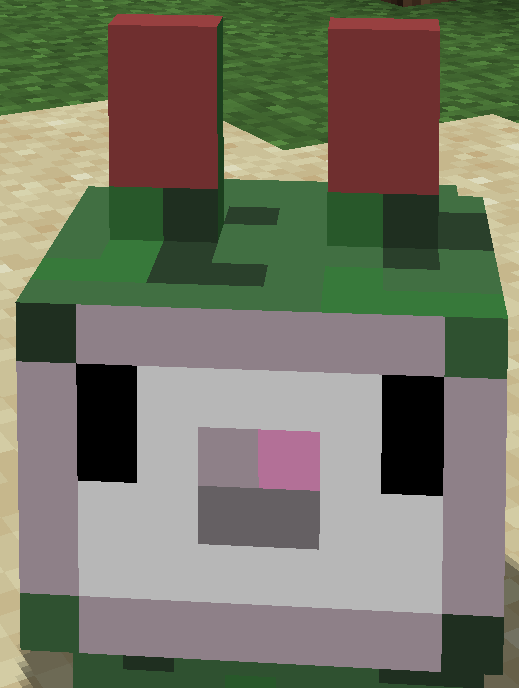
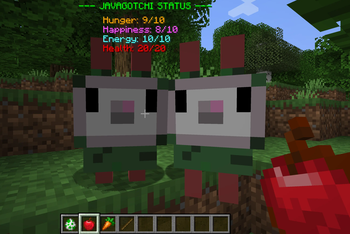
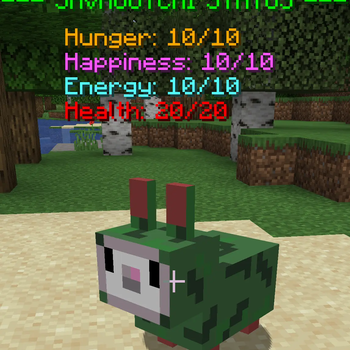
About this Mod
🐾 JavaGotchi Pet Mod
Welcome to JavaGotchi, a virtual pet mod for Minecraft 1.21.1! This mod adds a unique companion that requires your care and attention to thrive.
🌟 Features
JavaGotchi isn't just a mob; it's a living pet with its own needs. Track its status through a custom on-screen HUD (Status Bar) that appears when you are near your pet!
📊 Vital Stats:
- Hunger: Keep your pet fed or it will eventually disappear!
- Happiness: Interact with your pet to keep its spirits high.
- Energy: Moving around tires your pet. If it hits zero, it will stop moving until rested or fed.
- Health: Watch out for danger! Your pet's health is shown in red.
🍎 Interactions & Items
Use specific items to manage your pet's needs:
- Apple: Restores Hunger and heals Health.
- Carrot: Boosts Energy levels.
- Stick: Increases Happiness (playing), but costs a bit of Energy.
- Spawn Egg: Look for the Javagotchi Spawn Egg in the Creative Menu to start your journey!
⚙️ Requirements
- Loader: NeoForge
- Version: 1.21.1
- Installation: Required on both Client and Server for multiplayer.
Created with passion as a modern virtual pet experiment!
Available Versions
How to Install java gotchi on Your Server
Order Server
Order a Minecraft Java server with at least 3 GB RAM (4 GB recommended).
Set neoforge Loader
In the panel under "Egg", select the neoforge loader and matching Minecraft version (1.21.1).
Install Mod
Open the mod browser in the dashboard and search for "java gotchi". Click "Install" – done! Alternatively, upload the .jar via SFTP to the /mods folder.
Compatibility
Mod Loaders
Minecraft Versions
1.21.1
Server-side
✓ RequiredRecommended RAM
4 GB(min. 3 GB)Frequently Asked Questions
java gotchi server crashes on startup – what to do?
Most common cause: wrong neoforge version or insufficient RAM. Check the server log (latest.log) for "OutOfMemoryError" or "Mixin" errors. With Mado Hosting: ensure at least 3 GB RAM is allocated and the loader matches the mod version (1.21.1). You can switch loaders with one click in the panel.
Is java gotchi compatible with neoforge?
java gotchi officially supports neoforge for Minecraft 1.21.1. The Mado dashboard automatically detects incompatible loader combinations.
Server lagging with java gotchi – how to optimize performance?
Recommended RAM: 4 GB (per 8 players). Use /spark profiler to check if java gotchi consumes the most tick time. Common fixes: reduce server view-distance to 8-10, install "performant" or "starlight" as supplementary mods on Forge. With Mado Hosting, your server runs on NVMe SSDs with dedicated CPU cores for minimal latency.
Similar Mods
![[EMF] Entity Model Features](https://cdn.modrinth.com/data/4I1XuqiY/6e5bbd0d06b1741bfdab6c0cfab6de8fdaf0064c_96.webp)


Rent Modded Server
Install java gotchi with just one click on your server.