
JEIRecipeManager
JEIRecipeManager brings powerful recipe management right into your JEI interface. Whether you want to disable broken recipes, tweak existing ones, or create entirely new recipes on the fly, this mod lets you do it visually without ever leaving the game.
Screenshots
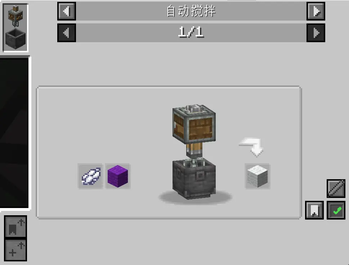
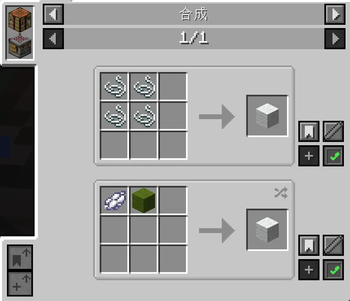
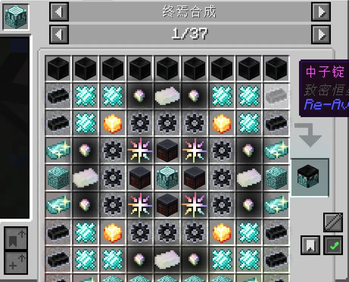
About this Mod
Features:
- Disable / Enable Recipes — Click the toggle button on any recipe in JEI to disable or re-enable it. Disabled recipes are saved to config/disabled_recipes.json and synced to all clients.
- Add New Recipes — Click the "Add Recipe" button on any existing recipe to enter edit mode, then drag items from JEI onto input/output slots to create a brand new recipe based on the original template.
- Modify Recipes — Edit generated recipes at any time by clicking the edit button and adjusting ingredients.
- Delete Generated Recipes — Remove any recipe you created with one click.
- Text Input Editing — While in edit mode, left-click a slot to clear its contents, or middle-click an input slot to open the text edit screen and type an exact item ID (e.g. minecraft:diamond ) or tag (e.g. #forge:ingots/iron ).
- Show/Hide Disabled Recipes — Use /jrm showDisabled <true|false> to toggle whether disabled recipes remain visible (grayed out) in JEI.
- Server-Side Authority — All recipe changes require operator permissions. Changes take effect after /reload .
Available Versions
How to Install JEIRecipeManager on Your Server
Order Server
Order a Minecraft Java server with at least 3 GB RAM (4 GB recommended).
Set neoforge Loader
In the panel under "Egg", select the neoforge loader and matching Minecraft version (1.21.1).
Install Mod
Open the mod browser in the dashboard and search for "JEIRecipeManager". Click "Install" – done! Alternatively, upload the .jar via SFTP to the /mods folder.
Compatibility
Mod Loaders
Minecraft Versions
1.21.1
Server-side
✓ RequiredRecommended RAM
4 GB(min. 3 GB)Frequently Asked Questions
JEIRecipeManager server crashes on startup – what to do?
Most common cause: wrong neoforge version or insufficient RAM. Check the server log (latest.log) for "OutOfMemoryError" or "Mixin" errors. With Mado Hosting: ensure at least 3 GB RAM is allocated and the loader matches the mod version (1.21.1). You can switch loaders with one click in the panel.
Is JEIRecipeManager compatible with neoforge?
JEIRecipeManager officially supports neoforge for Minecraft 1.21.1. The Mado dashboard automatically detects incompatible loader combinations.
Server lagging with JEIRecipeManager – how to optimize performance?
Recommended RAM: 4 GB (per 8 players). Use /spark profiler to check if JEIRecipeManager consumes the most tick time. Common fixes: reduce server view-distance to 8-10, install "performant" or "starlight" as supplementary mods on Forge. With Mado Hosting, your server runs on NVMe SSDs with dedicated CPU cores for minimal latency.
Similar Mods




![[ETF] Entity Texture Features](https://cdn.modrinth.com/data/BVzZfTc1/af683d206d50b05258d865b0d6e4aa2f2cee12f2_96.webp)

Rent Modded Server
Install JEIRecipeManager with just one click on your server.