
JourneyMap Waypoint Syncing (JMWS)
This mod allows you to save waypoints on JourneyMap between multiple devices via the players account UUID on the server.
Screenshots


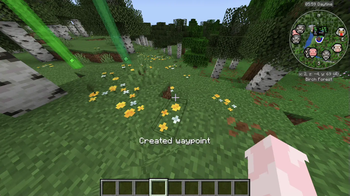
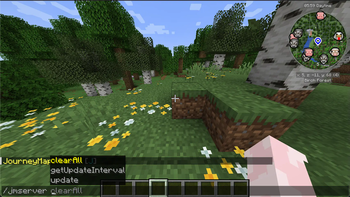
About this Mod
JourneyMap Waypoint Syncing (JMWS)
This mod allows you to save waypoints on JourneyMap between multiple devices via the players account UUID on the server.
Check out the Discord server
Think of this mod as a cloud where all your waypoints are stored, and if you join a server on another computer / device where this mod is installed on the server-side, it'll share all waypoint data like the cloud shares photos, videos, etc with all devices on that cloud.
This mod seemlessly integrates with JourneyMap, and if desired can be totally obscured but still work in the background via this mods configuration page (ModMenu required)
This mod does not upload your saved JourneyMap settings. Only your waypoints and groups will be uploaded.
How to use?
Drop this mod into the the clients and servers mod folder. The server must have the mod CommonNetwork installed for your appropriate version. There is no extra setup. You will know it is working correctly if when you join a server, a message is generated at the top of the toolbar stating "Updated waypoints"
Why?
This is a personal project. I made it because I played on a server I owned on multiple devices (I played on PC, and before I went to bed I played on steam deck) but, I could never find a mod that synced JourneyMap waypoints between devices (If you know / find one, please do let me know)
This is also my first ever Java project, and publicly released programming project, so it is very likely there are bad practices. View the source code and give me feedback. There are also no guarentees I will maintain this codebase as at heart, this is still a personal project and I will do with it as I please, as long as it functions how I want it to.
I have read basic legal things about using the JourneyMap API, but if I am violating any sort of licencing. Please let me know.
Available Versions
How to Install JourneyMap Waypoint Syncing (JMWS) on Your Server
Order Server
Order a Minecraft Java server with at least 3 GB RAM (4 GB recommended).
Set fabric Loader
In the panel under "Egg", select the fabric loader and matching Minecraft version (26.1.2).
Install Mod
Open the mod browser in the dashboard and search for "JourneyMap Waypoint Syncing (JMWS)". Click "Install" – done! Alternatively, upload the .jar via SFTP to the /mods folder.
Compatibility
Mod Loaders
Minecraft Versions
26.1.2, 26.1.1, 26.1 (+7 more)
Server-side
✓ RequiredRecommended RAM
4 GB(min. 3 GB)Frequently Asked Questions
JourneyMap Waypoint Syncing (JMWS) server crashes on startup – what to do?
Most common cause: wrong fabric version or insufficient RAM. Check the server log (latest.log) for "OutOfMemoryError" or "Mixin" errors. With Mado Hosting: ensure at least 3 GB RAM is allocated and the loader matches the mod version (26.1.2). You can switch loaders with one click in the panel.
Is JourneyMap Waypoint Syncing (JMWS) compatible with fabric and forge and neoforge?
JourneyMap Waypoint Syncing (JMWS) officially supports fabric, forge, neoforge for Minecraft 26.1.2, 26.1.1, 26.1. Note: Forge and Fabric mods are NOT cross-compatible – pick one loader and stick with it. The Mado dashboard automatically detects incompatible loader combinations.
Server lagging with JourneyMap Waypoint Syncing (JMWS) – how to optimize performance?
Recommended RAM: 4 GB (per 8 players). Use /spark profiler to check if JourneyMap Waypoint Syncing (JMWS) consumes the most tick time. Common fixes: reduce server view-distance to 8-10, install "performant" or "starlight" as supplementary mods on Forge. With Mado Hosting, your server runs on NVMe SSDs with dedicated CPU cores for minimal latency.
Similar Mods




Rent Modded Server
Install JourneyMap Waypoint Syncing (JMWS) with just one click on your server.