Jukebox Action Bar Fix
Fixes a bug with the jukebox action bar where the colours are wrong. Adds various settings for the action bar and adds the option to make all action bars coloured.
Screenshots
About this Mod
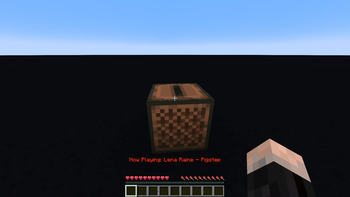
This mod fixes bug report MC-132961. This bug causes the colour changing text that says which disc is playing, to suddenly stop changing colours. In horror I quickly fixed this bug by making a small change in the code. This worked, but still, I was not satisfied. I tried raising the chromacity, but it just didn't look quite right. Most of the animation was taken up by blue and green, neglecting the colour spectrum's full beauty. This led me into the rabbit hole of perceptual colour spaces.
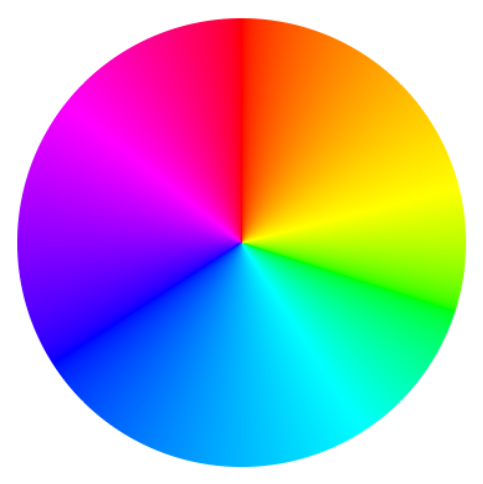
After countless hours delving into the intricacies of human color perception, deciphering mathematical equations, and extensive coding, I proudly present the perfect color wheel, with each hue is in its rightful position. And now, with this mod, you can enjoy these colours in the action bar for 3 seconds every time you play a music disc.
If desired, you can customize the mod's default settings to:
- Extend the duration of the action bar display.
- Adjust the animation speed to your preference.
- Enable the colorful text to appear e.g. during a player's attempt to sleep through the night or whenever an action bar is triggered.
- Make the action bar colours extra vibrant.
Check out the Oklab colour space by Björn Ottosson and this Oklab colour picker
Available Versions
How to Install Jukebox Action Bar Fix on Your Server
Order Server
Order a Minecraft Java server with at least 3 GB RAM (4 GB recommended).
Set fabric Loader
In the panel under "Egg", select the fabric loader and matching Minecraft version (1.21.4).
Install Mod
Open the mod browser in the dashboard and search for "Jukebox Action Bar Fix". Click "Install" – done! Alternatively, upload the .jar via SFTP to the /mods folder.
Compatibility
Mod Loaders
Minecraft Versions
1.21.4, 1.21, 1.20.6 (+2 more)
Server-side
✗ UnsupportedRecommended RAM
4 GB(min. 3 GB)Frequently Asked Questions
Jukebox Action Bar Fix server crashes on startup – what to do?
Most common cause: wrong fabric version or insufficient RAM. Check the server log (latest.log) for "OutOfMemoryError" or "Mixin" errors. With Mado Hosting: ensure at least 3 GB RAM is allocated and the loader matches the mod version (1.21.4). You can switch loaders with one click in the panel.
Is Jukebox Action Bar Fix compatible with fabric?
Jukebox Action Bar Fix officially supports fabric for Minecraft 1.21.4, 1.21, 1.20.6. The Mado dashboard automatically detects incompatible loader combinations.
Server lagging with Jukebox Action Bar Fix – how to optimize performance?
Recommended RAM: 4 GB (per 8 players). Use /spark profiler to check if Jukebox Action Bar Fix consumes the most tick time. Common fixes: reduce server view-distance to 8-10, install "performant" or "starlight" as supplementary mods on Forge. With Mado Hosting, your server runs on NVMe SSDs with dedicated CPU cores for minimal latency.
Similar Mods


Rent Modded Server
Install Jukebox Action Bar Fix with just one click on your server.