
Jukebox GUI
This mod lets you manage your jukeboxes with a dedicated GUI.
About this Mod
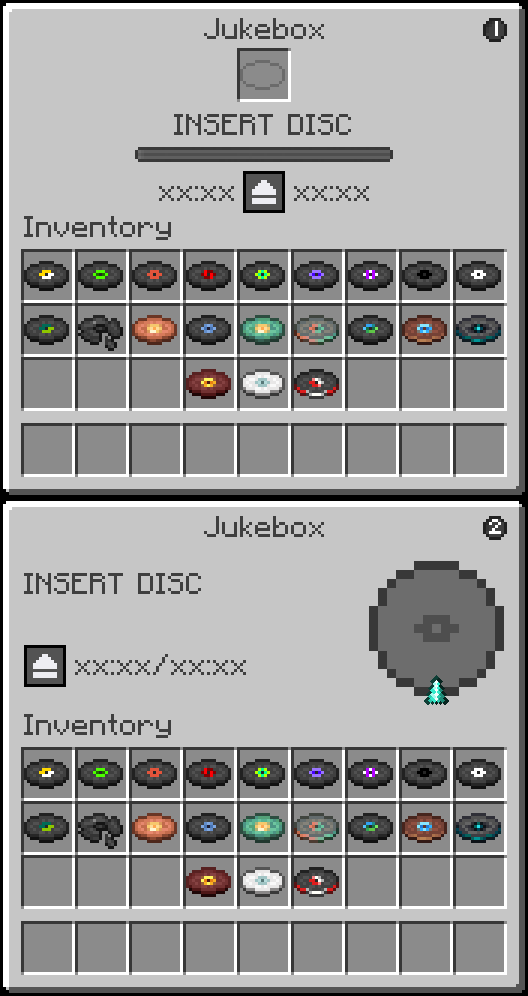
| FEATURES |
| Jukebox Management Screen | Displays an interactive GUI for the vanilla Jukebox |
| Disc Slot | Insert and eject music discs directly from the interface |
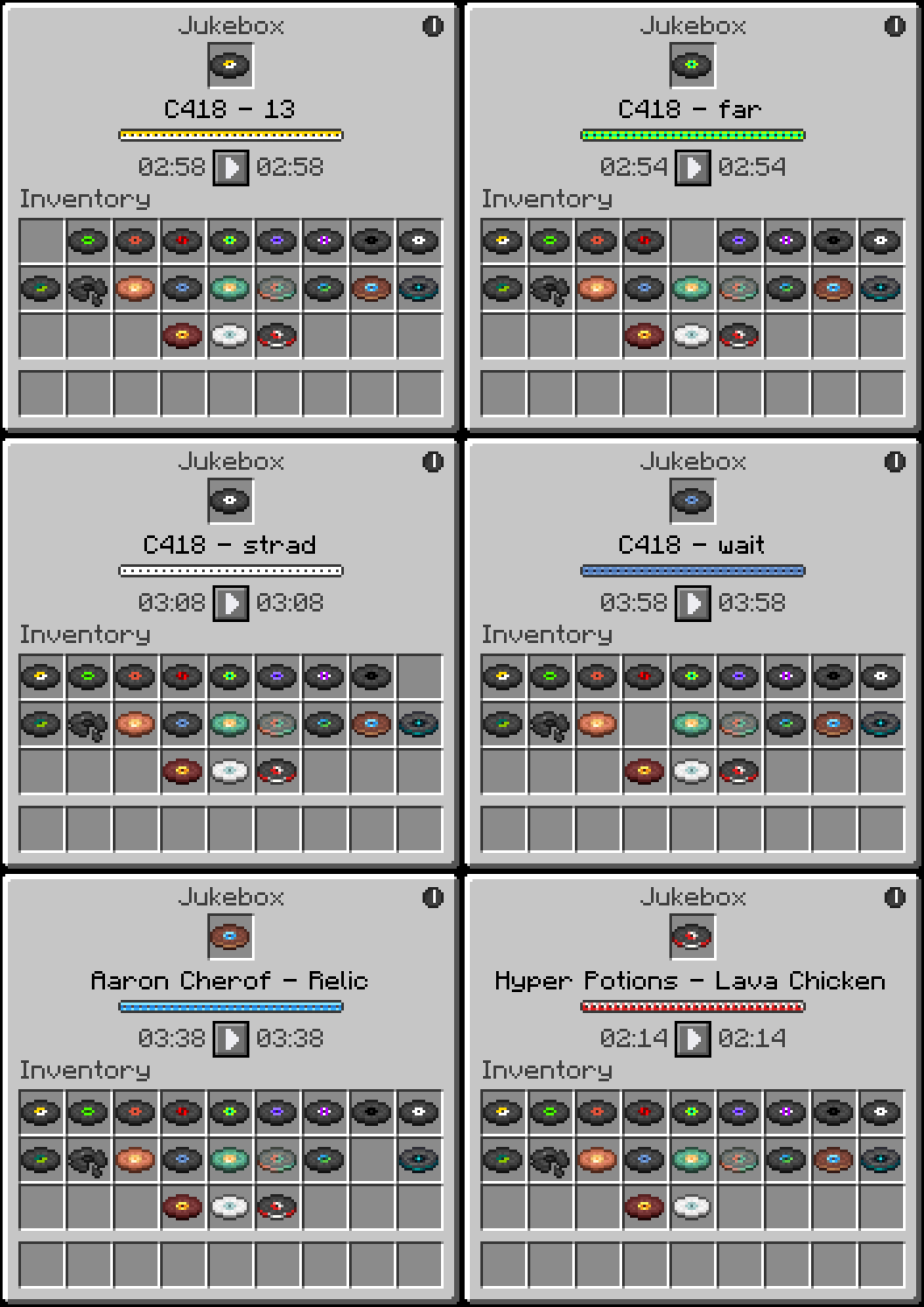
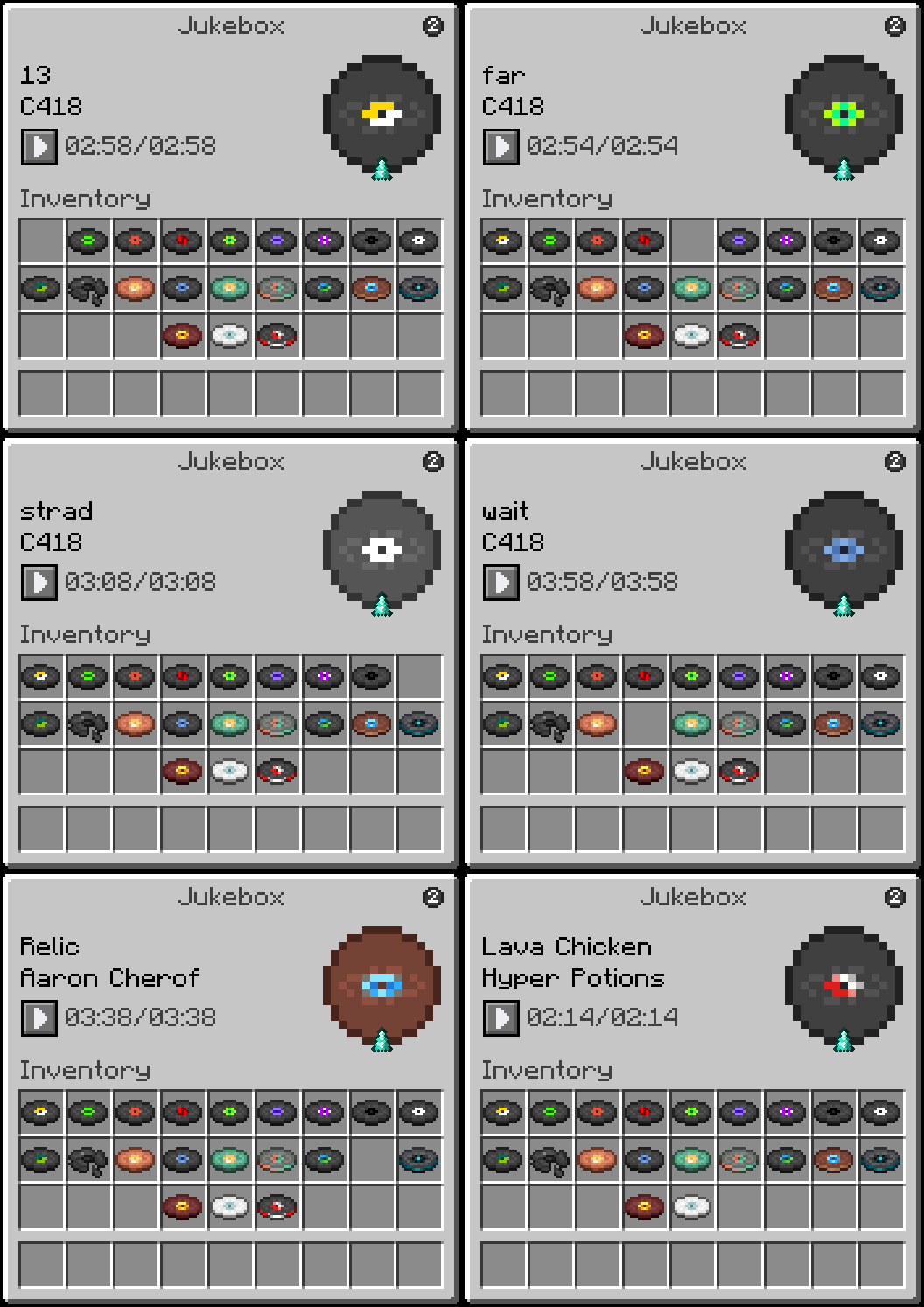
| Song Title Display | Shows the Artist and Title of the currently loaded disc, animates in rainbow colors while playing and turns black when stopped |
| Digital Timer | Displays elapsed time and total song duration in MM:SS format |
| Playback Controls | Pause and resume your music at any time with dedicated control buttons |
| Themes | Two visual themes to choose from, each with a unique style and playback display |
| HOW TO USE |
a Jukebox while holding nothing or any item to open the JukeboxGUI screen.
- Drag a music disc into the disc slot to start playback.
- Click the pause button to pause the track and freeze the timer. Click the play button to resume from where you left off.
- Click the theme toggle button in the top right corner to switch between Theme 1 and Theme 2.
- Click the disc in the slot to eject it and stop playback.
- Close the GUI at any time. Music continues and the timer keeps running in the background.
- Reopen the GUI to see the updated elapsed time.


Regular Right-Click (without sneaking) inserts or ejects discs the vanilla way. The GUI will still reflect the correct playback state when opened afterward.
| REQUIREMENTS |
- Fabric Loader
- Fabric API
| CLIENT & SERVER |
Some functionality exists on both the client and server, requiring the mod to be installed on both sides.
| FREE & OPEN SOURCE |
This is a completely free project. I'm not asking for donations or "buy me a coffee" contributions. If you enjoy the mod, the best way to support it is by:
- Leaving a rating/review
- Sharing it with friends
- Reporting any bugs you find
| GALLERY |
Theme 1
Theme 2
Available Versions
How to Install Jukebox GUI on Your Server
Order Server
Order a Minecraft Java server with at least 3 GB RAM (4 GB recommended).
Set fabric Loader
In the panel under "Egg", select the fabric loader and matching Minecraft version (26.1.2).
Install Mod
Open the mod browser in the dashboard and search for "Jukebox GUI". Click "Install" – done! Alternatively, upload the .jar via SFTP to the /mods folder.
Compatibility
Mod Loaders
Minecraft Versions
26.1.2, 26.1.1, 26.1 (+12 more)
Server-side
✓ RequiredRecommended RAM
4 GB(min. 3 GB)Frequently Asked Questions
Jukebox GUI server crashes on startup – what to do?
Most common cause: wrong fabric version or insufficient RAM. Check the server log (latest.log) for "OutOfMemoryError" or "Mixin" errors. With Mado Hosting: ensure at least 3 GB RAM is allocated and the loader matches the mod version (26.1.2). You can switch loaders with one click in the panel.
Is Jukebox GUI compatible with fabric?
Jukebox GUI officially supports fabric for Minecraft 26.1.2, 26.1.1, 26.1. The Mado dashboard automatically detects incompatible loader combinations.
Server lagging with Jukebox GUI – how to optimize performance?
Recommended RAM: 4 GB (per 8 players). Use /spark profiler to check if Jukebox GUI consumes the most tick time. Common fixes: reduce server view-distance to 8-10, install "performant" or "starlight" as supplementary mods on Forge. With Mado Hosting, your server runs on NVMe SSDs with dedicated CPU cores for minimal latency.
Similar Mods




Rent Modded Server
Install Jukebox GUI with just one click on your server.