![Jurassic World Craft [DLC Port]](https://cdn.modrinth.com/data/L599avEq/a9ff3c9ed919c326eed9728bdafc34c12d3bb1e6_96.webp)
Jurassic World Craft [DLC Port]
Adds the Jurassic World Dinos and more to Minecraft
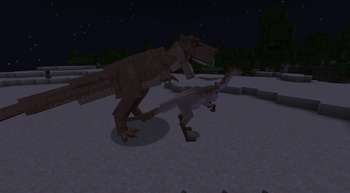
Screenshots
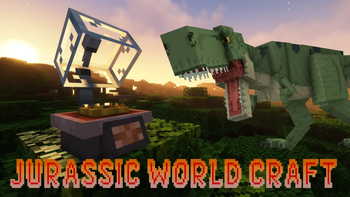
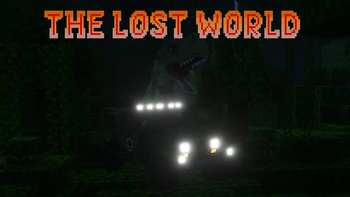

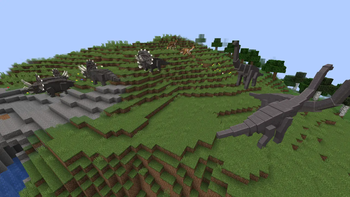
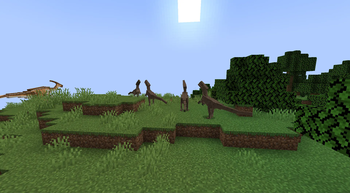
About this Mod

New Update coming this December! (UPDATE: is delayed)
Jurassic World Craft is the ultimate mod for dinosaur enthusiasts and Minecraft adventurers, bringing the excitement of prehistoric life to your game. This mod faithfully incorporates the iconic dinosaurs from the Jurassic World DLC in Minecraft Bedrock, allowing you to experience the thrill of interacting with these ancient creatures in your own worlds.
🦕 Discover Fossils and Amber in the Overworld, essential resources to revive and create your own dinosaurs. With a bit of exploration, you can bring the majestic creatures of the past back to life and populate your Minecraft world with an incredible prehistoric ecosystem.
🌟 Over time, the mod will continue to grow, with regular updates planned to introduce even more species and features to enhance your Jurassic World experience.
Current Dinosaurs:
- Ankylosaurus (2 Skins) 🦖
- Brachiosaurus (2 Skins)
- Ceratosaurus (2 Skins)
- Compsognathus
- Dilophosaurus
- Dimorphodon (2 Skins)
- Gallimimus
- Mixosaurus (2 Skins)
- Parasaurolophus (2 Skins)
- Pteranodon (2 Skins)
- Spinosaurus (2 Skins)
- Stegosaurus (2 Skins)
- Stygimoloch
- Triceratops (2 Skins)
- Tyrannosaurus Rex (3 Skins)
- Velociraptor (4 Skins)
Whether you're creating your very own dinosaur park or just want to roam the lands with these magnificent creatures, Jurassic World Craft delivers an immersive and nostalgic adventure.
Trailers:
Note:
Not all the assets of the Jurassic World DLC are ported. This mod is mostly made out of original content except for most dinosaurs.
Prepare for an unforgettable journey into the prehistoric age — download Jurassic World Craft today and bring the dinosaurs back to life!
Available Versions
How to Install Jurassic World Craft [DLC Port] on Your Server
Order Server
Order a Minecraft Java server with at least 3 GB RAM (4 GB recommended).
Set forge Loader
In the panel under "Egg", select the forge loader and matching Minecraft version (1.20.1).
Install Mod
Open the mod browser in the dashboard and search for "Jurassic World Craft [DLC Port]". Click "Install" – done! Alternatively, upload the .jar via SFTP to the /mods folder.
Compatibility
Mod Loaders
Minecraft Versions
1.20.1
Server-side
✓ RequiredRecommended RAM
4 GB(min. 3 GB)Frequently Asked Questions
Jurassic World Craft [DLC Port] server crashes on startup – what to do?
Most common cause: wrong forge version or insufficient RAM. Check the server log (latest.log) for "OutOfMemoryError" or "Mixin" errors. With Mado Hosting: ensure at least 3 GB RAM is allocated and the loader matches the mod version (1.20.1). You can switch loaders with one click in the panel.
Is Jurassic World Craft [DLC Port] compatible with forge?
Jurassic World Craft [DLC Port] officially supports forge for Minecraft 1.20.1. The Mado dashboard automatically detects incompatible loader combinations.
Server lagging with Jurassic World Craft [DLC Port] – how to optimize performance?
Recommended RAM: 4 GB (per 8 players). Use /spark profiler to check if Jurassic World Craft [DLC Port] consumes the most tick time. Common fixes: reduce server view-distance to 8-10, install "performant" or "starlight" as supplementary mods on Forge. With Mado Hosting, your server runs on NVMe SSDs with dedicated CPU cores for minimal latency.
Similar Mods
![[EMF] Entity Model Features](https://cdn.modrinth.com/data/4I1XuqiY/6e5bbd0d06b1741bfdab6c0cfab6de8fdaf0064c_96.webp)


Rent Modded Server
Install Jurassic World Craft [DLC Port] with just one click on your server.