
Just Another Survival Debug Stick
A simple, lightweight mod that brings debug stick crafting and usage to survival mode – yet offers deep customization for those who want full control.
Screenshots


About this Mod
🪄 Just Another Survival Debug Stick
A lightweight server-side Fabric mod that enables survival players to craft and use the Debug Stick with high customization.
📖 Overview
The Just Another Survival Debug Stick mod allows players in survival mode to craft and use the Debug Stick just like in Creative mode.
It brings back the full power of block state editing — now accessible without cheats or operator permissions.
This project is heavily inspired by Just_S's Survival Debug Stick (SDS) mod but rewritten from scratch to be simple and up-to-date with modern versions.
🔍 Showcase
By default, (when not configured) it works with every block and property. Blocks & properties can be easily customized with the mod's config system.
Showcase of chest properties editing: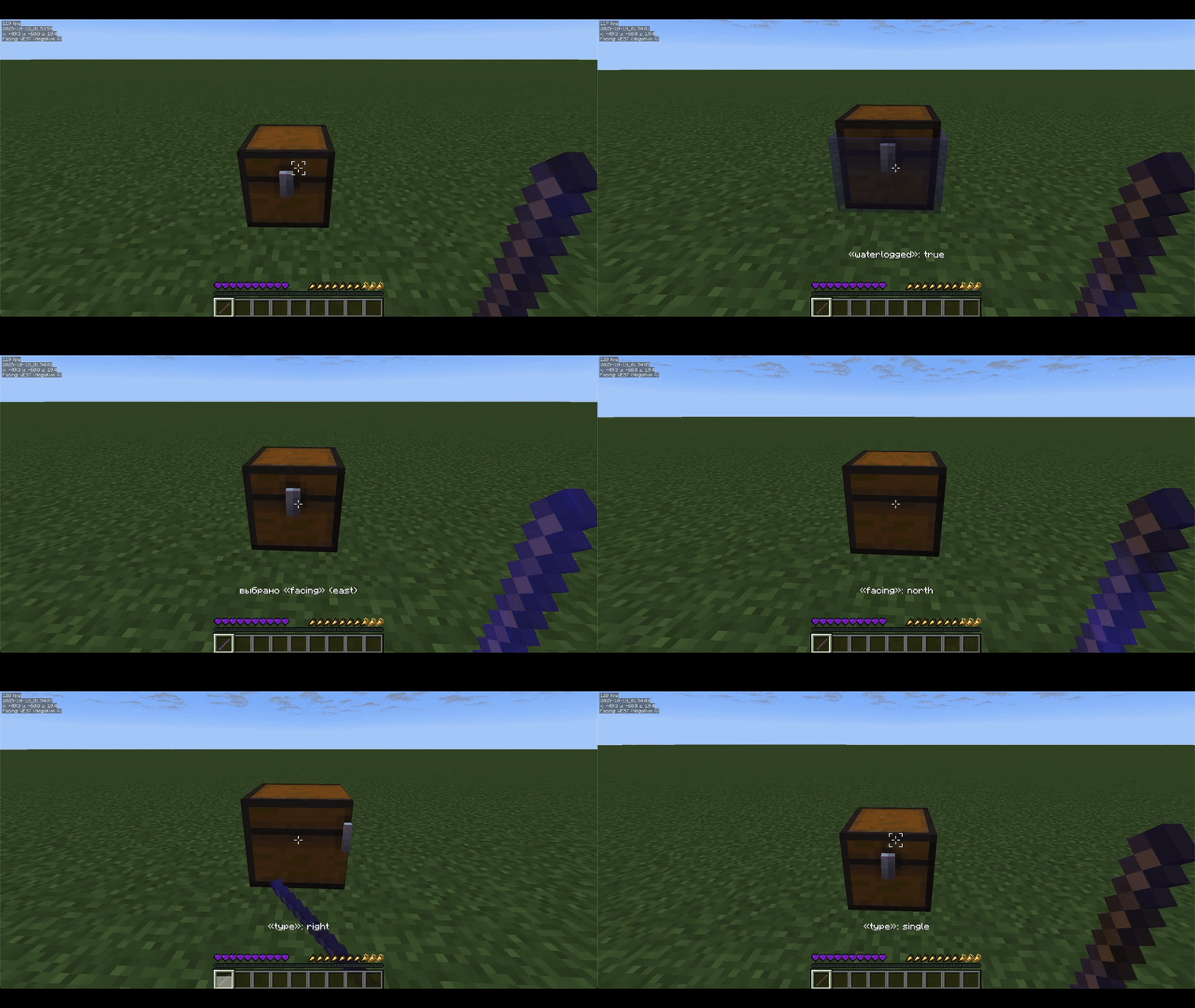
Showcase of editing blacklisted waterlogged property and non-whitelisted black_bed block.
How to configure whitelist & blacklist is located below, in the «Configuration» section: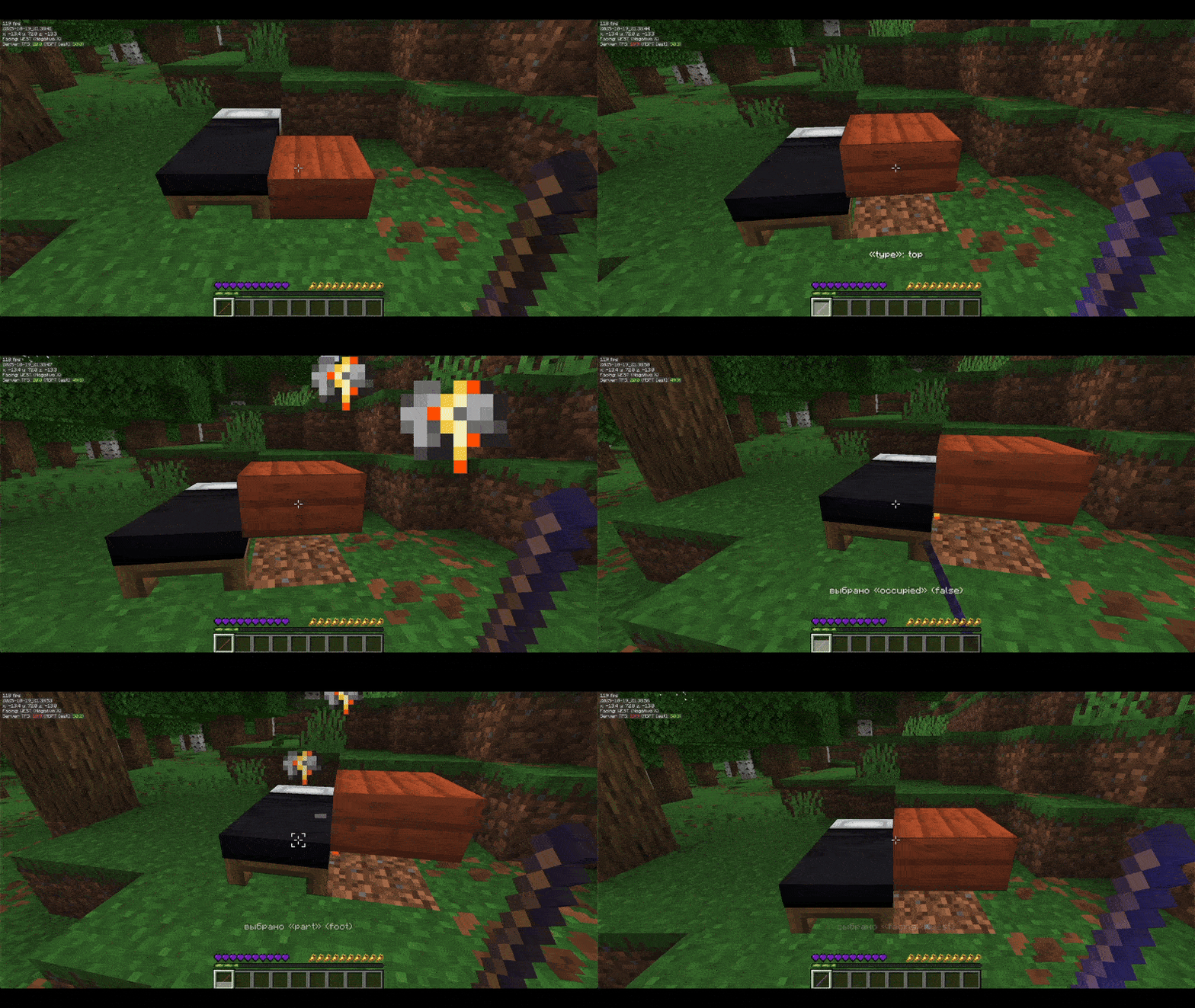
⚙️ Configuration
The mod allows you to configure whitelist and blacklist for both blocks and properties, as well as debug stick usage and swapping cooldown.
Config contains: config.json, whitelist.json and blacklist.json located in the jasds folder inside the default config folder.
Example config.json:
{
  "propertySwapCooldown": 20, // cooldown for swapping between different properties
  "useCooldown": 15, // cooldown for using debug stick on a block
  "whitelistEnabled": false, // enables blocks & properties whitelist
  "blacklistEnabled": false // enables blocks & properties blacklist
}
Example whitelist.json and blacklist.json:
{
  /*
    All block formats should look like registry:blockid. For example, the default Minecraft dirt block will be "minecraft:dirt"
    Example non-empty blocks section:
    "blocks": ["minecraft:oak_leaves", "minecraft:furnace"]

    Property names you can get by clicking with the debug stick on a block. For example, the default Minecraft furnace lit property will be "lit"
    Example non-empty properties section:
    "properties": ["lit", "waterlogged"]
  */
  "blocks": [],
  "properties": []
}
⌨️ Commands
/jasds reload – Reloads all mod configuration files (config.json, whitelist.json, blacklist.json).
/jasds whitelist list/enable/disable – Displays, enables, or disables the whitelist for blocks and properties.
/jasds blacklist list/enable/disable – Displays, enables, or disables the blacklist for blocks and properties.
/jasds cooldowns use get/set – Gets or sets the cooldown (in ticks) for using the debug stick.
/jasds cooldowns swap get/set – Gets or sets the cooldown (in ticks) for swapping block properties with the debug stick.
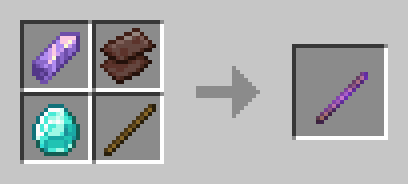
🛠 Crafting Recipe
The mod uses a shapeless recipe provided below.
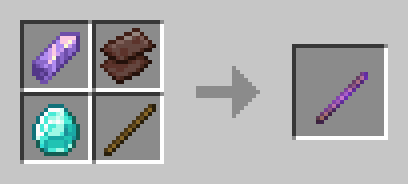
You can easily edit the craft by changing it in the mod's compiled JSON or change it in the source and compile it:
{
    "type": "minecraft:crafting_shapeless",
    "ingredients": [
        "minecraft:amethyst_shard",
        "minecraft:netherite_scrap",
        "minecraft:diamond",
        "minecraft:stick"
    ],
    "result": {
        "id": "minecraft:debug_stick",
        "count": 1
    },
    "group": "stuff"
}
Available Versions
How to Install Just Another Survival Debug Stick on Your Server
Order Server
Order a Minecraft Java server with at least 3 GB RAM (4 GB recommended).
Set fabric Loader
In the panel under "Egg", select the fabric loader and matching Minecraft version (1.21.10).
Install Mod
Open the mod browser in the dashboard and search for "Just Another Survival Debug Stick". Click "Install" – done! Alternatively, upload the .jar via SFTP to the /mods folder.
Compatibility
Mod Loaders
Minecraft Versions
1.21.10, 1.21.9, 1.21.8 (+4 more)
Server-side
✓ RequiredRecommended RAM
4 GB(min. 3 GB)Frequently Asked Questions
Just Another Survival Debug Stick server crashes on startup – what to do?
Most common cause: wrong fabric version or insufficient RAM. Check the server log (latest.log) for "OutOfMemoryError" or "Mixin" errors. With Mado Hosting: ensure at least 3 GB RAM is allocated and the loader matches the mod version (1.21.10). You can switch loaders with one click in the panel.
Is Just Another Survival Debug Stick compatible with fabric?
Just Another Survival Debug Stick officially supports fabric for Minecraft 1.21.10, 1.21.9, 1.21.8. The Mado dashboard automatically detects incompatible loader combinations.
Server lagging with Just Another Survival Debug Stick – how to optimize performance?
Recommended RAM: 4 GB (per 8 players). Use /spark profiler to check if Just Another Survival Debug Stick consumes the most tick time. Common fixes: reduce server view-distance to 8-10, install "performant" or "starlight" as supplementary mods on Forge. With Mado Hosting, your server runs on NVMe SSDs with dedicated CPU cores for minimal latency.
Similar Mods

![[ETF] Entity Texture Features](https://cdn.modrinth.com/data/BVzZfTc1/af683d206d50b05258d865b0d6e4aa2f2cee12f2_96.webp)
![[EMF] Entity Model Features](https://cdn.modrinth.com/data/4I1XuqiY/6e5bbd0d06b1741bfdab6c0cfab6de8fdaf0064c_96.webp)



Rent Modded Server
Install Just Another Survival Debug Stick with just one click on your server.