
Just Enough Resources Profiler (JEARGH)
Adds a long gone profile command to JER
Screenshots
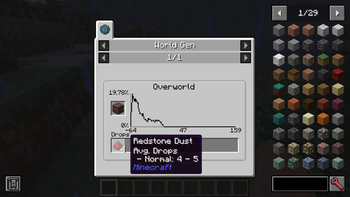
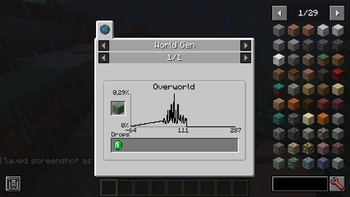
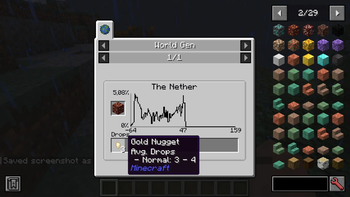
About this Mod
jeARGH (je Arbitary Resource Gathering Helper) is an addon for Just Enough Resources, which allows to run profiling on your single-player world for gathering Ores distribution data and drops.
All this mod does is creating a world-gen.json file in your config folder for JER to attach.
Quick Usage:
- Create new single-player world with JEI, JER and JEARGH mods installed.
- Run command /jeargh start 10 to start profiling process
- Wait
- Reload your world for changes to take effect.
Detailed description:
/jeargh start [merge]
Command starts to profile every found dimension in a radius of
For every found block, mod simulates harvesting for 1000 times to get drop items and amounts.
Use [merge] flag to run the profiler on a single (command sender) dimension and around command sender coordinates.
/jeargh abort
If you're tired of waiting and want to change input parameters, run this command to abort the process.
Mod creates a backup of world-gen.json if it founds one.
Limitations:
- Mod doesn't take into account ore drops produced by mining with tools enchanted with Fortune
- Mod only profiles ORES
- Mod doesn't support dimension blacklisting/whitelisting
- Mod can perform it's thing for a loooooooong time depending on chunk_radius specified. I recommend setting it to 25 and wait for a several hours for it to complete.
- Mod is FORGE ONLY
Available Versions
How to Install Just Enough Resources Profiler (JEARGH) on Your Server
Order Server
Order a Minecraft Java server with at least 4 GB RAM (6 GB recommended).
Set forge Loader
In the panel under "Egg", select the forge loader and matching Minecraft version (1.20.1).
Install Mod
Open the mod browser in the dashboard and search for "Just Enough Resources Profiler (JEARGH)". Click "Install" – done! Alternatively, upload the .jar via SFTP to the /mods folder.
Compatibility
Mod Loaders
Minecraft Versions
1.20.1, 1.19.2
Server-side
✓ RequiredRecommended RAM
6 GB(min. 4 GB)Frequently Asked Questions
Just Enough Resources Profiler (JEARGH) server crashes on startup – what to do?
Most common cause: wrong forge version or insufficient RAM. Check the server log (latest.log) for "OutOfMemoryError" or "Mixin" errors. With Mado Hosting: ensure at least 4 GB RAM is allocated and the loader matches the mod version (1.20.1). You can switch loaders with one click in the panel.
Is Just Enough Resources Profiler (JEARGH) compatible with forge?
Just Enough Resources Profiler (JEARGH) officially supports forge for Minecraft 1.20.1, 1.19.2. The Mado dashboard automatically detects incompatible loader combinations.
Server lagging with Just Enough Resources Profiler (JEARGH) – how to optimize performance?
Recommended RAM: 6 GB (per 5 players). Use /spark profiler to check if Just Enough Resources Profiler (JEARGH) consumes the most tick time. Common fixes: reduce server view-distance to 8-10, install "performant" or "starlight" as supplementary mods on Forge. With Mado Hosting, your server runs on NVMe SSDs with dedicated CPU cores for minimal latency.
Similar Mods




Rent Modded Server
Install Just Enough Resources Profiler (JEARGH) with just one click on your server.